Wake Up With Customer Platform LIVE | HubSpot Updates | 12/19/2025
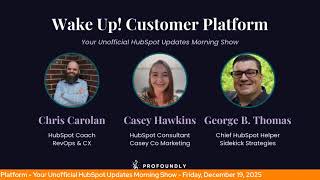
Chris Gallen and George B. Thomas cover HubSpot's latest updates: quote template cloning, process guides shutting down Jan 30, new Help Desk customization permissions, Slack link unfurls in private beta, and AI routing explanations. Help Desk spaces now available at Pro tier.
Questions this video answers
December 19, 2025
10 updates
Chris Gallen and George B. Thomas
January 30, 2026
Chapters
Foreign. Wake Up Customer Platform it's time to start the day. Discover all the value you already own. Don't let solutions slip way. Wake up, Customer Platform. The tools are at your hand. No need to sleep on capabilities that can help your business stand. The answer's right before your eyes. You just need to realize Wake up Customer Platform and watch your business rise. Wake up. Wake up. The platform's waiting for you. Wake up. Wake up. See what your system can do.
Good morning, HubSpot Nation. It is time to Wake Up Customer Platform with your unofficial HubSpot Updates morning show where we help you discover the platform value you already own. Chris I'm Chris Gallen, joined by George B. Thomas. We're here every weekday morning to make sure you're not sleeping on HubSpot street capabilities. If you're joining live, drop a hello in the comments and let us know what you're building in HubSpot today. Happy Friday, December 19th, George.
Happy Friday.
Woohoo.
I'm excited. We're getting into the holidays, getting into some relaxation and yet, yet HubSpot still gives us 10 updates to talk about. And Chris, I don't know about your screen, but I'm seeing five betas. Anyway. Let's, let's get.
We got some stuff to dive into so we'll get after it if I betas but that I'm getting more and more impressed with these things that just go live, right? Yeah, like number one, cloning. Quote templates.
That's not even one of mine. So that's beautiful.
Users can clone quote templates so they can copy content from existing templates to create new templates instead of starting from scratch.
I hate starting from scratch. Cloning has always been one of my favorites in HubSpot, ladies and gentlemen. But you might be sitting here as a HubSpot user wondering why does it matter? George and Chris well, currently users have to create templates from scratch, making it difficult to make different versions of similar templates. By enabling cloning, users can now create templates faster and have a more consistent template layout. That's important without having to start from scratch each and every single time. Beautiful. Love this one.
Gorgeous. Yeah. It wasn't even that long ago that we couldn't even make it template really right for the new new builder. So that team is blazing fast right now.
They're on fire.
And we got another one. Quote Preview is now live. What is it? Users can now preview quotes before sending them to their customers so that they can confirm the rendering of data such as personalization tokens. And can view the buyer experience before publishing the quote.
Wow. Really? You mean we should actually check the buyer? Anyway, I'll die. I digress. Why does it matter? Sales reps want to make sure that quotes accurately reflect their offering and company brand. Yes, they do, and yes, they should. By enabling a preview button, sales reps can confirm the buyer experience and that all data is rendered properly. In other words, it looks like what you want it to look like. Ladies and gentlemen.
Yes. And this is, I think, a moment a lot of us have been waiting for. And the reason it hasn't happened is because this app, if we talk about quoting in HubSpot, was farthest away from where it needed to be to just come in and start enjoying the experience that a lot of other apps in HubSpot experience where you have these preview buttons and you see here. So, yeah, yeah, it took a minute to get here with the new builder, but in the old builder and the wizard system, all you had was like a embed view, right? Or you had to click on the link. You see here we've got mobile, tablet and desktop previews, right. It's getting built into the interfaces we already know and love.
And Chris, I'm not saying it was me, but I can take you back to a conversation I had with this team and said what would be dope is if you just use the underlying structure of web design to use in the quote template. So I can, like, literally I talked about drag and drop and modules and so I'm not saying this is me, but man, do I love to see this. This is amazing.
Yeah, it's. It's good stuff, team. Keep up the good work. On an interesting note here, I got an email about this one last night. Process guides have been in private beta and the beta is now closed and will be rolled back for existing customers. January 30, 2026. Oh, and so if you weren't in this, pay no attention to the man behind the curtain here, but if you were, definitely read the email that you got from the team last night, because this, this is going away completely. One note. One note from the email is the sentiment of they need to do enablement like this is not gone away. They've just realized that the process guides as they were approaching it was not the way to do it. Gotcha. Next up, we've got some connected apps, new Connections Home and Connection Insights, as in private beta. What is it? Connections Home is a new centralized page for managing integrations. It provides a comprehensive view of apps connected to your account. Apps requiring immediate attention and apps installed by other users across your organization. This update also includes a new Connection Insight section that provides a detailed overview of app activities, Academy content, new API call usage, and new record insights that track how your apps interact with HubSpot and CRM data.
Oh, how it fills my heart to see HubSpot Academy content listed in this as well. Why does it matter? Ladies and gentlemen, More data, period. Fewer silos, period. These updates surface critical information to simplify integration management and reduce the time and effort required to maintain your app ecosystem. You can now spot and resolve app connection issues, monitor app activity across your organization, understand how apps interact with CRM records, and if that's not enough, avoid surprises like expired connections or API limits, all from one single location. If you sign up for this beta.
I got some screenshots here too. You know, this is probably a precursor to as I think about the way that they presented the data model area on the Data Model Builder. I bet we get some visuals sooner rather than later as it relates to how all the things are connected together and how data is flowing. And that's going to be. That's going to be a day that.
Excites Chris, doesn't it? You're. You're excited about that, aren't you?
Yes, that's. And that's what the team has been working on for a while. Like I've wished. There's always been more data model documentation and representation as HubSpot's moved forward so fast. But the team has been always thinking about how do we just do this in HubSpot so that it stays up to date and it's relevant for the users and they're getting real damn close.
Yeah.
So very cool.
Yeah.
Help Desk users with account access can now manage views and spaces. What is it? We're expanding Help Desk customization capabilities for views and spaces to users with account access admin based permissions.
Nice. There was a pause there. I'll ask you later why there was a pause, but maybe it's no reason because why does it matter? Opening up Help Desk customizations to users with account access removes unnecessary friction for growing teams. Super admins often manage critical high level settings across the business and shouldn't be a bottleneck. That's right. We don't like bottlenecks here. For team leads or frontline managers who simply need to tailor Help Desk to their teams, this update empowers more users HubSpot users, that is to make relevant team specific changes without escalating every request to a super admin. Oh my because was there a reason for the pause above?
Most of the pauses are from. I feel like there's a better way to say the thing I'm about to read.
Yeah.
And I can't figure it out. I'm not. Brain doesn't always work as fast as AI, so I don't always get there. Sometimes it's a little faster. I do this enough, but yeah, yeah. So no. Nothing to hide there. Number 6 new permissions announcements panel and users and teams. What is it? A new Permissions product update side panel directly on the Users and teams displays permissions related product updates including priority tag. Oh, yes. I love where this is going. Including priority tags, dates and links to more details, allowing admins to stay up to date without leaving the settings flow. The goal is to surface new permissions in a more contextual and discoverable way and drive their adoption.
Oh, can we all just have a moment? Oh, man. My goodness. Okay. Why does it matter today? Admins often struggle. Thank you for being truthful. To discover newly added or updated permissions. Permissions changes can have high impact, but visibility is limited, requiring admins to remember to check the product updates pages. The new side panel solves this by bringing updates directly into the place where admins make excess decisions, helping them to do a couple of things. One, understand recent permission changes in context. Two, adopt new capabilities faster. Three, reduce misconfiguration caused by missing awareness. Oh, that could be a life bullet point. And four, stay informed without needing to search or navigate away. Thank you, HubSpot. Thank you, thank you.
Oh man, I'm tearing up over this one. Reduce misconfiguration caused by missing awareness. Finally.
Yeah.
For trying to address the awareness gap. And guess what, folks? If it can happen in this part of HubSpot, it can probably happen in any part of HubSpot.
Yeah, hit that beta. Hit the beta.
Man, so good. So good. And not a better place to start with a card like this than in this specific spot. Yeah, so good. Invoice numbers available in payouts for easier reconciliation. What is it? You can now see and export invoice numbers associated with each payout in HubSpot, making it easier to match payout amounts to specific transactions.
So why does it matter? Finance and operations teams struggle to reconcile bank deposit payouts with HubSpot records due to missing invoice level details. Oh, man. Maybe I hit the hallelujah button too early in this episode. As a business owner, I might be tearing up right now. Anyway. Anyway. Leading to manual work and errors with invoice numbers in payouts details and exports. You can quickly trace payouts to specific transactions, reducing reconciliation time and support tickets, especially for high volume businesses. Oh my God, I need to.
Yeah, and this is one of those moments like yep, HubSpot did not start as a finance system.
Oh my.
So something that might be expected like this has not been available. So indeed hallelujah that it is now available.
Wow.
So thanks.
The game changer payouts has been such a pain point because it's like you close these three invoices and now here, here's a pile of money. Oh God, yeah. Thank you.
Just get used to hearing this word. Yeah. In 2026 folks, is there going to.
Be a finance hub? Anyway, I digress. HR Hub should be next, but whatever, right?
Moving on. Number 8 HubSpot link previews unfurls in Slack is in private beta. What is it? When you share a HubSpot record link in Slack, you'll get context rich structured previews, also known as unfurls.
I guess I've never heard that, but okay.
With no extra clicks required. What used to be just a static URL is now a snapshot of your CRM data conveniently visible within your Slack conversations. With this improvement, key information will automatically be displayed when links to supported HubSpot objects are shared in Slack, giving your team immediate context and further unifying your CRM and communication platform.
Okay, you might be wondering why it matters. Me too, but hang on a second, because my brain be braining and I'm super curious if somebody in the back window walled room of HubSpot if that's unified URLs because it's unified data in a different look Anyway, I don't know because I had never heard of Unfurls or unified URLs or whatever we're trying to do there. But why does it matter? More data, period. Fewer silos, period. Doesn't it sound familiar to another one? Anyway, this improvement brings more of your CRM insights from HubSpot directly. Where your team communication happens in Slack. Get critical CRM insights without leaving your conversations. Accelerate decision making by providing key details right where discussions happen. Reduce cognitive load by reducing the need to switch between multiple tools and keep everyone aligned with in line context. My goodness, talk dirty to me HubSpot.
Woo indeed. We gotta move on though. Number nine enable call recording settings by call direction. What is it? You can now choose to record calls based on the call direction, either inbound or outbound.
Oh, why does it matter? Call recording often requires compliance with specific regulations. This feature allows you to selectively record calls, helping to adhere to legal requirements while still capturing important conversations. For example, you can choose to record only inbound support calls for quality assurance or limit recording to outbound sales calls for training purposes. You should definitely go read how this works. It's simple but you know.
Being able to record inbounds any calls I think is what I'm interested in, even though I don't get that many calls. Number 10 segment analytics what is it? The Analyze tab in Segments provides insights into how your segments are used across channels, how segments are progressing through the buying journey, what overlap exists between segments and which segments require attention.
And there's the third one that I didn't have, so why does it matter? Replace the guesswork of understanding segment performance across channels with data driven insights in with the Analyze tab and Segments. Prior to this release it was difficult to to understand how your segmentation strategy was working. Hopefully as I read that hopefully you have a segmentation strategy anyway. How it was working? Most likely you were stitching together data from multiple sources in HubSpot. With an analyze tab and segments, you can now confidently double down on what's working, optimize underperforming segments and make smarter decisions. Which we all should do in 2026. Most likely on where to invest your.
Marketing budget and lots of pretty, pretty pictures on this one if you want to come and check it out.
I think those are called reports, brother. Yeah, this is pretty pictures.
Who gets it all? Hubs and tears. But the Customer Journey report that is shown on the screen is available to professional and enterprise only.
I think there's a crafty little unlock button there, but.
All right. Are any of these new? Yep, two of them are assignment details. What is it? AI powered routing explanations help you understand exactly why a conversation or ticket was assigned to a specific team member. When you open the routing details, you'll see a clear explanation of which routing rule fired, who was eligible at that moment, and how HubSpot made the final assignment presented in simple, human friendly language, it turns routing from a black box into something transparent and easy to troubleshoot.
Why does it matter? When assignments don't land where you expect, it slows teams down and increases escalations. Support managers often need to know which routing rule matched. Was the agent available? Did capacity or skills filtering change the outcome? Why was one agent chosen over the other? Instead of digging through settings or recreating scenarios, you now get an immediate, accurate explanation of what happened. This makes it easier to diagnose misrouted tickets and conversations. Train new team members on how routing decisions are made, adjust routing rules with confidence and understand real routing behavior during busy periods like the Christmas holidays.
We like transparent context. Yes we do. Join that beta last on the list. Help Desk spaces are now available at Pro plus. I think Pro plus means just pro and enterprise and that's what it is. George why does it matter?
Yeah, yeah. I was like waiting for more but there is no more. Why does it matter? This change is part of an ongoing effort to make sure or ensure packaging aligns. Wow. Okay. More closely with customer needs. By bringing spaces to Pro plus, more support teams are empowered to organize quickly and begin resolving tickets faster while centralizing their work in a team based working area that improves focus and efficiency. What a show.
My goodness, what a show. Remember folks, you probably already own the solution you're looking for in HubSpot. Sometimes you just need to wake up to it. Join us soon for another episode. I think we'll get maybe one or two in before the end of the year, but we'll see. Or you can catch us up. You can catch up or catch us anytime on Spotify, Apple Music, or the Profoundly HubSpot Updates blog. Drop your biggest takeaway in the comments and let us know what capabilities you want to wake up to next. Until then, I'm Chris Carolyn.
And I'm George B. Thomas.
And this has been Wake Up, Customer Platform. Now go build something amazing. Merry Christmas everybody.
Wake up, Customer Platform. It's time to start the day. Discover all the value you already own. Don't let solutions slip away. Wake up, Customer Platform. The tools are at your hand. No need to sleep. Sleep on capabilities that can help your business stand. The answer's right before your eyes. You just need to realize. Wake up, Customer Platform. And watch your business rise. Wake up, wake up. The platform's waiting for you. Wake up. Wake up. See what your system can do.










