Wake Up With Customer Platform LIVE | HubSpot Updates | 12/18/2025
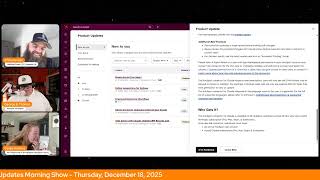
Chris, Carolyn, Casey Hawkins, and George B. Thomas cover five HubSpot updates: Social Post Agent moves to private beta, new deduplication bulk-reject rules, better workflow error handling, admins can now unbounce internal emails, and the Claude connector enters public beta with create and read capabilities.
Questions this video answers
December 18, 2025.
Transitioned from public beta to private beta (access will be granted gradually; current users keep access).
Maximum of 10 records per single request.
No — it cannot delete records or engagements in the CRM.
Super admins (action limited to eligible bounced addresses and protected by rate limits, unbounce protection, and full audit logging).
Chapters
Wake up, customer platform. It's time to start the day. Discover all the value you already own. Don't let solutions slip away. Wake up, customer platform. The tools are at your hand. No need to sleep on capabilities that can help your business stand. The answer's right before you rise. You just need to realize Wake up, customer platform. And watch your business rise. Wake up. Wake up. The platforms waiting for you. Wake up. Wake up. See what your system can do.
Good morning, HubSpot Nation. It is time to Wake up, Customer platform with your unofficial HubSpot updates morning show where we help you discover the platform value you already own.
Chris.
I'm Chris. Carolyn, joined by my co host, Casey Hawkins and George B. Thomas. We're here every weekday morning to make sure you're not sleeping on HubSpot's true capabilities. If you're joining live, drop a hello in the comments and let us know what you're building in HubSpot today. Happy Thursday, December 18, 2025. How are we doing?
Thriving.
That's funny. That's a complete flip flop from what was in the green room.
Anyway.
I'm doing great as well. Chris, how the heck are you doing? From a land far, far away, but in the same time zone as us.
Finally in the same time zone, though.
I didn't really realize that it's been jacking him up. By the way, have you noticed over the last couple days he's like, he wants to say central so bad, but he's not allowed anymore because he's on Eastern, so it would be weird.
But I'm really supporting this full move now.
Yes.
Yes.
Well, it's not looking good. Some allergies are flaring up from. From other people involved in this. In this full move, so. Well, we'll see. But yeah, doing good. Good to know that just our presence, George, can help Casey go from where she was to thriving.
Right.
That's why we're here. That's why we show up every day.
Absolutely.
I do think this is my last show of the year, though, which is sad.
Yeah, it is.
Oh, wow.
Way to bring us back down.
Well, hang on a second. Hang on a second. So does that mean that we're not like doing any 22nd, 23rd shows? Like, is it.
Are we.
Are we done after Friday for like.
I'm traveling the 22nd and 23rd. So this is up to you and Chris. This is you and Chris arrangement.
Yeah, I want to talk about that offline pbd to be determined.
Yeah. And we'll. We'll try to keep up with the team. They're making it easier today. We only got one new one and some some redos. Uh, but don't forget, uh, tomorrow the HubSpot helpline at 3 Eastern to Central. Join us. Give us a call at 1-857-575-9526. If you have challenges you want us to help you work through, or if you want to join us in our sharing of maybe or definitely who's been naughty or nice in the HubSpot ecosystem. Ooh, some some HubSpot wish list 2026 resolutions and a 2025 recap from the Mayor of Inbound himself, Rob Jones that you won't want to miss. Looking forward to that. So join us on LinkedIn live. Back to the issue at hand. HubSpot updates we've got five on our list today. Breeze Social Post agent this one has recently transitioned from public Beta to private beta. The Social Post Agent is transitioning to a private beta as we focus on quality and performance improvements. Current users will keep their access. You may request access to the private beta and will grant access gradually as we evaluate readiness. If you haven't seen this one, Social Post Agent is an AI powered assistant that helps you generate and publish social media posts faster and on brand. It's built directly into HubSpot and turns key dates, events and moments into polished brand aligned content across LinkedIn, X Instagram and more. All you need to do is press run Agent and this will create posts for all calendar events in the next month for you. Agent. This agent delivers post ideas, drafts and scheduling recommendations tailored to your company's tone and voice all in one workflow. And this is our new and improved version of what was called the Social Agent. Each event has three post ideas generated. You get some post suggestions that are much more on brand and specific to your company and location. You get updates to the UI to make it much more friendly and quicker for you to edit your draft. And you can now edit your social identity through the Train your social AI button to sound like you. The agent will remember your preferences for hashtags, tones, language structures for every future run.
Why does this matter? If you're like most B2B marketers, social media creation is one of your most frequent and most time consuming tasks yet. It often starts from scratch across disconnected tools with the pressure to be creative on brand and on time, Social Post Agent changes that. This agent helps you turn calendar events into publish ready social posts fast. Whether it's an upcoming event, holiday or a cultural moment, the agent surfaces three curated post ideas or angles, each aligned with your audience, industry, and marketing goals. You'll never start from a blank page again. Better yet, the content is personalized for your brand's voice using Social Identity, a set of preferences you define once and refine over time. You can tell the agent how you sound, choose your tone, define preferred hashtags, keywords and topics, set do's and don'ts for voice and messaging. For example, use all lowercase for Instagram posts. This means every post the agent creates will sound like it came directly from your team. Ready to engage, resonate, and convert? Social Post Agent doesn't just save time, it inspires better content, strengthens your brand voice, and fits seamlessly into your publishing workflow.
Let's bring this into the real world, ladies and gentlemen. If on December 19th you need to do a post on a National Underdog day, or on December 19th ugly sweater day, or on December 20th sangria day. Or better yet, maybe you're looking at January 2nd because you want to do something after the break and you didn't realize that it was Buffett Day, Science Fiction Day, or run it up the flagpole and see if anybody salutes a day. This agent can help you do posts for any of those weird and strange holidays. Okay, thanks HubSpot. Now post about your content and the value that you add to the world. And that would be a great social strategy.
I digress.
I've tried it. I've tried the social post agent and that, I mean what George said is true. Like it is just going to be about some random holiday. It's not going to add any value to your feed. So that's what that will be.
I mean, unless you're in any of those niches that care about that holiday. So the calendar events that it says up here. What calendar events?
It just like looks for like George was saying.
Yeah, it looks so like January 5th. If you happen to be a bird sanctuary, National Bird Day would be exciting you. If you happen to maybe sell tacos or grow beans, January 6, National Bean Day would be great for you on. I'll stop.
Okay.
I'll stop.
So it's this, I guess, agreed upon calendar that's not necessarily related to our business.
It tries to find events like closely, like aligned, but they're. It's not your business's events. Correct.
Yeah.
Is there like a How do all these holidays get recognized?
Like I these days, like when I tested it in like my portal or whatever it suggested, like writing about like National STEM Day, which is like adjacent to what I do.
I mean that's fair. Like some of the other ones that like. What was that? Well. Are you serious when he said dude.
No, those are actual holidays. It literally is like, I. Listen, I went to the all powerful source of knowledge and truth Google and said strange holidays and all of them that I have said I have not made up. I could keep going with Earth's rotation day, Static electricity day, Word nerd day, Cut the energy cost day.
Like, maybe there's a marketing opportunity to get on this calendar that apparently does not.
Look.
Wait, there's a national George B. Thomas. I'm just kidding.
I'm telling you, there's probably some opportunity there. All right, how many votes do you need? Like 10 votes.
Oh, shoot. Anyway, seriously though, post valuable stuff on the Internet. Don't be noise and nonsense. Be the human and the organization that people want to hear from. What's next, Chris?
Oh, no better way to come back down to Earth than to talk about deduplication of our data. Refine suggestions for. For dedupe. What is it? Customers can now reject multiple duplicate suggestions in bulk using rules configured on top of the existing duplicate identification model.
Why does it matter? Users need portals with many identified duplicates have no way to reject duplicate suggestions in bulk, making it hard to manage and clean up large volumes of duplicates. The benefit? This reduces duplicate clutter, allows new duplicates to be identified, and can lower back end computational load by reducing the number of records to review.
Man, I hate that computational load. Boy, that just ruins a guy's day.
Lowers front end computational load as well. I mean, that's what needs to be in here. The benefit? People will actually use this tool now? Because I remember coming in here the first few times and you see this list, you see all the exact problems, and then you look at the number, you're like, okay, I'm out. Like, I gotta do this one at a time. No way in hell, right? Yeah, or you. Or you, you. You try to step up, put some time on your calendar and then you see that again. Yep. There's gotta be something else I could be doing right now.
Chris. The. The internal feeling when you open that up and people have just been randomly doing stuff in your portal, you literally just are like that. That's the vibe right there.
That's the vibe indeed. All right, folks, well, thanks for making that easier for a subspot so we no longer have those feelings or we can get past them easier. Number three is live improved saving for workflows. Not obvious on the surface.
What the heck is that?
We've improved HubSpot's improved how they handle saving enabled workflows that contain errors. Until now, if an enabled workflow had multiple errors, you could get stuck. Even if you wanted to fix the errors, you couldn't save until every issue was resolved. With this update, you can now save your workflow as long as you aren't adding new errors. This means that you can gradually fix errors, make neutral changes, or clean up your workflow and save your progress. Instead of being forced to fix every error in one session.
Why does it matter now? You can save changes even if errors still remain. Incrementally fixed issues in whatever order works for you. Avoid accidental updates that introduce new problems and keep your workflow moving forward instead of getting stuck. This means more control, smoother editing, and far less frustration when working with enabled workflows.
It's really weird what happened to my brain during that, like, whole update right there. Chris, when you were doing the. With this update, you can now save your workflow as long as you aren't adding new errors. I was like, are they giving us life advice now? Are we still talking about up spot? Like, what is happening? This means that you can gradually fix errors, make neutral changes, or clean up your life. Hashtag 1% better each and every day. I. I was like, wait, are we silently preaching HubSpot, what are you doing here?
Just don't introduce new errors.
Yeah, yeah.
No new.
No.
Stop sinning. No, I'm just. I'm kidding. I'm kidding. I'm sorry.
I.
Stop.
Well, what I was envisioning is like, oh, man, there's 10 errors. I fixed these seven. Let me just delete these other things and then, like, you get 20 more errors. Yeah, I mean, I'm not a workflows guy, so I'm like, yeah, that's all I can imagine, but too fun. Yeah, you can save as long as you aren't creating more errors in your workflow.
This isn't what I thought this update was gonna be, but it's. It's a. It's. It's a good up. It's a fine update.
It's fine.
That's good. It's good. Not what we thought, but it's good.
Here's what this means. Like, okay, let's. Let's move on.
Moving on.
I'll leave this for the. The automation and workload people.
If you do use workflows, please go check out this update. There you go. We're covered now.
I mean, duh. I don't know.
There he goes. He wasn't going to go there. He wasn't going to go there. Now he's going there.
What happens though, Chris, is like if a workflow has a bunch of errors and it's already active, it doesn't just turn off, it can still run. It'll just run errors. But when you're making changes to a workflow, you can't push them live until all the errors are resolved. But it is possible you're fixing a workflow. Maybe there's a bunch of emails that got deleted and need to be fixed in a nurture series. However, if you add a step for another email to go out but you haven't actually created that email yet, that would be a new error and then you wouldn't be able to save it. Okay, there almost needs to be like a, a workflow sandbox.
Listen, listen, Chris. It's, it's just workflow Mario Brothers, that's all. Just get, save the princess, get the gold coin, move on to the next update, you're good to go.
Okay, sounds good. Happy to do that.
So we'll just.
Let's talk about Admin control to unbalance internal user emails. What is it? Admins can now directly unbalance internal users email addresses from the users and teams experience without needing to contact HubSpot support or use separate tooling. This new option is available in the user's detail view for eligible bounced addresses and is limited to super admins with built in safeguards such as rate limits, our balance protection and full audit logging.
Why does it matter? Until now, only support had access to tools to manually unbounce internal email addresses. This created a bottleneck whenever an internal user's invite or notification email bounced and needed to be retired. Admins wanted to quickly restore access for a user who fixed an email issue. For example Mailbox Re enablement typo corrected, spam quarantine cleared and teams were rolling out new workflows or notifications but discovered critical users had previously bounced. The result? Slower resolution times, more tickets to support, and risk of users missing important internal emails such as invites, approvals, escalations and routing notifications. By moving unbounce actions into the admin experience, HubSpot gives admins a faster self service way to restore email notifications for internal users, reduces dependencies on internal support tools and queues, and improves the reliability and coverage of email based notifications across the portal. At the same time, we address spam and abuse concerns by enforcing limits, restricting hard bounces, and logging every action for review.
Somewhere in HubSpot there's a guy who crunched some numbers or galaxy. That said, you know, we could gain 37 hours a week back if we just let them do this right here instead of walking down the long corridor and pulling the lever every time we get a support ticket. Good job HubSpot.
Good job indeed. Last on the list today Take action with Claude Update CRM records and Live Access Engagement history what is it? In public beta Right now, the HubSpot connector for Claude can now create and update CRM records and log activities, also known as engagements, directly from Claude's chat window, including new contact and deal creation and logging notes and tasks live in general access, Claude can also generate on powerful insights based on your complete engagement history of emails, calls, meetings, tasks and notes. Please Note if your HubSpot account has sensitive data enabled, the HubSpot connector for Claude will not have access to any engagement data for added security when using Create and update actions in the HubSpot connector for Claude attribution will be recorded in your HubSpot's account account's audit log to the user and The Claude Connector. HubSpot Connector for Claude cannot delete records or engagements in your CRM and the HubSpot connector for cloud supports bulk create and update actions for a maximum of 10 records in a single request.
Why does it matter? With expanded write access and engagement visibility, the HubSpot connector for Claude allows you to update your hubs spot context directly without leaving Claude. Ask Claude to log a discovery call, create follow up tasks, update deal stages, or analyze months of customer emails using natural language. By accessing engagement history such as emails, tasks and notes, Cloud can surface meaningful insights and let you take action on them instantly right from the chat window. This unlocks faster more intelligent use cases like faster workflows. Create a task to follow up with a prospect who had questions on pricing Smarter insights Claude can now access your email threads and call notes to provide context aware recommendations. Less manual work, no more copying insights from Claude into HubSpot properties. Manually update directly from Claude's chat window and better decisions. Analyze real customer conversations, not just CRM snapshots.
Forward we did it and I'm going to be digging in a little bit deeper with with the product manager of this this update later today because I still need to be sold personally on using this instead of MCP or when when to use one and and not the other. So if you have any questions about this update, send them my way and be sure to let you know what's up.
I don't understand the difference between this and the mcp, so I'M happy to hear you're having that.
Yeah, that'll be a good conversation. That'll be a good conversation. You should hook up to Breeze and ask Breeze what questions you should ask for that interview. And then ask Claude and then ask ChatGPT. And then ask Perplexity. And then ask, I don't know, I ran out Gemini. And then, I don't know, I ran out and then.
Remember, folks, you might already own the value you've been looking for in HubSpot. You just need to wake up to it. Join us tomorrow morning where we'll hit another round of updates. Until next time, I am Chris. Carolyn.
Yes, you are. I'm Casey Hawkins, and I think I'm still George B. Thomas.
Everybody have a great day. We'll see you next time.
Wake up, customer platform? It's time to start the day? Discover all the value you already own? Don't let solutions slip away? Wake up, customer platform? The tools are at your hand? No need to sleep on chapel build that can help your business stand? The answer's right before your eyes? You just need to realize? Wake up, customer platform? And watch your business rise? Wake up, wake up? The platform's waiting for you? Wake up, wake up? See what your system can do.










