Welcome to our live show!
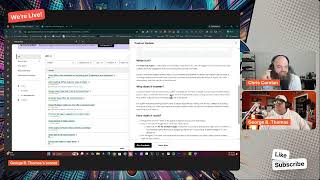
George B. Thomas, Chris, and a third host demo HubSpot's new AI features: Breeze Assistant drafts emails and builds reports through chat, Answer Engine Optimization boosts brand visibility in ChatGPT and Perplexity, and Customer Agent now handles calls with lead qualification and multi-brand routing. Tasks got rebuilt on the CRM framework, and video tooling can now pull trending TikTok audio.
Chapters
The world rotates. Your latest update, darling, so you're ahead, not late. You tuned in right, you tuned in great. This is your latest update.
Yeah, latest updates, baby, because you know, Chris, there's always tons of HubSpot updates, and it's been a hot minute since we've been on the mic. How the heck you doing, brother?
I am doing better now, let me tell you.
Uh, tell me why. Why are you doing better now?
Oh man, uh, it's— I don't like relying on other people to keep up with HubSpot, apparently. Um, and, uh, also, you know, spring spotlight FOMO, like, yeah, subtasks. Oh my God, like how we led that, we Man, we forecasted, foreshadowed that like every time we could on the show, and then when it drops, we're not there.
It's like, oh, it's like a bummer.
Happy to be back, man.
But hey, there's some hiccups, you know, and we're back. We got a new place to go live, we got some new things coming down the pipe, some new graphics, all sorts of fun stuff. Obviously we're gonna continue to do this live show just hang in with us. I know for sure it's going to be Fridays. It might be a little bit more than that. We're still talking amongst ourselves, but make sure if you're watching this on YouTube on the channel, make sure you hit the like and subscribe. But Chris, are you ready to get into it? Actually talk about some good HubSpot stuff that's happening?
I am ready. And I know you mentioned that we're going to work from the all screen, but Since, since we used to run from the demo account, I've been a good boy and I haven't been in that new to you tab. 78 updates in my new to you tab right now. So yeah, stuff has been going on. Apparently it wasn't our show that was driving the updates. It's still, you know, HubSpot doing their thing.
Yeah, I think it was definitely HubSpot doing their thing. Okay, so Chris, let's go ahead and by the way, keep that screen maybe somewhere handy. Because you can, you know, it'll help us kind of pick these out. Uh, create report with AI options in reporting. Do we want to hit that one? That feels like something we'd want to hit.
Uh, yeah, what is it? Yeah, users can now select create report with AI from the reporting page to open Breeze Assistant and generate reports via chat. They will have the ability to open this report in the appropriate Report Builder at any point as well.
It's interesting to me because literally like a day ago or 2 days ago, I was like, I wonder if I can create a report using my API with my assistant because I've been creating a bunch of forms and workflows and all sorts of other stuff. And now to be able to do this in Breeze. Hey, you might be wondering why it matters. This change provides a much more powerful AI reporting option available to users in the form of creating a report in the latest Breeze Assistant. This should also be a more usable and consistent experience with the rest of the product and makes it more discoverable to our users, as well as provide more simple and easy-to-use ways to create and filter reports. Listen, if reporting has been your Achilles heel, then ladies and gentlemen, it's time to know that you have an assistant, a helper, uh, Mr. or Mrs. Breeze, uh, or, or whatever. Or just Breeze, let's call it Breeze, uh, can help you do this. So Chris, where does, where does your brain— have you tested this yet? Are you excited about this?
Uh, there's other people that worry about reporting. I'm not, I'm not one of those people. I help people do the data right so that the reports make sense. But it's something to watch for here and why I still believe HubSpot has a really great position in terms of what they've built here and why We can trust Agentic Customer Platform and what they're talking about. Agents, AI, humans working together.
Yeah.
Like they are in a position where if you have all the context here, I'm waiting for the moment as everything gets forced into the Breeze chat, right? Like the cool thing will be, and this is where nobody else, I don't think, has solved for this, right? Where it's like George just makes a report in the chat. I can, I somehow understand that he did that. Then I go in and talk to Breeze and can, and Breeze will know about George's conversation and we can just like pick up, oh right, he did that, but he didn't know this other thing just happened. So let's add that variable in. That kind of collaborative building is going to be like a huge unlock for business.
It's almost team iteration without the team knowing that it's iterating. Is what I hear you saying. I think that's super dope. All right, let's move on. We've only got a set amount of time here. Permission sets and seats are now decoupled. Listen, ladies and gentlemen, we talked about this when it was the other show. We're not going to talk about that when it's this show. Uh, if you're curious, go check it out. It is important. Uh, create calculation properties using Breeze. Is this going to be a Breeze day? The Breeze is happening a lot, Chris. Uh, let's talk about this public beta. Create calculation properties using Breeze. What is it?
Uh, Breeze is getting better and better at using the complex parts of the CRM. Uh, you can now use Breeze to generate the formula for a calculated property using natural language instead of building it from scratch. With this release, Breeze can turn a plain language prompt into a calculated properly formula, and you can generate formulas for custom equations, time since, Time until and time between.
You know what's going to be interesting is when you can go into Breeze Assistant and do a custom coded workflow. I built one of those just the other day for a client, and my, my assistant, my Claude assistant, helped me with that. Knocked it out the freaking park. But imagine, because you just said complex places, my brain just shot over to that. Anyway, why does this calculations matter? Calculator properties are powerful, but building the formula Mm, can be intimidating or time-consuming, especially for users who don't work with them every day. Letting Breeze handle the heavy lifting, I love it, lowers the barrier to using calculated properties, reduces mistakes in complex formulas, and speeds up setup so admins can focus on what they want to measure, not how to write the expression. I love this. I wish there was maybe some examples of like, 'Here are the top 10 ways that you might use calculations in your portal,' part or link or something to that. But hey, if you know what you know and you know that you need it, now Breeze can help you do it if you don't like expressions. Very cool.
Yeah, and, and you, you asked if it was going to be a Breeze day today. Yeah, I think like this AI thread, whether we want it to be or not, is how we're gonna just naturally thread all these together. Because when you think about reporting Right? Like, I need a report. Oh man, to get that report, I need to create a property. Oh, that's, you know, it's got to be a roll-up property. It's got to be this and that. Like, admins, that's why we want you to kind of raise up and understand that you want Breeze to be able to do this so that everybody else, you know, in your org can easily get, answer the questions that they're asking of you when they ask for a specific report, right? And now that Breeze can do it, maybe we trust the report creation, you know, a little bit more when we're asking for complex things, right?
Yeah, yeah. And it's interesting, as you were saying that, Chris, my brain went to— there is this interesting thread between a dope data model, uh, clean data, and AI being able to do all of these things that we're saying that you, uh, should and could be doing. Uh, Chris, does the quick filter bar excite you for today's show? I don't know if it excites me for today.
I think we'll wait until like there's an overall CRM index theme happening throughout these two.
Now this one, yeah, this one right here, it excites me. You know why, Chris? Because major update. That's right. We're talking about the AEO track and improve brand visibility in AI-powered searches. Look at this beautiful screenshot that you— so Chris, what the heck is this?
Uh, AEO, or Answer Engine Optimization, is now available in Marketing Hub. Measure, track, and improve your brand's visibility across ChatGPT, Perplexity, and Gemini, and go from insight to published content without leaving HubSpot, an interesting omission there.
There is, there is, isn't there? That's very interesting. Listen, if you haven't turned this on, what's the matter with you? Like, go get this, make sure you're like looking at it, setting it up. Like, the setup process is actually not difficult at all. Anyway, why does it matter? Instead of clicking through traditional search results, buyers are increasingly asking questions directly in answer engines. These AI responses often summarize the market, recommend vendors, and cite sources before a customer ever visits a website because AI pulls from, uh, consense— consense— what? Whatever. Consensus. Anyway, across third-party— man, hard words, I tell you. Or maybe it's just because it's Friday. Sources— buyers tend to trust these recommendations more than traditional search results. Hmm, interesting. This means leads coming from AI search arrive better informed and further along in their decision. I would agree with that as somebody who has closed multiple humans from AI. The challenge: SEO is no longer enough. You need to start showing up in AI recommendations. I guess that's a newsflash. Most AEO tools hand you a visibility report and good luck. AEO in Marketing Hub is different. It shows you exactly where the gaps are Connects recommendations directly to the content tools you already use and gets smarter over time because it's drawing from your CRM data. Other AEO tools don't know your business. HubSpot already does. Chris, it's funny because like I have this thing in my brain where there, there has been like an invert of like how it used to be, meaning people would do SEO, kind of game the system. They would get humans, uh, based on that. Now I look at it and it's like, your referral engine better be on point, number one. Number two, your AEO better be on point, number two. And by the way, three, SEO should be a thing you're still focusing on. But if you're focused on one, humans, two, AEO, you're gonna find more humans, and SEO That's the, like, cleanup, uh, hitter, if you will, if we use a baseball analogy. So where does your brain go with this whole AEO thing and, and conversation?
Oh man, such a bittersweet relationship I have with AEO and SEO. Um, uh, and I'll be honest, so not super excited when I saw it as the headliner. I knew why. I mean, it's super cool in the background. Yeah, that they can acquire a company like 4 months ago and already they have crafted it into the platform. Yeah, right. So that was super impressive. Like, because we were on— I was on the hug on Tuesday at the admins hug.
Yeah, super admin hug. Kyle Jeppsen, Deanna. Yep.
Right. And they had product managers, including— I can't remember his name, but he was from XFunnel. And man, it was impressive, right?
Yeah.
To watch it work. Impressive enough for me to go into my portal immediately.
Wow.
And go click those buttons. And you know what? The competitor list that it gave me was— it made me so happy, right? Like, because it was just based on my website. Yeah. And one of the hard parts about the HubSpot ecosystem is how to, like, there's just a lot of nuance to it. And the way that it nailed that—
did it put you up against some big boys and you were like, oh yeah, is that like, what are you talking about?
Like Accenture and Deloitte?
Yeah.
Oh, because we're talking about on the Value First Team website, we're talking about AI transformation. Like consulting, not just HubSpot work.
Yep, yep.
And it can be hard, even though we need to know, we need to talk about AI and help companies move through that. It can be hard not to like position yourself as a HubSpot, you know, agency. And so when I saw that, I was, I was delighted.
Um, nice.
And yeah, really, like, why not, right? Like, if you, you It's included in Marketing Hub. They even made it available outside of Marketing Hub as like a standalone product. So that tells you that they're going to keep going hard in this direction.
Oh yeah.
And keep developing, right?
Without a doubt. The fact that it's standalone is very interesting to me. But, you know, you got to make revenue and this is a way to make revenue.
We needed at least 10 layers of different costs when explaining how much HubSpot costs people. So Now we've got another one.
No, I don't think— I don't think we need that really. Okay. Invoice to Project Association. Does this excite you today?
You know that it does. I'm sure you don't think it should, but—
Okay. Okay. So, Chris, Invoice to Project Association. What is it?
The customers can now associate invoices and projects in both directions. From an invoice, they can link one or more projects And from a project, they can link one or more invoices.
Yes. So you might be wondering why this matters. Well, previously teams had to connect project work and invoicing manually. That made it harder to understand what had been billed, showed handoffs, slowed handoffs, sorry, and limited reporting. With invoice to project associations, team can track billings at the project level, understand which invoices map to which work, and report on invoiced and non-invoiced work. With more confidence. Oh, we're getting so much outside of like just using it to do work inside of HubSpot. We're going in a direction of like, and here's the billable project for this. Anyway, there's a video, a demo you should watch. Uh, there's some nice dope screenshots in here. Uh, Chris, any, any wrapping it up thoughts on, uh, this product update of invoices and projects together along with, you know, subtasks and like where you think this is going or what's happening.
It's huge. Like, because what, what happens in reality, since most people are not using projects yet, is they got to find a way to like do it in deals. And so you see these deal pipelines that are like 20 stages long and sales happens over here and then project work happens over here and then we get paid. And that's what slows billing and handoffs and, and makes reporting almost impossible in those situations. Now you don't have to do all of that in the deal, so please stop doing it. If you need help architecting away from that, give us a call.
Yeah, yeah. I still have deals for a couple of good reasons, but man, do we weigh heavily on invoices and And honestly, I look at this and I go, man, do I need to revisit projects in my portal? Do I— can I— can I get rid of ClickUp at this point? I don't know. I still got to go and investigate, but they have made some changes that have made me wonder because, by the way, my HubSpot note-taker is the note-taker that comes into all my meetings at this point, along with ClickUp. Uh, and it's doing a bang-up job. So we, we, we— I don't know. Okay, let's move on.
Let's go there.
Let's go there.
Breeze Assistant projects there too. Yeah, but just search tasks. Like, search tasks.
Oh, do you want me to search tasks?
Yeah.
Okay, so we search tasks, right?
Because this was the checkbox. Yeah, you asked for— yeah, get serious about this one right here. Yes.
Yeah, let's go ahead. Let's go ahead and, uh, first of all, let's make sure you join that beta, ladies and gentlemen. I'm gonna go do it right now. That's right. And we're gonna go ahead and— Chris, uh, let's talk about what this is if people have been living under a rock and don't know, uh, one, that there's projects, and two, now that there's, uh, customized task properties and subtasks.
You can now break tasks into subtasks, create custom properties for tasks and customize which properties appear when creating a task.
Can I just say one thing? I am not understanding why this is not a major update. Like, holy crap, why does it matter? Until now, tasks in HubSpot couldn't be tailored to how your business operates. Well, that just changed, didn't it? Uh, oh, and, uh, with subtasks, you can break complex work into manageable steps Custom properties lets you capture the specific data your team needs on every task. I feel like the longer I read this, the more I just realized I lost a weekend. And by customizing the task creation form, you ensure the right information is collected every time someone creates a task. Oh my God, clients could fill out a form. Anyway, let's move. Well, Chris, what— you had me search this. Are there other things? Like, look at this task app rebuilt, like, right?
Just look at this collection, like, assign tasks to customers.
Okay, let's go there. Let's go there, Chris. Assign tasks to customers. What is it?
You can now assign tasks to your customers and specify which contact at their company is responsible for completing the task.
Oh, oh my gosh. Why does it matter? Service delivery often, which, by the way, Interesting, because that means they don't have to be a HubSpot, uh, like in your portal. Like, you know how a lot of things is like you, they have to be in the portal to like do this thing. Okay. So why does it matter? Service delivery often requires work from both your team and your customer's team. Until now, you could only use tasks to track work for your own employees. Now you can assign tasks directly to— I did lose a weekend. Uh, you can, you can assign tasks directly to your customers and track work they need to complete, giving you a complete view of the service delivery process in one place. This sets the foundation for future updates where your customers will be able to access and manage these tasks themselves. Oh, ladies and gentlemen, you need to come check out the How Does It Work? Chris, let's just do the triple pack here. Because I need to hit another, like, request the beta. Oh, oh, there we go. Gotta hit the button for the sound to come out. Uh, and let's go ahead and— Tasks app rebuilt on CRM framework.
Uh, you know, and all this one was saying, like, this was when we were foreshadowing on the show. It's like, as soon as they mentioned this, yeah, you knew that they were going— like, Tasks is a real— is on the way to becoming a real object. Yeah, at this point, right?
Yeah, yeah.
But now I want you to, uh, search project.
Well, hang on, we didn't do Task App Rebuilt on CRM Framework yet. So, so, because, because I'm, I'm building to something here, and then you can search for—
we'll search for something.
So Task App Rebuilt on CRM Framework, what is it?
Has been rebuilt, giving you the same views, filtering, and organizational tools you use with contacts deals and all of the other CRM objects.
Oh my God, tasks are essential for staying organized, but they're historically, uh, they, they historically work differently from the rest of your CRM. This update makes tasks behave consistently with other objects so that you can view and organize tasks using familiar CRM patterns, filter, sort, and group tasks the same way you work with contacts or deals and adapt task management to match your team's existing workflows. Chris, we just need to take a minute before I do a search. Oh, HubSpot. Thank you, HubSpot, for the— gosh. Okay. What am I searching next, Chris? What am I searching?
Projects.
Okay. Now we're going from tasks to projects. Uh, we're really, we're really going after it here. Okay, so where do you invoice to project association? We talked about that. Breeze Assistant projects. Did we talk about that? Did we, did we just talk about that?
I think it's just Breeze knowing about projects.
Okay, okay.
There's a, there's a worthwhile endpoint here. It's just to confirm, like, we can't— we don't even have all the project updates on one page, right? So This is the project work that's been done.
Oh, one there.
I want you to search the customer.
Oh, uh-oh, uh-oh.
And then click on customer success rooms.
Customer success rooms. Oh, right here. By the way, beta. I've already requested it. I saw it in between shows and was like, can I get a heck yeah? All right, customer success rooms. Chris, what is it?
Customers and customer success managers share a collaborative workspace to track project tasks, documents, and status updates in one portal.
Let's go. Why does it matter? Customers and CSMS— in other words, customer success managers. There, there is a time and place for acronyms, and there is a time and place not for them. Anyway, not why we're here. They need— humans need an easy, uh, shared space to manage onboarding tasks, share documents, and track project progress to reduce miscommunication, missed deadlines, and reliance on emails and spreadsheets. Yeah, yeah.
And Like in the how there, it says they're automatically created based on deal close, right? But again, you only get to enjoy this functionality if you're thinking on the other update, why in the hell would I want to assign a task to a customer?
Yeah, yeah.
This is one reason why not only do you get to keep track of it better yourself, HubSpot's making it easy for you to let the customer, like, manage it themselves, right? So this world where it's not just because we want you to do deals better, right? There's— it only works if you start using the projects and the tasks, and like, you get to see Gantt charts, and now you have success rooms, and like, it's all here, folks.
So why we're here And we're talking about customers, uh, because by the way, I don't know, Chris, if everybody read the article of why I switched from Delphi.AI to Customer Agent for my clone. Uh, but look at these, uh, little betas that are here. One, I'm gonna go ahead and hit join this beta right here. Hit, hit that sound. My goodness, my pad is just not wanting to make noise today, but we're gonna make it happen. Uh, let's talk about this one right here, Chris. Customer Agent now handles all your front office conversations. With agent goals and lead qualification. Uh, what's changed? The customer agent navigation has been updated, and as a result, the lead qualification action has moved. Chris, what the heck is this?
The customer agent just got a major upgrade.
Major update. Yeah, buddy.
Now it can handle all your front office traffic, qualifying prospects, adding to the— adding them to your CRM, and even booking meetings with your sales team.
Yep, uh, I did really lose a weekend, uh, with all of that we're talking about, but it is all good. Why does this matter? Your website attracts everyone from loyal customers to curious humans. While the customer agent has always been great at solving customer issues and engaging prospects, it didn't turn those conversations into real growth until now. Ladies and gentlemen, you're going to want to check out the How Does It Work? If you've been sleeping on Customer Agent, knock it off. I spent an entire, like, half day totally nerding out on this thing. Listen here, let's hit this other beta right here because let's just keep on rolling with the— yes, I almost said no thanks. What is wrong with me? Transfer. Because by the way, Chris, we have ours hooked up to the Sidekick Strategies phone now. where they can actually call and talk to it. By the way, HubSpot wishlist item, wishlist item. I need a sound for that. Uh, can we please get an ElevenLabs integration with HubSpot so that I cannot pick Onyx or blah blah blah and other voices that you have in there, and I can pick the voice that I want? Because I would pick my voice that I've worked diligently on making anyway, because it's I digress. Chris, transfer calls from customer agent to IVR. What is it?
Uh, you can now transfer calls from customer agent to your IVR system.
I feel like you got off easy on that one. Anyway, why does it matter? You need a way to provide callers with immediate AI-powered assistance while still maintaining the option to route them through your IVR. System if the customer agent can't resolve their issue. This integration lets you combine AI conversation capabilities with your existing IVR routing so callers can get help faster without always needing a live agent. In other words, not agent as in I'm an agent, but agent as in human. That's what we're talking about in this one. Ah, I'm not going to hit the next one, but I just want to say customer agent now supports multiple brands. If you are a human out there that has multiple brands, multiple organizations, AKA historically business units. Go check that out because that is powerful. Chris, where the heck do we go now? Let's see, we talked about— oh, I want to do this one. I want to do this one and then maybe we'll actually make it to page 2. But let's go ahead and hit that beta real quick. We're going to go ahead and join this and prospecting agent daily digest email. By the way, I teach— when I teach HubSpot AI, I teach it in a trifecta. I start with Breeze, I go to the prospecting agent, and then I go to the customer agent. And can I tell you that I can cover those three and get somebody from, we're not using HubSpot AI, to ready to just go decimate in about a 45-minute session talking about those three things. Anyway, prospecting agent daily digest email. Chris, what the heck is it?
It is a daily digest email that lists contacts with prospecting agent drafted outreach awaiting your review with direct links to each draft.
Without a notification outside the Sales Workspace, prospecting agent drafts are easy to miss or delay, which means slower outreach and missed opportunities. The daily digest brings Pending drafts to your inbox so you can review and act without having to check the app. You need to check out how it works. You can see a little screenshot in there. Prospecting Agent is available for Sales Hub Professional and Sales Hub Enterprise. So if you're on Starter or Free, sorry, uh, ease on up, uh, move on up, whatever words you want to use, and then you'll be able to have this power at your fingertips. As well. Chris, anything else on this first, or should we just go to number 2 and see what just surprises the heck out of us?
Well, as you go to number 2, I'll just say customer agent, prospecting agent, AEO. Yeah, you have 3 ways. If you just go and do the setup required for these things, yeah, you will be like— you won't have to fear AI. In HubSpot anymore. And the customer agent specifically, if you fill out all of that setup, it sets up AI for your HubSpot portal. Yeah, like as you do it, right?
Yeah, don't— well, so, uh, hit the brakes. I need a brake sound, like, um, yes to everything that Chris said, as long as you start with Settings, AI, Data Sources. And if you haven't been in Data Sources long enough to know that there's now buyer and seller things that you should be filling out, that there are new sections to the things that you should be filling out, you might want to go check out AI data sources. I thought about having another episode on Hub Heroes about it. We may, we'll see. But there's a lot that has grown back there that people need to be paying attention to. Chris, I think I about just maybe soiled myself when I read this. Write and send emails in Breeze Assistant. What, what's changed? Added a video walkthrough demonstrating how to streamline email drafting with Breeze Assistant for easier understanding and adoption. That's what's changed to this update. There's a nice screenshot, but Chris, what the heck is this?
Yeah, you remember that world we were just talking about where everybody's getting pushed into, uh, a conversation with Breeze?
Yeah.
Breeze Assistant now helps users draft, refine, and send one-to-one emails.
Wow.
Or replies directly from CRM records. It uses CRM data, past email conversations, and available email templates to generate ready-to-send emails that can be inserted into the CRM composer with all fields pre-filled.
I'm telling you, it's, it's just another reason why all the unstructured data needs to be in there with the structured data, the calls, the transcripts, the everythings. Why does it matter? Writing and sending emails is one of the most frequent tasks for front office teams, yet it remains fragmented and manual. By the way, email really hasn't been updated in like since the internet was born. Like, so this, like, this literally feels like a new way to do email. Anyway, today users of HubSpot, uh, or users just in general often have to gather context themselves, iterate on draft, and complete the sending step outside of Breeze Assistant, which breaks flow. This feature closes that gap by enabling Breeze Assistant to generate high-quality I'm gonna test this and see. Context-aware, I sure hope so, emails and take users all the way to a ready-to-send message, reducing the effort required and helping them complete email tasks faster. Man, if it gets to the point where it's like one-shots, yep, hit reply, I'm done, and it was seconds instead of minutes, this is amazing. Amazing.
Yeah.
Um, I don't— is this the video? I wonder. I'm curious, like Yep. Yep. That's the video. So when you get in here under how does it work, streamline email drafting with Breeze Assistant will take you to a video that you can watch. I would say do that. By the way, Chris, Chris, my gosh, my guy, all hubs, all tiers, get this.
Yeah, it's, uh, so, so pro tip here. I'm sorry to bring it back to the data model, but because it's looking at previous email conversations, if you've had challenges managing the activity feed of the deal record or contact record and you have things mixing together and you've just understood it and you've like, I don't do the activity feed anyways, so I'm just going to do over here, right? Maybe I, I, use other records to manage that information. I don't care if all these emails are on this contact record. That's where you start to see the quality degrade in terms of Breeze being able to help you use the context, right? Because the context is no longer clean and it's going to pull stuff from other conversations that you might not want to pull from, right?
Whoopsie.
Yeah, keep an eye out for that. It's an easy fix. It's nice though, because now you can go find those emails and just like say, all right, that shouldn't be associated here and unclick the association.
Yeah. So, so, Chris, I, I don't know to cry or be excited, but as I read this next one, I think about multiple clients that I have helped go from ActiveCampaign to HubSpot in the amount of times that they're— they, they mind-bendingly try to figure out what tags in that system and properties in HubSpot equal. And what's been nice is up until this point, we really didn't have to use the word tags in HubSpot, but now we've got tags in dashboard. I'm going to hit this beta. I don't know how long I'm going to stay in roll in it, but maybe it's different than what I'm thinking. Anyway, tags in dashboards. Uh, Chris, what the heck is it?
You can now add, remove, and filter tags on dashboards, including bulk actions and filter-based selections to organize and locate dashboards faster.
Oh, not what I was thinking at all. Uh, why does it matter? We might even have to dig into the Why does it, or how does it work? Why does it matter? As the number of dashboards in your account grows, as it should, finding the right one gets harder. And yep, as soon as it's hard, you know what humans do? Not do it. Dashboard tags let you categorize dashboards by project, team, campaign, or any label that fits your workflow. So you spend less time searching and more time acting on your data. So how does it work? Uh, Chris, I'll take the first one. You can take the second one. I'll take the third one. You take the fourth one. So how does it work? Tagging dashboards. Navigate to the dashboards list page from a dashboard row. Use the action menu or the actions dropdown to add or remove a tag. You can also select multiple dashboards or use select all with filters applied to add or remove tags in bulk. Each dashboard supports up to 5 tags.
You can filter by tag as well. Apply a tag filter on the dashboard's list page to narrow results. Use the search bar within the filter dropdown to find specific tags and refresh the page. Filtered views persist until you clear or update them.
And ladies and gentlemen, create a view based on the tags that you've now added on the dashboard's list page. Save a filter tag view to use as an organizational folder. These saved views keep related dashboards grouped together for quick access. Oof.
And of course, only users with dashboard edit access can add or remove tags. Dashboard tags are limited to 5 per dashboard.
Wow. And all Professional and Enterprise Subscriptions get it. Chris, the show is almost over. If you could only talk about— because you can— one more update in this episode, do you know what it would be?
I mean, just search video for me. Just to make sure. Oh, this is just for my awareness purposes.
Yeah.
Oh my, like, okay, since we've, uh, stopped going live every day.
Yep. So HubSpot— wait, first of all, embed HubSpot videos on any CMS or external email. Uh, joining that beta, ladies and gentlemen, this was historically an issue. If you were on a third-party CMS, you couldn't do this, like WordPress. Now it sounds like you can. Uh, Chris, do you have a hard stop?
I don't. I don't.
We're gonna cover video, ladies and gentlemen. So embed HubSpot videos on any CMS or external email. Uh, Chris, what is it?
You can now easily embed HubSpot hosted videos on any external CMS or website. Any external CMS or web— hold on. Yeah, I did not know that's where we were going.
Uh, that's where we're going.
See, like, that's wonderful.
Dude, dude, do you know why— you know why I'm so excited? Anyway, continue with what it is. Continue with what it is.
Or an external email providers using a copy paste embed code directly from your— man, good choice.
So, uh, Anker and team, uh, may the Lord bless you and forever make you amazing as you are. Um, ladies and gentlemen, you might be wondering like, why is it such a big deal for two HubSpot nerds? Well, two HubSpot nerds that have recently, uh, built websites or moved websites onto a different platform, uh, due to the world that we live in with AI and vibe coding. And now, uh, I can make the choice to actually use HubSpot to get metrics on the videos that I would want to and haven't been up until this point. Anyway, why does it matter to other people and not just Chris and I? Previously, there was no native way to share videos externally and track performance in one place. Marketers had to host videos on third-party platforms to embed the, to embed them elsewhere or download and re-upload them to share, losing HubSpot analytics in the process. Now you can instantly embed HubSpot videos on external CMS platforms like Shopify or WordPress or Sanity using a response. Oh, that word's not there. I'm sorry. Using a responsive snippet, embed HubSpot videos in emails sent through external email platforms. Track views, plays, and engagement events across all platforms in HubSpot. The results: broader distribution, better performance insights, and stronger attribution, all managed from a single platform. Oh my gosh. If you want to learn more, there's a knowledge base. Okay. Uh, number 2, join this beta. We're going to talk about the video betas. And if you see anything past that in video, we can also do that, but we're going to do, uh, what did I just do? It was Create video clips and post in social tool. Chris, what is that?
You can now create and view AI suggested clips from a longer video directly in the social composer, then publish them with an AI-generated caption without switching tabs or tools.
Wow. Why does it matter? This update significantly streamlines the content publishing workflow for video editors and content marketers by creating video clips directly within the social tool. You save time and reduce context switching. No more bouncing between tabs or tools to generate clips. Just edit, clip, and publish in one smooth flow. This is especially useful when you're tuning, turning, sorry, a webinar podcast or longer video into shareable social highlights or teasers. It's almost like they have my office bugged. We're doing a webinar later today that is Building Your AI Content System, one of 8 that we're doing over the next couple months. We're doing a podcast right now which has some definite shareable moments, and we should probably put those things on social. And also use HubSpot to embed them on other websites. Number 3, join the beta. Uh, here real quick, Chris, what— by the way, what— before I do that, what, what are your, uh, thoughts on creating those video clips and posts, uh, in the social tool?
Again, those two updates together, like, because I could not embed HubSpot videos on the site, it, it was an extra like choice to go and put it over in HubSpot to store it so that I could take advantage of the clip generator.
Yeah.
And now I— it just got easier and now my weekend has been impacted.
Yeah, yeah, yeah, yeah, yeah, yeah.
Okay, I'm not, I'm not a TikTok guy. Yeah, this is so cool.
Yeah, yeah, right. Add trending TikTok audio to video in editor. I love this Dharmesh in the screenshot, by the way. Chris, what is add trending TikTok audio to video in editor?
That's a super good video too, of Dharmesh that everybody should watch. You can now add trending TikTok audio directly to your videos in the HubSpot video editor. The editor surfaces currently popular sounds from TikTok, making it easy to enhance your video content with trending audio.
Yo, the why does it matter, you can read later. It's a book. And if you don't know why it matters, like the, the audio of TikTok is like massively important. I'm doing that because I gotta jump onto something else here. Um, I just need to know, and this will be the last one for us today, uh, AI video clip agent suggestions in video library. It— I, again, this might be the second time that I read a title and possibly almost soiled myself. AI video clip agent suggestions in video library, uh, what's changed since its initial release. Didn't even know it was a thing. We added an AI suggestions tab in the video library to surface suggestions from the video clip agent in the video product. You can now use and run the agent from here instead of only from Agent Studio.
Oh God, yes.
Oh yes. Go, my gosh. Uh, maybe why I didn't know that it existed because it was in Agent Studio and not where my actual actual videos are. Chris, uh, this AI video clip agent suggestions in video library, what is it?
Uh, the video clip agent is an AI agent in your HubSpot video library in a new AI suggestions tab that automatically surfaces short clip suggestions from your existing video content each week. It scans your library against trending topics in your industry and identifies the 3 most relevant clips to share. If no strong trending matches are found, it looks at your 3 most recently uploaded videos if they're over 3 minutes long and finds clips from those instead.
Wow. Why does this matter? Long-form video is only as useful as your ability to actually get it in front of humans, people. Okay. And turning a recorded webinar, product demo, or interview into a short clip For social email usually means carving out extra time you don't have. Most of that video just sits in the library after the initial publish. Oh, did we just replace Opus Clips for my organization and ClickUp in the same episode? Anyway, this agent makes that existing content easier to use by doing the clip finding work for you instead of scrubbing through recordings to find the right— Madison! Oh, when she gets home. Anyway, uh, to find the right moment, you get a weekly shortlist of clips that are already matched to what's resonating in your industry. Oh my goodness, Chris, what an episode! It was action-packed. By the way, There's probably like 27 more episodes that we could do. Um, but we just don't have the time to continue today. Like if we, if we drill this down to what would you tell any HubSpot user based on the spotlight, based on what's been happening in the portal, based on all the things that we talked about today, like where does your brain go?
Oh, Uh, if you haven't yet, start understanding how AI is working in HubSpot. It's getting easier and easier for you to jump into a conversation with Breeze for whatever reason comes to mind. And, um, that's probably where most of you need to start. And if you can just have that conversation, then at the end ask, what happened here? What do we do, right? You're halfway to where you need to be in terms of understanding how to get started making AI valuable for you. And yeah, right.
Yeah. My last thing is, if you haven't tried it, go try it. I mean, come on, just in projects and in video. Holy crap. Could just dramatically change the process that your people have to go through on a daily basis. Because of the updates of a platform. We'll see you next show. Enjoy and make sure you have fun on a Friday and dance it out, ladies and gentlemen.
Yeah, new drops in your feed, fresh tools every week, lock and level up. We gonna make this sleep from HubSpot Unbound to the test. We run strategy updates on the one bright with Casey and Chris and George on the way. We break it all down so you're ready to play. Your latest updates, every change that shapes your days. Your latest updates, new features, new plays, new ways. Your latest updates, stay sharp while the world rotates. Your latest updates, darling, so you're ahead, not late. You tuned in right. You tuned in great. This is your latest update.










