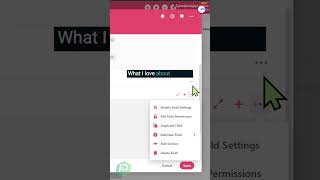
This is a YouTube video titled "What are SmartSuite Sections?" containing a single speaker explaining the features and benefits of using collapsible sections within SmartSuite to organize data efficiently. The speaker describes how sections can be customized, renamed, and collapsed to improve usability and reduce information overload. The content is instructional and focused on software functionality.
My favorite SmartSuite feature by far is this guy right here. Sections. Sections allow you to expand and collapse information and drag different fields from throughout your record into or out of those given collapsible sections. When you are navigating through the right side of a task and you see these little selectors here, you can rename a section or by selecting any existing field, add a new section with your own chosen name, and even throw an emoji in there. What I love about sections is that when you adjust them, you can name them how you'd like, arrange them how you'd like, and and even choose to have them collapsed by default. When I scroll back over to the left, you'll see what this looks like. Collapsed by default ensures all of my sections start off as closed when I open a record, and the opposite is the opposite. It has them all be quite open. As someone who loves to use structured data, but also is really concerned with making sure my SmartSuite is easy for other people to use, using these collapsible sections allow me to keep information very organized but also not overwhelming. What's your favorite SmartSuite feature?