What is HubSpot anyway?
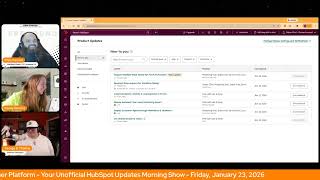
Chris Carolyn, Casey Hawkins, and George B. Thomas break down HubSpot's latest features: multi-team support, business-day workflow delays, improved spam handling in Forms, and Breeze Assistant upgrades. They walk through how to deploy Customer Agent via workflows and explain default property values, all in private beta or live now.
Chapters
Foreign.
Wake Up Customer Platform it's time to start the day. Discover all the value you already own. Don't let solutions slip away. Wake Up Customer Platform the tools are at your hand. No need to sleep on capabilities that can help your business stand. The answer's right before your eyes. You just need to realize Wake Up Customer Platform and watch your business rise. Wake up. Wake up. The platform's waiting for you.
You.
Wake up. Wake up. See what your system can do.
Good morning HubSpot Nation. It is time to Wake Up Customer Platform with your number one unofficial HubSpot updates morning show where we help you discover the platform value you already own. Chris I'm Chris Carolyn, joined by my co hosts Casey Hawkins and George B. Thomas. We're here every weekday morning to make sure you're not sleeping on HubSpot. Joining Live Drop a hello in the comments and let us know what you're building in HubSpot today. Happy Friday, January 23rd, 2026.
Wow. End of the week and almost end of the month. Didn't really connect that together till just right now. Where did January go?
January tends to be a really long month, I feel like.
But oh no, it's the longest, shortest, longest, shortest month.
Yes, yes.
Yeah, I think every month right now is faster than the last month.
But.
I am one who enjoys that kind of environment, so I'm doing good. How about we get into some some updates?
Let's do it.
Support multiple main teams for full functionality and we've got a new tag alert here. This is a major update in Private beta. What changed? Removed Meetings round robin from the list of routing rules included in this update to clarify that this functionality is not yet supported for multiple teams. What is the functionality? Users can now be fully functional members of Multiple teams in HubSpot with equal access to routing and workflows across all assigned teams. Except for meetings around Robin at the moment.
Yep, yep.
Why does it matter? Previously, users assigned to more than one team could only be full members of a single main team, leading to reduced capabilities and workflow friction for those working across regions or functions. An idea allow users to be primary team members of more than one team has collected 200 plus upvotes, including 70 plus replies and numerous comments over multiple years. This change removes artificial limitations, improving collaboration and ticket coverage for organizations with flexible or matrix team structures. This update also ensures predictable and transparent routing behavior. Previously, many customers did not realize that extra team members were excluded from assignment pools, leading to confusion or inequity. Inequitable workload distribution by making team members fully functional teams can now rely on routing rules and workflow logic behaving consistently.
My favorite line of this entire update is the team model is now simplified with just two fields like yes Please Teams being Field one and Default Team being Field two. Because it's in the how does it work? Section that you should go read and check out if you deal with teams inside your HubSpot portal.
And another exclusion note inbox users and teams based automatic assignment is currently excluded from this update and will be updated in the coming weeks. Who gets it? Everybody. I'm Pro and Enterprise Press that beta. Business Days Support for Workflow Delays I think we just mentioned this yesterday, but here it is again. Let's see if anything's different. What is it? We've updated the delay action in workflows to include an option to exclude weekends. When this option is enabled, delays count only Monday through Friday. For example, if a contact enters a one day delay on a Friday with weekends included, the next action will run on the following Monday.
Hang on before you go Casey. Ladies and gentlemen, while Casey is reading this, if you are watching, run to your portal. The join beta is not grayed out today like it was.
There we go. It is.
It is of able to be clicked on today. Hit that data. Go ahead. Go ahead Casey.
Yeah, I was thinking that's probably why it's back on the list. This matters because this update makes workflow timing more aligned with normal business operations. With it, you can stop sending emails on weekends when your team won't be available to respond. Ensure follow ups happen on work days, improving conversion and engagement rates avoiding confusing timing logic where calendar days post Push next actions into unexpected gaps like weekend dates. This update will help your team maintain professional predictable communication cadences and reduce manual workarounds people previously used to approximate business day timing. Great.
We like it. Sensible. Update number three Improved Spam visibility and management in Forms what is it? We've made updates that improve how spam submissions are surfaced and understood across forms. These changes make existing spam information easier to find, interpret and most importantly, act on updates. Include a new spam tab on each form that surfaces organized insights like spam severity, top spam types and upcoming automatic deletions, along with a filtered list of blocked spam submissions and in context actions to view release in bulk or delete in bulk. Also includes easier access to spam protection settings with bot filtering and recaptcha. Now surface directly within each form's Details page. Also, it's easier to access spam submissions across all forms from the Global Forms Analytics Personalize tab.
Very nice. We love a screenshot. Why does this matter? It's been challenging to understand where spam shows up, how serious it is, and what actually needs your attention. Spam submissions have been easy to locate, making it confusing and time consuming to review and clean up your data. These updates make spam easier to notice, interpret and manage, reducing the time needed to triage submissions and improving clarity across the entire form experience.
Join that beta.
Number four Hang on, hang on. Before you move on, it's interesting that we're talking about spam on this day of January 23, 2026, because it's probably the only thing left on the groc grocery store shelves right now for the Win for the winter debacle. So HubSpot is like in real time talking about things that are important to humans who might be anyway, sorry.
Relevant and timely and you know what I mean. We're gonna go because loot marketing is all about helping you be relevant and timely as well.
There you go. There you go.
And now you can talk to Bree's assistant who is your loop marketing expert.
Oh boy.
What is it? Quality Updates to Breeze Assistant to create a better Breeze experience for marketers, Breeze Assistant now has access to all of HubSpot's HubSpot Academy's content. Breeze Assistant can even show clipped Academy videos in line related to a user's question, can show website analytics as a data source. Marketers can now quote, talk to their data in Breeze Assistant and get generated reports related to their website traffic and conversions. Persona Awareness Breeze Assistant now knows whether the user is a marketer, so it can tailor its responses to what marketers need and loop marketing expertise. Breeze Assistant now has access to a comprehensive loop marketing playbook. When a marketer asks a how to marketing question in Breeze Assistant, Breeze can now tailor its response based on loop marketing best practices and Tactical Advice and HubSpot. If you want to share that link to the comprehensive loop marketing playbook with.
Humans too, that would be cool. Humans would love to see that. That would.
Why does this matter? Freeze Assistant has lacked the context and data sources that marketers need to make it useful as a result. As a result, marketers have had low engagement with Breeze. These quality improvements are a first step towards Breeze Assistant becoming a true hybrid teammate for marketers in HubSpot.
So let me Let me just step out on a limb here for a second and tell you that I have been fascinated up until this time with what Breeze can do and also mortified to the amount of humans that I'VE talked about using Breeze in their portals that have not been. This is one area that I've been trying to be like hyper focused on activating any of my clients or people that I consult with on like leveraging Breeze Assistant. Now the fact that it now adds this in and, and I think about this and whatever this means because by the way, I'm just learning about this right now, same time everybody else is. Man, man, talk about a growth partner. And remember, I don't know if this, if they're just talking in HubSpot, but remember there's a Breeze app on your phone too. So like if you're telling me right now because this is Breeze and Breeze is Breeze everywhere, then I'll have HubSpot Academy clips on my mobile phone when I'm talking to Breeze. If that's a true fact, then. Guys, gals, I just, I need you to pause for a second and think about what this actually means to you and what it should mean to your team if you're a, if you're a super admin over humans and what you should be enabling them to do with this.
Anyway, yeah, I love it when marketers bury the lead like this because they really care about marketing. So let's not mention the coolest part which is Academy clips.
Yeah.
In the assistant. Yeah. Also just a word of warning, I look forward to unboxing these kinds of things with the team at some point. When, when I've given feedback in the past related to Persona awareness.
Yeah.
That was based on the onboarding button that you click when you open up HubSpot. So if you just wanted to move past that really quickly and you happen to click Marketer, that could be what it basing this on. And if you're not a marketer, just have some awareness that you might need to correct the record for on that one.
Anybody home? Anybody home? Hey, how about it just be based off the percentage usage of the tools that they're actually using to dictate who they might be or what they would lean into based on the tools that they're using. Because by the way, I hit all sorts of random buttons on that pop up screen because I'm in 52,000 bazillion portals and I just want to go away.
I believe they're going there and they might already be there. So like maybe they've already gotten there. But yeah, just be aware that's the first time I've seen them highlight that Persona awareness in the Assistant. Very cool nonetheless. Tons of value.
Yes, very cool.
Maybe That's.
Maybe that should have had the major update tag.
Yeah, I think so. Number five today Deploy Customer agent through workflows and chat flows. This is live. Okay, what is it? You can now deploy customer agent directly through workflows and chat flows, giving you greater control over when and how the agent engages with customers. This update allows you to trigger customer agent responses as a part of as part of your automated processes or existing bot logic with no additional setup or routing required.
Why does it matter? Smarter automation Integrate customer agents seamlessly into your current automation flows. Target exactly which conversations the agent should respond to across any supported communication channel. Flexible deployment Trigger customer agent only in scenarios where it adds value. Use workflow branches based on any contact ticket or conversation property to control when the agent engages. Example Use cases Deploy the agent only to specific customer segments. For example, free users route specific categories of tickets like billing inquiries to customer agent first and then control credit spend. Allocate customer agent usage strategically. Deploy the agent only in conversations where it drives the most impact, not across every interaction.
There's a note I want to read and I think there's a spelling error, but I still want to read the note down at the bottom. Note we it says could. I think it would note we would encourage not to deploy a channel account both using workflows and the normal deployment process in customer agent workflows will take precedence. In case you do so, just know that little tidbity. Can I just say too, I wish that there was a video with this one and I wish that there was maybe like, I get all the words on this update, but I like here. What is it? Why does it matter? Product team, can we get a use cases section, especially on this one? Like, because I think people will look at this and be like, sweet, I haven't even used expressions yet. Sweet. I don't even have people calling into it yet. Sweet. What the flip does this even mean for me and my organization? Like, I love it, I'm gonna nerd out on it. But like, I still would be like, yeah, what's the top three use cases for this then?
Yeah, and just like be careful about this. This kind of language. No additional setup or routing required.
Yeah, my Ikea furniture says that too. Just kidding. It doesn't. It never says that.
Yeah.
Make it easier to use the customer agent at least, but make sure you have the rest of the settings like expressions set up. It would be cool. I'd be surprised if it does it now, but if you can work in credit levels of your portal like that context into this kind of flow. I do get excited about the potential of understanding, getting granular about the understanding of the person that is engaging the customer agent and then being able to just laser focus language based on what industry they are, what, what role they have, like all of that stuff without having to build it like in a monolithic, like custom instructions like document, you know.
Yeah. I mean, listen, one of the things. And again this is why I have still a block of time to spend time with customer agent. One of the things that excites me about this too, not just rattling off the things that I mentioned and this update today, but is the fact that you can tie this in with your prospecting agent, which I just did a training on yesterday with an organization and they said man, we should have been using this like six months ago. Like this is amazing. So like they are quietly building things that are starting to fit together that when all the pieces of this puzzle that are together that I don't think we can quite see. This sucker is going to be intense. Just saying.
Yeah, it's super powerful. I think that's what we're going to see a lot of this year is connecting the dots. Inside of all that is HubSpot customer platform. Last one today. Set default property values is in private beta. What is it? You can now set default property default values for properties in HubSpot. When creating or editing a property, admins can define a value that will automatically be applied whenever a new record is created. Default property values are applied consistently across HubSpot, whether records are created manually through workflows or via APIs. So commonly used values are automatically set, saving users a step and keeping data consistent.
I lost my mouse. I'm sorry. Why does it matter? Many teams probably eating cheese. You're on it today, George. Why does this matter? Many teams rely on the same values being set repeatedly when creating records without default values. This often leads to repetitive manual entry inconsistencies. Data or complex workflow builds just to fill in the blanks. With default property values, you can save time by pre filling commonly used values. Reduce data gaps and unknown states. Eliminate workflow workarounds. Use solely to initially initialize data. Improve overall data quality and consistency from the moment a record is created. This makes record creation faster for end users and data management simpler for admins.
Watch this, Casey. So Chris, now that you have this functionality, what properties would you want to set by default? See what I did there, Casey?
You're.
You're dodging.
Oh man.
Because I immediately went to like sweet and the only Thing that I could pull out of all of the HubSpot ether in a moment was like, oh, I do have this one client that has a referral program that the referral amount paid is always XYZ dollars. Okay. We could set that by default and that's one less workflow that actually like sets that property. But Chris, I go back to is there something. Or Casey even is there something that immediately came to your mind? They're like, oh well if it could just do this, that would be helpful.
It's not this example.
Not that example.
Tell you that you're picking a drop down select and then picking cat lover as the default.
Like dog lover is the default.
What is happening? You want people to use this? So I was gonna. If I can answer George's drop quiz question. Whatever the humans in the org tell me they need to see based on unified customer views with taking care that that situation. If it's showing something that's not super relevant and probably not the right answer and I gotta change it every damn time from cat lover to dog lover. Like be careful.
Whoopsie.
When you're using this.
Right.
We need the team to be engaged in what's happening in the portal. Right. And this is a slippery slope, I think.
Yeah, I like that you went with humans. So I'll give you a finish him. Mortal Kombat. There we go. I need to get that sound effect for real.
And when the team is ready, they'll. They'll let you in this. In this new private beta currently grayed out. We'll see it on Monday. You do need to wrap though, so I'm sorry, Casey. We can talk about it next week on the HubSpot blind.
It's fine. I didn't really have a great example. Move on.
Remember folks, you probably already own the solution that you're looking for in HubSpot. Sometimes you just need to wake up to it. Join us tomorrow morning live. Join us Monday morning live.
Yeah, I was gonna say I'm not.
Gonna be here tomorrow. As we survive winter Armageddon over the weekend, we'll be here at 7:30 or catch us anytime on Spotify, Apple Music or the Profoundly HubSpot Updates blog. Drop your biggest takeaway in the comments and let us know what capabilities you want to wake up to next. Until then, I'm Chris Carolyn.
I'm Casey Hawkins.
And I'm George B. Thomas.
And this has been Wake up Customer platform. Now go build something amazing. Have a great weekend everybody.
Wake up, customer platform. It's time to start the day. Discover all the value you already own. Don't let solutions slip away. Wake up, customer platform. The tools are at your hand. No need to sleep on capabilities that can help your business stand. The answer's right before your eyes. You just need to realize. Wake up, customer platform. And watch your business rise. Wake up. Wake up. Wake up. The platform's waiting for you. Wake up. Wake up. See what your system can do?










