What the what? HubSpot Customer Platform Updates 8/14/2025
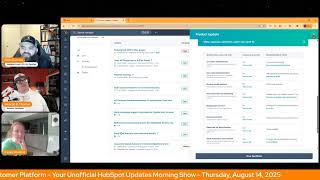
This is a YouTube video titled "What the what? HubSpot Customer Platform Updates 8/14/2025" containing an English conversational morning show hosted by Chris Carolyn, Casey Hawkins, and George B. Thomas. The hosts discuss recent updates and features in the HubSpot Customer Platform, including improvements to property views, pipeline cloning, custom reporting, AI-powered automation recommendations, multi-language support, Salesforce integration enhancements, and email send size previews. The format is an informal, informative discussion aimed at helping users better utilize HubSpot's capabilities, recorded in August 2025.
Foreign.
Wake Up Customer Platform it's time to start the day. Discover all the value you already own. Don't let solutions slip away. Wake Up, Customer Platform the tools are at your hand. No need to sleep on capabilities that can help your business stand. The answer's right before your eyes. You just need to realize Wake up Customer Platform and watch your business rise. Wake up. Wake up. The platform's waiting for you. Wake up. Wake up. See what your system can do.
Good morning HubSpot Nation. It is time to Wake Up Custom platform with your unofficial HubSpot Updates morning show where we help you discover the platform value you already own. I'm Chris Carolyn, joined by my co hosts Casey Hawkins and George B. Thomas. We are here every weekday morning to make sure you're not sleeping on HubSpot's true capabilities. If you're joining live, drop a hello in the comments and let us know what you're building in HubSpot today. Happy Thursday, August 14th. How we doing?
Doing? Doing well. It's Friday, Junior. Right.
Whatever we need to tell ourselves.
I don't know if you sounded completely like. I don't know if I bought your answer, but hey, we'll take it. We'll take it. I'm doing good, Chris. It's. It's as I like to call it since we're using names for Thursday that aren't names for Thursday, Friday's Eve, because we'll be. It'll be here before we know it and then we'll be heading into the weekend. But I'm also doing good because. Dang gone. There's some very interesting looking updates that we're going to cover today. How the heck are you doing, brother?
I'm doing great. I'm excited for one of these updates. Let me tell you, there might be more than one.
I took a peek too. So we'll see.
Yep. So let's. Let's dive in. View All Properties in a side panel we got pretty excited about this one last week and still excited this week. What is it? The View All Properties page now opens as a side panel that slides in from the right hand side, allowing you to access property information without navigating away from your current page.
This matters because this update eliminates the need to open new tabs or lose your place. When viewing properties, you can quickly reference property details while staying focused on your current task, making your workflow more efficient. I've been very happy about this.
It's such a good thing because now you can I already teach people about the preview of other objects on the right hand side sliding in. And so now it's like it's just a native function of what I already teach, but now with the actual object that they're on to see a deeper level. So I'm super happy about this. Some. Some smart cookies in HubSpot should get a raise. I'm just saying.
Yeah, this is a good signal that basically if you're used to clicking away or having up other tabs to help you do the thing that you're trying to do, it's just a side panel away and we probably just need to let the team know that it would be nice to have that thing as a side panel. But continuing down the road of single pane of glass, like try not to leave this single workspace, the space that you're in and need to do things. We joke about that 40 tabs open thing probably a little too much and this is going to help immensely, things like that. So thank you so much to the team for bringing that to our doorstep and appreciate them checking out the show so they could actually see us tearing up in real time as we read that last week.
Yeah, I met with that team a couple months ago and I'm excited to see how this will make my life easier.
Wow. It's all about tasty.
All right. I love the transparency. Yeah, right. All right.
Maybe other HubSpot users lives better too.
Yeah, that's how I think about it. If it's making our lives easier, it's probably making few other people's lives. Yeah. Pipeline cloning.
We'll see.
This is right after the thing you missed yesterday, George.
Oh, what did I miss?
Which was use any property on any property of the object to create Kanban views.
So instead of stages like.
So instead of relying on pipeline stages only to create the Kanban view, you can use other properties now. And what I didn't mention yesterday is that that should help with the project management use cases significantly. If you have been wanting to do stuff like that in HubSpot, now we have pipeline cloning. What is it? Admin users can now clone existing pipelines across any CRM object that supports multiple pipelines, including deals, tickets, leads, custom including leads. Wow. Right off the bat, custom objects, services and more. This saves time, reduces setup errors, and helps teams scale their processes more efficiently.
This matters because previously admins had to manually recreate pipelines from scratch, even when only slight variations were needed. This was time consuming and error prone, especially for growing teams or partners managing multiple brands, regions or business units. With pipeline cloning, you can create new pipelines faster, maintain consistency across teams, reduce manual configuration and setup efforts.
Okay, so one, where was this two weeks ago? Because I totally had to recreate the same pipeline twice because it was air quotes, business units, AKA now brands. And so it had to be different teams of different people with the different pipeline, but it's the exact same sales process. Anyway, this would have saved me time. I guess. It'll save me time in the future.
Yep. And available with pro Sales hub and Pro Service Hub and up. Oh, yeah. The world is here. I guess it's okay to create more than one pipeline finally, right?
Like it has been. What are you talking about?
I'm talking about in 2023, when I started talking to you and Kyle about portals and deliverables and why people don't know how powerful customizable pipelines can be. And I think we're still in a place where CRM has to mean a specific thing and we can only have sales contacts. And we should try our hardest to just do everything in one pipeline if the process is the same. And it's just we don't live in that world anymore. Right. And now very apparently. I'm sure there's plenty of reasons to be concerned about the ease of, like just going crazy with pipelines too, right?
Yeah.
But having this capability is the kind of message I like from HubSpot to very clearly signal that it is okay and probably in your best interest to have multiple pipelines to serve the business needs and build.
I still believe my two rules of thumb do apply, though. Even though you can clone it. They in their update even said clone it to make minor tweaks. Because the two things that I always talk about. By the way, I'm a believer in multiple sales pipelines. Two cases. One, if the process to sell the thing is different, it's a different pipeline. Number two, if you need to report on it separately from a forecasting standpoint, I can pipe. So like, that put those two things in your brain and that's when you should be like, okay, well, at least I have this 90% away there. Let me clone it and tweak it. Different sales process customized to these people anyway. And that, of course, I'm just using sales as an example.
Right.
Obviously, we can use this in completely different ways, but stop and think before you hit the clone button on this one.
Yeah. And literally it was. It was me getting permission from George and Kyle because I couldn't find anybody else doing this. Like, deliverables are powerful as a. As one custom object because you can use pipelines as kind of sub objects.
Yep.
Instead of creating like a manufacturing, if everything had to be its own object, you. You'd hit your 10, 10 object limit.
Yeah.
Like immediately. Right. And after talking to you guys, it made a whole, whole lot of sense. And we can't do things like that with line items and things that deliverables are meant to represent. So. Yeah. So much power in getting customized customizable pipelines. Right. So definitely check that out. And hit that, hit that. Beta build custom reports on form submissions.
See, this is the other one where I was like there might be more than just one, but let's roll into it.
What is it? We are excited to announce the public beta for supporting form submissions as a data source in the custom report builder.
I'm super excited. I'm super excited.
Never, if I'm being honest, it's. It's gonna be real hard to get me excited about reports like ever. Oh come. I'm excited that you guys are excited.
Thanks. Thanks, Chris. Chris is being a good friend today.
Next week we'll see. I'll let you know.
I'm excited to tell you why this matters because you can now build a variety of reports based on form submissions to understand how your forms are performing. Slice and dice form submission and much more. This is really huge and like something I hear clients want all the time and I constantly am having to be like, so there's this field called recent conversion that we can use. This is going to be amazing.
Yeah. Lots of pretty screenshots in here. Tons to the benefit of the reporting team. Coming up with updates. Easy peasy. To make a bunch of cool looking screenshots.
Yeah.
Nice.
And there's a bunch. I think we're. We might get to 20 here. I haven't been counting but there's a lot.
Yeah, you're probably close.
Even Content. Content Hub gets this one.
Content Hub there. Now he's excited.
Yay.
He's excited about Content Hub, just not about reporting. Ladies and gentlemen.
I help with the data model so that you can get reporting that you want.
Too funny.
AI powered recommendations in Automation Overview is live. What is it? You can now see AI powered automation suggestions based on how your team uses HubSpot directly on the Automation Overview page. These recommendations help you discover impactful automations that are relevant to your actual portal activity.
This matters because it's easy for teams to miss automation opportunities hidden in their day to day activity. This feature surfaces relevant high impact recommendations that are personalized to your portal allowing you to automate faster, save time and get more value out of HubSpot without having to dig. Without having to dig through dozens of tools or rules. Tools or rules was the tongue twister for me.
I love that little note at the end there because you remember that moment where everybody started complaining about the new workflow and how do we get to the old way where we can just pick an object. This is the future that the team is building for and most of the things they do I think supports this better than most of the traditional ways we're used to.
So just can we get there then? Because I still hate the new way. I'm just gonna throw it out there. I love you HubSpot. I love you workflows team. I hate the new way.
George is being a little bit of a crank, I think.
Yeah, get off my workflow lawn.
Oh my God. I'm gonna be that guy for a minute. But anyway, never mind then. Let's just get there. This is what I want to build. AI. Okay, thank you. Have a nice day.
I am a UI change hater, so I feel you. I do think that update specifically the new workflow flow. The new workflow flow. The new workflow.
The new workflow flow.
Call Rob someone tag Rob. I think it's better for new users. I think as historical users, I don't know, prehistoric users of HubSpot, it is hard.
Yeah, we won't devolve into that conversation.
Here's the historical HubSpot workflow users.
Absolutely not. That is not representative of them at all. Like they were the loudest. Let's how about some multi language support available for double opt in emails is now live.
Wow, very specific.
What is it? Marketers and admins can set up their double opt in experience in multiple languages if desired.
This matters because for marketers serving a global audience, set up your double opt in confirmation email and pages in multiple languages to ensure contacts receive them in their preferred language, enhancing user experience and engagement. My site, it says it's public beta, so I don't know. Weird. Oh, and it says it's scheduled for released on August 19th and I think Chris and I are in the same portal right now, so. Weird.
Oh yep. We just read. We just read what's on the screen, folks. We don't know everything that happens behind the scenes.
Yeah, I just mean if you don't see it live in your portal, you might need to join it.
That's all I can see it in mind.
So yeah, we do a fair job of letting everybody know that we're looking at three different screens, usually every day. So. But this one I've. I've heard about some excitement around bi directional association sync for Salesforce tickets, tasks and custom objects. What is it? HubSpot's integration with Salesforce already supports syncing object associations for standard contacts, companies and deals. Today we're rolling out bi directional syncing of associations for tickets, tasks and custom objects to all Salesforce integration customers.
Why does this matter? Now you can see more object associations between Salesforce and HubSpot to enable better reporting, sales motions and marketing campaign execution. Today the expanded association sync support will provide even more visibility into your data and help you make more informed actions.
Gotta support one of the most important integrations in the ecosystem.
Yeah, yeah. I mean, listen, this is cool and everything, but I have a client who is hung up on a thing because they're still. And not the client. But HubSpot is still trying to sync emails to tasks, emails to like Salesforce test like we. I'm happy for this. I'm just gonna be the guy. And by the way, I. I swear to God, I woke up on the right side of the bed. I'm not a cranky old, you know, guy. There's still work to be done to make this as fluid as it needs to be for the humans that are actually relying on this integration.
Yeah, no, this is like step zero. Well, step zero is like building it. Step 0.1 is actually telling people that it exists. Every step after that, change management, like actually getting people to stop doing things in the way that they either think it needs to be done or the way that they're comfortable with. So just because it exists doesn't mean it's an automatic upgrade, especially in the integration situations. Because Salesforce could come around tomorrow and be like, oh, we made this update.
Which they did. Yes, they did, by the way, because now there's a whole unified thing in Salesforce and the API just opened and I'm not nerdy enough to talk about it here, nor is that why we're here. Yes, they did make this huge change and now it's up to HubSpot if they want to choose to catch up and do these things that could done. Anyway, sorry for my rant.
No, it's important keep that in mind with integrations folks. And part of the like immeasurable value of bringing things into one place, that is HubSpot starts to cut down on all those dependencies and complexities in ways that very hard to quantify, but highly valuable. Send size preview with exclusion details. Very excited to to understand what these words what is it? Send Size Preview shows an estimated recipient count before you send a marketing email. This feature now includes detailed reasons why contacts won't receive your email, giving you visibility into specific exclusion factors.
Oh come on. Yes.
Wow.
Like. Okay, I'll shut up because Casey's got to go, but after that I have the hots.
Didn't this exist? Okay, no, no.
I got thoughts.
Why does this matter? Understanding why your audience is smaller than expected helps you make informed decisions before sending. Instead of just seeing reduced recipient count, you can now identify and address specific issues like non marketing contacts, bounced contacts, quarantined contacts, and more. This visibility helps you understand your audience reach and informs decisions about list management and email strategy.
Yes. Yes. Ladies and gentlemen, we should all be praising the email gods above. With a small G of course, because now we don't get sent to a black hole Knowledge article of not understanding really why these contacts can't be sent. Is it they've been hard bounced? Is it because they've done this? These other three things that the knowledge article is talking about. Can I get some detail? Yes. Hallelujah. Amen. You can. I'll give you a detail.
I also really like the last screenshot in this. I know this is another one that Chris is really going to be excited about. So.










