What updates? #HubSpot Updates 5/2/25
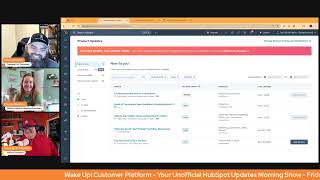
Chris Carolyn, Casey Hawkins, and George B. Thomas break down HubSpot's latest features: AI recommended actions in workflows, email AI translations, Shopify app revenue reporting, workflow permissions, and invoice syncing with Xero.
Good morning HubSpot Nation. It is time to wake up Customer Platform with your unofficial HubSpot Updates morning show where we help you discover the platform value you already own. I'm Chris Carolyn, joined by my co hosts Casey Hawkins and George B. Thomas. We are here every weekday morning to make sure you're not sleeping on HubSpot's true capabilities. If you're joining live, drop a hello in the comments and let us know what you're building in HubSpot today. Happy Friday, May 2, 2025.
Happy Friday. We made it.
Yeah, we made it. We made it. We made it.
Yeah, we continue to make it.
Have we gone through an update yet this week that George has said he's going to do over the weekend? I feel like that's a trope of the show at this point, that at least once or twice a week I.
Feel like I did maybe say that this week, but I'm. I'm not 100% sure.
How often do you actually spend your weekend going through a new HubSpot product?
Oh God, a lot.
Or a lot.
Doing something, whether it's HubSpot or AI or like writing a book or whatever.
Because I feel like I'm all talk. I'm like, oh yeah. And like, don't look at my asana on a Friday because I'll be like Saturday, Sunday, sure thing.
Yeah, don't. I don't look at my calendar, but usually like, listen, first of all, not why we're here, but you do have to take downtime to just be human. But I do spend a good amount of time working on things, looking at things, researching things, especially based off of this show or like AI, because you almost have to like, that's just the world we live in.
And it helps when you think of work as play more than you think of it as work for sure. And we will dive in. It's starting to feel more and more like play because of things like AI Recommended Actions in Workflows Public Beta Medium Impact for Marketing and Operations what is it? Introducing AI Recommended Actions in Workflows now, when adding actions to workflows, AI will suggest additional actions based on common usage patterns. As users accept recommendations, the AI Action recommender will continue to refine and surface relevant actions dynamically, helping you discover and streamline your workflow creation process.
Why does it matter? We know mapping out the perfect workflow can sometimes be complex and time consuming. Deciding which actions come next is a critical step. AI Recommended Actions simplify this process by surfacing relevant actions, saving you time and improving Workflow, efficiency, ness, vision. This.
Yeah, I like this because I mean I'm probably not the only human that has looked at a workflow like it's the, you know, sudoku puzzle from H E double hockey stick of like what am I looking at? And so having like some recommendations around it and being able to like almost like fine tooth comb, like make sure it's like what it needs to be. But also there's a, there's a line you read in how does it work? Actually two words. Well, no, we'll do 1, 2, 3, 4, 5 words. No suggestion will be shown. Like that for me is just a cherry on top of like, oh, so you're not just gonna make ish up so that I can continue to add more to the thing that might be okay already. Like, I like that little piece in there.
Yeah. And how I think this will work, I mean based on what we've seen is. Yeah, it'll recommend suggested. Um, I've built a lot of workflows in my life. Um, so. But I do sometimes forget steps when I'm building them out. Like I'm, I'm envisioning like a delay between emails, for example. Like that's something that sometimes, especially if you just get into build mode, you can be like email, email, email, email. And then it would be good if AI was like, hey, I think you.
Forgot something, Casey, you missteps. You mean you're actually human? Oh my gosh.
In theory, that probably should be the most recommended step probably from AI as delay of some sort.
I mean, whenever I give a workflow training, I'm always like, if you're using this for emails, do not forget to add a delay.
I think that's the key for me here is these seven words, common usage patterns as users accept recommendations and understand that. And I've shared this feedback with product managers who ask, I like all these AI recommendations. And I have to say right up front, look, I'm a post sales guy. I'm from manufacturing. I'm very different from the usual, you know, HubSpot user in terms of being marketing and sales focused, SaaS focused. And that's what a lot of their AI tooling when you see recommendations are coming from, that's what they're learning on. So just keep that in mind when you see see these recommendations and they might not, you know, make sense to you in your situation. It's going much farther beyond just what's happening in your portal in terms of how it's learning and it's probably dependent on which product is making recommendations and where it is in the in the portal. But just keep that in mind. Right? Ah. Okay. Email AI translations now available to Marketing Hub Pro plus. What is it? Email AI translations is a feature that allows you to quickly and easily create email content in multiple languages. Using AI powered by Deep L, this feature streamlines your communication workflow, saving you time and reducing the manual effort involved in translation. With support for 31 languages, you can ensure consistent and accurate translations. For best results, please make sure to review translations before sending, as translations might be inaccurate depending on how much context the AI model can build upon.
Why does it matter? Email is a crucial channel for marketing, but creating campaigns in multiple languages can be time consuming, ineffective, inefficient, and tedious and costly. Email AI Translations eliminates these challenges by providing a native HubSpot solution, removing the need for external translation services or manual copy and pasting between platforms. This enables you to communicate effectively with your global audience in their native languages, ultimately increasing customer satisfaction and engagement. I have a client that most of our marketing is in English, but then we do have this German audience in right now. We have basically two email teams on programs and they basically don't talk. Like, the German team does whatever they're going to do, the English team does whatever they're going to do. So when I first heard of this, I thought of them because I was like, wouldn't it be nice if we were sending cohesive messaging, if we were learning from one another, things like that.
Wait, cohesive messaging, wow. That's a power.
I love that. Yeah, but that's why this is such an interesting use case. It's super complex because I guarantee there's like, that's where when you really dig into audiences and who you're serving, like, there could be just a completely different value prop for the German audience versus the English audience. But there's almost always something to learn from the engagement, the different audiences. And that's where, like, when you have siloed teams, just, it's really easy to go off track and be like, hey, this thing is like working like gangbusters over here and you guys aren't even like touching it. Like, can we at least try it? Can we test it? Like, you start combining that with a B testing. I'm sure there's just a boatload of value. Especially. And to Nico's point, on our last show, like, when you have two separate teams already available and you, like, don't think like, oh, email AI translations, maybe I don't need this other team. Now, Right. So much value to be had when you can like extend their reach because they're not buried in doing, you know, simple translations all day. Yeah.
And to be honest, the German email, like they're basically not sending emails out in German maybe once a month, maybe once a quarter. Versus because the team is stretched.
As many teams are.
Yeah, yeah. The number three for today, Shopify app update revenue reporting for orders. Oh yeah. Excited for revenue reporting that is not attached to deals. Take notice people. What is it with the Shopify Data sync app, you can now track revenue from orders generated through marketing assets with a new revenue reporting capability for the orders object in customer journey reports, an embedded order based report is available within the marketing email performance tab showing how many contacts received your email and then placed an order.
Why does it matter? See precisely how your marketing activities influence purchasing decisions and generate order revenue. This clear connection empowers you to identify effective tactics and make informed adjustments.
Chris and Casey, we've got a special guest on the show. I've asked my clone to join us because I asked it what is the most important piece or witty thing about this latest HubSpot information? You want to hear what it had to say about this update?
Yes, I would love to hear that.
It says it's all about connecting the dots between your marketing efforts and actual revenue. This isn't just another nice to have feature. It's a straight up power move for marketers who are tired of guessing what's working and what's not. Here's the witty spin. It's like HubSpot just handed you a crystal ball for your marketing roi. You're no longer just throwing spaghetti at the wall to see what sticks. Now you've got a clear data driven path from hey, check out this email to Cha Ching. Order placed. It's downright sexy for anyone who loves measurable results. And let's not sleep on the embedded report in the marketing email performance tab. It's like having a built in detective that shows you exactly how many contacts received your email and when and then whipped out their wallets. Simple, clear and ridiculously effective. The real kicker, this isn't just about tracking. It's about empowering smart decisions. With these insights, you can double down on what's driving revenue, tweak what's not, and optimize your entire customer journey. It's the ultimate work smarter, not harder tool for marketers who want to grow better. You feel me?
Ah, nailed it.
Thanks, clone.
Thanks.
Oh man, we gotta get that clone some more air time.
Yeah.
Looking forward to later today. But yeah, and also like all the rest of my morning shows are about AI agents doing stuff for us, especially buying stuff. And that's where you get farther away from deals, you know, making any sense to be in your system. If they're just going right to order, we want to make sure we're serving that. So very cool. Update in Development Manually Enroll and Publish Workflow Permissions Forward looking statement at the front it is in development. What is it today? The Workflows app has three basic permissions that a user can have View allows the users to view workflows, Edit allows for editing and creation, and Delete allows for delete. We are currently developing two new granular workflow permissions, Manually enroll and Publish.
Why does this matter? These new granular workflow permissions will improve process governance and effectiveness. For example, with the Publish permissions you can now confidently allow more people to build workflows while maintaining control over who can actually activate them. This promotes collaboration while also reducing admin bottlenecks and risk of bad automations. With the manual Enroll permission, more users like sales reps or customer support will be able to make use of automation during their day to day. Whether it's from a CRM record or list page. These granular permission controls provide better governance over your automatic processes. By separating creation and editing capabilities from activation powers, you can confidently expand workflow building access to more team members while maintaining control over which workflows actually go live. This promotes collaboration and innovation in workflow design without taking, without risking unwanted automation activation, giving you greater flexibility in how your team manages automation processes.
What I love about what you just read is this. There's a nice balancing act that's happening that's almost a little bit. I'll call it a moment of genius or brilliance because it's collaboration. That's a word, Kasey, but without the chaos. It's being able to actually dive into this world of innovation that we need, but without as much risk as we historically had. And honestly, even though this is like a permissions conversation, I feel like it's also like an empowerment. Like we're empowering our teams to be able to do the things that need to get done but also keep the process tight and secure. Like this is. I know it's a nerdy one, ladies and gentlemen, but I actually this might be my favorite one of today. Even though it's in development.
Yeah. And now this relates to and thank you HubSpot product team for making this part easy. For me, it relates to this previous update where People can. Let's see here.
Do, do, do. Hang on, hang on. I have something for that. That's. That's it there.
You're there.
Okay.
And I'm here. Where we can enroll records in workflows from a CRM card. Right. So this one's already out there. And the whole idea was to enable users from a record to manually enroll. And I think we talked about it last time, like, you know, maybe some permissions here would be nice.
Yeah. Because I think you'd have to have edit access, which gives you a lot of. A lot of workflow power.
Yeah. So, yeah, good to see this balancing act for sure.
Permission. We had a lot of permissions like a few months ago and then it's kind of quieted down on permissions.
So note at the end here, we will be releasing the permissions as they are ready. For example, we will likely release manually enroll first and then publish shortly thereafter. Probably because we've got a bunch of people with CRM cards and we need to handle that one first.
We know that we'll see this one again because somebody needs to change release to releasing, to which this will probably be back in our feed. But I'm glad that they gave us. So this is. Yeah, I'm glad they gave us this little notice and I do too, Chris. Like the fact that they're like giving us the threads to pull on to like this connects to that. Because one of the superpowers historically, or like at least my HubSpot journey, I think Casey and Chris, you'll say the same thing, is the ability to connect the dots and understand the connective tissue of HubSpot and everything that's happening around it. So the fact that it's coming into the updates, at least in this one, I'd love to see more of that.
Indeed. Indeed. Thank you, HubSpot. Lastly, two way invoice sync for zero, currently in private beta zero for those that don't know, is an accounting platform like QuickBooks. What is it? You can also, if you don't know.
You probably don't need to know. But if you know, you know.
You can now sync invoices from HubSpot 0 to Xero and Xero to HubSpot. In addition to syncing invoices, payments applied to invoices will also be synced, whether the payments are created in HubSpot or in Xerox. You can control which direction you want to sync invoices and use filters to control which invoices are included in sync. You can find our beta Documentation here, which includes detailed information and screenshots.
Nice.
Why does it matter? Until now, HubSpot and Xero integration only supported one way syncing of invoices from 0 to HubSpot. With the new functionality, you can use Invoice sync to send invoices both from Xero to HubSpot and HubSpot to Xero. This update makes it easy to reflect invoices and payments in your accounting systems. You no longer need to manually export invoices from HubSpot and upload them to Xero. Any invoices that are created in HubSpot can be synced to Xero within minutes and will be updated if the invoice is changed in HubSpot or vice versa.
Very nice. I feel like we've seen this one recently, but it's good that it's kicked back in for anybody who might use Zero. I have such a hard time seeing that and not thinking Xerox, but that's. I'm just. I'm just showing my age when I say that.
No, all good.
Well, now you can print health tickets. So the Xerox integration may be coming with zero, though.
What I want to do is be printing dollars. I'm just.
Yeah, and it gets easier when you start doing some of this stuff from HubSpot and not be, you know, restricted to everything coming from your accounting app. Wait, that is the takeaway here.
All in one. Wait, Chris, are you saying the customer platform can be an all in one? Oh, wow.
Yeah. All in one. Except for the accounting piece, all the communications, all the customer engagement activity. That's what we want in HubSpot.
Oh, that'd be a great world.
The invoices that we send to people, why are we doing that from our accounting apps, People, stop it. Like, if you want to learn how to transition away from that, please DM me because it's possible and it makes a whole hell of a lot of sense. Only five today, so I'm going to take a minute just to, you know, highlight like the goal for me with all this stuff.
That's what I'm surprised. But, but, but go ahead, keep going.
I'm sorry, the helping people keep up. Like, it's not gonna slow down. I'm not saying you need to re. Watch all the content, listen to all the content, but the goal is just to make you aware that this stuff is happening and try to have good conversations about it so that we can understand the nuance. We're not just reading from product updates cards to, you know, or you don't have to just read from product updates cards and then try to understand it yourself like you don't have to. Right. Do that on your behalf. Give us, give our give a little two cents. But later today and if you've missed the first morning show with George and Nico know we talked about the AI buying agents that Visa just came out with. So AI agents being able to buy stuff on your behalf with a with your credit card is almost here. They announced that this week. So with that news I'm talking to Willem Ruse, pre sales solutions at HubSpot. Used to be in HubSpot customer support. What does HubSpot need to look like now? How do we think about HubSpot when we have to serve an AI agent? Buying Journey changes the game a little bit when you think about it from that perspective down to the property level. Which properties do we need to make, you know, available so that AI can see them and understand them. And then right after that unboxing a Tango AI CRM admin agent. And Nico, at the end of the last show after you left George brought up the idea of just showing the use case of going to create, having the agent going to create a private app and then having the agent check off all the different scopes so that we don't have to do that anymore. That might get some buyers just from that use case. Yeah but seriously how many things like that, you know, cause friction for admins ends up, you know, maybe you don't do it all the way just because it's a lot of things to check off. There's really no great way to use cases like that. Everybody wants to just check them all. That's really irresponsible way to set up a private app is to just say I'll just add in all the scopes every time if you don't need to. So administration of the tedious things is what I expect to see and what I'm going to be unboxing today know with Ken Ken Babcock from from Tango. So hopefully that helps you just try to try to keep up. It's not going to slow down and, and if you don't educate yourself, you know it's going to get tough later this year. So a lot, a lot of changes. Anything before we we wrap this week folks?
Favorite update from today, Casey AI recommended actions and workflows.
Manually enroll and publish workflow permissions. I'm going to be bullish on that one. I like empowerment updates.
And of course for me it's, it's orders. It's revenue reporting for orders. Love action.
Seriously.
Earlier this week, part two of the Shopify HubSpot integration with Stefan Longar. It's a great conversation about orders versus deals. Check it out if you haven't seen it, but that's where we'll wrap for today. Remember, folks, you probably already own the solution you're looking for in HubSpot. Sometimes you just need to wake up to it. Join us tomorrow morning. I'm sorry, Monday morning.
There you go.
As we continue exploring what's new in HubSpot. Drop your biggest takeaway in the comments and let us know what capabilities you want to wake up to next. Until then, I'm Chris. Carolyn.
I'm Casey Hawkins.
And I'm still George B. Thomas.
And this has been Wake Up Customer platform. Now go build something amazing. Have a great weekend, everybody.










