Whats New In Workflows | HubSpot Admin HUG | November 28, 2023
Kyle, Emma Goldborn, and Megan Leg from HubSpot's Workflows team walk through recent updates and new features for the platform. They cover product improvements based on user feedback and share practical tips for administrators managing workflows in HubSpot.
All right, we're recording. So thanks so much, everyone for joining this session of the HubSpot admins user group. Super excited to have Megan and Emma here from our Workflows team to talk about some of the things that are new and changing in the Workflows tool. Going to go ahead and hand it over to you two.
Awesome. Thank you. Megan, do you want to introduce yourself first?
Sure. Hello, I'm Megan Leg. I have been with Workflows for a few years now at HubSpot and I live in New Hampshire. And my pronouns are she, her, to you, Emma.
Hi, everyone. My name is Emma Goldborn. I just forgot everything you said, Megan. I've been on the Workflows team and at HubSpot for two and a half years. A little over that now, I guess. And I live in Colorado and my pronouns are she, her as well. I'm going to share my screen. Let's all hope that this goes well. Okay. Do we see that?
Yes.
Okay, cool. Okay, well, I'm. Thank you. First, I want to start off by saying thank you all for joining us today. We're excited to have this opportunity to dive into a lot of the cool new features that we've recently added to workflows in HubSpot. And today we're going to be talking about some of the larger changes we've made this year, and we're going to talk about what's changed recently, why we made these changes, and how they help you. The features that we're about to show you were not just built by Megan and I's two teams. There are three other teams in the automation group. So I want to make sure that we also give a huge shout out to those teams and all their hard work this year as well. But before we dive in, we do want to acknowledge some things. We know that while it's great to get new functionality, we recognize that it's hard to log in to your HubSpot portal to complete a task and suddenly everything is different and you now have to learn new features and flows. And we know that this is a fine line that we need to walk, and we are doing our best to be very intentional about when and how we make these changes. We're also always reflecting on any changes or decisions that we make and taking feedback and updating in our features and processes accordingly. So, for example, when we initially rolled out the new Workflows ui, we got a lot of feedback on how it needed to improve, and we use that feedback to make a lot of updates to it. So it does look different from when we initially rolled it out. So please trust that we truly value when you take the time to give us feedback and that we read all of it and we use it to help make decisions. So please keep sending us all of your feedback. And with that, we're gonna jump right in. Oh, Chad, thank you for loving the new ui. We appreciate that. With that, we're gonna jump in and show you what is new this year. And at the end of this, we're gonna give you a little sneak peek of what's to come, which I'm now realizing is a great way to keep you all here until the very end. So good for us. Okay, the first thing we're going to talk about is custom views. So this is what the workflow, what we call the workflows index page. But it's basically when you click on workflows in the nav, it drops you right here. This is what it used to look like. So it was a pretty flat structure. It was the same for everyone. It had folders, which helped with organization, but not really too much past that. And we heard a lot about how customers would be creating these like crazy workflow naming conventions, or they'd add keywords to their descriptions so they could organize or find their workflows better. And this actually made it harder as. Or this got even worse or harder as customers were making more and more workflows or you had more people on a team working within the workflows app because maintaining that consistency just gets so much harder. So it was hard and more time consuming to find, organize and understand what each workflow was at a high level, why each workflow was created, and how they're all interconnected. In June, the team rolled out something we call custom views and this enables multiple views so you could create different and more customizable views for different teams. So like you could have a marketing view, you could have a sales view, or you. Or you could create different views for your automation strategy for. So like you could have like a lead nurturing view or something like that. It also added the ability for subfolders, which was probably one of our most requested features. And it has additional filtering functionality and is also just a lot more consistent with the organization and filters that we use across other tools within HubSpot. So that is custom views. The next thing I'm going to talk about is our event triggers and the upgraded filtering. So we've known for a while that you create your workflows. The way that you create your workflows doesn't actually match the way that you're thinking about automation. Most people think about automation in terms of like when X happens, do Y. But workflows used to solely be criteria based, so if X is in Y state, do Z. This caused a lot of confusion amongst newer users, but also amongst existing users who are trying to do something a little bit more complicated. A perfect example of this is if you ever just wanted to trigger a workflow anytime a deal stage updated, you'd had to use the filter is known which like is not. It's not intuitive and we got a lot of questions about this from customers to support and so that was confusing in its own way. We were also missing out on a lot of trigger use cases and scenarios that customers were asking for and events that other teams at HubSpot were creating. So it was really limiting a lot of the future features that we wanted to add to workflows such as webhook triggers which just launched, or using custom Behavioral Events, which is a marketing hub feature. Also in addition to all of that, there were a few parts of enrollment like RE enrollment or enroll Existing that were not as clear and obvious to users as they should have been, and especially for actions that could have pretty big and negative consequences if you use them wrong or incorrectly. So starting in July, the team rolled out when an event occurs triggers. So this is separate from the original the like criteria base that still is there under that when filter criteria is met. And sure you can do some of the same things with both of those, but the when an event occurs is way more intuitive and has allowed for way more trigger options. Some new ones that we've been able to add with this are meeting events custom behavioral events when an object is created when an object is updated so you don't have to use that is known workaround as well as calling events. We've also simplified RE enrollment rules which you can see, I don't know, oh you can't see my mouse, which is a lot more front and center as you're setting up your trigger and a lot easier to digest. And then we also made improvements to the enroll existing experience so it's a lot more clear how many you will actually be enrolling. And yes, a huge shout out to Sierra and her team for this one. In September, the team started adopting the new filters functionality which you actually saw earlier this year in lists and you'll see this both in triggers and in branches. And while we're still improving this to work better within workflows, we've heard a lot of your feedback. It definitely helps maintain consistency across multiple tools. There's also much better filter testing functionality which you can use right here. And there are more filter options like UTM parameters has not filled out forms and when a property is empty. So this is something we've been working really closely with the filters team on to improve. But we're very excited about it and I think we'll pause right there maybe to see if anyone has any questions about either of those updates before I pass it off to Megan for some of hers. Do we have any questions to answer? Yes, please use the Q A. Oh, we have some in the Q A. Yep.
We can look over there for. For those of you who are saying the the screen's a bit small. Is there anything you you missed? Would would like a live not to put them on the spot, but I could share my screen if live demo be helpful. Are you. Are you keeping up? Okay. It is a bevy challenge. That is true. We can go ahead with the Q A. Just a few people were mentioning the screen is small and that's no fault of anyone but the bevy designers.
Okay. I don't even know where to start.
Okay.
Will this recording be available after today? Yes, all together. Okay, cool. General question. Who offer and is that something that we or should we really be able to do all that we need by regularly attending Hugs? Oh, that's a good question, Malcolm. I get a number of inquiries from consultants who offer do HubSpot audits and to help us figure out how to better use our installation of HubSpot. Is that something that we really need?
Great question. It depends on your needs. Let's. Let's focus on workflow questions for the minute. Okay.
When will the new look be changing? Megan, do you want to answer that one?
Well, it kind of depends which new look you're talking about. Which hopefully we're going to clarify today by talking about each component in my section. I'll talk more about the redesign look, so hopefully that clarifies. And Emma, it looks like there's a couple of questions about scheduled triggers being in sort of a different place. I think we have a plan for that, right?
Yes, I believe the team has a plan for that. I don't think we have a timing, but yes, we are planning to move schedule triggers to fit in with the event triggers and the criteria based filters at some point. So that will be coming. Is it in the plan to add time enrollment criteria today we can only trigger workflows X days before not having the time to work off of has been quite limiting for us. Yes. I feel like we hear this feedback a lot. I'm not sure if it's in the plan plans, but I will definitely bring this back to the team too.
I think. I think some research has started trying to look into what the needs for that are. So it's definitely on the radar.
Okay. Did we get them all?
This is sort of a technical question, but Chad says event based workflows feel way more performant and he was wondering if you could elaborate on the performance aspects of workflows that are event based versus trigger based because they are faster. Right. Or more efficient in some way.
Do you want me to. I think what you might be getting at is event triggers are intended to be real time. Right. So we're very responsive and reactive to when that event happens in real time. The relevant record will enroll. The other way that we previously used to enroll workflows would be, you know, very filter based, kind of behind the scenes or evaluating like when something is starting to meet the different sets of criteria. So ideally everything is. Is enrolling quite quickly. But. But it is true that event triggers are sort of like built for that purpose and it's part of the reason why we wanted to go in that direction.
Great. I think that's probably good for now.
Yeah. Okay. I'm going to hand it off to Megan.
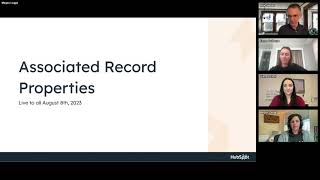
Okay. All right, so thank you, Emma. We are going to start by talking about associated record properties that are available for use in workflow actions. So if you're at all familiar with workflows, you've likely noticed that they are object centered. You can easily automate a process for contacts in a contact workflow or deals in a deal workflow. However, if you're trying to orchestrate something that requires data from multiple objects like a contact and its associated deals, you might have found yourself frustrated trying to get information from both. This would mean you might find yourself reverse engineering a workflow trigger, trying to make a certain deal be updated in a company workflow. Creating multiple workflows for what seems like a simple single process or maybe even duplicating property values across records because you're trying to get a certain personalization token to be available where you need it. And these type of workarounds will make your workflows complicated. It can lead to a messy and untrustworthy set of data in your CRM. So definitely a problem for people that we've been hearing about for years and we were really excited to tackle this project. Enter the new ability to add data sources to Your workflow We added the second data panel alongside many of our actions, emulating a pattern found in the Cross Object Report Builder, which made it feel pretty similar to a lot of you. And I think Zach already called it out in the chat. But you noticed with this change we moved the editor panel from the right to the left and I know that threw people for a loop. But part of the reason for this move to was to make room for more features like this data panel. And as our tool has grown so much over the last couple years, we really need to reorganize a lot of things so we can use our app space more strategically. Another reason why we chose to reorient in this way is because so many other tools across HubSpot have this left hand panel like lists, reporting, email. So we wanted to bring that consistency for people who work across several different tools, but back to the data sources. When you add an object as a data source to your workflow, it allows you to use properties from multiple types of objects in your workflow actions. You could use associated contacts, tickets, even custom objects, things like calls and meetings. And by having all that access to your CRM data, you can build more powerful, straightforward workflows that will help your team be more quick and efficient and effective. So let's put this in the context of a couple examples. Your CRM is packed with data, but that doesn't do you any good if you can't easily access it where and when they need it. So you could use this new functionality to reduce friction in team handoffs. So for example, carry finalized data over from one object to another, like when a deal is closed by a sales rep and a new ticket is created for the implementation team. Use ticket automation to pull in those basic details from the deal and from the account. Get it all on the ticket so that that team can get up to speed really quickly. Another favorite use case that a lot are adopting is the ability to send more robust notifications to your team. You can use all of these data sources in your HubSpot notification actions and Slack actions when creating tasks and workflows and more. So in this example, send a notification email to one of your success managers with keynotes about a customer's account in anticipation of an upcoming meeting. Provide those key demographic details, and then also give a heads up about any recent support tickets that have been filed. In summary, with the new data sources in workflows, you'll get full access to all of your associated record properties. This means no more wonky workarounds to try to get to the right data at the right time. No more tedious and messy copying of properties. Our next iteration of this feature is going to be bringing the functionality to more actions and also accessing more CRM data in entirely new ways, such as accessing the ability to search your records so you can automatically associate them in workflows. I know that's one a lot of people are excited to hear is coming. Next up, we're going to talk about the UI redesign. This might be what the question in the chat was about. This is currently in a beta state, though all all accounts have access to it. You do have the ability to opt out right now. So as Emma mentioned at the start, we know large UI changes especially can really slow you down. So we're going to make this redesign opt out until January 10th. We don't want to cause any extra stress at the end of the year. Hopefully this gives you a chance to explore the redesign at your own pace while still having access to the old UI if you need it. So there's a lot going on with this redesign. We're going to touch on the large components of it step by step. Okay, we'll talk first about the Action Panel where you're choosing your workflow steps. We know the experience of building a workflow can be chaotic. There are so many different actions, you may not be able to find what you're looking for. And while there are a ton of great workflow integrations, they can also be hard to discover and set up. With the number of our actions increasing constantly, the old way of organizing this panel just hasn't been working. We need to find a way to use this space better for now and in the future. For example, delay in branch actions. We've added a lot of new logic to workflows over the last couple years, which is great, but these have started to overwhelm the Action Panel. And with so many choices, you might not know what to use. You know, may even try to. You might even avoid something new because you're not sure how it's going to work. So what have we changed? The new Action Panel has structured groupings to keep actions organized by job. We put the most frequently used logic actions right at the top for easy access. And we combined the delay and branch actions behind their own single button with a lot more context and help. On the other side of why or when to use the different options, we're already seeing this help a lot of people discover new features and also give them the information and confidence that they need to start using them. All of these changes are going to help us scale the ability to add more actions while still keeping them organized and accessible. I mentioned workflow integrations. Did you know we had 48 apps that integrate with workflows? If not, you aren't alone. We have a lot of people asking for integrator capabilities, not realizing that many already exist. So now when you search for an action in the action panel, you'll not only see anything that we provide, you'll also see matching options from the marketplace that you can easily review and install with just a couple clicks right there. From the workflows tool, we can already tell it's a lot easier for people to find what they need because those in the new UI are suddenly collecting a lot more integrations. Next, we're going to talk about the visual changes to the cards and the layout. When a workflow has more than a couple steps, it can be difficult to understand what's happening with the action cards varying in size, especially with things like branches, the UI can look really messy, it can hard to be keep track of where you are while you're scrolling around, and it can be really difficult to see the most important pieces of information in a single view. So we knew when we started that it was important for this layout to be clear and focused. With the new cards, you're going to see that high priority information at a glance. We've reduced distraction and sprawl and we have this new layout that is neat and orderly. We which also is going to help your workflows load more quickly and navigate more smoothly. We when we started out in the beta of this redesign, we got a ton of feedback about the use of color. So we made sure to add in color in a lot of places as we've moved along. Maintaining those cues, we've been told, is super important for people to have that visual indicator as they're scanning. So we've added colors back to the cards and we're aligning them with those action categories. We've also improved digital accessibility by adjusting what colors we're using, where we're using them, and the amount of contrast that we're using between different elements. Talking about branches, specifically for branches that have only a single filter, which is the most common use case. We're now able to display that filter as a simple summary sentence instead of that formal language. And all the boxes with lots of white space that took up a lot of room for more elaborate filters. We can display the custom branch names that you can add and customize yourself. And ideally we'll continue to iterate on turning all filters into that plain language representation. If you wanted to see the full filter on a branch, you can click on the new Show Details button to see, or you can open the Action Editor panel like before. And then finally a customer favorite are those quick access tools for building that are in the lower left hand corner of each card. Things like Clone and Move are now really easy, easy to access and use. They're no longer hidden behind a menu okay, so that concludes the dive into new features. I hope that you've learned a ton and are excited to go try something new, and we're definitely going to take all of your questions, but before we do, we're going to give also a sneak peek at what we're currently working on or working on soon. First up is Action Sets. We know building workflows can be time consuming, could be repetitive, but action sets will bring the ability to save a group of workflow actions that you and the rest of your team can reuse within certain within a workflow, or across workflows, which will not only speed up the process of creating workflows, but also give you workflow admins the ability to create best practices for your team to leverage. This is going to be an exciting example of how the new reorganized Action Panel is already giving us a new space where we can add new features, because that's where you're going to find Action Sets when they roll out soon to all enterprise portals with workflows. Improved review and testing that already came up in the chat. Once we know turning on a workflow can be stressful, you might even find yourself hesitating to turn it on, wondering is this going to work right? And we know that our testing feature has not kept up with all the new functionality that we've added, so it needs to be more thorough and robust to give you that confidence that the workflow you've built is going to meet your expectations. This year we did quite a bit of research into the key needs of this area, and next year we're going to start building new functionality. Next is AI Assistant and Workflows. You might have already played around with AI Assistant for Workflow Descriptions, which is in private beta, and that helps you summarize an entire workflow in just a few sentences. Coming next will be AI Assistant for Triggers and Actions, which will help you generate entire workflows using plain language. Initially, we're going to focus on solving for beginner automators to help them overcome the workflow's learning curve more quickly. And then we'll continue to iterate based on feedback and learnings. The Automation Public API the team is actively working on developing the next version of the Public API. This will have support for all workflow types. We know this is being eagerly awaited by many, so we're really excited about this one. Undo and Redo is currently in beta. We all make mistakes, but with software those mistakes should not be permanent. Up until now, if you accidentally deleted an elaborate workflow action, there was no way to get it back. With this addition, you can quickly undo or even redo changes and get right back to work. And then finally webhook triggers, which we spoke about a little earlier. These very recently went live in Operations, Hub Pro and Enterprise accounts and and they're bringing huge flexibility allowing you to trigger workflows in HubSpot from third party systems. Next up for this feature is going to be the ability to use data from the webhook within subsequent workflow actions via that new data panel. So that is all from us. We would be delighted to hear from you and answer your questions.
Amazing. Thanks so much. So everybody, if you want to go over to the Q and A panel, there is an upvote feature. It was gone for a while, but it's back now. So if you have question, please peruse the, I don't know, 20 or 30 that are in there already and hit the little thumbs up so we can make sure we're, we're working through them from most impactful and interesting to least impactful and interesting and we'll get through as many as we can in the 30 minutes we have left. And Deanna, when do you think, when do we want to share our survey?
I will shoot it out while you sort over the Q and A.
How about that?
Okay, so the survey is going to be in the chat and Q and A is going to be in the Q A. And the two look identical so they are easy to confuse with each other and they take the same real estate on your screen. So if you're chatting, make sure you're in the chat and if you're Q and A, make sure you're in the Q and A and we will get through this together. Cool. I'm seeing some questions with 15 upvotes, so we'll start with those. Do you plan to have a feature where the workflow will be automatically turned off on X date, not just not run on? These days it's especially helpful for campaign or event related workflows.
It's definitely something that we've heard about we don't have it on the roadmap right now, but I'm curious to know how many people in the audience through the chat maybe have wanted to do this.
Cool. So if you want your workflows to expire and turn themselves off, pop that in the chat. Just wanted to confirm. If I add a go to workflow step in a workflow and then add actions after it, will the enrollments go through the actions after they go to the other workflow step or just go to the other workflow and ignore all.
Actions after it, they will go through the subsequent actions as well.
Cool. Is it in the plan to add time enrollment to criteria? Oh, we already talked about this one, right?
Right?
Yeah, we did. Will there be a future development where you can copy clone a step and paste it in multiple places? There are so many times I have to keep cloning and pasting over and over in one workflow and it takes a long time.
I'm actually surprised you can't do that with copy paste.
So we were talking about this. So we've kind of gotten ourselves in a position where we have clone and we also have copy paste which cover a lot of what's being asked for here. I think we need to bring them a little bit closer together because it's a little confusing like why you would use one or the other. But copy paste is something that recently went out that behaves more like that and we're going to be evolving.
Yeah. So you should be able to copy once and paste within that workflow or in another workflow.
And that is just using the standard keyboard shortcut. Right.
It's one of those little icons in the lower left hand corner of the action card.
I think as long as it's in the same browser, you should be good to just paste in another workflow.
Nice. Any chance there will ever be an option for enroll into another workflow that is not the same object type as the one you are rolling from? Example, enrolling to a deal based workflow from a quote based workflow.
I hope so. That sort of falls along the lines of what we're talking about where we want to just make it easier to access all of your CRM data and do whatever you want with it. So that kind of functionality is part of that vision, but it's a little further off.
Yeah. Right now a lot. We have a lot of, I don't want to say limitations, but having the object based workflows, it's something like the data panel is helping us move away from or like I Guess helping us expand the data that you have possible to use in each workflow and so we're definitely trying to move closer to a world where that is things like that are possible for sure.
Cool. This one may be outside of your jurisdiction. You tell me this is only Lucy related, but will we eventually have the capacity to build workflows in our sandbox and then push it to the active account once it works as needed?
I know that we talk about that.
Not just for workflows. I know in general the sandboxes team is aware that you would love to test things in sandbox and then just push it to your production account. I don't know the status of that, but you were definitely not the first person to tell that this would be useful for you.
I think the updates to the API are going to get us closer to be able to make that possible.
Cool.
So we're going in the right direction.
Will it be possible one day to grant view only access of workflows? I want to prevent users from editing or deleting some workflows, but equally do not want to hide the workflow entirely from them.
Yes, in the future we will have much better permissions or governance in workflows, but I don't have a timeline I can share with you. But we definitely hear that feedback for sure.
This also might be outside of your expertise. Is there a best practice for auditing old workflows?
I've heard some pretty elaborate and excellent systems from people like in the Hug admin. We don't have one way that we recommend it, but I bet if you follow some of these super users on LinkedIn you'll get some great tips.
Yeah, that question's from Michael Just shout out in general the sprocketeer community, which is now on Slack instead of Discord. It's a great place to ask questions like this and kind of crowdsource from other HubSpot admins and power users how they do these kinds of things. I bet if you ask that same question there you get a lot of good insights. Tobias asked, could you explain action sets one more time? Are we allowed to demo it? You don't have to. I can. I have it. I don't know.
Kyle, do you want to demo it?
I am happy to if you're okay with it. I know it's very early days and caveats here everybody. We're all friends. Stuff changes. I can't promise you that. What I have today is exactly what you will get later.
I mean, well, it's not that early days at this point. Okay, now it's. It's coming soon.
Is that okay?
I mean, yeah, why not?
Why not? Cool. I'm going to do it live demo totally unprepped. I don't know what the state of my portal is right now, but I just got access to this recently, you guys, and I. I'm so happy it was talked about here because as I played around with it, I knew so many of you have. Have hoped for this for a long time. So what?
Someone. Someone just wrote HubSpot Unhinged Edition and it just made me laugh and I forgot I was not on mute.
Totally fine. HubSpot Unhinged just sort of. What? That's my bread and butter, I think. Here I am, I'm creating a workflow. Bevy screen sharing makes my computer go slow. If I'm adding things here. Action sets is this new thing. I created an action set once already. I'll just put this in here. No, that's not how. I don't know what I'm doing. This is the problem. Oh, there we go. See, I have created this Rotate, record, create, record create. New task chain of three actions. And that is my action set that I've created and the process for creating these. If I just create. Action Set. Action Set for hugs, I can copy all actions from the current workflow. If you've built something you like and you want to save it as an action set, you can totally do that. Or if you just want to start from scratch, you get this builder that is basically a workflow without any enrollments, and you can just start adding your actions, whatever you want them to be, into a nice chain. And then when you're done, you can save it and use it then in any workflows in your portal. Right. Currently it's just for your portal.
Yes, it's just within your portal. It's also if you make it in a contact workflow, you can only access the action sets. Sure. In contact workflows, but you can add as many as you would like. It's enterprise portals only, so there's that. But I think what we're going to do. People were asking about timing. I think what we can do. We are like very, very, very close to rolling it out and I think sometime this week we might move it into private beta. And now you can opt into private betas within your portal, within the like Settings product updates tab. So keep an eye out this week and you can opt into that. We'll do it that way, I guess, since everyone's so excited and yes, Carter made a comment that it's great for custom code. Yes, that's like one of the main use cases we used for it is that you can save just like one custom code action as your action set and reuse that across as many workflows as you want.
Cool. And one smart question I saw here and lost. Shoot. Oh, when you update an action set, will it update all workflows using that set?
Not in the first iteration, but it is something we are very aware of and would love to do. It's just a little bit more complicated.
Sure, that makes sense. And I would actually, I would love to hear in the chat what your expectation is because for me, I feel like once a workflow is built, I don't want someone fiddling around with my action sets to have a cascading effect on all my live workflows. For me, that would give me a bit of panic. But if that's a thing you have a use case for, go ahead and drop that in the chat because that would be interesting to hear.
Yeah, there's definitely like permissions and sit guardrails that we would also need to build at the same time, so.
Cool. So Paul says with filter based workflows, I sometimes found myself adding delays wait five minutes to ensure that data had time to trickle through. Can I safely stop introducing those delays, I assume in event based workflows, or is the current high performance reality at risk of one day declining slightly?
Oh, I started to answer that and I'm happy. Um, I definitely have heard this one plenty of times when people are triggering off of original source, which is an analytics property and it can take some time to populate. So you might try to put a contact into a workflow and then branch on their original source, but they don't have an original source yet. So I'm not sure if that's exactly what Paul's talking about, but something like that. A great way to avoid is to say, you know, the original source must be set before somebody enrolls in the workflow.
Cool. Another big question from Kara. Do we now have the ability to change the trigger type in a workflow? Example, when you are creating a workflow from scratch, it asks you a basic question of either a trigger or an event or a scheduled trigger. There have been multiple times I have started a workflow in one trigger type and after a bunch of work I then realized I need to change the trigger type. Just curious if we can change it within the workflow now rather than having to start over.
Correct me if I'M wrong, Megan, but I feel like there is a delete trigger feature now where if you click into your trigger, I think you can change trigger type at the top.
Yeah, the only thing you wouldn't be able to do is if you get into a contact workflow and you decide you want to change to a deal workflow that isn't yet possible, if that's what you're asking. So, um, but that's kind of what I was trying to touch on too with the associated record properties. Like sometimes you're setting up your trigger and then you realize like later on in the action like you don't have that piece of data you need. So check that out next time you find yourself in that position because it could be that you can now get that piece of data that you're looking for that didn't used to be available.
Cool. Perhaps related to that, Trevor has a question about triggering workflows based on associations. He says what about triggering a workflow when a deal has or does not have contact with a certain association?
So today you can do some amount of filtering for association with what exists in that new filter component that we've now adopted in workflows, so you might find what you need there. We don't have triggers that specifically say like association added or association removed, but as we start to do more work in automating associations, we do expect we're going to hear more about that and need to figure some things out.
And related I saw a bunch of questions about being able to set association labels or I guess create associations with workflows and that is something that we've been working closely with the associations team on. We don't have a timeline for it yet, but it is something that we are aware of and working on.
Cool. Will it ever be possible to report on branches within workflows? I'd love to know what percentage when we're on large volume workflows. I didn't read that well, but I.
I know what they're saying you want to see like 30% went down this branch, 10% went down this branch. That's actually come up pretty often lately seems to be coming to people's minds as they're working in the new ui. So it's something we're discussing trying to figure out like what that might look like or where it might. Where it might go.
Cool. Will there be a way to identify where specific HubSpot users are found in workflows such as when there is a task, assignment, owner, assignment, email, etc. Example when deactivating user, this would allow us to be able to replace the user. That's interesting.
That's a. Yeah, that's a good. I've heard it similarly for like where certain properties are being used or where certain actions are being used. I hadn't really thought about the user piece, so we'll bring that back to the team, but I don't have any updates for you on that.
Cool. Will oh, will it ever be possible. I think this is talking about enrollment triggers. Will it ever be possible to compare between properties? This seems quite urgent to me. For example, if contact email is equal to company email, then say contact property primary contact to yes.
So it seems like we're talking about matching email domains. There is a built in feature in the CRM to automatically associate based on matching domains. So you'd be able to set that up today. But then if you want to add the primary label. I'm not sure what the default behavior for that would be, but hopefully would be something we could address in our work on automatic associations.
Cool. I have many emails that must be sent on a monthly basis. For example, send a marketing email for data submissions from partners on the first of each month. I haven't been able to do that in workflows. Is that something that could come in the future or that these new tools address? That's the thing that exists in Operations Hub, right? Send on the first day of the month.
So there's scheduled triggers which you can do sort of like a recurring cadence. So if you want to say 1st of the month, 15th of the month, something like that, if that's what they're asking. If you wanted to do something like send an email on December 15, you could use a date delay for that, which is a platform feature.
Cool. Chad, always with the technical questions here. So he says when I use a contact based workflow and trigger the workflow based on a call ended or meeting outcome updated, for example, I can't find a way to access the actual data on the record caller meeting that triggered the workflow. Am I missing something or will we be able to have access to the caller meeting data within the workflow in the future? Go ahead.
It's okay. Makes total sense. We're all speaking the same language. Part of what the associated record properties should let you look up like most recent call and get the properties from that most recent call that you could then use in the workflow. But I do believe that the triggers team is working on also specifically making like whatever triggered the workflow, making that data available. In that data panel as well. So that's underway.
Cool. Not a question, but Paul says undo will literally save me thousands in dentistry costs for grinding my teeth. So there you go. Any plans for some sort of internal approval functionality? I'd love to let other users have access to workflows, but I just don't trust them with that power yet. Making sure I approve them before they went live would be a game changer.
Yeah, I know. We've been talking to the approvals team about it because we do hear this feedback a lot. So we are discussing possibilities there, I think.
Cool. Kim, we might need a little more details on this one. Speed to lead is a critical measurement for us. Just found average lead response time but it can't be added to a workflow. Is there work being done to enable this? I'm not sure where that data lives, Kim. I don't know where you saw it. Yeah.
Is that a property?
I know we have a new lead funnel report that gives some of this stuff, but that's. That's like an aggregate across a bunch of records. This may be more of a reporting question. Feel free to weigh in in the chat, Kim, if we're misunderstanding, but I'm going to go ahead and move on. Is Melissa asks, is there or will there be a way to globally turn off triggering workflows when a merge occurs? We have tons of duplicates that need to be cleaned up but can't because doing so retriggers a ton of workflows and causes false data. We have too many workflows to go through each one individually and turn the merge trigger off. Need to do it globally for all if possible.
So when we first we started hearing about this problem a while ago and we introduced the setting to sort of block like if records shouldn't be causing people to enroll. So when we first rolled that out, you'd have to go in and turn it on and any workflows that already existed, you'd have to go in and turn it on if you wanted to. But going forward, the default should be that the merges are not going to enroll. So all new workflows that you're creating will default to the way that at least this person wants them to. But right now, the way to make this apply to all your existing workflows would be go in and change the setting.
Okay. Aurora has, I guess some feedback about the left hand side panel. She says, I feel like the left panel in the workflow tool often cuts off part of my workflow and sometimes makes it difficult to see what step I'm modifying, especially if the property selection panel is also open, like if you're selecting what field to add to a task notification, etc. Are there any plans to allow users to scroll further to the left in order to see more of the workflow?
So having that second panel with the data panel or the new filter component also has a second panel, it definitely does cut into more of the editing space, so I think that's fair. I would recommend zooming out. We do want to make some improvements to how our zoom works in our new ui. Hopefully that will become more elegant as well and be a better option.
Cool. Can lead scoring be integrated into workflows?
I'm not sure what the question means.
There is a HubSpot score property and you can make custom scoring properties and I believe you can use those as enrollment triggers.
I think so, yeah. If it's a property, you should be able to use it.
Lee, we may need more details on.
That one, but it could be an ask to change the score in a workflow, which I don't believe we would let you do because then we'd be competing with the rules that you set up on the property. So it would create a chaos.
Yeah, you should be able to use the score, but yeah, not updating.
Cool. That makes sense. Samantha asked a question. Might be a duplicate. Maybe we already touched on this. Any timeline. Any timeline on being able to set association labels in workflows?
We're hoping we're actively working on it. It's been challenging, so I'm hoping that early next year we'll have something to show you, but either way, we're actively working on it.
Cool. Any chance that we'll get any integrated rate limiting for custom coded workflows? This would help us with advanced API integrations. I'm glad I see you nodding because that one's way over my head. I don't know. I don't even know what we're talking about here.
No, we hear this. There are a lot of limitations on our side as well as we use aws, Lambda and things like that. So it's. We've been looking into it, but we're not actively working on it right now. But we hear you and we understand your pain. Such a non answer.
But you said lambda, so I assume it's, you know, it's well informed.
Kim added some more context about her question in the chat.
Can you read it? Yes. I don't want to lose my spot in the Q and A.
That's okay. You asked for more info on my question, average lead response time is a calculation, not a property. You wish it to be a property. It's only available in a few reports for sales and are not customizable. I would love to be able to customize any plans to allow this.
I think that sounds to me like a reporting question. Yeah, I agree that there's data that appears in reports that you can't see anywhere or access anywhere but in reports. I don't think that's the workflow team's fault. Yeah, I don't know. Emma, Megan, if you have anything to add beyond that.
But no, I don't know anything about that. Unfortunately we can pass it along to somebody who does.
Sure. TABOR asks what's the best way to manually re enroll contacts into a workflow?
I mean it's up to you. I guess you could do it from the contact record, you could do it from a workflow, you could do it from, I believe the contact dashboard. So if you have more nuance to what your question that I didn't address, please let us know.
This is similar to a question we asked previously, but I'm just going to read it to let you know two people are asking about this. Is there any plan on adding delays for hours or minutes before a date property instead of only days? People in the room really like their granular time options.
We were talking about this recently, so we know it's a need and we'd like to solve it, but we don't yet have a good way to solve it.
Cool. Chad again wants to know if we'll ever have an option for Record ID for webhook based triggers instead of just email address.
I believe they are considering having other options that you can like match data to a record in HubSpot. I'm not sure if Record ID is one of them, but I will definitely pass that along to the team to consider that because it does make sense.
I have the same question Chad. When I first saw the web hooks thing and not to put words in that team's mouth, but if we're going to expand this functionality beyond just contacts, obviously email is not going to be the thing that's going to take us there. There are open questions around how this feature will develop and whether we go deeper on contact properties or go to other objects first and whether that's Record ID or some other unique identifier. We know you need more flexibility. TBD I think is the answer there. Two part question from Hector when copying property values from a related object that is Company size, headquarters, location to the contact? Has anything changed in how you refer to the associated company? I'm still new with association labels, by the way. The second part is, are there now new properties that show the related objects so that this workflow is not redundant?
So it sounds like what you're saying is you have sort of like this demographic information on the company, you want it also represented on the contact. It kind of depends why. If it's because you have different team members working out of different records and it just has to be in both places, then you're probably going to still need to copy it with a workflow. If you just temporarily need that those properties for multiple objects and to send in like a notification or something, then you could use the new data panel that we talked about today and not have to copy them.
Cool. We saw a lot of questions in the Q and A. I think I'm going to call it here. I will be exporting out the Q and A and the chat and sharing it with Emma and Megan and they can pass it along to their teams. Your feedback is appreciated and we will get through as much of it as we can. But this is all we're going to get through in this particular live session. So if you could all head back over to the chat. Deanna has pinned a very important message for you all. We would love for you to fill out our survey. Emma, Megan, if people want to connect with you, do you have a preferred social or other option for them to find you?
LinkedIn.
All right, yeah, LinkedIn's a good one.
Write down these names. You'll be able to find us easily.
Great. Well, thank you both so much for being here. I really appreciate it. The 240 people still in the room I think, also appreciate it. Thanks everyone for showing up week after week and supporting these events. I appreciate all of you and we're gonna call it a day here. So everybody enjoy the rest of your Tuesday and see you next week.
Thank you.
Thanks.










