Why Projects Stall and How to Kick Them Off Effectively Every Time
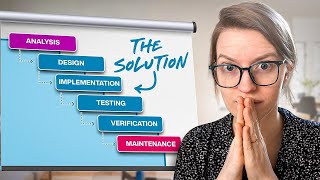
A project manager walks through why teams lose momentum and how to restart them. The video covers writing clear briefs, delegating work, logging decisions, and running retrospectives to keep small teams aligned and moving forward.
Have you ever tried to put someone in charge of a project only to find out that that leadership seat was kind of empty, that they didn't meet the deadline or the budget or the vision at all? And you just felt like, oh, my God, this was such a waste of time. Next time I'm just gonna do it myself. If so, it's time you join me over here, because I've got two templates I'm gonna give you in this video that will allow you to get what's in your head into a vision your team can understand and then allow them to make a plan to execute that vision without you having to get back involved, get pulled into the weeds, or toss up your hands and say, I give up. I'm never delegating again. And it all starts with a piece of paper, but not one as blank as this. Because what we're trying to do in our very first step is communicate what we are seeing. Because as a leader, your job is to communicate what is the next future you want to realize. Here's what we want to accomplish next, and here's why. Here's why. This will be amazing. Here's what it should include. Your job is the ultimate prioritizer and helping your team be held accountable to realize that vision. But if we were to give someone a blank page, that's not really helping them see our vision. They're left to guess and fill in the blank themselves at the same time. If we were to just say this, go up, make things better, that's not very helpful either, because that's not clearly saying what we want to have accomplished. So when it comes to communicating vision, ditch the blank pieces of paper and move into creating a project brief. A project brief is a template where you can just fill in the blanks to turn your vision to something other people can understand. And, you know, let me just show you. Here's my project brief template that you're welcome to steal. This project brief template has five sections. Each section includes a bunch of prompts or questions to help me basically not forget to say stuff because I don't know about you. When I have the blank page to write a brief, I tend to focus on things that are exciting to me and maybe forget the little details that might actually make a huge difference. And so each of these sections prompts me to describe what I'm seeing. Describe the future state. The very first section is the overview of the project. Here's where I'm going to capture what is currently happening in the business as I see it for Example, I might go in here and say, currently our business helps small teams systemize their operations, but these small teams don't know whether or not they are systemized. Period. We try our best to to convey best practices and demonstrate the value that systemizing your business might be able to add comma. But without having metrics and numbers to back up our claims, it can be hard to convince senior leaders that the value of process and systems far outweighs the cost. We have had success before quantifying the value of systemizing by creating things like our email delegation calculator and and other calculators that quantify the cost savings by reducing mistakes or delegating specific areas of your business. But we've never done it for the big picture. Now, forgive me for any typos because that's just voice typed as we're recording this video, but my next prompt in this brief is to talk about what life is going to be like after the project. What is the big transformation? As my fill in the blank reminder says here, we really want to make it clear what why this will feel amazing for all stakeholders. Now, stakeholders I'm referring to here are C, E and O. If you've heard me talk about this before on the channel, C means your customer. They're the most important person in your business. E means the employees or team members or contractors and O means the owner or, you know, people with equity in the business. When we're building these projects, we want to think about how this is positively impacting each of those three stakeholders and that's what we want to describe in the second section. So for example, after this project is done, we will have a simple assessment that will allow anyone to go through, answer a series of questions and understand how systemized their business is or is not and give them set recommendations for how they can improve their score in the future. Period. New line. Anyone who takes the quiz will be able to have a sense of accomplishment by improving their score and will be able to get explained specific examples of what is holding their business back in terms of systems and how it is costing them time, money and stress. This quiz will quantify systemizing your business for the first time. So that's our after. You could probably go into a little bit more detail, but just doing this live on this recording. Good enough. The third and final section of this overview is Big Picture Impact. If I were to zoom out and look at this over a year, why is this project or this initiative going to be memorable to us? What is it going to unlock for the Business? What is it going to unlock for the team? Why is it going to have consequence? Here at ProcessDriven, we actually use a visual whiteboard that shows our future roadmap and our 2, 3, 4, 5 year vision for the business's development. So we usually just include a screenshot of this here. Which actually reminds me, if you'd like to see a video on that big vision, just write the word vision in the comments below and I can make a video on that. But if you don't have some kind of visual way to show your team your strategy for the future, this is where you want to write that out in text. So. So this might be something like. By collecting information about the current state of systemizing your business, we will be able to make more data informed recommendations to our clients. We'll be able to understand averages and norms in different industries, regions and business maturities. And we'll be able to publish research and reports that will help others understand what systemizing your business really means. Period. New line. This will establish us as a leader in the business process industry as specifically as it relates to small teams. By giving us our own unique data set that we can then use to better serve our customers. Having this data set will unlock our ability to write the state of process quote annual reports and unlock our ability to publish original research by speaking at conferences and events and allow us to take the first steps towards developing our own client dashboard and reporting resource. All right, so that's just a quick three bullet points of how this might impact the big picture. The big pieces are how it'll change our fundamental skills and abilities and also what future projects it might unlock by having this done properly and effectively. All I'm doing here is providing context things that I already have in my head. But someone who's handed this project might not think about because they could be focused on just this project, not the things that come before and after. So that's what I'm trying to describe in this section. With that, we're ready to move on to our next section which is Key decisions. Key Decisions is a table. It's a log where we can write any important things that have been decided along the course of this project. So any questions I know need to be decided during this project I might put here as a topic, such as which software will we use for this quiz or will this quiz truly be free or will we charge for it? If I have decisions in mind as to what I might be using, I can write them in the decisions area and I want to make sure. I'm always writing, what is the date that that decision was made in case something might change in the future. Hey, quick reminder that if you're enjoying this video, please do like, subscribe. YouTube cares about that stuff, but you know what I care about? I care about this message reaching actual human beings who need to hear it. So if you know somebody in your mastermind group or someone in your community who could benefit from making delegation a little bit less stressful, do me a favor and it send, send them this video, send them the link, post it on LinkedIn, send an email, get the word out about this video, because that is the absolute best way to support the mission of what we're doing here at ProcessDriven, which is making systemizing your business more accessible, more enjoyable, and more understandable. Thank you so much in advance. And with that, let's get back to the video. If there are any key decisions that I don't necessarily have an opinion on as the visionary for the project, I might just put it as a question, like, I want you to be aware that this is something that's coming, have it on here. But for the most part, key decisions are something that are filled in during the project. As it says up here, this is our log of what's been happening during the project. We might have to decide what's the URL of the quiz page, what's the name of the quiz, what's the logo of the quiz, all of these pieces, I don't know any of them at the vision state unless I have a strong opinion for some reason. So that's all going to be a series of decisions set by the people working on the project and logged here. They might have tasks in their own individual to do list, or they might have sticky notes or whiteboards, boards or whatever. But none of that stuff matters. If it's not here, it's not decided. And that's a rule that will carry through the entire project. That's how this brief becomes a living and breathing document. Once we've got these key decisions down, though, we're ready for prioritization guidelines. And this sounds more scary than it is. All it means is if you had to choose between good, fast and cheap, which would you rather have? You know? So I've got a few variables in here just ready to go. Maybe for me, the most important thing about this project is to complete that quick. I don't care if that means we don't meet the budget or if we don't meet the deadline. I want that quiz done. Maybe for you, what's most important is that we meet the deadline. Even if the quiz ends up being shorter, the deadline's most important because you need that quiz for something else. Maybe for someone else. The budget is most important. We really can't afford to spend more time or money on this than whatever we have set because we're in a tight cash position. So above everything else, meet the budget. Whatever is most important to you in this project. Outline it here. That could be quality. This is my personal favorite. Making sure that you're producing a quality that you're so proud of. You want to tell your grandma, maybe that's most important. But clarifying this here will help your team prioritize and again help them get inside your head of what is most important about this vision. In case, in the rare case that you aren't able to accomplish the entire goal within the constraints that you have available. This one should be pretty quick. It's just cutting and pasting to rearrange these pieces and then we're on to the next section which is deliverables and results. These words might feel fancy if you're not familiar with them, but really all we're talking about is what must haves do you as the manager or leader need to see in the end result. So what creations do you need to have there? For example, this might be a quiz, this might be a landing page. This might be emails announcing to existing email subscribers. This might be adding as call to action in at least five YouTube videos. You can be as specific or as vague as you want here. If you have senior team members on your team, you know, people who are very experienced in their fields, you could probably leave this entire section blank because just based on the project overview, senior level people will absolutely be able to come up with the entire outcome and all of the out of scope things. If you have mid level or junior team members, this is where you can really keep the scope focused. You can make sure that things aren't missed. You can make sure that things don't go off the rails by giving your team a little bit more support here. In fact, if we go back over here and we look at this brief as kind of outlining your big vision and the plan to achieve this brief being kind of a ladder taking people up there. When we are very clear on these deliverables and out of scope deliverables, we're basically building the two sides of the ladder. We're not giving everybody every step, but we're giving them the constraints of the left and right side of saying, hey, here's the stuff. Here's the container that you need to fill in below required outcomes or required deliverables. We have out of scope. And here's where we just want to bullet point anything we absolutely do not want to have touched in this project. Now, you don't have to write things that are obvious here. I know that's subjective, but, for example, you don't need to write out of scope is planning our SOP workshop for the year. Yeah, we kind of know that because the project has nothing to do with the SOP workshop. And so we don't need to write that here. We just want to write things that could potentially confuse people to give them permission to say no and not try to be overachievers by taking on everything they possibly see. Again, it's back to these guardrails. Now, understanding that this may not be perfectly accurate, this will at least give some good guardrails for that process. And. And once we've got this down, we're ready to move on to resources. Resources is where we can define what is the budget for this project in terms of time, in terms of financial resources, in terms of whatever else you have at your disposal. Making this clear once again gives your team the context to know. How tall does the ladder have to be? How many rungs can they have? How many people do they have? As I accidentally erase one of the people. Whoopsie. Whatever it is, you want to define that here. But now that we have our brief, we have our pie in the sky vision out of our head and in something that other people can understand and read and ask us questions about and clarify. So it's in their head too. We've maybe put some guardrails in by outlining our deliverables if our team needs it. Now it's time to actually create the plan, the rungs of that ladder. And that is going to come in the form of a project plan. Now, when it comes to project plans, your team should be the one creating these wherever possible. Whoever's in charge of the project should make the plan the plan using the brief you provided. But remember how we said that writing down your vision for a project on a blank piece of paper can be a little overwhelming? You might miss things, forget them, so on. Well, your team is the same way. No matter how awesome they are, they are also prone to forgetting things, skipping things, rushing over things. And so in the same way that you have a template for writing your vision, we want to give them a template for what a project looks like. In your company. And since I'm not in your company, I'm just going to share what we use in my company. And once again I'm going to be showing you inside this Google Doc. But if you use a task management tool such as ClickUp, Asana, SmartSuite, Trello Monday, you name it notion, anything that allows you to record tasks, you can put this directly inside of that tool. It does not need to be in a Google Doc. So this is the template we give to every team member whenever they're running a project. It basically outlines some must have tasks that if followed, will increase the likelihood that their project will be successful. Three sections for this before, during and after. These are the things that are in the default template. The very first thing is to create the project plan tasks. So this is a basically telling somebody to hey, create the tasks for actually realizing the vision. This is when they will read the brief that we have created in this video and then create any tasks necessary to realize that vision. At ProcessDriven, we provide a whole template of what this looks like, what to look for common mistakes and all of that stuff. If you'd like to see more on that, you can write the word plan in the comments below. And I could make a video on this piece as well. But this is our very first step. Once the project brief is done, we're ready to move on to the next task which is hosting a kickoff call. This is just a conversation with all of the people involved in the project to make sure everyone now sees the vision as after reviewing the project plan and reviewing the project brief. So before the kickoff call, everybody involved in the project is assigned a task to actually review the project, to review everything that's been assigned to them, to review the project brief and to make sure that it matches their understanding. Sometimes there's going to be situations where team members need to fill in the gaps where they're assigned a task and they need to break it down into smaller parts because they're the expert in that area. This prep all happens before before the kickoff call occurs. That's how the kickoff call stays short, focused and useful. Once these steps are done, we're ready for the kickoff call itself, which looks like this. It is a simple four question conversation. It can last anywhere from five minutes to an hour and a half. If it's a really intense project and we are going through four questions with all stakeholders on the call. First, can you visualize the end result? Second, what could go wrong and how can we prevent it? Three, is there anything else that's unclear. And four, what's happening next. And this usually involves booking a call and other pieces because people prep before this call. Oftentimes all of the questions identified are already written out inside the description of the tasks. So as a group, we're not just sharing information, we're actually problem solving together in this call. So that concludes our before tasks and rituals. Let's move on to the during ones. During a project, we have three rhythms we always stick to because it helps us have a successful project. Number one, the coordinator of the project, the manager of this, the project manager. They have to update the status report every week and this allows their manager to hold them accountable, or you, maybe you know, us, to hold them accountable. All this involves is writing a one sentence summary of where the project is at and updating the status. The status options are on track, at risk of getting behind. Behind, but we have a plan or behind and we don't have a plan. Oh my God, help us. Now. Those are our four options. So every week the coordinator is responsible for updating this status and writing a one sentence summary of what's going on. This is important because it gives people outside of the project a peek inside and gives us an opportunity to know, oh my gosh, are things getting off schedule or not? Next up, I'm actually going to skip one and we'll move on to this one. We have a weekly call for the project. These are typically scheduled for 30 minutes, but they often go much less. This is just a weekly call to check in on what happened in the project, what's coming up next, and if there's anything in anyone's way. So these are just basic Scrum calls once a week for the duration of the project. If a project is moving very quickly or it has a very tight turnaround, we might up this to two times a week. The faster the project, the more frequent the Scrum call. Last but not least, our final task is again one for everybody. And this is where everybody's prompted to take a few minutes, two to five minutes a week, and just reflect on what they've learned during this project, during the project itself. Whatever went wrong, whatever they learned, whatever they discovered, this task is asking them to add it to our retrospective call notes. So the task just says, think about the week. Write your findings in this spot. Okay, let me talk about what that spot is that we'll go on to that at the end of every project we have a retrospective call or retro. The words might sound fancy, but all this is is a call where we get together and discuss what went right and what went wr in the project so we can do better in the future. We require this for every single project at ProcessDriven because this helps us make better project plans in the future. Something I didn't quite get to, but I'll just mention, here's a little bonus tip. When we have the project plan get created, one of the tasks involved in that, one of the little steps is to actually review previous retrospectives. So basically look at previous projects that were related to this and see what you can learn and do differently based on those. So retrospective call is something we prep throughout the project and then we talk through it all at the end of the project, usually usually within one to two weeks of the project's conclusion. The four questions we go through are these four. And that's pretty much it. When we're done, the retrospectives get stored into a library with all of our other retrospective calls and we have concluded this project. But this in a nutshell is our base template. And then of course it gets filled in with any tasks specific to what we are trying to build. Now, once you have both a project plan template and a project brief template, you've got both sides of equation. The systemized you know how to communicate vision in a clear way and you have a way to receive someone else's vision and make it happen. Execute that shit like that is a beautiful combination. But there's a bit of a big problem here based on those audits we've done of people's operations, those systemization snapshots, which again you can take for yourself. In the description below, we have measured how people are spending their time in small teams. And on average small teams are spending less than 20%, often less than 10% of their time on projects like this. Most of their time is actually spent on day to day routine work and fixing mistakes and that kind of emergency stuff. So even if you systemize this beautifully using these two parts templates, amazing. You've got 10 to 20% of your business pretty well organized. What about the other 80 to 90%? Yikes. So while absolutely you should use the briefs in this video to systemize this part of your business, if you really want to see big impact, really want to experience a different level of calm and organization in your day to day, we need to focus on the day to day issues and routines that are driving your business as well. And it just so happens I have a video here on the end screen with some tactical strategies you can use to make progress on this today. So go ahead and watch it. Are you still here? Click it. Okay. Thank you. Nope, not thank you, because you're clearly still here. Enjoy the process, but gosh darn it, click the video. See you in the next one.










