Yes, there are HubSpot Updates today! - 5/5/2025
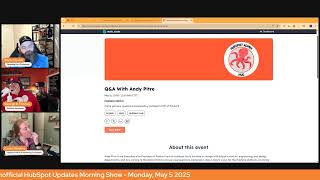
Chris Carolyn, Casey Hawkins, and George B. Thomas break down HubSpot's latest updates: AI-powered ticket topic identification, subscription status filtering, and workflow improvements. They preview a Q&A with HubSpot's EVP of product, Andy Petrie.
Good morning HubSpot Nation. It is time to wake up Customer platform with your unofficial HubSpot Updates morning show where we help you discover the platform value you already own. I'm Chris Carolyn, joined by my co hosts Casey Hawkins and George B. Thomas. We are here every weekday morning to make sure you're not sleeping on HubSpot's true capabilities. If you're joining live, drop a hello in the comments and let us know what you're building in HubSpot today. Happy cinco de Mayo May 5, 2025 Folks.
Yeah, it's actually my anniversary and we picked Cinco de Mayo because my husband thought he could remember that date.
That's a fair strategy. There you go, Anniversary.
Smart man. Happy.
Oh, and we get to start off with a bang with our favorite product update showing up again. Automatic Ticket Topic Identification Powered by AI I think we got a new picture here, right?
I do.
Well, what is it? With this new functionality, the ticket property category will be automatically populated with the help of AI.
Why does it matter? Analyzing ticket topic is essential for support leaders for a number of different reasons. Understanding topic and problem trends ad hoc in order to identify potential major org wide issues such as outages or bugs Understand frequently mentioned topic topics with a long time to close or topics with a less than average feedback score in order to plan rep training or coaching on respective topics Understand topic gaps in knowledge based articles and identify which additional knowledge based articles could reduce future support ticket volume. Right now leaders need to rely on their reps manually filling out the category property on the ticket object. With the new automatic ticket Topic Identification Powered by AI managers will have access to more complete and more accurate picture of topic trends in support tickets.
Now George, as we've seen this a few times now, I'm sure you've had a chance to think about where else in the HubSpot land or maybe the customer journey. Would you appreciate some automatic categorization of stuff?
I mean I feel like that should be a hard answer, but I think it's an easy answer. Can I just say everywhere like listen, I mean if we, if we can do this, which we can. And again you should probably go over and watch the frame AI HubSpot like super admin hug thing. Like if we can do this in one place then why not do it in almost every other place that it's humanly possible. So do I have like definitive like one liner answers to places? No, but I love this and would love to see it in more places. I also love that it's a switch that we can turn on or turn off based on our needs. So.
Mm. Yeah I was thinking closed. Lost reason.
Oh yeah.
You'd need a lot of integrations probably like I know a lot of organizations that HubSpot would have no idea how to but I think that would be very helpful if. If you have your calls integrated, if you have your emails integrated, I think you could do that.
This feels like it would be an easy call to do the how did you hear about US field in this way as well?
Yeah.
So yeah, I'm with you there George. And that's what I like to think about and why I don't mind hitting on this every single time. This is a big deal to have AI basically deciding on on data for you in your portal based on categorization and in case you didn't know because we haven't mentioned it nearly enough or as many times as this one, understand topic gaps in knowledge based articles so that we can then give it to our knowledge base agent to automatically generate knowledge based articles is a powerful thing. So excited to continue to see progress there. And I just, whenever I see a toggle like there it's like where else do you see toggles the portal and could it go right there? Fun to think about.
Yeah.
Number two, Filter record timelines by subscription status updates. What is it? You can now filter a contact's record timeline specifically for communication subscription status changes across all messaging channels. We've consolidated these events into a dedicated filter, making them easier to find and analyze. This allows you to quickly segment your subscription events, layer them with other activity filters, or view a complete subscription history, giving you better visibility into how contacts engage with your communications over time.
Why does it matter? Understanding how and when contacts change their communication preferences is critical for improving campaign efficiency, analyzing customer engagement, and ensuring you always remain in compliance.
I like this a lot. The communication subscriptions, well it happened to show up on the left hand side bar like a while ago, but it's always been a little bit of a. A black box per se. Like you can't really edit the subscription page too heavily. With HubSpot you don't have this like extreme visibility into what people are changing or adding or removing. So I'm super interested to see like I haven't dove into this yet and like filtered humans by this, but I can't wait to actually go in and see what my brain leads to based on if I see patterns in some of these communication subscription filtering pieces.
Yeah, I think it's. I imagine the visibility becoming ever more important as we Start to do true omnichannel, like communications. And it's easy to have the marketing team thinking over here. No, it's like, oh, they're the marketing contact, they're, they've signed up for the subscription. Clearly they're going to know that this one to one email coming from sales is completely different and will not, they will not unsubscribe from our stuff based on a sales based on. Yeah, no, that's not how it works.
The other thing I'll say about this is it brings up something that I've told people over years and years and years is go look at your subscriptions and the way that you have them positioned. And most people have these subscription types written in a like internally facing fashion instead of an external user experience fashion. So just go look at how when you originally set up your subscription types, you wrote them and then imagine that you're not you, but you're a user and you come to your preference page and then start biting your nails and freaking out a little bit. Okay, that's where I'll leave that.
I also think that sometimes we like to trick users. We like to say like, oh, this is a really important subscription type that like you need for important, important, important, important product updates. And then we send all of our like marketing emails. But then you're just like hurting the relationship. That's all. That's all I'll say.
Can you just be human and not hurt the relationship?
Right. So I think the trend, like what I imagine is coming into a record and seeing like, oh, somebody unsubscribed, like, let's see that, like right next to or everything that happened in between, like when they subscribed and when they unsubscribed.
Yeah.
And we'll probably surprise ourselves with how.
Many times two or three things that happened before that, right?
Yeah.
Oh, oops, we spammed the crap out of them. Dang. Gone it.
Number three, a new workflow creation experience. High impact public beta, scheduled for release May 19. What is it? The Create workflow process now starts directly in the workflow builder with the ability to browse all available workflow triggers up front. If you haven't seen this yet, please go check it out. It's a pretty awesome change.
It is. Why does it matter? In the past, when creating a workflow, the first step was to choose object type. For newer users who hadn't yet learned HubSpot object terminology, this choice was overwhelming even for experienced users. This meant committing to a specific object before confirming if the trigger you need will be available there. If it wasn't, you may have assumed the feature didn't exist in workflows and missed out on automation opportunity. At best, you'd need to go through the trouble of abandoning that workflow, creating a new one, and repeating that process until you found the trigger you need. With this change, you'll go directly into Workflow Builder. After clicking Create Workflow, where you can immediately begin browsing all available workflow triggers, you can more easily switch between different trigger options while in the flow, and maybe even discover some new triggers you didn't know existed. When a trigger is selected in the new experience, HubSpot will set the workflow object type automatically when possible and to save you time and clicks. This update makes it easier for you to find the best trigger for your process, while removing decision points with limitations that made it harder to get started. I love this update.
So if you've historically had commitment issues with your objects, that is and picking an object and workflows, then this is. This becomes really sweet for you.
Yes, very cool updates and we appreciate the progress. So we've seen. So we were just chatting before the show. We're still not sure how new to you actually works. So we've got a bunch from April 10th here, which happened to be Spring Spotlight day. So yeah, not sure why they're showing up. Are there any here that you guys want to highlight before we move on to our next topic?
You don't want to talk about legal stuff April 10th?
I mean this is always. This is always one of my favorite.
Yeah.
Updates.
It's so robust.
Yeah. Check out. Go ahead and read through the entire customer terms of service because it's been updated folks. Go find actually this community post that tells us exactly what it is. There you go.
Wow.
It does. Well done.
Legalese and dates and stuff.
That is helpful.
Okay, now that is robust. While the line in the product is not robust.
This is.
Yes, that's good. Thank you for not trying to shovel this in in this product updates card.
I mean I think an honorable mention just because it it hasn't had a ton of love historically and it's starting to get more love. Is Microsoft like the teams meeting recordings and transcripts? I think that that deserves an honorable mentioning it. Not that we have to go over the whole thing but like if you're a Microsoft Teams human user and you want your meetings, recordings and transcripts to go into HubSpot so that you can use, you know, conversation intelligence and great playlists and all of those good things that you can do around sales coaching or service coaching. Well then you might want to check out this private beta for sure.
The two that stand out to me. And we've talked about increased video limits a lot, but we're very happy about that. And then add records to list from actions dropdown, which is a nice bonus.
So from the actions drop down in lists.
Yeah, yeah. Especially for our admin listeners, which is probably the bulk of our listeners, you might find this helpful. I, I'm thinking if I have a list of like contacts that I want to like manually review for whatever reason, I might have a static list of like, hey, don't forget you need to come back to these. But maybe I don't have the mental bandwidth at this exact moment to dig into all these records.
Fair enough. A lot of list management happening. Yeah, yeah. And since last time I failed to remember off the top of my head the limits as a reminder, video limits, Content hub professional have gone from 50 to 150 and enterprise has gone from, I think it was 250 before and now it's up to 500. Also they've made the experience of adding videos in terms of not automatically hitting this limits list until you add it to content has been another awesome update from that team.
HubSpot doing good stuff, I tell you.
Indeed. Including showing up to listen to us ask questions. Not only from the perspective of, you know, Andy Petrie, the EVP of product showing up for a Q and A tomorrow at the admins hug, 10am Central on every Tuesday. I was at the hug. I think it was, it was John, John Dick who was there from a customer success Q A perspective. And of course customer success cannot avoid the questions about product. So he did a masterful job in answering what he could. But it came up in that, in that hug that hey, maybe we could ask questions about product to the, to the leader of product and Kyle and Deanna, I think they had it scheduled by the next week having Andy Petrie come on. And so that's going to be exciting. And this is true. Like you know, every people can come raise their hand. Like there's no like sign up process or submission beforehand. You know, they open the doors, they open the floor for people to come in and ask your questions on camera if you want to be. Sometimes, not every time. But I'm curious, ac, you get to start this on the spot. What is your number one question that you want to ask Andy Petrie about HubSpot product?
You know I have two. I was panicking for a second but I have two one year. I don't think either is going to surprise you. Currently enrolled in workflow property that they sunset. I would really like a replacement. What is the plan? I've heard murmurs that there's like a long term replacement but there wasn't a short term one. What's the deal with that Andy? What's the deal?
What's your number two? There are.
Some holes I feel like in the scoring tool that I feel like our should be priorities prior to the sunset of the old scoring properties at the end of the.
At the.
End of the summer on August 1st. I don't know why I said the end is actually like August. Maybe it's August 31st now, I don't know. But primarily the and feature and then we only have options to score companies and contacts but there's a lot of objects that we would might want to prioritize and score.
That's fair. Quick question from Dean here. Yes, these are usually always recorded. Generally available within the week before the next hug. So much things, so many things going on. Especially as these boot camps start. It's so hard to not conflict with stuff you want to do. Especially a great question, George.
Flicks with work but what.
What's your number one question for Andy?
So in a world where we've upped the video limits and a world where we have people that can bring podcasts into HubSpot, in other words, we're becoming very quickly a media holder for all things important when it comes to that marketing stuff. I am super curious of why there isn't and if there will be default dashboards because I also know that one of the Achilles heels for most mere mortal humans is the reporting side of HubSpot. And so why don't I have a Wistia or Vidyard or Cincopa style video analytics dashboard that I can just click on and see all the things that I want to see around my video and when or where. Or can we get a podcast style like Transistor FM or Lipsyn where we can see podcast analytics with a push of a button versus trying to reverse engineer it with custom reporting? That's my number one question. My second one is why am I living in a world where super admins can't see sequence information as far as sales sequences because of seats and permissions? This feels like a major gap for super admins. My third is I'm just kidding. I'll stop there.
Oh, you got me kind of fired up with number two though.
Yeah. And appreciate you Dean. We love Doing this for you guys. So thanks for showing up and sharing your feedback. Yeah. That's where it's interesting to think about what we can do with an hour with Andy Petrie on the admin hug, because I think those are great questions.
What is your top question you'd want to ask Andy Petrie so I can put you on the spot, too?
Yeah. I think the question of seats is a great one in terms of. But I approach these like there's nothing, especially the higher you get up the ladder. The likelihood that they know the details at the. At the very base product update level that we go through every day, fairly unlikely. And I try to get, like, I love getting feedback about where they're going, what they're thinking about, what the overall vibe is of something like seats and if they can share information. Because from the outside, I don't know anybody that's not been confused by seats and the configuration of a portal. And is that something they're going to. Are they digging in on that? Are they rethinking that at all? Would be. That's probably a question I'm asking tomorrow. But also if they're rethinking, seats can give any kind of direction that says, all right, on this date, it's going to be clearer for everybody and not just continue to get more confusing.
Yeah.
Yeah, right.
Yeah.
Obviously, we take these opportunities to vent a little bit as we ask these questions.
Usually I. I think it's hard to like. And I mean, I noticed this even when you asked me, like, it's hard to come up with a question that's, like, broad enough to get, like, overarching feedback. And to your point, like, yeah, he probably doesn't have. He probably doesn't know. He probably doesn't know what I'm even talking about with the currently in work field. Never heard of it before.
He probably knows, like. No, I know, but, like, he's a pretty. He's a smart dude. Let's just say that. And, like, I've had a chance to talk to him, interview him a couple different times. It's funny, though. Like, it will be interesting to see what he can say. Can't say, because there's that whole world that we live in, too. And when I say we, I mean HubSpot of like, they know they're working on some things, but they can't say that they're working on some things. So it'll be interesting, the delicate dance that he has to make. But it's funny because the whole seats thing just really gets Me fired up. But I feel like that's, it's, it's a little bit like AI Pandora's box has been opened. We're not going back. So if we're not going back, can we at least educate on around how to understand and use it in the way that is like in a positive manner versus like coming away feeling like we got hosed on a particular thing that happened.
Yeah. And I think at some point they're going to be transparent or I expect companies to start being transparent and say like, yeah, we know it's been confusing but we're gonna, AI is going to help us figure that out because it's a complex beast, all these layers of hubs and tears and seats. But I think on the other side of that is understanding like asking like question on my mind is getting anybody from the product team, including Andy in this tape, in this case to just get their thoughts about the balance between like the AI LED portal that we're jumping into versus the admin LED portal that we've always had and the control versus enablement perspective there. It's very hard to enable AI to do its job and also give the humans all the control that they've always had or wanted. And as I talk to each individual product manager, it's a, it's a bear to wrestle with constantly. And then lastly of course cash flow and its implementation into the product and how they're thinking about quote to cash and how they balance education around the products versus development and forward movement I think is an interesting thing to hear about. But that's probably my piece of advice if you're coming up coming to this hug at Q and A with the head of product. Try to think a little bit bigger and maybe don't expect, you know, answers to the most specific of HubSpot product issues that you might have. But to George's point, like their team, this team has an amazing. I don't know how they do it honestly. The habits they have around review of customer feedback. Like I just hear constantly how like even the tiniest of details that you add in your, in your customer satisfaction, you know, pop up window that comes up like they, they respond to each and every one of them. So appreciate Andy taking time to show up tomorrow on the Admins hug. Tuesday, May 6, 10am Central and that is where we will wrap for today. Remember folks, you probably already own the solution you're looking for in HubSpot. Sometimes you just need to wake up to it. Join us tomorrow morning as we continue exploring what's new in HubSpot. Drop your biggest takeaway in the comments and let us know what capabilities you want us to wake up to next. Until then, I'm Chris. Carolyn.
I'm Casey Hawkins.
And I'm George B. Thomas.
This has been Wake up. Customer platform. Now go build something amazing. Have a great day, everybody.










