You know the drill! #HubSpot Updates 4/24
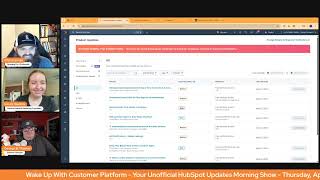
Chris Carolyn, Casey Hawkins, and George B. Thomas run through HubSpot's latest updates: board views for contacts and companies, AI-powered customer agents, a redesigned notification sidebar, and the ability to apply multiple discounts on invoices.
Good morning, HubSpot Nation. Welcome to Wake up with Customer Platform, your unofficial HubSpot updates morning show where we help you discover the platform value you already own. I'm Chris. Carolyn, joined by my co hosts Casey Hawkins and George B. Thomas. We're here every weekday morning to make sure you're not sleeping on HubSpot's true capabilities. If you're joining live, drop a hello in the comments and let us know what you're building in HubSpot today. Why can we do this every morning? Because we always have nine updates to show up to, even after getting to zero every day. How are you doing today, folks?
Good.
April 24, 2025. Don't let me forget that part, George.
It's Thursday. Doing good. The weekend's coming. I don't know what that means because probably worked on one of those days as well, but I'm. But I'm doing good.
George's work. Right. Speaking of George's work, before we jump into updates.
Yes, sir.
Congrats, man. Inbound speaker.
Thanks.
This is like the 28th year for you.
There hasn't been 28 years since 2016, though. Yeah. So it's been. It's been. It's been a fun ride. It's. It's super interesting. I'm really excited. So we'll. We'll see what happens. But yeah, I don't know.
Well, number one.
Number one on the page. Number one.
We're excited for you. And I get. Yeah, I guess I should have had the page up.
Yeah, you don't have to have the page. The fact that when I. Because I had no clue, by the way. I mean, I knew I had been accepted to speak and I knew that they were launching the agenda, but I had no clue when I went to this, you know, inbound.com sessions that my card would be the first card. So thank you to whoever the powers that be. I'm just saying I was.
Bam.
It made my day.
We're talking about.
It was a daily win.
This is what we're gonna see. It's such an interesting dynamic right now. There's so many AI Talks. Nico and I have been talking about this a little bit.
Yeah.
And it's like, how in the world can you plan an AI talk six months out right now? I remember you last year, like, doing the work to update that thing. Like.
Yeah.
Right before. Right.
A little bit behind the scenes for people who might not know. Like, I literally chose a 90 minute session because I know with 90 minute sessions, I can use my own computer. And if I'm using my own computer, I can be updating my deck like an hour before.
Like that.
Anyway.
Yeah man. Tips, tips left and right. And I said oh yikes. 90 minutes.
That's where the real value happens. A lot less sales pitches in the 90 minute sessions.
Yeah, that's fair.
Anyways, jumping into today, starting with a big one. Enhanced board experience and board view for contacts and companies. Private beta, medium impact, free for all hubs and tiers. What is it? This update brings you both the option to see your contact and company records in a board view and a redesigned board experience across all objects. Oh, that's a sneaky one right there. With a board view including deals and tickets. Here's what you'll find. Board view for contacts and companies See your records organized by life cycle stages for a real time actionable view. Faster scanning. Enjoy a streamlined board and card design for quick prioritization. Personalized view add up to two extra properties and reorder for your needs applies to each user and quick actions take immediate action directly from board cards with without leaving the board. How is this not high impact? I'll let you go though. Casey, maybe you tell us in the.
Why in the why it matters. It's going to explain why it's actually not. The new contact and company board views offer a visual pulse on your customer life cycle journey, empowering you to proactively manage relationships, spot opportunities, make data driven decisions. The enhanced experience will boost user productivity. With a clear, more efficient and personalized board view, users can scan faster, prioritize better and customize their own view. With two extra properties. Admins can now edit card settings directly on the board, eliminating the need to navigate to a separate settings page and saving time.
Wow. Scrolling to the screenshot, this almost makes HubSpot brand new.
Yeah, like.
Oh this is interesting.
And I, I had. So I've been actively talking to the CRM team about like the customer data model, right? And it makes so much sense, especially the challenges we're starting to run into by like going beyond sales contacts and sales companies and orgs and just bringing everybody like get communication in there. We got these different people traveling at these different paces even within the same company and you start talking about it's pipelines. Right? So as soon as we started being able to customize lifecycle stages and it looks exactly like, you know, the pipeline settings of the other objects, I was like hey team, maybe we could have different pipelines for contacts and companies in the future. And that was actually the post I saw today. I Think it was from Kevin, where I think this is a signal in that direction because. And it makes sense. Like if we have pipelines for partners that are human beings and pipelines for customers that are human beings, I want those humans tracked in the same object type, but they travel their different journeys. Like instead of having partner for one random set as a stage. And nobody else is going to be in there. Right. So this is super, super exciting.
I will say that this is one where I wish there was a video like a loom that I could click on and they could show me and walk me through because I have officially hit that button, but now I've gotta wait until it gets turned on and I'm. I kind of want to see it now. Dang on it. Anyway.
Yeah, this is. Oh, man, exciting times. And we'll know exactly how power. How much power we have when we see this tomorrow with a video link in it.
Right.
Streamlined install flow for new apps in the marketplace. Medium impact. This one's live. What is it? HubSpot is standardizing the app install flows so users go through a consistent and predictable install experience regardless of the app they are installing from the App Marketplace. Starting on April 23, 2025. Yesterday. This change applies to all newly created app listings.
That makes sense. Why does it matter? Previously, when installing an app on a listing page, users were directed to a variation of external pages depending on the selected app. A total of 13 plus potential page types, causing a disjointed and unpredictable install experience. Another symptom of this challenge include includes decreased conversion rates, conversion rate as defined of percentage of users that install the app. Going forward, users can expect the same experience no matter which app they choose, including post install, app feature, education and adoption. I think this is a great update. I think it is. I mean, it definitely can be very different experiences.
I love it when the team gets real with us. Like, yes, a total of 13 + potential page types.
Yeah, I think the 13+ is funny because, like 13 so they counted and then + because like, what if we missed one? I don't know.
Or. Or maybe we got to 13 and said screw it.
They get the idea.
All right, we got it.
Yeah, no, this is great. And this is a conversion rate that I actually like to see where. Because that probably was telling them everything they need to know. But that's where we've. We've seen the adjacent update where now they're actually giving app partners the ability to create cards and things that they can direct people to instead of, you know, having the one what we're, what we were seeing is that people building for HubSpot would create their, curate, create their managed experiences and you know, understand the importance of not just sending somebody to the settings area, you know, of HubSpot. So very cool to see that. I'll say. We're also doing some stuff profoundly to try and help that space between App Enablement and HubSpot Enablement, how they come together. It's been so hard to get help sometimes. So see a lot of good stuff there. So, sharing credit card details in checkout Live with high impact impacting products and quotes. What is it? This rollout enhances the checkout experience by allowing stored credit card details to be shared between super admins and billing admins. Previously, only the user who initially added the credit card could see it during checkout. So what is changing with this update? Stored credit card details will now be accessible to all super admins and billing admins in checkout. This. This means that any super and billing admin within the organization can seamlessly use the previously stored credit card for transactions without needing the original user to complete the checkout. Added credit cards in checkout will now automatically. All right, I think I've said that like four times. You can see store credit card details in checkout as long as they're linked to your active subscription. So that's a key part here. Like if we're using hubspots for subscriptions and our customers are paying for subscriptions through HubSpot payments, this is where this applies. Yeah. Why does. Dare I ask. Dare I ask. Why does it matter? Casey?
Just wanted to make sure you were done, Chris. Sorry. It matters because customers who have previously completed checkout using their credit card expect to see their stored credit card details during future checkouts. Currently, the credit card is only visible if the same user who added it returns to checkout. With the release, we aim to share the stored credit card details between super admins and billing admins, allowing any of them to view and use the previously used credit card during checkout.
Am I the only one that got nervous while you were reading this?
I did my. I feel like my voice changed where I ran in and I was like, I don't know if this. I mean it's sharing it. Sharing the credit card across people.
I don't know how many super admins are in some. Some portals.
Well, I think that. No, this is from. I feel like this is from the HubSpot customer customer side of things.
But it says with this release we aim to share the stored credit card Details between super admins and billing admins.
Yeah. So I'm confused. I'm confused and I'm nervous. But I'm sure that there are security safeguards around whatever. I'm not understanding as just a simple human right now.
Right. What I'm understanding is it's if I'm. Let's say I'm selling a subscription to the organization of Wake Up With Customer platform and George is a, is a super admin of Wake Up With Customer platform and Casey Hawkins is a billing admin. You two will be able to share and see between each other like that. I don't see this as being inside of the HubSpot. Like when we say super and billing admins, like there's no. Well there is.
But yeah, I don't know.
I hear my mind went after I overcame the risk part. It's like this is because I was like can I even do this on Amazon right now? Like this would be super powerful. But then you go to like the business account. If you get a business account in places now, you can have multiple people using payment information which will be really powerful. Like obviously once we wrap our heads around what this actually means. But if that's the experience that we can provide to customers using hump swap payments, that's stuff that is really next level in terms of accessibility for customers using stuff. So yeah, maybe we'll, we'll look into a little more, get clear on the details there. But.
I feel like this one's gonna get an update and we might see it again.
Yeah. It's always been super awkward to talk about the customers of the HubSpot customers and you know, portals and.
Right.
We're actually talking to number four. Add customer agent to rule based chat flows. Private beta or customer platform and service. What is it? You can now add your customer agent as an action within rule based chat flows. This gives you more control over exactly when and how your AI powered customer agent steps into customer conversations.
Why does it matter? AI agents are powerful, but they're still new territory for many teams when it comes to live customer interactions. Not everyone is ready to hand over full control to AI. This update gives you the flexibility to decide when customer agents should engage, allowing you to build trust in its capabilities while still maintaining control over the customer experience. This is cool.
Mm.
Yeah, there's. There's some real deal Holyfield moments in there. Like not everybody is ready to just jump in feet first.
Yeah. Nor I also like the little.
Yeah.
Robot Next. The robot icon is very cute.
Oh yeah. I did hear it yesterday was my first conversation with during a scoping session where that the word oh, we'll just have an AI bot here and over here and like talking about it as if AI bot will be will be involved in many places of the process. We're not sure exactly what that is but of course we'll have it at some point. So it's, it's, it's reaching its way into to places you might not expect it. So be aware is what we're asking for here. Bell Notifications Sidebar Redesign this one's live already and somehow a medium impact. Raise your hand if you rely on in app notifications in HubSpot. What is it? The sidebar will now open by default on the unread notifications so you can focus first on the notifications you haven't seen. This allows for bulk actions to be surfaced more clearly by displaying a checkbox next to each message. Additionally, a more compact design for each notification allows about four times more notifications in the same space, reducing the amount of scrolling. That's kind of scary. Four times more.
I mean I like less scrolling, but I don't like more notifications. My brain is torn right now.
The option. Here we go. George. The options to unsubscribe from notifications are easier to see. This means you can make the sidebar work for you by choosing the notifications you need.
Why does it matter? Currently, it's hard to read and act on the notifications received in the sidebar. Agreed. Each notification takes up a lot of vertical space, which requires a lot of scrolling to go through all notifications. Now you can see the full message when hovering over the notification without having having to click on each individual one. That was kind of a weird. Why does it matter? It was just an explanation of what was.
Yeah, I think like this part is probably the only thing I usually use this for.
I know that's what I was thinking.
If I missed the the pop up that happens like oh your export's ready. Oh gone now.
I wondered if you were being like sarcastic when you said raise your hand because I am curious like if you're watching this do you pay attention to lean on like it because there's historically I've taught about like the strategy of when to choose in app, when to choose Slack, when to choose email. Like this was a while ago that I had this conversation but like I'm curious you're watching this. Just put yes notifications, no notifications in the comments so we can kind of get a feel for it.
That's interesting George, because I was just thinking I feel like when I do trainings I very rarely if ever discuss these notification sidebar but part of that is because I work in multiple portals and the notifications are like portal specific. It's never really just like worked for my workflow. However if you are working out of one portal it is more impactful and I do like how this looks better than the current notification bar.
Yeah yeah yeah yeah yeah. And I anticipate there's going to be a connection between like AI suggestions that are happening on the homepage and other places and how like this is where it makes sense to start managing your notifications if we know that AI is going to learn from it in some way. So yeah, nothing but love for your product team. Like all of these any sarcastic comments are from from my point of view and based on my experience. So I share that because personally it's been difficult to see a lot of people I haven't run into most many people that have have used this and leaned on these notifications a lot. So your mileage may vary. Number 6 automatically format property data at the point of entry. It's a public data medium impact free. All hubs and tiers. What is it? You can now automatically format your data as it enters the CRM, ensuring that your data is clean, formatted and valid. This formatting will apply when users edit properties manually or import into properties. This can help you, for example, automatically remove letters from postal code and automatically remove special characters from city.
Why does it matter? Maintaining data quality in the CRM will be faster and easier. Now your CRM will not only prevent entering invalid data, but but clean it up on your behalf as it enters. Instead of forcing users and admins to correct validation issues and errors, HubSpot will now automatically correct those issues.
Yep, still doing the thing it's been doing every time we talked about it.
Yes, and just a lesson here, like if you're going to use this, pick, pick properties where it's actually gonna be like good at it, doing it. Because I'll say city like because not it's like you haven't fixed it all the way in this, in this, in this shot, right? Like there needs to be a space there and that's where from a validation rules perspective, like there's no way you can go from that. Not without like sending it to AI and then AI sending it back, which is probably where we're going. But just understand that this is a step and probably try and start with properties that you know for sure it's going to fix it 100% the right way each time so. But very cool to see that that progress for sure. Continuing down that path, phone number property validations and auto formatting also medium impact. What is it? You'll now be able to set validation rules for phone number properties. Additionally, you'll be able to set a default country code for phone number properties that will automatically be applied to updates to phone numbers via import and manual data entry.
Why does it matter? Improving the quality of phone numbers is important to ensure reps aren't calling junk phone numbers or doing the work of finding the right phone numbers themselves. Phone numbers that contain random text or missing country codes make it more difficult to contact customers. Validations will now allow you to enforce consistency and quality of your phone number data. Additionally, a default country code will make it easier to bring in valid phone numbers that are missing a country code. Hubs bot will prepend country code all automatically.
Let's get in there. When we care about phone numbers. Definitely helps when they're formatted properly and Hi.
Hi.
Thanks for joining the show. I love it. Also, I gotta shout out Alexander who's always showing up. Earlier he mentioned why we we don't need to be nervous if it's not our credit card being passed around, right?
Yeah. Are you going to inbound? Let us know in the comments. I'm curious. I haven't seen you for a while, brother.
Bring your brand voice to your customer agent. Private beta, scheduled for release May 6th. Somehow low impact coming to service. What is it? You can now configure your customer agent to use your existing brand voice in HubSpot.
Let's go.
Applause there, George.
Yeah, you can get an applause. Hang on, let me get it. Let me. Let me get there real quick. You ready? Yeah.
All right. With this update, your AI powered customer agent will mirror the tone, style and personality of your brand, ensuring every customer interaction feels consistent and on brand. How about that?
So important.
Why does it matter? Your brand voice shapes how customers experience and connect with your business. Previously, your customer agent's personality was set independently, which could lead to inconsistencies between support interactions and the rest of your AI generated content. With the new brand voice option, your customer agent can now adopt the same voice you use across marketing, sales and service content in HubSpot, creating a more unified, trustworthy and seamless experience for your customers.
Yeah, this is a step in the most righteous and perfect direction ever. Yeah, I'm very excited about this one, man.
And this is one of those things like humans are gonna human. And it takes so much enablement, effort and training to create consistency across these touch points. That's where my mind went first about like a great use of AI here to start to create consistency there. But then if you take a step further and you create a kind of process where your team is now reviewing these interactions or when it gets handed off to the team and every time you see the same kind of messaging and tone and style, like that's the kind of thing, like that continued exposure helps train and enable the humans on the team as well.
I have to throw in here too and I know I talked about it at nauseam on the Hub Heroes podcast, but with this update, if you haven't gone to your settings and gone to AI and spent time in your data sources, by all that is holy, go spend time in your data sources and get that set up to align with what all of this is doing.
I think overall brand voice is like such a, such a great use of AI. Just when you think about a marketing team, there are many people on the marketing team and some of them may leave or go on vacation or whatever and then suddenly the marketing just like shifts just little by little. So I think having AI to have that consistent voice, I don't know, it's a really, it's a really interesting piece. I feel like that is a little, I don't know, I haven't like, I don't hear a lot of people like mentioning like how that creates like a consistency in your brand messaging versus previously.
I mean even like listen, if you're in an organization where you have internal humans that you like writing articles, even being able to take their articles, put them in HubSpot and be like so close, give it our brand voice and then be like hey Jimmy, just check this out. We added our brand voice. Anything did anything break? Like even just the speeding up of that process and alignment is like I, I totally agree with you.
That's huge. I mean sometimes marketing teams don't even have access to the customer teams, to the customer success and service teams and we wonder why we get into silos and all these handoffs. Like there's so many things that man, if you're a marketer in HubSpot and you've been struggling with stuff like that, like you have all, you have such a great tool set now to start overcoming some of these long term challenges. Last for today. Multiple one time discounts on invoices. What is it? Previously invoices only allowed one discount to be applied. Now users can add Multiple discounts?
Why does it matter? Merchants may have multiple discounts to apply to an invoice.
That's why. All right. I always ask myself, how has this not been a thing already? But then immediately this is where it's more of a process thing that, that your team likely has to figure out. Because when you start mixing and matching discounts and mixing and matching dollar amounts and percentages, you start to create some interesting issues across the team and your customer base. So just take care with that. And usually if you're in a situation where you've got to apply more than one discount, maybe there's a better way to package the product and the offering.
Well, I'm immediately looking into my, my own stuff because I have a couple discounts going right now and I'm like, actually I don't want people applying to discounts. I don't know if that's.
Yeah, this is internal. So like when we create the invoice on the HubSpot side.
Cool. Just like I thought.
I'm sure there's use cases for this and if you have one.
Oh, there definitely is comments.
Because I'm sitting here going like, so when, by the way, in, in the robust reading that you guys had to do for this one, I was like, I was like, I don't know why, but my mind went racing to the bottom right? And I, and so like, I'm very like, by the way, don't get me wrong, I don't, I don't hate a discount. I, I like to give some discounts. I'd like to get discounts. When I'm helping people buy HubSpot, I advocate for discount. So don't, don't get me wrong, but like two of them.
Well, a lot of times it has to do with. And this is where like what's happening with cash flow and commerce Hub and the new quoting, like we're trying to overcome like the lack of like, you know, price books and that we have different relationships. So maybe where is this? There's a special, you know, that we're running 10% off of this thing and then our, you know, distributor friends, our partner buddies want to get in on it too. And they are, they also get like their kind of discount that we can't necessarily set in the system, so we've got to add it on individual invoices. So pre existing relationships plus promotional opportunities are the usual cases where we're trying to, you know, put more than one thing on there. Yeah. And a good question here before we wrap. Do I remember correctly that sometime back there was a beta that made it possible to make HubSpot reports based on external data. Does that ring a bell for you guys?
So I don't know if there's a report, but I know that this is possible because Chad Hahn talked about it during our super Admin training where I think it's with data sets or something along those lines where you can import a spreadsheet and therefore have like non HubSpot properties that you can then apply to your reporting. So yes, there is a nerdy way that you can do that.
Yeah, this is what came to mind for me as well is you can upload now CSVs, which makes me think you can access the API data as well. And I think all in all it relates to data sets. I know the team is working hard on continuing to build this out to be able to bring in context like that without having properties built out and having the whole object structure and being able to report on it and contextualize it and action on it right next to all the data that's also built out in the portal. Hopefully that and he found a LinkedIn post for anybody wondering. So we'll. There we go that out and that's. I think that's where we'll wrap for today. Remember folks, you probably already own the solution you're looking for in HubSpot and it looks like it's going to be a new board experience and board view for contacts and companies. Sign up for that beta. Can't imagine anybody not wanting that view. Join us tomorrow morning as we continue exploring what's new in HubSpot. Drop your biggest takeaway in the comments and let us know what capabilities you want us to wake up to next. Until then, I'm Chris. Carolyn.
I'm Casey Hawkins.
And I'm George B. Thomas.
And this has been Wake up with customer platform. Now go build something amazing. Have a great day everybody.










