Wolfram Student Podcast S2 Ep 6: Generating Pac-Man on Street Maps
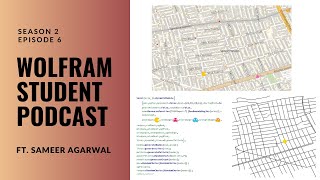
Samir, a high school student, built a Pac-Man game generator that turns real street maps into playable levels. The project imports OpenStreetMap data, uses pathfinding for movement, and includes ghost AI and scoring. He hit performance issues with DynamicModule but plans to expand to more cities.
Chapters
Hello, everyone, and welcome to season two, episode six of the Wolfram Student Podcast. I'm Sam. And I'm Reshank, and we're your hosts.
This is the Wolfram Student Podcast, where every fortnight we dive into a new innovative project done by high schoolers using the Wolfram language.
For this episode, let's welcome Samir, who will be discussing his Wolfram project on generating Pac man levels from street maps. Hi, Sameer.
Hello. My name is Samir, and I'm a junior in high school. I'm from Texas, and I went to the Wolfram High School summer research program of 2023.
Yeah, okay. Well, I guess you already mentioned what camp you've gone to. Any thoughts about how camp was run this year? Did you like it? What did you learn in your project? I don't know. Just thoughts about Warframe.
Yeah, I think it's pretty fun. There's, like, a lot of mentors and TAs and, like, a lot of people helping out. There would be a lot of great activities, and it was pretty good to get to know other people and also just learn about the Wolfram language and work on the project.
Yeah, sounds cool. Yeah, I'm excited to see your project too, since I was mostly your TA for this one. And I guess just a fun question that we ask everyone who comes on. What's your favorite Wolfram function?
I think my favorite will form function would probably be the which function, because it's pretty convenient and, like, lets you do just a lot of if statements in, like, one line, kind of.
Just for context, which is essentially multiple ifs strung together, where you go, which case one, result one, case two, result two. So, yeah, pretty cool. I don't think anyone's ever said which they normally go for table or something.
Yeah, that's true.
Okay, cool. So let's get straight into your project. Can you first give us, like, a quick summary on what it's about?
For my project, I kind of created a game of Pac man that will be played on Street Reps, and I want to make it a fully playable game. I wanted to have it actively the Pac man actually move around on the street map, and so that's kind of what it made. And they also have some extra game features included, too.
Okay, pretty cool. I guess just take us through it then.
So kind of just an introduction, just Pac Man. I think basically everyone would know how it's, what the game is because it's pretty popular. It's on many arcade machines and there's many different versions of it with many different types of games. But for this version I decided to use something called OpenStreetMap. OpenStreetMap is this public database and it has a bunch of information about different streets, about different traffic lights and fire hydrants and random stuff on these streets. And it's collected through volunteers and other sources. And it's pretty good for individuals or companies or really anyone to import data. There's a couple different methods. So one, you could import data from these XML files. So here I imported data from a file that was put in a crap on the cloud. Another option is to kind of take these specific latitude longitude coordinates of this bounding box and then import that into the research function from Wolfram. And this will make it kind of easy just to get a general area and get the data of that area. And then finally there's a way to use an API and this allows you to use queries to access large amounts of data. So I ended up using these latitude longitude coordinates. And here's an example of some data where it kind of shows the position and it shows a geoposition with these specific coordinates. And then also some tags. There's no tags in this scenario, but in many other scenarios there'll be tags describing what the object is or how you can identify it. So after pointing the data, I use this thing called geographics. And this allows you to visualize the data on a map. And you can see the street names, you can just see the general map with other features. So here I put lines on all these roads that were kind of like highways or just general street roads or residential roads, or really any kind of road in the area. So after doing this, I started to work on movement because a lot of Pac man is about the movement. So Pac man was on a grid in normal Pacman, where it's kind of like this, where you can just move up and down all those continuous movement kind of like this. So I made a quick version of that, but since my map is in a different form.
Sorry, one question.
Yes?
How are you some context for listeners? How are you able to. Like normally you'd have to continuously run line of code every time you want it like it to move one place. Are you. How are you able to control it moving just with arrow keys, like in that code block?
Yeah, good question. So what I used was a combination of two different functions. So I used dynamic module and event handler. Dynamic module allows you to continuously take in dynamic events and update variables and do just a bunch of stuff dynamically based on user input. And Event handler allows you to actually take in user inputs. So you could take in stuff like E clicks with your up arrow key, down down arrow key, and all the arrow keys or mouse clicks or space bars or really anything. And this combination allowed me to generate this visual of a circle and moving around with the key clips.
Okay, cool. Thank you.
All right, so moving on, I want to kind of do some visualization. So I first visualize my map as just lines. So I kind of got rid of the map part of it. And this is just the graphics of those lines visualized out here. And one thing I wanted to try doing for movement, because I realized that these lines aren't perfectly straight, so I had to have some way to move diagonally. So I used vectors. And this normalized function allowed me to update the position of a dynamic object in a dynamic module every frame with the vector. So here upon click it just moves to a random point with vectors. So move diagonally to that point. So this was basic movement. And then another thing I wanted to do was make sure that I can move to multiple points. So here it continuously finds new destinations and routes to those destinations. So it moves towards this point, all the way over there, and then just goes towards the next point. And it keeps on kind of bouncing between those. So this allowed me to quickly just move between a bunch of points in series. And then for navigation, I realized that considering the fact that these lines wouldn't ever be perfect 90 degree angles and the only real way to do proper navigation could be through clicking. So my idea would be the player would just click somewhere and then the Pacman would kind of navigate towards that area. So it introduced this nearest node. So first I had to generate nodes. And nodes are kind of like anything on a highway, or anything on a road, or just any important feature of a road or highway. And there's going to be a decent bit of these within a small city area. And you can kind of use these to map out the roads. So the Pac man would navigate here to the node that was closest to the mouse position. So it would find the node that was nearest to where the mouse was positioned. So if I clicked here, it would move to relatively close node like there it could move to that node. Or here I could move all the way down to that node. But since I had to move from node to node to move across the lines, because there's a bunch of nodes on the lines, I would make a graph. This graph would have every single node. And what I could do was I could optimize a short path between the nodes and that path would have to be along lines because the nodes are located on the lines next to each other. So here is. Here's a graph of the nodes. And this red path right here is a tiny bit right here. This red path is the shortest path between the nodes. And what this would usually, what this ends up translating into onto the lines is something that has. That is directly on the lines. So even though it looks a bit weird on the graph, it looks proper other lines. So if you look at this movement function here, when I click onto any location, the Pacman finds the shortest path from its current node to the nearest node to where it's clicked, and it moves to that location. So that's kind of how I combine this graph and the list movements and the mouse position graphics. And to make this movement a tiny bit better, because one flaw is that I couldn't reroute on a path, I made a few functions. So I made a helper function just for basic navigation. I also made one for rerouting, because rerouting would let me take from any location along this path and easily switch to a new location. So I made this movement final function, which meant I could reroute along a path at any time. And this was kind of the basis for Pacman's movement. So the player would want to go to a location and they could just click to that location and Pacman would start navigating to that area.
Okay. Yeah, that looks really cool.
Yeah. So from there, so this was a pretty big next part of my project. And then there I kind of switched over to the extra features part of it. And these were kind of the ghosts, the pellets and stuff like that. So the ghosts, I add them directly onto the movement function. So these ghosts were using a similar movement style, but they mainly had to base themselves off of Pac Man's position because they were trying to find Pacman's position and navigate towards that position. So there are four different ghosts in Pacman. The first ghost is Blinky. That is the red Ghost. So if you ever notice, the red ghost is chasing Pac man around. It's always trying to follow Pac man directly. And it sometimes gets confused, but usually it's just going directly for Pac Man. So this is simple as I just made it. So it rerouted towards Pac Man's position. Then there's Pinky. And Pinky is like an ambusher. Ambusher. So it tries to navigate a bit, a tiny bit ahead of Pac Man. So it'll go to. So for me, I made Pinky go towards Pac Man's final destination. So where the mouse was clicked. So Pinky gets to the destination before Pac man does and Pinky can catch Pac Man. Then there's Inky. Inky is the blue Ghost. And it's a bit unusual because it uses both Pac man and Blinky. So I used, I used a random area next to the destination so I could catch Pac man off guard. So it would do something similar to the Pink Ghost, but it go a bit away from where Pacman was going, but close to that area. And finally Orange Ghost, which was Clyde, is the stupid ghost who runs to random locations near Pacific and just goes to random areas. So I've navigated Clyde to random nodes. So here's kind of full block of code for Ghost. It doesn't run here, it has to run the main function, but it's kind of just how the Ghost functions worked.
Could you explain just the logic behind that function?
Yeah, sure. So first the RGB color just, it gives the color orange and it's contained in a dynamic object. So the position is updated by a set of conditions. So first if the ghost can move, then it's away from its current destination, then it'll move towards the destination using a similar movement function department. And then if it gets to that position, it'll switch to the next destination. But if it's already added file destination, it'll have to reroute towards another random node. So this is for the Orange Ghost. The other ones would use their specific code, but in the case of the Orange Ghost, it just reroutes to the next random node whenever it reaches its final destination.
Cool, thank you.
And then there's one last thing to do, which was some interactions with Pacman because I always had to reset the ghost position. So if Pacman was ever hit, I had a reset function, a reset command that I would run just to make every single Pacman go back to the location. Then there's some additional looking features and so one is scoring system. So scoring system is usually handled by pellets and top pellets. Pellets are those tiny yellow dots that you see placed around everywhere and those just give you simple score if you run over them. However, power pellets are different because power pellets can make you turn big or sometimes just turn a different color and you can eat the ghosts and that gives you some points too. So for the pellets I chose the amount of nodes, about 2/3 of them I think, and I just chose them all as pellets and I Put small tiny discs down at each of the locations. And if Pacman hit a pellet, his score got updated and that pellet was deleted. For eating ghosts, I made the power pellets at 7 of the pellets. So a variant of 7 of the pellets became power pellets. And I displayed them. And if Pac man hits a power pellet, he got this ability called power power mode. And during power mode, he could always eat the ghosts instead of the ghosts eating Pac Man. And the power PS would also disappear if Pacman hit him. And then I also made a function, which ghost, just to check to see which ghost Pacman hit whenever he hit a ghost. So this is kind of like the full code to check for Pacman goes interaction again. It doesn't run because it's part of the bigger function, but yeah, so it just checks if it interacts and then it updates positions for everything. Power mode also has to decay a bit because it'd be overpowered. So over time it slowly becomes less so that it runs out at Pacman has to use the power pellets to get it back again. I also had just a small display in the top right and that would just help me show the score, the lives, just so the player can kind of see how the game's going. And finally there is win and lose conditions. So if there were no pellets left, then Pacman wins. So the round's over. But if they lost all their lives, they lose and the round's over. Yeah. So here's my final game code. And this kind of compiles everything from beforehand, all the ghost functions and the packing functions. So it's called level, the function I made. And it starts with a dynamic module. This kind of declares a lot of the variables such as like the destinations, positions and some of the other stuff like lives and power pellets. Then I also use a lot of the helper functions I made, such as generating nodes, lines, pellets in the graph mode that would kind of help out with movement and some other parts of the game. Then there's the event handler to handle all the inputs and a geographics. So geographics is going to make the entire thing appear in a map and take place on the map itself. So in the geographics to start out with some stuff like the display inset and some stuff for the Pac Man. So here's the full Pacman part, starting from the dynamic all the way here and includes a lot of those functions kind of to calculate the position to see what's happening in the game right now and to update some of the ghost positions to the score and update a lot of stuff. So the hackerman's kind of like a big part of it, that dynamic object. There's also the ghost functions. So here's the one for red, for pink. And they all follow like a similar template, mostly the one that was shown. They make sure that the rounds went over. They make sure that they check if they're hitting Pac man and they have a reset function for that. They also check if. If they're at a destination so that we can reroute. And there's a lot of stuff going on in that way. So there's the. For both functions and then the end of the event handler, which shows all the inputs and stuff like that. So here's the full game. It's on Community, so it's gonna be playable here. So that opened the Wolfram notebook. But here is what it kind of looks like.
Yeah, it looks really cool. And having seen your game run, it is definitely very fun to play.
Yeah.
Okay, cool. I guess. Just reflecting on your project. What part of this entire process do you think was your favorite part?
I think one of my favorite parts was kind of working with like, the movement stuff and just getting the develop movement because it kind of figure out like, how to do it in that way. I got to solely iterate from something simply like just moving to a point to actually moving around in the lines and towards like the destination. So that was kind of fun.
Cool. And what do you think was the most difficult part?
I think the most difficult part was working with Dynamic module. It was really tedious and just annoying to have to work through work with it because it prevented me from adding some functionality to my game and to kind of separate out my code into more helpful functions. And it also was extremely laggy and it caused a lot of crashes and slowed me down a lot when making my code.
Yeah, that makes sense. Dynamic stuff and manipulates are always hard to work with in Wolfram. Yeah, on. And then do you have any, like, future plans for this project that you want to expand on?
One thing I think I can expand on, like a simple thing kind of is just adding more cities. So near the end, I kind of started like adding some. When I made the full level function, I had it playable just by entering some geographic coordinates. So it could do is it can make it easier to select these geographic coordinates and I could have it so that a player can just quickly select a coordinate, such as right now I have Brooklyn and Shanghai. But I could try adding more cities in there, or I could make some way for it to auto detect the latitude longitude just based on any city or any location. Obviously that would be more difficult, but there are some options there.
Yeah, that sounds like it'd be really cool. Cool. So now that you've done like this entire project and you've had some experience with the Wolfram language, do you have any, like, final thoughts about it? Are you more inclined to use it over, like, for what kinds of coding projects? Yeah.
Yeah. So I think one thought I've kind of realized about the Wolfram language compared to. Especially compared to like other language interviews. Like, I've used, like, I found in the past decent bit and like, I kind of noticed that it's a lot more like there's a motto where it's like, oh, there's a function for that. So you see, like, you need to do this really complex, specific, vague thing and there just happens to be like a function. So it's like, it's very useful in so many different fields like biology, chemistry, economics, physics. There's like a bunch of specific applications and has functions for really everything. There's just a bunch of random tools. There's a bunch of ways to do everything. While in other languages it's kind of like you kind of have these, some small tools, but you kind of. You use these tools a lot and you kind of use them in weird ways to get what you want, kind of.
Yeah, I can see that. And then beyond your own project, are there any other, like, things you'd like to do with Wolfram either? Like, I don't know if you're in WELP right now or maybe coming back to the summer program next year. Any other projects you're interested in?
Yeah, so I am doing WHELP right now. I'm going to be doing that project. And then I think in the future sometimes if everyone work on something kind of with like data analysis and something that has to do, like some kind of project like that where, where it require like using these, like, simpler functions and all. I think we use Wolfram or like, I turn to that as an option rather than other coding languages because I think it is convenient that way.
Yeah. Okay. Thank you so much for coming on and sharing your project. This was really cool to see your Pacman function.
And yeah, thank you so much for having me. Thanks for listening to this episode of the Wolfram Student Podcast. We hope you learned something new and took away insights from today's discussion. If you want to be featured in a future episode. Fill out the form@tinyurl.com WSP S2 interest.
And be sure to tune back in two weeks time to hear our next episode. Once again, thanks for listening to this episode of the Wolfram Student Podcast.
More from Guy


Cheryl Strauss Einhorn | The Human Edge: Smarter Decisions in the Age of AI | Talks at Google



Rachel Glennerster | Innovation and the Center for Global Development | Talks at Google

Rebecca Winthrop | Rethinking the Purpose of Education in the Age of AI | Talks at Google

Dr. Robert Wachter | A Giant Leap: How AI Is Transforming Healthcare... | Talks at Google



