Vocable.ai Product Demo Webinar (July 2024)
This webinar demo (presented by Iman Oubou) walks through Vocable.ai’s onboarding and dashboard and shows how to create a content plan by supplying a website URL (must include https://). The system scrapes the site to produce a brand summary, topic/keyword suggestions, and 10–30 briefs (cards) that become an AI-generated content plan. The demo then shows drafting in the entry editor (block editor with images/video/blocks), integrated AI Assistants (multiple models selectable), document health scoring (readability, vocab, counts) and upcoming SEO suggestions and AI-detection tooling. The speaker explains templates, campaigns, library, and a publishing workflow (CMS first; social integrations planned), emphasizes English-first support with other languages slated for later in the year, and gives usage best-practices (fact-checking, human editing, briefs as prompts).
Questions this video answers
Include the protocol (https://) with two slashes; otherwise the scraper may fail.
Early August (speaker stated it is in the next release in early August).
Text-based long-form content (blogs, guides, case studies, articles, newsletters).
No — social media workflows are planned for a future release (speaker: 'in the next few months').
Speaker said other languages will be introduced before the end of the year (in the fall).
Chapters
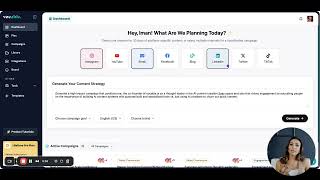
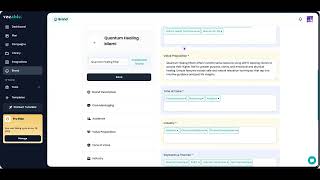
It seems like some people are intimidated by the product or might be a little bit overwhelmed. And I'm here to tell you that it's super easy once you understand it, and I can do a walkthrough for it. Okay, so here's what my dashboard looks like now. So if you have already gone through onboarding and you've already been dropped on your dashboard, even if you skipped your onboarding, you're typically dropped in your dashboard and it's pretty much empty. So it should look like this. Your campaigns are going to be empty. Your content plan is also going to be empty. If you've skipped your onboarding, if you have created your content plan throughout the onboarding, then you're going to be dropped into your dashboard and you will see your content plan here where it says content plan. And then your documents are probably going to be also, since you haven't started actually creating the content we dropped on your dashboard, and you will see a content plan ready for you to start executing on. Right? If you have skipped your onboarding and started a free trial and you jump straight into your dashboard, all of this will be empty for you. And what you would do then to create a content plan, which is the best way to get started with Vocable, is to start creating a content plan. Because before you come up with your content ideas, before you come up with your actual draft, you want to map out what your content plan looks like and what content pieces should you be working on over the next month or next week. Content planning is the first step to content success and that's how we kind of model this product throughout the different steps of the content life cycle. In this case, you can go to your dashboard on your navigation bar. There is a plan on the left side here. If you have a content plan already, you will probably see some of that already here. But let's assume that you don't have any content plan at all and all of this is empty for you. What you would do is then create a new plan. This is going to take you back to what pretty much looks. If you don't have a web, have a website, and you would basically just give us a description of your business or your brand, what is personal brand, professional brand, whatever it is that you're trying to create a content plan for. So let's go back to having a website and this is kind of the demo that I have done also at the AI Summit, if you were there, we have put in our website and FYI, this is the best format to put in your Website, you want to make sure that you have your HTTPs://2 slashes, because otherwise it will not work, right? So make sure that this is the format that you're using, otherwise you might be getting an error. The format of the website. You add your logo if you'd like and then you click save and continue. Now what the AI is doing and it's getting scraping your website, anything that's on your website as far as content, you know, description, your business value proposition, anything of that sort, the AI is being able to scrape that, pull it onto our algorithm and then it creates a brand summary for you. So understanding, you know, a brand analysis of what your brand description is, who your audience is. So who are you even writing and creating content for? What is the tone of your voice, what is the core messaging? If you have that information on your website, your industry, your value proposition, and then your keyword. So there's about 10 to 15 short keywords and long tail keywords that are going to be used for content creation, especially if you're creating long form content. So now we have our brand summary. Let's move on to the next step. You save and continue. And now at this point it takes the brand summary content and then it creates suggestions for content topics. These are arching colors, right, that your brand or should probably be talking about and bring content around. So these are just suggestions against AI, Right? So this is all editable, you can add more, you can delete. Now let's say these are all good for us. Let's move on to the next step. We want to tell the AI what kind of content we're creating. If we have a blog, then we probably want medium articles, blog posts, case studies, guides, right? So this is great for SEO. Content that helps you drive traffic back to your website and even potentially create any lead generation funnels through that, maybe LinkedIn posts, YouTube script, you know. So you basically here pick what kind of content you typically create and what kind of content you want included in your content plan. Medium articles are articles that people publish as thought leadership on the medium platform, medium.com. so now you go through all of those steps and you end up in content plan creation. So this is now your AI creating a content plan for you, which is basically a list of briefs, right? So every little card is what we call a brief. And a brief is what gives you the idea for the content piece, the title, the description, the keywords to include any specific guidelines and instructions that will help you create the content in a way that really matches with your goals. Right? So Most people, the way they do it now is they go on ChatGPT and then they ask for content ideas, which gives them a list of content ideas, and then they basically start creating the content right away. But the best way, the best practices for content marketing is to come up with a content plan, right, which has your overarching pillars and ideas, and then you create briefs for each piece of content. Because the more details and instructions you have for a piece of content content, the higher the quality of the piece of content, whether it's a human writing it or it's an AI writing it. This is what we call a brief, right? So when you click on a brief, this is what you see. It gives you the title and the headline, the contact, the description of it. You can also prioritize that. You can more, you know, specifics towards your target audience. You can add more keywords. It gives you sign it. If you have again, a team working with you, you can add more specifics around the word count if you have a specific word count you want to hit. So this is where you really think through each pie of content and give it as much direction and guidelines as much as possible. And then you update your brief and same thing again. So you go through kind of each of these briefs or content ideas, and then you can also add more, right? So let's say you want to create 30 pieces of content over the next month. Now you want to add more ideas around which pieces of content you want to create. And when you get to a certain point where you're like, okay, this is good enough for my next batch of content, then you can accept plan and move on to the next step, which is what we're going to do here shortly. These are all part of your content plan. So you don't have to pick, you can add more. You can always also delete them when you're in your content plan, so you don't have to pick one or two. There is no limit to how much content goes into your content plan. But in this specific demo, let's assume that I'm trying to create 30 pieces of content for the next month. So I want to make sure that I plan for it ahead of time and I have them all lined up on my content plan and then I start drafting all in one batch. So now I would be able to create 30 pieces of content in one sitting using this step by step process. Now we're accepting our plan. Let's say we went through the way I do it. I go through and see all of this is good. And then I move on to my next step, accepting my plan. And now it drops me onto my content plan. Think about this as if you're using a spreadsheet, right? And you're coming up with ideas on the go. You probably are adding those ideas onto your spreadsheet. So this is a much more organized, AI powered and automated spreadsheet that already comes with all your ideas organized for you with the content type status. Once you start getting into the drafting process, you can also assign a deadline for yourself or for your team to make sure that you're hitting your deadline and all of your content is ready to go before and then you can start creating drafts within the spreadsheet. This is again where you look at your briefs. You can also edit it along the way. Let's see, I want to have a different headline here. I'm just again trying to come up with some ideas here on the fly just to show you the whole way of using it. But this is again where you come in. And as an expert in your field, as an expert in your business, you make sure that everything that I already planned, mapped out for you is reviewed and refined by you, the expert, before you move on to the next step. So now we have all of our content we want to, let's say I don't want this after all. You can archive it, you can delete it, you can filter by anything here. So this is kind of just a very straightforward project management type of spreadsheet that allows you to look, look at it in a more organized way. You can also add assigned to bar here if you have a team, right? So you can assign this to other humans in your team. If you are the content manager as part of your team. This is a great way to also see who's assigned to which piece of content. So now the next step is typically is now starting to create your draft. You can do that straight from here and you basically just keep going down the line and creating your drafts for all of your pieces of content in one sitting. Before you then go back to Sway one, we did a brand analysis, then we picked our overarching topics and pillars. Then we picked the type of content that we wanted to create. We created a content plan based on that. We edited it based on our own knowledge of business and industry. And then now we're in the drafting space of the content creation cycle. So all of this we've done in just a few minutes. And then your job as the human is to continue editing and refining every step of the way so now we've created our first draft. The way I do it is I like to create all the drafts at once and then go back and edit each draft. So in this case I keep going down the line and I just keep creating, creating, creating. So I have at least all my drafts created for me. And then I dedicate the next few minutes and just editing as a human based on my own knowledge, making sure that that content doesn't sound, you know, AI generated and robotic. And that's where I shine as basically the human, because everything else was taken care of for me by the AI powered system. So let's talk now about the entry editor. So as I mentioned, this is also another way to the content plan. You can ban it. So anything again, as you could see, every time you create a draft, it automatically gets moved to in progress, even if you're not actually editing it or whatnot. So you're able to actually like really see your content moving to the different phases and keep track of your content creation process in a very efficient way. I like to use the list view. I'm not sure why, maybe I'm just really used to airtable and spreadsheets because it just helps me again go through the line and then make sure everything is being done properly. As you can see, anything that you create, it goes into progress. So, and then we can move into the phase where we're talking about, the entry editor phase, where you're editing your content and how you can use entry editor to the best of your ability. But as also, as you can see here, I want to take a moment to talk about the AI part. What we've worked really hard on, and especially because my domain expertise is long form content that is very in depth and has a lot of, I call meat in it. We wanted the content, as you can see, to be really, really robust and comprehensive. If you do a comparison between some of the content you create on VOC, especially long form, and on ChatGPT, you will see a huge difference. It gets really deep into the topic. So that's one way we're really trying to work on our AI to be a lot more robust. Well, because we have briefs, right? So these briefs, you want to think about them as your prompt. One thing I've noticed when I've taught a lot of AI and content, especially at Mindvalley and other companies, a lot of people aren't always super comfortable with crafting the proper prompt to really get the most out of the ChatGPT content output. So the way we built Vocable is that you have to do very, very little prompting along the way, instead of having to start from scratch every single time to tell ChatGPT or any other chatbot you're using what to do and how to create the content that's already built within our system. Right? So all you have to do as a user is put in your own input, your brand again, your descriptions, edit your briefs, add more context to it if you need to. But then you don't have to be prompt every step of the way for every piece of content, you just have to point and click. And that's one thing that makes this process even more efficient. Using a Software like this versus a ChatGPT, for example, is because you're able to just move through your content creation cycle really efficiently without having to reinvent the wheel with prompting every single time. The way you want to think about your prompt then is in your briefs. These briefs are your prompts in a way. You're just not writing it. This description, the headline, the content type, the keywords, all here, the content structure, all of this goes back and is fed to your AI to be able to create the best content output out there and as detailed as possible. If you don't like sometimes the content, you would want to edit your brief even further and then regenerate based on that. So now you're in your entry editor. And so this is again some pretty straightforward where you're able to edit the same way you would do it on, on Google Docs or Microsoft Word. The difference is that we have an AI prompting system that that's built in your entry editor. So if you do land on this content and you want to add more, let's say, paragraphs. So you want to ask ChatGPT or Claude or any other models, anything, you can do it directly from here. You don't have to toggle back between this and another chatbot. You click on AI Assistants. And the beauty about this is now you have a choice of all other models, not just chatgpt. So let's say I want a better title. I would come here and I would click on AI Assistants and generate a title that is more insightful and engaging than this one. Give me five options to choose from. Now I want to pick Claude, for example. Any output that's generated from this AI prompt is on the right side and you can copy and paste it, you can insert it into your content. So this is kind of like your on the go AI editing assistance where you can just conversate with it and then create that content output and input it back onto your content. This is how I is that I would always prompt different models and then I would take the best out of those. So the way we did it here is that you're able to compare and contrast. So let's say that's what Cloud3Opus gave me. Let's see what for GPT is going to give me. I think these look cooler, better. And now let's see what Sonnet is all about. For me, maybe it's neither. And at least I got some ideas and I can just pull that into my my content. I like this one. So now I'll just bring it here and then replace my title and then I can just continue kind of reading and then prompt whenever I need to. You can add a new block, of course, and you can add images, you can add video, you can add bullet lists. Just kind of like any typical entry editor that you've worked with, and this is where you probably will be spending most of your time as a content creator is the entry editor. So that you're able to read through all of your content and move through it and edit it using AI, but also using your own expertise. The other part of the entry editor as well is your document health and this is now where it shows you. Also as you're editing, hopefully your content, your score gets better and better over time. This is more a general one. So you have your general and it kind of gives you some general ideas on how to make it better as far as readability goes, vocabulary, correctness, accessibility, you know, kind of the usual. It gives you a bit of an overview of how many words, characters, paragraphs you have so far. This is just a general overview of your documents. What we are launching soon and I know we've had some questions around this is the SEO suggestions as well. So it'll be able to give you more suggestions to make your content more optimized, especially when you're dealing with long form and keywords. And then there's also going to be an AI with AI detection tool here that shows you whether or not your AI heavily. Sorry, your content seems very AI generated or you humanized it enough that it passes the AI detection. You will have kind of three ways here to continue editing. So social media content is not in this first version, right? So this first version has mostly, as I mentioned a couple of times before, text based long form content. So anything around blogs, guides, case studies, articles, newsletters, anything of that sort is really what this first version is about. We want to master that Workflow first. Our next version is going to include more social media geared workflows. But as of now, as you can see people are already overwhelmed with so many options. So if we were to launch everything at once, it's just not feasible. So for now just keep in mind that this is specifically for long form written text based content. We will be doing social media in the next few months. I would definitely fact check every single thing guys. Any content that you're whether it's on vocable, on chatgpt. This is a obviously a rule of thumb. Always fact check anything especially statistics, research and claims around any companies or people saying certain things that's always has to be fact checked by you. Guys, guys. The brand info is coming next. As you can see it says coming soon on the left side. That's where you're going to be able to add more to your brand, edit it and just kind of continue refining it as we go. That is also in the next release in early August. So we are actually working on it right now as we speak. What we were trying to make sure as well too is that your brand, as you continue editing it is also linked to any new content and ideas that are generated on Vocable. So that's kind of of the been the biggest part that we're working on. But as of now if you go and create a new plan and you can always also re put your URL and you can edit there to create more content on your plan. But we are working on making it its own screen on the left side. As you can see, we will have more capabilities around doing things in bulk on your content plan. For example, deleting briefs in bulk or changing deadlines in bulk or whatnot. So that's again an improvement that we're definitely going to have in a content plan in the future. But for now you might have to go through it one by one. Brand analysis on the left side will be in the next release. The publishing workflow is one thing I also wanted to address. I know some people got confused there. So when you are on the entry editor you will be able to integrate more channels. It says publish coming soon, you know in August is brand. So you're being able to open your brand on the left side, add more to it it edit it as you see fit. You have your publishing workflow. So once your content is ready and you put it into approved, then you are able to set it up in your settings and then publish it directly to your integrated channels. Right? So your CMS is going to be Mostly CMS at the beginning. And then you're also able to integrate your channels, social media channels, in order to amplify your content. So let's say you published a blog on your blog or medium or whatnot. You're able to actually take that link and amplify it on your Facebook and on your LinkedIn in. So that flow right here, as you see already kind of mapped out for you in the entry editor, is because it's already being in the works and it's coming in in your next release. Right. And then the third big feature that's coming out is the SEO and AI detection to complete the document help. Our vision was to really be able to help you go from just putting in your URL to coming up with a content plan for all of your major long form content, creating that content and then setting it up into publishing workflow, scheduling it if you want, or publishing directly, and then amplifying on your social. So that's our first main work that we really wanted to master and launch. Have everybody familiar with and be happy with before we add. We want to make sure that this is not overwhelming for you at the very beginning. So we kind of are taking it step by step and it seems like now more and more people are understanding what the content marketing lifecycle looks like. So we're able to now start releasing more and more features as we onboard more people into this workflow. That's how we visualize it. Just so you guys have that context in place. Your library is where all of your documents are living and it's again in a way for you to be able to sift through this, not have to again go back and forth between all Those threads for ChatGPT and then copy and paste into different documents. So everything that create you create on vocable lives on your library. You can also sift through it by status or again by whether shared or drafts or anything of that sort. Pretty straightforward. You also have your general view and if you have any campaigns, meaning your clusters of other content that you created, let's say you did a product launch and you wanted to create content that specifically is geared toward marketing your product during your product launch, then your campaign's content is going to also live here. Since I don't have any campaigns here, I can't pull it. But you can sift through it by campaign as well and campaigns as we mentioned. So this is where you create your campaign. It's a bit of a a similar workflow as you know, creating a content plan. So you kind of name your campaigns over the next couple of weeks. I don't want to overwhelm you guys all in one. And this is how I plan to run these webinars. I want to go deeper into one major workflow or one major feature for each webinar as opposed to being all over the place with the product so that you guys can actually understand how to use one feature at a time in a deeper way. We will plan for a campaign specific webinar and the next couple of weeks, but for now I wanted to make sure that at least you're able to get started on the platform and what we've covered today on the on the webinar is the best way to make the most of vocable if you're just getting started on the platform. Right? So content plan and then briefs and then understanding how to navigate the entry editor and really getting all of your content ready to go in one batch. So the way the campaigns are set up now and I see a question and again we'll cover this later. It doesn't have the URL as part of the workflow. Right? So this is a campaign where you're basically telling it, this is what I'm working on. I'm working on a product workflow, a product launch or I'm launching a new blog and I need content just for that blog. The description part on the campaign is should be your basically prompt to the AI so it doesn't rely on URL. That's the difference. Just keep that in mind if you're playing around with campaigns as of now. One thing I just want to cover is the template. If you are also looking to just create content on the go, we have really amazing templates that we've just also updated a lot of the AI structure around these so they're really good in comparison to you got in for example on ChatGPT and prompting it to write a comprehensive guide or product description. These I highly recommend to use. You don't have to create a brief around any of this. It's pretty straightforward, right? So you just put in your inputs and then it creates the content for you. It directly drops you onto your entry editor. So this is great for on demand on the go content creation without having to go through content plan and having a brief for each one. Let's say today I'm like I just came across an idea and I want to create content around it. Then then I would go directly to a template that I want and then I would just have my input in there. My topic, my audience any tone and style that I'd like and then I get straight to the content creation. So let's do an example. Okay. In the meantime, I will now look at some of the questions. There needs to be information about your brand, what it does your description. It doesn't have to specifically say my audience is. But typically after scraping the AI able to take a lot of that information and analyze it specifically to create the brand summary that we talked about. I've seen websites that don't have that much information actually be scraped and then the brand summary was analyzed in a much more comprehensive and deeper way. I would try it again. It's up to you. If you don't think you have enough information, you can add more to the brand summary on your own so you can actually manually and add your description. Think the web was able to provide the starting point to really make sure that the AI has a lot more contact and information for your brand so that you're able to get the most out of the content plan and then the content drafts that follow. No, you do not all that work. And that content plan and details was already stored in your content plan that was created for you. So you've. If you've accepted that content plan and it already shows on your plan, then you have lost anything. It's not going to replace it, it just adds more to it using that new URL. So think of it as on demand. It's not going to replace one or the other. It's whatever you gave it creates the content plan from it at that point and then it gets stored on your content plan in the form of briefs so nothing will be lost. You can always use a different URL for your plan. When you go to your plan and you create a new plan here, it always gives you the option to give a new website if you want to, or or have the same website if you'd like and if you want different topics at that point. Right. Someone asked, for example, I want to keep the same website, but I want to create content a new content plan or add to my existing content plan using different topics. When you get to the topics part, that's where you add the different topics that you would like to this time around for your content plan. Everything is edible for you. What AI is doing here is just giving you a framework that you can work with in order for you to again step in and then tweak and edit it wherever you see fit. So if I don't want the same keywords, I can change them. If I don't want topics. Maybe I need different topics then. This is what I want to specifically focus on for this content plan. Let's say the next month I want to dedicate it to just migraines and holistic health practices. So that would be the topic that I put in here and maybe subtopics around it and then that's what the content plan is going to be geared towards. So everything is editable and refined, nothing set in stone. You can really tweak as you go as you see fit. This is just really giving you a framework that allows you to apply the best practices for content marketing and not skip steps so you're able to really focus on being creative with your content and your approach. I know we had quite a lot of questions around language English as far as the product. Nice prompter, but we will be introducing other languages before the end of the year in the fall. For now, we just really wanted to master the process in English first before we can introduce other languages. So just FYI, this is mostly for English content at the moment. As of now, you're not able to do that. There's a lot of starting from almost scratch at this point. Besides having the brand analysis where you get to put in your content, you know, some content ideas and topics. But we don't have the option right now to upload a spreadsheet. You have to create it on the platform. You can use one and then probably use campaigns as ways to clutter cluster your content for the two different businesses. Or you can have all of your content plans for both businesses in one content plan and you can filter filter it based on that. I think it depends on on what you're looking for. If you want to keep them completely separate and you want to share it with different people that are not overlapping on businesses, then I would suggest two different accounts. I'm using Vocable now for my consulting and for also Vocables content and everything else. So you could definitely try it first with one account and then see if that works for you. If not, then I would suggest two accounts. We are currently working on it and I know we've also making sure that all the products now is really stable as we've gotten more influx of users. So that's been our biggest priority this past week. But we are hoping and slating it for early August. The AI gives you a draft for a. You know, it says Company X Company B of how to create your your case study but it does not come up with the actual case study. So that's what you need to come in as a an expert in your field and potentially fill in the blank. But it gives you an idea of how to frame your case study. I don't think it does provide citations. I don't think even ChatGPT is doing citations now. Sometimes it does if you ask it to. But again at this stage of where Gen AI is in general, I wouldn't trust that. But if you do ask it on a prompt, let's say on the entry editor, give me statistics behind a research around XYZ and then give me the citations. It could potentially pull those but I don't know how much I would trust it. And Same thing with ChatGPT as well. Double check on those for sure. It's an interesting feature. We don't as as of now we just have website to content plan. That's the first workflow but but there will be multiple other workflows to add in the future to be able to also repurpose your your other content whether it's podcast to blog or blog to LinkedIn post or YouTube to article. So that's definitely in in the plan pipeline. It depends. You just have sometimes it might be worse, sometimes it might be better. I also would want you to think of using your own best judgment as a human. That's a great framework to have it as a kind of like the entry editor is where you shine as a human. Even though we are an AI software and I love using it as much as I can. I want to also encourage people to think of the the part where you're editing your content as what's going to make you stand out in the way world where everybody's using AI to generate content. Right. So don't over rely too much on AI as far as the actual meat and the depth of the content. You want to think of AI as a way to simplify your process and make it efficient, give you the frameworks you need and then your copy should be what you have the bandwidth for the most. That's where your creativity as a human should should really take place. Use this as a compass to know where you're at, but don't always rely on it. Really use your best judgments as a human. Sometimes for me, me as well, it was better or worse. But then I also am able to think, okay, I know my audience pretty well. I know what's worked for me before. So if it's like 82 versus 90, I'm not too worried about it at that point. Yes, that's the idea behind the brand on the Left side. That's coming soon. So this is an interesting question because I will say yes and no. I still have have ChatGPT and I have other chatbots because you can use those chatbots for other things, right? So for me, I use it for on the go, you know, like questions even. I'm replacing Google and I'm using ChatGPT instead of that. That's not something you would do here on Vocable, but it could, yes, replace writing your long form content and content marketing on ChatGPT. You could move it all to Vocable because it actually has a more organized structure and framework for you to create that content. And you also have on the entry editor a way to put prompt not just chatgpt but you can prompt other AI models as well. Yes, it can replace it in that aspect. But I would say that ChatGPT is just very versatile and can be used for anything, even for math equations and whatnot. And that's not something softwares like these are doing. These are very specialized softwares that can replace it for certain type of tasks, but definitely not for anything Chat GBD can do. It's up to you really. You can create a new plan using a different website. And let's go through this again one more time. If you go to plan. So if you come to here under your plan, you create new plan, you can use a new website here anytime you want. You don't have to keep using the web. This the same website. So if I were to use a different website here, as you could see, pick my other venture here, it'll analyze it and it'll give you ideas for that specific business. Big content plan, having content pieces for different business businesses and different projects maybe you're working on, that's fine. The other way you can use this as well is campaign. So campaigns, you can also think of them as different either channels, right? So you can create a campaign just for blog post content that is only going to go for blogs. Or you can create different campaigns for different businesses. Right? So you can create a content plan for one business and then that's one campaign. And you can create a content plan for another business if you'd like. It depends again the campaign campaigns is a good way to diversify either businesses or channels or milestones. Let's say I have a product launch and I want to create content just for my product launch, then I would make it its own campaign. So think of campaigns as clusters of content that are related to either one milestone, one brand or one channel. That's a good way to see it for now. So as you can see here now it pulled the information from that website which is different from the one we've just done. It gave me other topics so now I have I can have a content plan that has content pieces for different businesses if I don't mind working that way or I can use campaigns in the next webinars. We will cover the campaigns and hopefully by then if we have the brand feature live we will also cover that as well as the document health and the publishing workflow. And by the way guys if you have any specific questions again about the product as far as any technical issues or even subscription questions send support AI copy me as those as well. Thank you guys. I'm excited to get you at least started on this version of the product that is currently live and then we can continue growing it together. So I appreciate you guys tuning in and apologies again for my choppy thank you all.
More from Iman
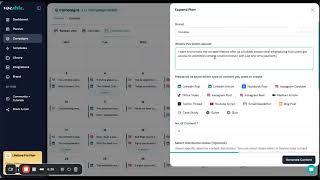
How I Use AI to create 10x more sales copy for my eCommerce brand #aicontent#aitools
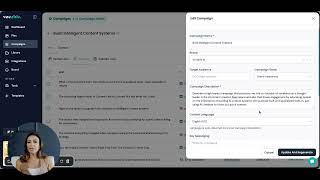
The AI Content Tool I Use to Create 10x more Expert Level Content #aicontent #aitools
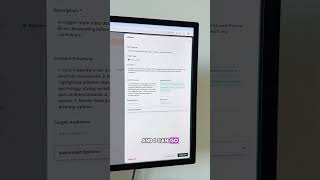
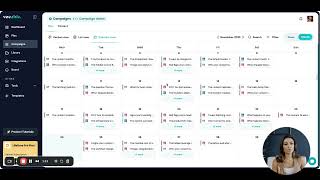
Holy Molly! This AI Tool Generated a FULL Content Campaign from Just My Website!