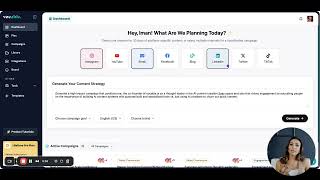
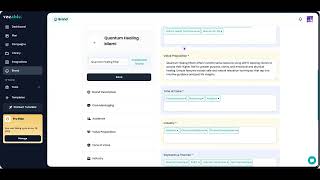
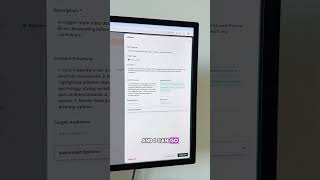
Vocable's text editor lets you prompt GPT, Claude, and Gemini without leaving the page. Pick your model, write your prompt, see the output on the right, and copy it into your draft. Compare outputs across models to improve what you're writing.
Chapters
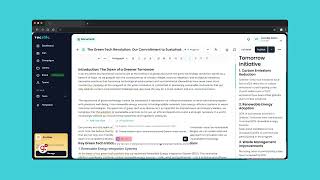
Welcome to Vocable Tutorials. In this video we're going to explore how to prompt different AI models like GPT, Claude and Gemini directly from your Vocable text editor to generate more copy. To access your entry editor, you can either start a new document or in this case, let's open a draft that has already been created. So go to your Plan section and click on Open Draft to edit an existing draft. Inside the content draft you can click on any white space with your mouse or hit Enter after a paragraph and you will see the option of AI Assistants pop up in green. So let's click on the AI Assistants feature to prompt AI models to add relevant information to this draft. Once you click on it, you will get an empty prompt pop up box where you can enter your prompt and pick your AI model. Click on the AI Models drop down as seen here to pick which AI model you'd like to prompt. Vocable allows you to prompt major AI models from OpenAI, Google, and Anthropic directly from your text editor so you don't have to toggle between different chatbots and pay for three different subscriptions. We will be constantly adding new models to the text editor so you can access them all in one place. So let's see it in action. Let's type up our output, then watch our output be generated instantly on the right bar of the text editor. Once the output is generated, you will see the option at the top to copy or insert it into your draft. You can also copy just parts of it and add them where you see fit. Once you click Insert, the entire output gets added directly to the specific part of your draft you clicked on. This is a really important and great feature as you have AI models available to you at any time to continue editing and enhancing your content with without needing additional chatbot subscriptions. Being able to prompt AI models in one place and compare the outputs in real time creates more diversity in your drafts and increases the quality of the content output. So be sure to take advantage of this feature inside your entry editor. Thank you for watching and be sure to check out other tutorials on how to make the most of your Vocable AI powered content creation workflow.