In this eight‑minute tutorial Jason Edward walks viewers through the practical side of Anthropic’s new Claude Routines. He starts by demystifying the agent architecture: an interface (Claude Code terminal, WhatsApp, Telegram, etc.) talks to a single AI brain—his agent named Atlas—which can invoke tools and execute skills. He explains that every tool is simply an API endpoint, allowing the agent to perform actions like sending email, reading Drive files, or interacting with Slack. Skills are higher‑level markdown files that describe how to combine one or more tools to accomplish a concrete task (e.g., logging in with 2FA, checking Slack). By chaining skills together, users can build multi‑step workflows such as a “morning brief” that pulls unread Gmail, scans Slack, queries Stripe, and delivers a summary via WhatsApp. The video then introduces Claude Routines, which add trigger‑based automation so these workflows can run automatically. Finally, Jason shows how to keep the system organized using projects: Atlas remains the central orchestrator, while separate projects (Mission Control, Glacier) encapsulate their own tools and skills, preventing a monolithic agent from becoming unwieldy. The tutorial ends with a call to action for viewers to subscribe and follow his ongoing content series.
Chapters
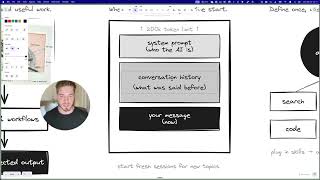
Last week Anthropic dropped their managed agents and today they just released Claude routines. Now best believe they've got even more stuff coming soon and that's why I wanna make a video today to talk about, like remove all the hype and really just show you how you can start to use these tools in your daily life. Now I've got a lot of content to cover with you today and before we get into it, you can see I've got my little agent on the screen right now. It's busy doing work. This is a metaphor for what we're gonna dive into in this video. And I promise you, by the end of this video, you're gonna have a way better understanding of how you can start to actually get your agent to work with various different tools. Now, a bit about me, my name's Jason Edward. I've been coding for the last 15 years, but I've also been running a 7-figure marketing agency, and we've been able to automate more than 50% of our daily operations by using these agents. That's why I wanna show you my own perspective of how I'm thinking about this from a coder, from a coding perspective, but applying it to actual real life tasks and really thinking about this, not, not with coding, but just business in general. So let's get into the content. We're gonna go, we're gonna cover the agent architecture. I'm gonna talk about how you can start to think about Claude routines. I'm gonna show you the difference between tools and skills, 'cause these are really the building blocks of working with agents. The anatomy of skills. I've got two real-world examples of how you can think about building skills, skill chains. So once we understand how a skill works, we can start chaining them together and you can get more complex with it. And finally, we're gonna talk about using different projects to isolate your workspaces and really keep everything nice and organized. Getting into agent architecture. Right now, the way that most people are working with agents is you've got yourself and then you've got some form of interface. So this could be either Claude Code terminal on your desktop, it could be the Claude web app. More recently, people have also popularized using WhatsApp, Telegram, iMessage, all of these things, they're all just interfaces. And that is what allows for back and forth messages between you and the agent, right? So Claude Code is not the agent. Claude Code is the terminal to interface with the agent. That's very important concept to understand. Now the agent, In my case, it's called Atlas. This is actually my AI brain that controls all of the stuff that I'm using and working on. The agent gets access to tools, and we're gonna talk about how tools actually work and, and maybe just uncover some of the, the questions you have on how agents are actually working with tools. And then finally, we've got skills. So the agent can access tools and skills are kind of a higher level order concept, which we're gonna get into. Now, in the case with Claude routines, this new functionality, all they've really done is they've added triggers to their agent. So now Claude code can actually be automatically triggered to start running various different workflows for you. So in my last video, we spoke about workflows and how to build deterministic workflows. But really, once you understand that you can now just run triggers, it's all following the same overall kind of like schema here. So it still gets access to tools and it still has access to the skills. Let's talk about what tools are. So you can see I've got a bunch of the most popular tools that you can use with your AI agents. And really all you need to understand over here is that every single one of these tools has what's called an API. So an API, Application Programming Interface, it's, it sounds like a complicated thing, but it's actually super simple. These tools expose endpoints, which are really just ways for, for us to access them through a different interface. So the interface that you're most familiar with is, is you go to Google and you just type stuff in with your mouse and keyboard, but an agent can't do that. So instead the agent accesses it through this endpoint. Now there's endpoints for really everything you can see here, like sending emails, email in, like checking your email inbox, searching your Drive. I've tried to simplify it as much as I can for you. And, uh, it, it's really nothing more complicated than that. So that's how you can understand anytime you want your agent to automate something, all you need to think is, does that tool have an API? If it has an API, your agent can access it, right? Then let's talk about skills. So once we understand tools, skills are kind of a higher level abstraction on that. So for example, you can see we have skills for things like logging in with two-factor authentication, monitoring your Slack, creating a KPI dashboard, deploying on your infrastructure, really anything you can think about. And all a skill is at the end of the day is it's a markdown file that lives on your computer and it's telling the agent, hey, here's how you should work with these tools and here's how you need to think about it. So you can make these as complex or as simple as you want. And you wanna just start to think about chaining together different tools into a workflow. You can see here with this one with Playwright, I've given it access to tools like browsing the web, like navigating a webpage, taking a screenshot, clicking on the webpage. So all of these various different tools come together into the skill. Great. And then once we understand that, you can start to see the workflows here of you can give your agent tools and you can teach it skills to work within those tools to perform actions for you. So now I wanna show you the anatomy of a skill. So I've given the example here of logging in with two-factor authentication. The first step would be you wanna get the credentials. So again, what we're trying to do is we're making it as, as simple as possible for the agent to understand what we want it to do. So first it's gonna get the credentials and it's gonna use 1Password, then it will navigate to the webpage, it'll fill in those credentials, submit the form, and generate a one-time password and then enter the one-time password on the browser and log in. That's a great example of, of a skill that can be, can be called. If I say, hey, log into this website for me, it checks 1Password and then it performs the action. Another example could be checking Slack. So if I said to the agent, hey, can you please go and see my recent messages on Slack? It needs to connect to the Slack API. Then it searches through the messages. It's gonna infer meaning from those messages. So, okay, who said what and check its own memory. So understand the context of, uh, what have we seen in the past and how does it relate to this information? And finally, it's gonna return the output and send me a status update. So that's a, a Slack checking skill, right? So now we understand how skills work. We can start to get a bit more fancy with it where you can chain together multiple skills. To run on a command. So for example, you could create this command like morning brief and what you could have it do is use its skill to check Gmail. So that would be like authenticating the Gmail, fetching unread messages, summarizing, then going to check your Slack. So in one command it goes from Gmail, then checks Slack, uh, connects to the API, searches the recent messages, goes to your Stripe. So in this example, let's say you wanted to check your recent sales, you could check Stripe. Stripe, and then finally send you a message on WhatsApp or send you an email. So that's 4 different skills that we chain together with one command. Now, hopefully you can start to see the potential with this. Once you've trained your agent to access a specific website, or you've trained it to access specific app, you can start to build more complex workflows. And that's what I discussed in my, in my previous video, uh, which is agentic workflows. And you can take a look at that. I'll link to it above. All right. Now that you understand how these skill chains work, I want to talk to you about one higher level of complexity, which is projects. So in order for you to keep your life organized, you cannot have just one agent that has access to everything. And instead you want to separate them. So in my case, I have, as I mentioned to you, Atlas, which is my AI brain, and I've got it. Uh, you can see it has access to Telegram, WhatsApp. It has access to its memory and various different skills like Google Workspace. Now from there, I don't want my, my Atlas agent to be doing my, my projects, like to be actually the one coding or working in the projects. So instead I create a separate project, uh, for what's called my mission control. And this is actually how I'm interacting with various different, uh, your projects that I'm working on. Now, finally, I have an actual project like Glacier. Uh, this is a tool that we've built in our agency and each one of these connects back to Atlas. So that's the idea. That's the understanding I want you to have is that you're gonna have one interface layer, which will be your WhatsApp, Telegram, your terminal. And through that interface layer, you're talking to one main agent, which is then orchestrating and working with, uh, tools and skills, which connect to your other projects. So each one of these projects has its own, like kind of like skill or what's called a CLI. And I'm gonna make a separate video on a CLI. Uh, but really all it is is we're teaching Atlas how to work with this project. And each project has its own tools and skills that are self-contained within it. And so that way we can keep the complexity of Atlas, of, of the main AI agent much less, and it can still do a lot of tasks on our behalf from one interface. That's the key understanding. I want you to have. And that really covers it for today's video. So I hope that you enjoyed that. I am trying to get better at making content and I have a lot more ideas for videos I want to make. So please, if you want to support the channel and you want to, uh, follow along on this journey, uh, hit the subscribe button and I look forward to making more content for you. I'll see you in the next one. Peace.