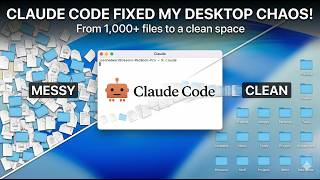
Claude Code automatically cleans a messy desktop by running a script that closes unnecessary apps and organizes files. The AI has full system access and can interact with your file system, email, and applications to handle routine cleanup tasks in seconds.
Chapters
What is up guys? Welcome to the very first video in a series I'm gonna do on how you can use AI to start optimizing and improving every aspect of your life. Now, this is not a video on coding. This is not a video on how to use the most fancy tools out there. I wanna talk about the fundamentals. There is a lot of hype in this AI industry right now. Things are changing every single week. There is new tools coming out. And I can understand how overwhelming it must feel to, to just see all this stuff happening around you and you don't even really know how to start. So we're going to start very, very simple today. And first thing I'm going to do is I'm going to just open up my computer over here. Now, I don't know about you. I love having a clean workspace. I love having very minimal like workspace so that I can really just focus on whatever task at hand. However, I'm also very guilty of sometimes just letting my applications and letting my desktop get super messy. And I wanna show you how you can start using, uh, how you can use AI to actually clean up your desktop. So we're gonna do this together. And before I even get started, let me go and just make my desktop extremely messy. So I'm gonna pause the video and when I stop it again, when I start it again, you'll see an extremely messy desktop. All right. Welcome back. So that took me about, you know, 1 minute and, uh, just like that, my computer is complete mess. I have a ton of different windows and things open over here, and now we have a couple problems. So let's look at how we can actually clean this all up. Right. First thing I'm gonna do is I'm gonna open up Claude. So if you never used Claude Code before, that's fine. I'm gonna be making more videos on this in the future. All you need to know is that it's kind of like ChatGPT. You can type English into this terminal window. And the cool thing is it has full access to your computer, which is how I was able to completely flood my desktop with all of these different files. So what we're gonna say here is, hey, I wanna build a function that can help me to clean up my desktop. Right now there is a ton of clutter on my, all of my files. And then I also have a bunch of different windows open and I don't need any of these windows. I don't want the Finder windows. I don't want anything except Loom, my Obsidian, my browser, and this terminal that we're in right now. So I want you to build a function that will force close everything and then also clean up my desktop so that I can just run it with a single command and it'll always just be crystal clean. So again, we just paste that in and what you're gonna see over here, I'll just make this a bit larger so we can, we can watch it together, is it's gonna go and use my computer and pretty much just run a bunch of commands to see what the current state of everything is. Now that's the fundamental thing to understand here is that this tool has full access to your computer and it's incredibly powerful once you start to grasp what that means, because that, that means it can access your emails, it can access different apps that you're using. It can access your full, you know, file system, your full, all of your, all of your Windows, et cetera. And you'll see over here as it goes through everything, like it's busy running right now, it's creating this file called clean desk, right? So we'll see in action how I go from this incredibly messy desktop that is just gonna overwhelm like every single person and how we can clean it up in a single, in just a few minutes, right? Okay. So it's now created the file. And what we're gonna do is, yeah, we'll wait for it to run. So I'm gonna say activate and let's actually see this in action. So again, I'll make this nice and small and all right, cool. So the nice thing with these tools is that they're smart enough to also fix their own problems. So you really don't need to know how it's working behind the scenes, but you can see just like that, it has completely removed all of the files that were cluttering up my desktop. And we're back just like the video started with a clean, nice desktop to work from. So that's really it for this video. I wanna keep it super simple. I'm gonna make more advanced videos, uh, coming in the series, but hopefully, uh, you can kind of already see the power of this. And if this is something that's new to you, if you've never experienced using these tools, just understand that why, why not you? Like, this is the most incredible time in history where every single person has access to this technology. And it is about time that you start to get the benefits for yourself, that you can start to use this to save yourself time and become more optimized in your daily life. Hope you enjoyed that video. And, uh, I'll be making more on these. So stay tuned for the next one. I'll see you soon. Take care.