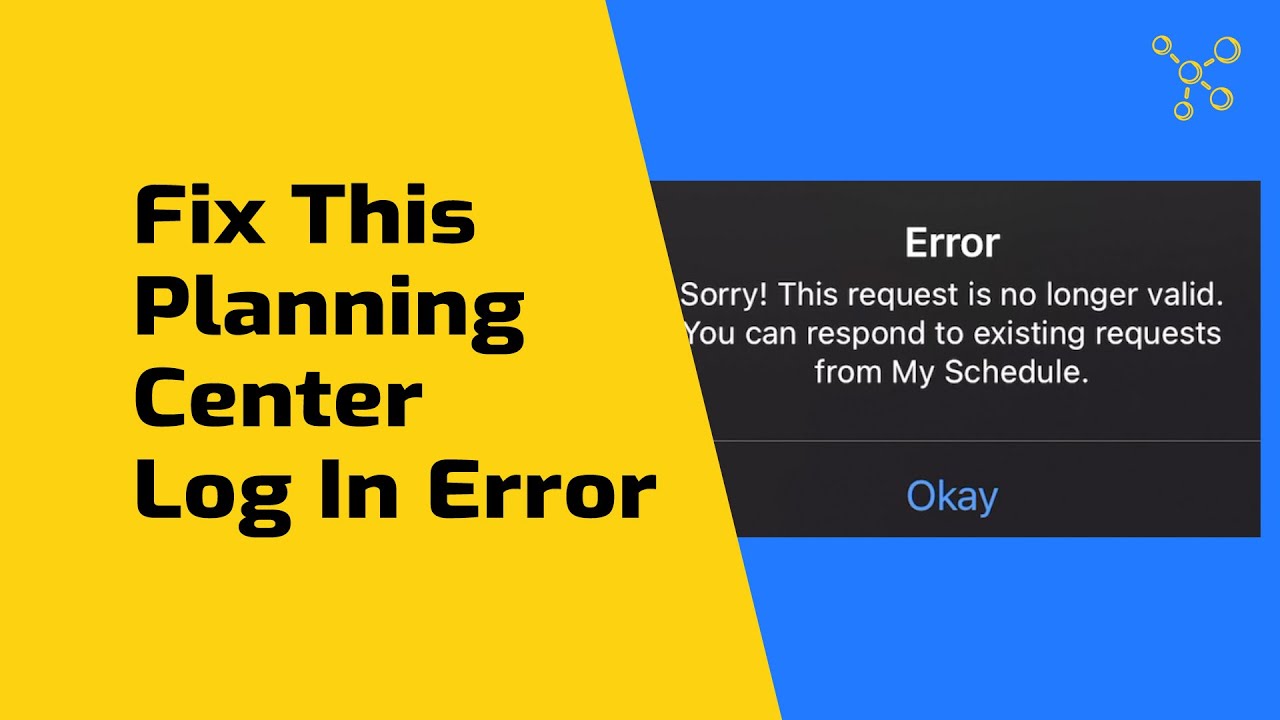
Joshua Riggs shows why Planning Center displays "what you're looking for is no longer accessible" and how to fix it. The error happens when you're signed into the wrong organization. Link your accounts to switch between organizations without logging out each time.
Chapters
One of the most common questions I get about Planning Center is from someone that I send a request to and they say, "I clicked on the link, but I can't see the plan," or, "I'm getting an error message," or, "It says the plan is no longer available." This is a common problem, especially for people who serve in multiple churches or organizations. You might be logged into one organization and you get an email from another organization, and then you get an error and you don't know what to do. In this video, I'm going to show you why that error is happening, how you can fix it, and how you can prevent it from happening in the future. Okay, here we go. Hey everyone, my name is Joshua Riggs. I'm the creator of Worship Resources.Church. We help you discover and learn how to use quality resources that will make your church better. If you haven't yet, go ahead and like this video and subscribe to this channel so you don't miss any of the new content we produce. And there's a free download in the description below that I think will be helpful to you as you're learning and getting better at Planning Center. Okay, let's dive in. Okay, so I've received an email, so I'm going to click accept. And I get, "Thanks for accepting the invitation." Now I want to see the service, so I'm gonna log in, and I'm going to log in here, and now I recognize that there's an issue because this is for Bethany Church, but the email was from Adventist Fellowship. So I'm gonna click on View Plan, and now I get this error: "Something went wrong. What you're looking for is no longer accessible." Now if you get this error page that says something went wrong, if you look at point number 2, that gives us a hint as to what's going on with the issue. Be sure to check that you are signed into the correct account. Also, if you want to play some Mario, you can play a little Mario Brothers. Now you can see that this also happens on a mobile device if you're logged in to Planning Center Services app and you get a request from an organization, you click on accept, it's gonna redirect you to the app, but you might get this error message. So this error can be frustrating, but actually it's pretty simple to log into the correct account. You first just need to log out of the other account, go back to the email, click accept one more time, and then log into the correct account. Now there's two ways you can do this. If you have different email addresses for different organizations, then you'll need to use the correct email address for each organization. So I'm going to log out. I'm going to change the email. I'm going to log in. And now I can see that I've confirmed for this service. But there's actually a better way to do it, and that is to link your Planning Center accounts. Now, the only way this works is if you use the exact same name and email address, primary email address. Now, you might have to ask an administrator of the organization, "Can you update my email and my name to be exactly this?" And tell them what you want it to be. Then, you need to go and reset your password. The way to do that is just to go to the login page and click need a password. Once you do that, you can be sent a code. You enter the code and then you can put your new password in. Okay, so I've got the administrators in both accounts to make sure that my name and email are the same. So now I'm going to log in again. When I click log in, then I get this new window that gives me the two accounts that I'm a part of, the two organizations that I'm a part of. So I can log in separately with each one, but if I click Link These Accounts, that's going to solve all my problems. Linking your accounts will allow you to switch between organizations without logging out. Yes, that's what I want to do. I'm going to link those accounts and now I'm going to log in and I can see up here at the top now I have a new dropdown option. I can choose the account I want to access. And you can see under my calendar, so I've confirmed for Bethany Church, but I'm also confirmed up here for Adventist Fellowship. Okay, and then if I go back to the Planning Center Services app, I can see that both accounts are linked automatically in my app, and I can quickly go back and forth between Adventist Fellowship and Bethany Church. Okay, I hope this video was helpful to you. It can be frustrating when you're trying to access a plan and you can't get access, or it says it's no longer available. Just make sure that you're logged into the correct organization. But the best thing to do is to link your accounts together with the same name and email address, so then you can switch back and forth right within the browser or the app without without having to log out and log back in. Hey, thanks for watching. I hope you'll like this video and subscribe to our channel. We help churches discover and learn how to use quality resources that will make your church better. If you haven't yet, go to worshipresources.church, and if I can help you in any way, just shoot me an email, joshua@worshipresources.church.