Expath: The Video Platform Changing the Face of Care

Con Sotidis interviews Beth Brown about Expath, a video platform for Australia's care and NDIS sector. The platform lets providers create profiles, post short videos, list jobs, and book services, with an AI helper and verified badge system built in.
Chapters
Good morning, everyone, and welcome. Welcome to today's Conversations in Care with Con Sotidis. We have a special guest lined up for us soon. So the aim of Conversations in Care is to do conversations with people in the industry that are making a difference, whether it be services they offer, whether it be some new initiatives, or whether it be some new software or applications that are out there. The aim of that is to ensure that we are across different initiatives and that we all can embrace them and be, you know, be basically aware of them and can join in where required. 365 Care is a registered SIL provider based here in Melbourne. We deal with complex behaviours and behaviours of concern, and we mainly focus on psychosocial individuals. We have a number of our properties available now, and we've also got a couple coming up soon. So if you are looking for any particular individual who might need housing in a particular area, please let us know. We've got really good connections with a number of SDA providers who can support us in providing for your participants. Okay, so today's session, without further ado, is to focus on a particular application, or we might call it a web app, that I saw. I came across Beth Brown at a recent networking event, and I was so excited what she was telling me about this platform. And I thought, you know what, I said to her, stop here, we're going to do a LinkedIn Live, and we're going to showcase this to the world for them to all see it together. So let me just— there we go. Let's bring on Beth. Good morning, Beth.
Good morning, Con. How are you?
Good, good, good. Thank you very much for joining me, and, uh, thanks very much for being part of this. So Beth, uh, tell us a little bit about you and maybe a little bit about Expat, then we'll go into a demo.
Perfect, sounds good. Uh, myself, um, I have a background in quite a lot of care things. Um, I've had a background with special education, uh, plan management, support work, um, both in companies and self-employed. Um, so I come from quite a range of different backgrounds, but all within care. So when, when our boss, Will, decided to create Xpath, he had his own reasons, which are quite similar to what I believe are my reasons for joining, which is just that there was a gap in the market here. We want to be different to what is currently available. I guess NDIS directories at the moment that are out there is the only thing that's similar to what we're doing, but they are all text-based. You go in, you click on what service you're looking for, and you get a bio and maybe a picture, and that's about it. So what we're really trying to do is put a face to your service before you even reach out to anybody, whether that's provider to participant and vice versa for client referrals, or whether it's provider to provider. for those connections, for trusted referrals between providers, or even just networking, education. You know, it's important if you work as an OT to know what speechies are doing and, you know, all those different types of connections. So yeah, just trying to bridge the gap and be a bit different.
Good, good. So what we know and what works well on a lot of platforms these days is video. So like you said, what we have at the moment is a lot of text-based platforms. So what Expat is doing, and correct me if I'm wrong here, is introducing that video component into that sort of showcasing of the individual's business or organization they work for. Is that correct?
Yes, that's exactly right. So we are video forward. So think about it like an Instagram or a TikTok, um, where it's short, sharp videos showcasing who you are, What your service does. It might be a little bit about behind the scenes of your day-to-day life. It might be highlights and challenges of your job. If you're in housing like SIL or anything like that, you could do walkthroughs of your houses. I'll show you a demonstration a bit later. But yeah, video forward so that you actually see the person, see the communication style, see how they work before reaching out.
Okay, well, you got us all going now. So we're ready for this particular— can we share your— can you please share your screen and then I'll put it on the stage?
Absolutely. Bear with me a second.
No problem. Yep, no worries.
Here we go.
So guys, as you can hear there, what Beth said, video is the way to go these days. And I'm seeing a lot of it myself in this work that I do. Video is very, very important. So this is a really great way of showcasing that. So let's do that. Let's see now. There it is. Over to you, Bess.
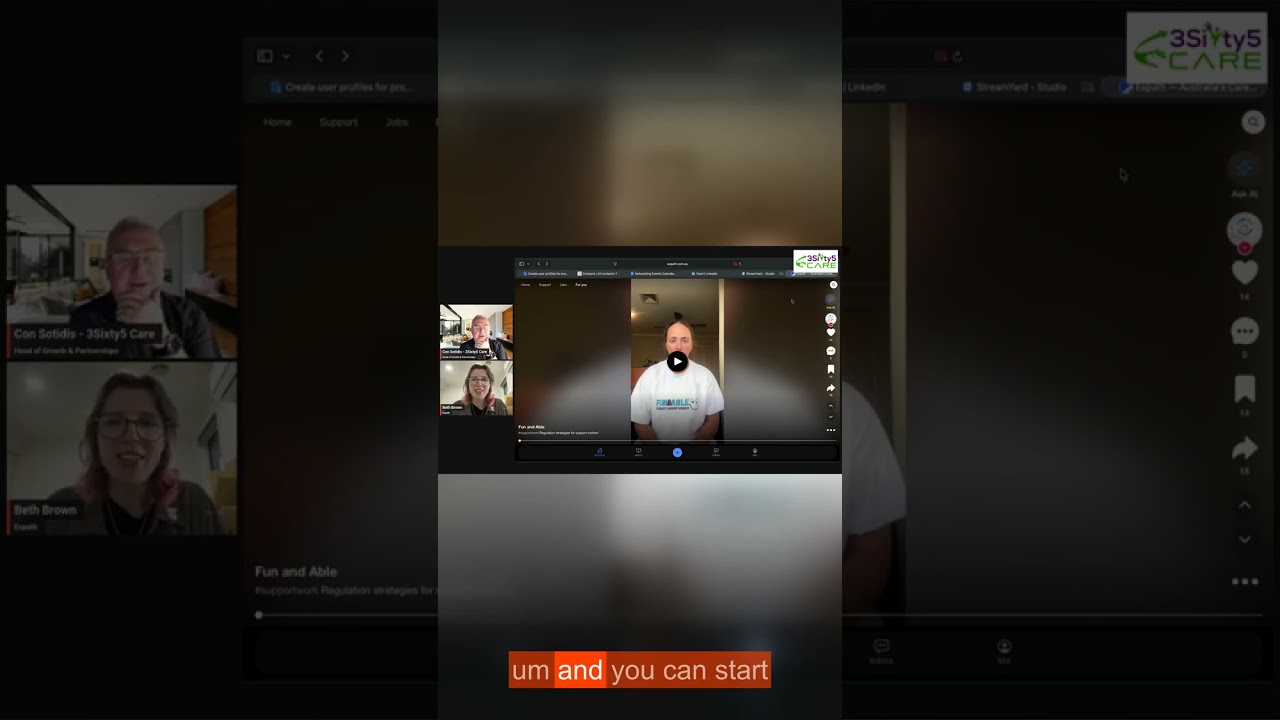
Beautiful. All right, so this is the home screen. It straight away opens up with videos. Now, if you're not logged in or registered, you'll be able to see just a basic video to start with, but you won't be able to scroll through or utilize the app completely. If you are registered or log in, it'll take you through to your personal or business. Now, backing it up a little bit, to actually register, It's very easy. It can all be done in a couple of minutes. There are just a couple of mandatory informational inputs, things like your name, your email, and a photo. There are a few optional, so you can always go back and fill that in afterwards if you decide you want to. Things that are optional, things like NDIS registration. Our app is for the healthcare of Australia, not necessarily just NDIS. So it could mean that you might be a student going through TAFE to be an allied health worker. You can still come onto this app, don't need to have an NDIS registration for that. So that's like a mandatory input. If you'd like to put that in, you can. Same with specific filters. If say you're a speech who works predominantly with pediatrics, you can put that in as an optional filter within your profile. But those can be done after setting it up. So setting it up, you only need a couple of mandatory email, name, photo, and that's it to start.
And I'm assuming with doing those filters, I'm assuming Beth having those filters, that makes it also searchable for those filters. Is that correct?
That is absolutely correct. So I'll show you that in just a moment. When you sign up, it will automatically sign you up with a personal profile. That's just how it starts, everybody gets a personal profile. Now, if you're doing it as a provider, as a service where you're wanting to showcase your business, you would go into this business button here and you would set up your own business profile. Now, you can have as many business profiles as you like. As you can see, I've got quite a few here because we have a multitude of different avenues for our experts.
So just on that one, if I'm a provider that provides silk, provides oral health, that provides SDA, I can add different components here.
Absolutely, yes. And each one of these has its own profile, so you can click in between each of these and see what they've posted.
They're all attached to the personal profile, is that correct?
Yeah, correct. So this is mine, this is my login with my own password, everything like that, but I am a part of each of these communities. So I have access to those profiles.
I've got a business profile. Can other people that work with me in the same organization share that business profile?
Yeah, absolutely. So I believe— which one is it? I'd have to find which one. I should have found that before. Sorry. One of them you can absolutely link. No, no, you're okay. You can link as many staff members as you like. So if I go—
That's okay. That's good. I mean, as long as we can do it, we can always get some advice from you later on. Yeah, that's right.
Yes, you can link all the staff members within your company.
Yeah, that's great. It's easy to register, easy to get on, easy to put your profile up there. Nice and simple. And guys, I did it myself. It was very, very simple to do. So if I can do it, anyone can do it.
Perfect. And as you mentioned with the filter, so on the other side of it, so if you're a participant or a provider looking for another provider, you can use our search function here, or you can be more specific. So if you're looking for housing, We've got the home button. If you're looking for supports like support work or any allied health support coordination, anything like that, that's here. For now, I'll just go into the search button. Now hypothetically, I'm going to be looking for support work, and I can search for all these different filters. So there's quite a lot of different options, and this will depend on what the provider has put into their profile. Now, if you haven't put anything, you will still come up, you just might not be at the top of the list if somebody has put those filters in.
Okay.
Location is based on suburb. If you're obviously in a different state, just pop that in as well. Nationwide. So suburb, state is always handy, and then a couple of extra.
I see there— sorry, Beth, I said the expat verified. What does that mean? Does that mean you as expat undertake some sort of assurance or verification process?
Yeah, so this one's going to be really important. We have a feature coming. I'll talk to you about that in a moment. Um, we've got to give you something, right, Con? Um, this This one is, um, so that XPath has verified that this is a, um, proper business. It's got an ABN, everything like that. So, um, obviously students, um, and some, uh, self-employed workers, things like that, may not be on here yet. Um, they may not have an ABN or something along those lines, but I'd say 99% of our businesses on here will be verified.
Yep. Good. Thanks, Beth. Wow, this is awesome.
Beautiful. Uh, so then it would come up here. So I'm just gonna show you an example. I know that Aussie Life Care— a little bit of a shout out, Aussie Life Care. Um, we love Janet. Janet's fantastic. So she's popped up here.
Wow, look at that. Look at Janet.
So this is her business profile. She also has her personal Work profile. So these are connected. She then has a video where she can walk through her housing and showcase what the housing looks like.
And the video does have sound, guys, but we just couldn't get the sound going. But it does have sound.
It does have sound, absolutely. You can then have hashtags, you can have a description of the video. So she's showcasing—
You might not know this technically-wise, but if they have an existing MP4, that's been MP4 video, or can it be a VR, can it be something else? What kind of formats they accepted as a video upload?
Yeah, as far as I'm aware, you can, you can pretty much use any type of video. It does have to be a video. If you have, say, I know a lot of the time housing have photos of their houses on other medias already, you can just turn that into a Slideshow, and that will be okay. Magic.
Great. Good. This is good. Um, so I just want to quickly— there, just so while you're there, my apologies. Yeah, I really like— and this being a LinkedIn fanatic, as you know, I really like that book appointment feature. So what happens when you click on book appointment?
Yep. So it would come up with this. Um, you click on when you want the appointment. And then sends it off to them. They have the option to accept or get back in contact with you if the time doesn't work for them.
This is awesome. This is a one-stop shop. This is great. So you can actually view what they got to offer. You can read their profile. You can then say, look, I'd like to hear more about this. So you can book an appointment. This is great. This is really good.
Perfect. So the next thing that I'll show you is we do have a job Section. It's just been opened up, so this is a brand new feature here. What we're hoping to provide to people with this section is if you're a service that is hiring, rather than doing your text-based Seek, Indeed sort of applications, we're doing it through here. So it's all video forward again. So I've done a little example. It's not up yet. Keep an eye out. It should be open in the next day or so. Just doing a demonstration of hypothetically, if XPath was hiring someone, this is how we would go about showcasing that through this job section. And then that means that people can actually go in and put their application in for this job through our app.
Beth, this is when an organization is— sorry, this organization is advertising. Can we flip it around if someone's looking for work and also put it up here, or not? Is that more one way, not the other way?
Um, we haven't talked about it yet, but it's absolutely on our list of things to just try and make sure that there's 2 separate areas for those so they don't get a bit confused.
Yeah, definitely. But I like this idea. It's a good start. Good start.
Yeah, um, this For You button is just, um, where it will generate what you've liked, who you've followed, and give you more of that. Whereas the home homepage will just generate everything that providers have put on. So if you don't want to see— if you're not interested in housing, for example, you just want to look at support workers and allied health, and you've liked them and you've followed them, just go into your For You and it will just pop up with that. A couple of other features here. So very similar to Instagram, TikTok, that sort of video profile, we've got the profile of who has posted the video here. So you can click on that little button and it will take you straight into their profile. You can like, comment, share— sorry, save and then share. Now you can share outside of Expath. That was a really big thing that we made sure that we can do. If somebody is not registered on XPath yet, you can share this particular video by clicking here. You can share it anywhere. The only thing will be that they can't then scroll through. They will only be able to watch the video that you've sent them. But I believe that's the same as the other social media sites as well.
You can share it to Instagram?
You can share it to Instagram, you can share it to text. Facebook Messenger, WhatsApp. I believe so. Yep. As far as I'm aware, we've added every media we could think of.
Okay, great. And the little 3 dots in the comments, is that when someone can leave a comment on your— is that when someone can leave a comment and say, this is great video?
Yes. If you want to leave a comment, that would be this one, the little 3 dots here. You can leave a comment just by typing something here. And sending it off. We do have a report button. Every video does get vetted by us before it goes through. So we have a 24-hour process. When you've posted a video, you won't be able to see it immediately because we want to check that they're appropriate. So we just check for any red flags. Once we've approved it, the video will be uploaded and So hopefully we won't need the reporting button, but it's always good to have that just in case.
And being an AI person, I always get very excited when I see an AI button. You know, I like AI. So tell me a little about this Ask AI.
Yeah, so we've used this function, um, a little bit of different ways. So I'm not all that great with technology, so I use this one quite a lot to help me to learn how to screen share, to help me, um, if I'm wanting to edit a video in a way that I haven't done before. So I use that to help with more specific technology questions, but you might use it in any way. You might use it to get it to filter for you if you don't want to filter all the different questionnaires to get your support that you're looking for. Use the AI button to do it for you.
I used it, Beth. You know what I did? I used it. I asked it, what can I fund under the core budget of an NDIS plan?
Amazing.
Yeah, they provided information. So you can actually— I've noticed, and I don't know how up to date it is and all that. Is it— what do you know what is behind it? Is it a Claude or is it a ChatGPT behind it? You know, you know, technicality?
I don't specifically, but I can find out for you.
That's okay. Because what I thought was really interesting is while you're in a care application, you can actually ask some care questions. So, you know, I'm now watching a physiotherapist. Oh yeah, I'd like to. So can I fund paper crane of hope for my participants? So I thought it was really interesting. But that's a simple con, but could be some other more difficult questions people have got. So I thought it was really, really interesting to have that part of the platform. Really, really good idea.
No, absolutely. It is important these days to have that function there as well.
Good.
Okay, a couple of—
What about the inbox at the bottom? The inbox? Yeah, yeah, inbox.
So inbox, at the moment I've only been chatting with Zoe, who's one of my colleagues, but whoever you have messaged, so any providers, any participants, if you've had appointments with someone or a video chat with Someone, any of your messaging will come up here basically like a chat function.
Really good. Really good. I like it. And does it alert you when you got a new— would that inbox have a little 1 or 2 next to it if you've got messages in there?
Yeah, it does. Yep. It lets you know. I don't believe it's a 1 and a 2. I think it's just a little red dot, but it will be a little note.
Tells you there's something there. That's good. That's good. Great. Okay. Yeah, sorry to ask so many questions, but I'm so excited about this.
No, I love it. Ask me all the questions. We do have a learn function. It doesn't look fantastic at the moment, but we are working on it. This is going to be for education purposes, so it may be if there's been updates, say with the NDIS update, we're going to put some of that information in here or links to the NDIS websites, things like that. Anything that can help educate We're going to try and have in here so that you can teach yourself, you can teach someone else, you can keep up to date with all of that. We know how much the industry changes.
So these are created by expats, correct?
Yes, yes, all created by expats.
What about providers who want to provide some knowledge? Can they upload some learning to the learning portal or not?
Not directly themselves, but you're always welcome to send it over to us and we'll just verify it and then we can post it. Yep.
Magic. Good.
Beautiful. Okay. Now, just quickly on how to actually post a video, given that that's the most important part of this. This plus button down here, right in the middle. So we click on the plus button. It doesn't look this big on the phone. This is just because we're using desktop. So it comes up with the whole screen. So what you would do is just click on this and it will take you to your folder and you click on your video that you want to upload. Now, I haven't created one specifically for this, but you would just click on your video and press upload and it will upload your video.
Yep.
Now, once that's loaded here, you just put in a little description. You can add some hashtags if you want to. One really important thing. Now, we are In the process of making this more obvious because we don't believe it's obvious enough is this personal profile over here. If you post it to your personal, it won't post to your business. So you need to change that if you want it for your business. Change it to your business profile, whichever one that might be. Just make sure you're clicking the right one. So that part's really important.
Yeah.
Intention for share. You can just choose for share goes to just your general business profile. If it's specifically for housing, you can put it in housing, or if it's for your jobs, you can put it in your jobs. And then just make sure your public toggle is on. It's always on automatically. It'll only be different if you've turned it off.
I noticed there's a tag, there's a tag area. Is that also searchable, that tag?
Yeah, I believe so. So the video, so if we went back to the homepage, they had their hashtags. We can have a look and see. We can test that. I haven't actually tested that yet.
That's okay.
And then you just publish. Like I mentioned, there's, there's a delay in the publish, but yeah, usually within 24 hours maximum. And that's it. That's how you post a video.
Very simple to use. Very easy. Very simple. So the aim would The aim here is to film something maybe beforehand.
Yes.
Have it on your phone or have it on your desktop and then you just upload it. So yeah, just prepare yourself beforehand, film it, and then just upload it straight away. It's really good.
Yeah, exactly. So we don't have an edit function in the app at the moment. What we're recommending is either TikTok or CapCut tend to be the easiest to use for editing software without needing to post it on their own socials as well. So Or just film it on your phone and post it straight away. You don't need to edit if you don't want to. Perfect. Oh, we were going to check the hashtags. So if we search, it'll probably be in the keywords section. So if we searched for, say, something simple, #OT, let's have a look. Oh no. Okay.
Maybe do housing. Search for housing, maybe house or housing. Maybe it's more common term. Let's try housing.
Okay, here we go. And these are all housing or anything to do with housing. So even though it came up with expat, that's because it had home in the title.
Good.
All right, good, good.
Very well. It's another, another feature where you can actually navigate the platform In a very easy way by searching for particular tag, which can become handy because those of us growing up in that Instagram age— not me, but we'll be used to hashtagging and have those as our search filters. Good.
Yes, that's exactly right. Perfect. So I can let you know, so with the XPath Verified that I mentioned before, we do have a great feature coming. So we are just about to open up our shop. So this is for consumables. So anything within Healthcare Australia, if you are a consumables provider, we can now put it— not yet, it's coming— put it on the app within our shop function. So to be on our shop function, you will need to be XPath verified. So that just comes through us. We check your ABN, we check all your, your business registrations, things like that, make sure that you're all good to go. Um, and you can start putting up your consumables onto the shop, and then—
It will take them to their site, so they put them up as a link, or do they put them up as a product on your site?
A product on our site, yeah. Um, so it'll all be through the app, um, including payment tracking, um, everything, reporting, talking to the shop owner. Um, it'll be a fully um, combined sort of function on here and do everything through the app.
Good, good. Okay, that's coming soon, is it?
It's coming soon, very soon, yes. So keep your eyes out for that one. There's going to be an amazing feature.
Um, so how does someone get, um, on? Because I know we've got a special offer.
We do have a special offer at the moment. So because we are trying to get as many providers on here as possible, because we believe that it's a Great system. Uh, we are offering $100 for a registration and 2 videos. Now these can be videos that you've used on other social medias, they can be brand new if you like them to, they could be 10 seconds or 2 minutes long, it's up to you. But $100 we will give you for a registration and 2 videos, and that's until the end of September.
That is awesome. There you are. We'll try to get that also into the, uh, A LinkedIn post. If not, I'll make sure it's a comment. So $100 if you register and post two videos. Do they have to be personal videos or could they be business ones too?
They can be business. Yeah, just two videos. It doesn't matter. It's up to you.
Right, right. And there's also yes. Yes. Okay. Now you can know that. Please you go forward.
Yep. I was just gonna say another thing that seems to be a really great selling point at the moment is that we are 100 percent. So unlike other directories or platforms, we don't take a percentage of any referrals. There is no subscription fee. We are 100% free.
Okay, because what I was going to mention too is the referrals. You said the referrals. So if I'm on the platform and I refer Person X who's a provider, yep, there's also another offer there.
Yes, we have the bonus for the referrals as well. So, um, at the moment, again, until the end of September, if you're a provider and you have a friend or another business that also wants to join XPath, refer them through to us. Just send us a message saying, I've got this person interested. We can reach out to them, they can reach out to us, doesn't matter which way it goes. And then you actually get another bonus $50. If they are successful in registering and uploading, so they get their 100. You get a bonus 50 for referring them.
All I can say is where's the steak knives? This is amazing. Oh yeah, there's more. There's more. Well, there's not more.
There's always more.
Beth, this has been amazing. You've really done a great job in articulating that. As you can see, I have. I've I've gone on. I know you don't want to show my video, but I've got done. I've got done my video. It's probably still in that 24-hour review process. probably going to cut it to shreds. But anyway, they're going to say, nah, it's no good, Con, do another one. But anyway, I'm going to hopefully do another one today. So there we go. But guys, it's just an amazing platform. The good thing about it, let's summarize it quickly: free, available to everyone, uses video as a platform, ability to connect, ability to comment, ability to share, ability to showcase not only yourself as an individual but also showcase your business. For me, it ticks all those boxes out there. And given, like Ben said, it's free, there's also some good referral offers there. I think it's a great opportunity for the care community, and I'm talking to the NDIS community here because that's where I work, to jump on these, showcase who you are, showcase what you do. Tell us what you do, showcase what you do, then share those maybe even on LinkedIn or wherever else you do so we can start seeing them coming through. We can all participate in this particular platform, which I think is going to be for the benefit of everyone. Because once we all know who you are and we know what services you have to offer, and of course video gives you that personal connection, then the next meeting we have, whether it be face-to-face or at an event, will be a more personal meeting. So well done, Beth.
Absolutely.
I really love it. Thanks very much. Again, just quickly, if you want to find these guys, they're at expat.com.au. There you are there. Go on there. Beth, what's your role, Beth, there? Can you tell us what's your role? What's your official title?
Yes, and my title, Community and Partnerships Coordinator.
And if you're in Melbourne and you go to events, you'll probably bump into Beth. She's awesome. Go say hello, get her card, and get her to give you a demo if you can. On that note, thanks very much everyone for being with us today. Thank you, Beth. I really appreciate your time.
Thank you for having me.
Which is good. I'll probably always allow an hour for this one. Half an hour is great. You can download this video on LinkedIn. It's also gone live to my YouTube channel, so I'll put a link into that too for people who want to watch it later on who couldn't come today. Until next time, this is Conversations in Care. Thanks very much for joining us, and we'll see you soon. Thanks.
More from Con






How AI is Transforming LinkedIn Posts (Writing Perfect LinkedIn Posts with AI)