Danny BF - Ticket Hacker
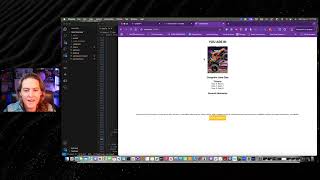
Madison Doherty Tipton builds a ticketing app in 15 minutes by combining ClickFunnels, ChatGPT-generated React code, and Firebase. She walks through prompting AI for the code, pasting it into VS Code, testing in the browser, and embedding the working MVP into a sales funnel.
Chapters
Hey everybody and welcome to this training. How many of you guys saw the Last Secret, Russell's Last secret? Did anybody watch it? So maybe you did. And maybe you're like, hmm, I got an idea for software, but I have absolutely no idea how to do it. Or Man A SaaS. A software as a solution or as a service. Man, that sounds like a really cool idea. Well, you're in luck. Today is the blueprint from funnel to SaaS in 20 minutes or less using AI click funnels and 2.0. So do you ready to dive into it? Let's get going. So what if I told you guys it is possible to turn a ClickFunnels page into a fully functioning SaaS app without knowing how to code, without hiring expensive developers and without getting stuck in the endless developmental cycles? That would be game changer for you, right? Maybe you got an idea you've always wanted to build but you had no idea how to even do it. So what if I also told you that I use this exact method that I developed to sign a partnership with a billion dollar company. Billion with ab. It wasn't a partnership with Click Funnels. I wish. But this was for a brand new SaaS product and I did it in under six months. Brand new company, brand new idea, under six months, signs a giant partnership. Now, not guaranteeing obviously I can't that that's going to be the same level of success for everybody. But that's just a taste of what is actually possible with this. So if we've not met, my name is Madison, I'm a ClickFunnels Ambassador. I'm also a certified fun builder. I am a SaaS founder of a company called AMEA Technologies. We have a product called Amia Health. Let's face it, I'm pretty much just an outside the box thinker and that is how I discovered this method in the way of doing this. See, many, many moons ago I used to build mobile apps and I had some that were downloaded thousands of times. Got to the top of the app store, you can see that right there in fifth place now. I hated developing apps. I honestly did. I got to the point where I hated it because you would get stuck in these cycles of trying to find your bugs and trying to figure out where you broke it at and you would have to search Google basically for days on end to try to find a solution and at the same time you felt like everything was doomed, everything you worked for, it was done. Well, let me tell you, the AI has been a game changer. This, this is how you're able to and how I'm able to say you can build an MVP, a minimum viable SaaS product, in under 20 minutes using click funnels and AI. Now, what is an MVP? I'm going to give you guys a chance to answer. What is it? Do you know what an MVP is? I'm not talking about this mvp. I'm not talking about Patrick Mahomes. I am talking about a minimal viable product. It's a simplified version of your product that you could use to collect your of customer feedback. Maybe you can even get your first customer like we did. Or maybe you're going to get your first investor. What if I showed you how to build that MVP using ClickFunnels and a little bit of AI magic? That would be worth about 15 to 20 minutes of your time. Right? All right, I will continue. So you have two options, right, to make this happen. You can use ClickFunnels as your SaaS base and embed the code that you need. This is what we do at amia. We take generic funnel pages and we embed the special functionality that is not currently in clickfunnels that we need to make our secret sauce with our SaaS product. Now, option number two might be saying, use ClickFunnels as my drawing board and my inspiration to build this. Today we're actually gonna do a little bit of a combo of both. So if you're ready, let's dive in. Right? But you might be saying, you might be thinking, oh, she's just gonna show us what she already built. No, no, no, my friends, I am not. I'm gonna build something called Ticket Hacker. It is Event Tickets. Ticketmaster for Funnel. Now, if you own this domain, I'm sorry, I didn't mean to copy your domain in your name. This is just for demonstration purposes. Same if you're Ticketmaster, right? We're not actually going to build this. So what I've gone through and done is I have built on a funnel page. I'm going to show you guys that in a minute. Basically Ticketmaster, but built on clickfunnels. But now we know there's not that functionality inside clickfunnels, so we're going to have to actually build it for ourselves. So if we think back to the last secret. Remember Russell talked about how you can sell this as a service? Right? That's the SaaS part. And how would we do that? Right? Well, we actually, we're actually building this. We're building a ticketing platform because a client of ours is paying astronomical thousands of dollars a month to sell tickets. But they also want the same functionality that is inside clickfunnels. Now. That functionality to tie those, that little piece, that little link that we need to really make a really good solution for them is not there. So we said, why don't we just build it? This also opens up the door for us to sell this as a service. So I could go through. Maybe I'm charge a dollar an event ticket or maybe because I know that hosting the data is not that expensive, because I can leverage click funnels for what I get in my 97 or two $97 a month plan. Maybe I charge $47 for unlimited tickets sold and I get them on a monthly retainer subscriber, right? That's a game changer for my business and the financial gains that I want to make for my family. So if you guys are ready, you guys ready to see how I built Ticket Hacker event tickets for entrepreneurs? If I can get the domain, I would honestly love to get the domain, but I don't know if that's possible. So what we're going to do here, here you can see it's a simple funnel page. Here is Ticket Hacker. Here's a section, here's some rows. Here are rows embedded in a Flex container here. Down here you have choose your seat. And when you understand how to build this with AI, how to ask AI to build this for you is really what I should have said. You can go through here and you can build out the key functionalities, the parts that you need, step by step. So for example, I need to have this dynamic. So it means I'm gonna have to pull this from a database. So unfortunately, currently this is kind of hard to do in clickfunnels, right? Because it's outside the box, thinking it's currently not there. So I would have to go through and maybe jury rig it to be that these were products. But what if I could actually leverage an outside the box platform using a program called Firebase, where I can get much more functionality that I need and I can still leverage the really good parts of ClickFunnels. This is where that thought process came from, right? So here I have rows. I need AI to build this as dynamic though. Here we have choose your seat, right? If you bought tickets on Ticketmaster, you know you gotta go through and pick your seat. And we need a total come through here. And then of course we'd have to have our confirmation page. Confirmation page is going to pass through the tickets. Now, I should say in the middle of this we're actually going to leverage clickfunnels. We leverage one of the amazing things of clickfunnels, which is checkouts and upsells and downsells and order months that we can't do on other ticketing platforms. So we can drive more revenue for our customers. So right here, insert checkout element. Okay, but we're going to do that. This is going to be. That's going to get a little creative, so don't worry about that. But now what we're going to do, since we're just building our minimal viable product, the last page is our confirmation page. So we would maybe have a QR code that they could scan to get into the event and we're going to have the important information that they need to know. We're going to actually jump over here. That was an old one. Jump into ChatGPT. I'm actually going to upload the image that I need, which I already took the screenshot of it. I think if I can find it. Got it there. It's in my recent. Cool. It's right there. I'm gonna open this up. And the important thing here with AI, if you're building these out is you need to do it in bite size steps. Bite size steps. Okay. See if we get this too. I need you to build me a insert code base that you want to use. I like to use React native. Chat GPT knows React native. A lot of clickfunnels leverages React native or React, they're the same thing. It's a Java based code base basically. So it's going to work with a lot of Java based elements. But you could use Flutter or you could really could use whatever you wanted to use here. Right. I'm going to say a React native app that matches this exact screenshot. Now I might want to say here, I want these to be dynamic cards and I want them to populate and different things like that. I'm going to save that for the second step. This is why prompting is so important. I'm going to match the screenshot style. If you can do this, build me a new app.js file an app js file is simply what you need. Just so basically it's kind of the backbone of your app. I use a program called Expo and what Expo allows me to do is it allows me to simply just put a little command in and here it is. Voila. It also allows me to export this to web, to Android, to iOS. Now you guys are kind of starting to see how this all comes together. So as we have here, we're just waiting for the code to finish. All right, I am going to have to come through here and grab in my source URL for my images. But that's okay. All right, now I have a program called Visual Studio Code. It's just simply a code editor. I'm going to come through here and if I can get this to copy and I'm just simply going to paste this in here and I'm going to hit save now in real time. This has updated. Let's actually go through. And this is kind of the cool part about this, right? So I'm going to go in here and I'm going to grab my section and I'm going to grab my. The image URL, right? So I have my source right there and I'm gonna hit save. Now if I hit save again, boom, there is that first photo in there, so on and so forth. And remember, some of these I can grab from the Internet. And here's the next one like that. And we're gonna hit refresh. There's monster trucks in there. Actually going to want to come through here. And you said, I just noticed something on there. And I'm going to want to need to delete that because that one. Not all of them are going to have a button on them. So what I can actually do here is I can just make this just because I want to keep the styling here like that. Now here's the really cool thing that comes with a lot of this AI. Now, right? Like that auto corrected. That was super simple for me to do. Now I gotta go down here and do post Malone and I need our funnel hackers on ice, which accidentally made the wrong way. All right. And funnel hackers not nice. Paste and go like that. Cool. Now they all have photos to them, right? They all have photos, they all have little icons. Let's go through here. And there's different styles, right? I have styles for my badge and I have styles for best selling. I can scroll down here. I'm not going to get too deep into this Best selling. Let's make it green. Cool. And now I have this part of my above of my app. Now you're like. But that looks nothing like what you have here. See, what I'm going to do is I'm ultimately going to replace this section right here with this app. And that's what's going to allow me to do the different functionality that I have. I always like to just come through here and I'm going to add the code Back in here is the code that I have. I also need to be able to click on each card and have a alert pop up. Now the reason I'm gonna actually feed the code back into it is because the things I've already done, like the putting the images in, I don't want to have to go back through and do them again. So now it's gonna come through here like this. I'm just gonna wait. I find that either one of these works pretty dang good. And I'm going to grab. I'll just grab this one. Paste, hit save and it clicks. I don't the alerts. There's some weird thing about web on alerts, but that's okay. All right, now what I'm going to do, we can tell that it alerts. I can also come through here and there's a thing called a console log. Okay, now refresh again. And this is how to get to the console log. I'm going to use Inspect tool. Click. I clicked Monster Jam. I clicked Kelsey Ballerini. Awesome. So we know that is working. Okay, now let's actually. We need to put in here event name so we could say not emojis Monster Jam. We spell it correctly and pop that up there. We're hit. Save. Now we're going to come through here again and take another screenshot and say, you guys can see how I go through here and I build this piece by piece and I say now. So all I'm saying is, so what I want to do now, the big. The first thing I want to do is I just simply want it to come through here and to grab the. The. My thing's not working again. Screenshot tools not working again. I just simply want to build out this part and then I'm going to obviously have to come through and build out the little buttons where I could choose the number of seats, but that's going to require that I actually have the data to know which seats are available. Now this point where my app gets a little more complicated, a little more confusing, I probably would want to break these off into separate file names basically. And as you can see, we have the title coming through like this. And this is why AI is a game changer with this is because I can just come through here. Select what Like I'm just right. I'm just sitting here, right. I could be scrolling my phone. I could be tons of doing tons of different things. All I gotta do copy paste. I really shouldn't show you guys how easy this is. I really shouldn't cool. Kelsey Bellerini tickets, right? Awesome. And look, it did make it selectable. Okay. And it added to. It added the total to them. How awesome is that? Now what I need to do is I would actually go through and next, based on the event names I would go through on the back end, I would have to code some little magic here. But let's actually just see if it can do the last part of this. I'm gonna come through here and take a screenshot of this. And if this does this, it's gonna blow my mind. When I click buy tickets, take the number of tickets and the event details and add this page to the app. JS Now I gotta do is take the screenshot again because my screenshot tool's not working so good. I don't know why need to always take two screenshots. All right, upload right there. There it is. And I'm gonna hit like this. And now all I gotta do, sit back here, have a little drink of my soda, wait for it to do its thing. And I'm just relying on the AI to do what it does best. Now I may have to ask the AI and be like, hey, can you make these tweaks? Or that didn't work. And the coolest part about it is if I do get an error, I get these red screens, right? Especially if I'm using the console on the side. I simply just feed that error back into the AI and say, this didn't work or this didn't work, or I'll take a screenshot. The AI is your little code hacking buddy. We have Monster Jam. Oops, it didn't get Monster Jam. There's my tickets. Now what I'm going to say you didn't have the second step with the event info and summary. I need that too. And simply, this is just a process, right? I just go back and forth with the AI. Now, I do want to make sure it may have just simply put some little things in here that said add your code back in. But no, I don't think it did that. So it just forgot to do that. But that's okay. And we're going to have it. Now, obviously I'm going to want to do a little bit of styling with it. I'm going to need to add this to a hosting platform. I am not completely there, but in about 15 minutes, I have an MVP. I have a minimal viable product that I could embed into click funnels. I could show this to a customer. I could get somebody to give me money for this. I have this as a fully functioning working app. I'm just gonna take the code and hopefully Kelsey Ballerini picked my tickets. I needed to show that I wanted to show the summary, but that's okay. We are close there. So it's. Now it's just a dance. Say show me the a summary of the cost on step two. Like this screenshot. Now, I might sometimes have to go back through and give it another. Give it the screenshot again. But if I didn't want to get super particular and I was like, all right, like, here we go. Here's three tickets. Buy the tickets and go like that. Actually didn't quite understand what I wanted it to do, but it is pretty dang close. And as you guys have seen, what you probably thought was not possible is completely possible with AI, with ChatGPT, with all of this. And now all I have to do is build this out. And I grabbed the wrong code. Oh, it just is going to put me into step two, which is here, right here. And paste that in. Hit save. We're going to check this out. Our styling's off, but that's okay. Right now we got our buy tickets and here's our confirmation. Bang dang. Down to about a little bit over couple minutes. So with that being said, here you go. Here is how you can use ClickFunnels to build your MVP. All I gotta do is publish the app and embed it inside of ClickFunnel.
More from Madison
STOP Selling Like This! Do This Instead 🔥 (Marketing Secrets) #digitalmarketing #contentmarketing
The #1 Reason Your Funnel Is Failing (Fix This!) #digitalmarketing #clickfunnels
Hook-Story-Offer: Simplify Your Funnels Today! #FunnelsMadeSimple #DigitalMarketing #RussellBrunson
Funnels 101: Stop Selling, Start Building Relationships! 🚀 #ClickFunnels #FunnelsThatConvert