Madison Doherty Tipton walks through building a help us choose funnel in ClickFunnels, covering landing page setup, image uploads, and order confirmation pages.
Chapters
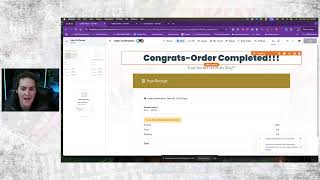
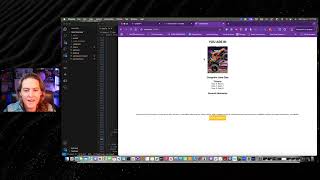
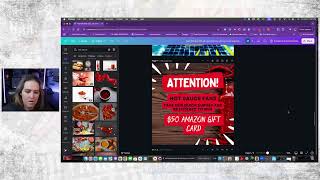
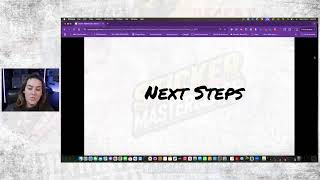
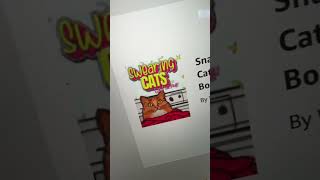
Hey, so Madison here, I wanted to show you guys the help us choose funnel and how you can actually build one for yourself. Or if you have the framework, then this is inside of your frameworks. So here we go. We start with this landing page. This is where we're going to send people to actually send them to our sticker URL, which is up here at the top. I'm gonna click in here to hit edit. Now, this is where I'm going to add my photos for the different sticker designs. So I'm going to click on this element right here. Click this little icon next to sticker, next to the image URL, and I'll put in that one right there. Simple, easy. And say, change the title here and say, I love this design. I'm gonna show you how we grab those URLs in just a minute. Now, our next design is this one, which I'm going to have to upload from my hard drive. So it's gonna take a few minutes, just to a couple seconds to get it to actually open up here. For some reason, it does not like it when it's streaming. Okay, I'm grabbing this mock up, uploaded it to clickfunnels. You want to make sure it's under 10 megabytes, wait for this to upload. And now I have this design. Our goal is for these to be similar height. So if you were going into Canva, you would make it a 1200 by 1200 pixel image. And I'm going to say this button here. And I'm actually going to make this button different color. I could go through and change the settings on them, but for right now, I'm just gonna choose custom and I'm gonna go like with pink. Let's go with pink and say, I love this design. Okay. At this point, I'm going to hit save. Next, I'm going to show you how to get the domains or the URLs that we need for these stickers. So we're actually going to go back over to here where I have what's called a split test. Now, for this functionality, we're not actually going to leverage the split test, we're just simply utilizing it. So there's two paths that people go down. I'm going to grab this right here and it's helpful if you have open this one in another tab. This will make it a little easier. We can bounce back and forth a little faster. I have this and I'm going to go to. And I'm going to paste in that URL. Now, of course, if I have a domain that I am going to use for this and I want to actually have it be my actual domain, not my subdomain. Clickfunnels.com okay, now back over here. So we already have this one. It's just a generic sales page built. What we're looking for with this is just a thing to say, hey, here's an opportunity to get this sticker for $1 or whatever it is. Get your sticker today for. Let's actually try it for just $1. And we're just trying to entice these people who are already on our list. And of course I would go through here, I would change the social proof, do different things like that. But I'm actually going to hit save on this. Now what I'm gonna do is I'm gonna come over here and hit this. Plus on the next side, obviously if you have the framework, this is already done, you don't have to worry about it. Go to funnel pages and I'm gonna choose order and I'm gonna just leave it as order. It's gonna come up and create the end part of it. Now this page will mimic this page here, which means all we have to do is to come through here and change out the image. And remember, we want these to be similar in the terms of like the copy that's on them. So we can truly test that and not say like, oh well, this one had pink background or this one had the wrong buttons on it or something like that. Okay, now we have our second, our second section here can hit that and that URL is going to go here and hit paste. Now obviously if you're building this for yourself, you're just going to. This is a two column row, this is a photo and a button element. It's simply all that it is. Alrighty. Now what I'm going to do is I'm actually going to go down here, create a page and I am just going to use an order confirmation page and it's basically just going to say order confirmation. I am going to eliminate some of the stuff on here just because, or you know, make some changes to it. Say congrats, I'm going to delete that and say your sticker is on its way, I have the receipt, our guarantee, we can keep that on there, we can delete it. I'm definitely going to delete important next steps and I would obviously want to put my own section in there. So if I have my own footer saved, then I'm going to have and just going to be able to pull it in from here but for right now I'm just going to leave that the way it is and I'm actually going to delete that guarantee too just to make it make it simple and that's basically it. Once I have hooked up payments AI and I have my different products hooked up maybe if you've already had a clickfunnels account you already have those all set up then you are ready to go and when you are running your ad you're going to want to send them to this URL up here at the top and that will automatically send them down this path. What this allows you to do is you feel like now I'm change out these different designs or I'm gonna create a whole new page or whatever it is I want to ask for their email address you can put those steps in. So that being said here is the help us choose sticker funnel where we hopefully are going to have our first sticker.