Padres: Encontrando Proveedores & Servicios en el Mercado.
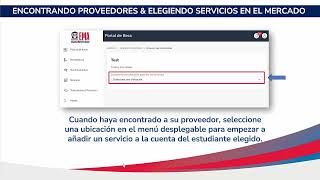
This is a Spanish-language YouTube tutorial for parents/guardians on how to find providers and add services through the EMA account Mercado. It gives a step‑by‑step walkthrough: log in to EMA, open Mercado, use “Busque proveedores” and the “Encontrar un proveedor” search (choosing the student from the dropdown), select provider and location, choose service quantity, add to cart, and click “Reserva los fondos” — including granting the provider permission to access contact information. The video ends with contact/support details for Step Up for Students.
Questions this video answers
877-735-7837
Monday–Friday, 8:00 AM to 5:00 PM
Chapters
More from Manisha

Contributing to Florida Prepaid Plans (2026–2027) | Step-by-Step Guide for FES-UA Families

Contribuyendo a los Planes Florida Prepago (2026–2027) | Guía Paso a Paso para Familias FES-UA



Finding Providers & Services in the Marketplace (Families) | Step Up For Students (2026–2027)

Encontrando Proveedores & Servicios en el Mercado (Familias) | Step Up For Students (2026–2027)




