How to Fix Digital Chaos Fast with Thurman Trotman

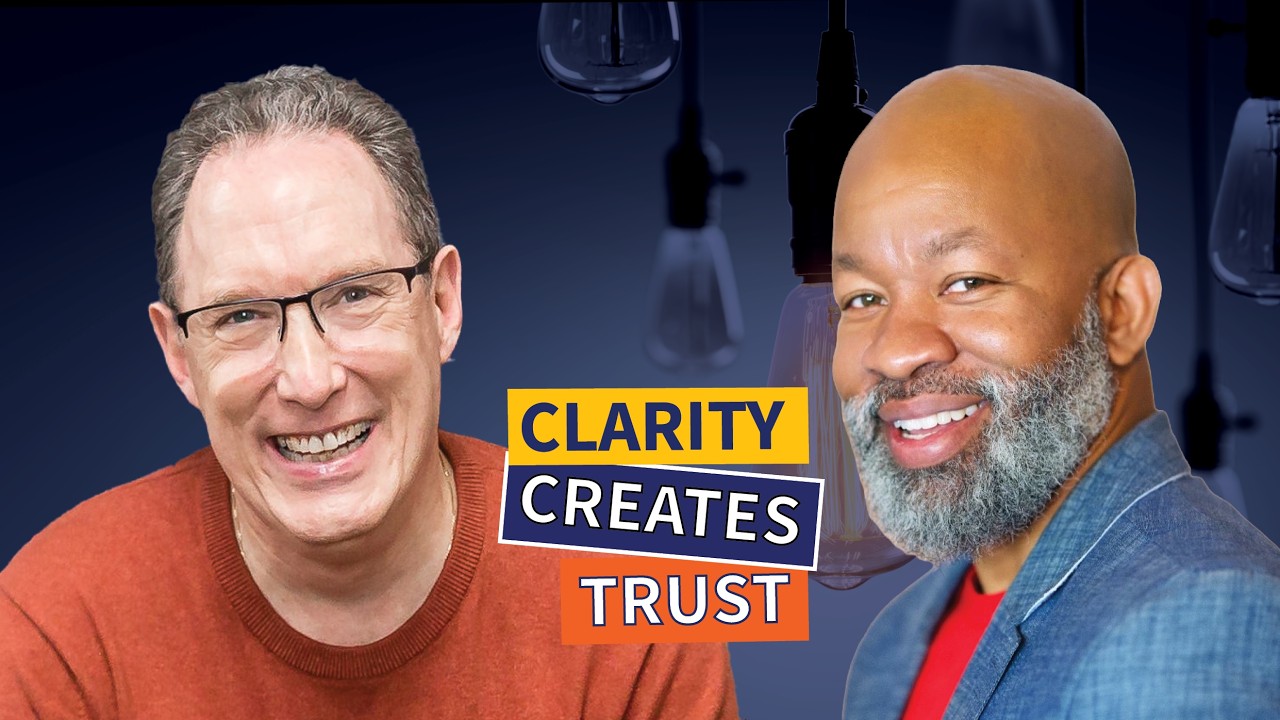
Thurman Trotman, the SharePoint Help Desk, talks with Marc Haine about fixing digital chaos in small businesses using Microsoft 365. He breaks down the collect-manage-display model, naming conventions, and why most companies fail at onboarding. The choice between DIY and done-for-you implementations depends on your team's bandwidth.
Chapters
Does your business feel like a digital scavenger hunt? I mean, you've got files in Dropbox. You got chats in Teams. You got meetings in Zoom. And you have spreadsheets that somehow have 12 versions floating around. But nobody knows which one is the right one. It's chaos with a login screen. And that's what we're talking about today on Experience Leadership.
Welcome to Experience Leadership, A podcast that challenges small business owners and entrepreneurs just like you to dare to be the exception. Join our host, customer experience expert Marc Haine, as he uncovers relevant and timely content to help you script and direct your business and teams to create jaw-dropping experiences your customers and staff deserve. Here is the host of Experience Leadership, author of Lights! Camera! Action!, customer experience expert Marc Haine.
Welcome to this episode of Experience Leadership, the small business podcast. I am your host, customer and employee experience strategist Marc Haine. And I'm so glad that you're here with us today because my guest for this episode is Thurman Trotman, better known as Mr. SharePoint. And today we are going to be pulling back the curtains on how to stop the madness of scattered systems and finally bring all your business tools under one roof using the power of Microsoft 365. I do have one simple request though. If there's anybody in your circle who could benefit from the insights that we're sharing with you today, please do them a favor and pass along a link to this episode. That way they get to learn about this stuff too. You know, I have a confession to make. I am one of those sad, sad souls that spend a ton of money on applications that promised to make my life easier, only to ignore those applications because I don't have the bandwidth to actually learn them. Because of that, my workflow is scattered and I'm constantly hunting and pecking for assets I know I have. It's here somewhere. Running a business in today's digital world should make things easier, right? But if you're like most managers, it feels like you just need a treasure map just to find a simple document. You've got your data scattered around apps that don't talk to each other. And your people are wasting hours every week just trying to find what they need to do their jobs. And that brings us to our Question of the Day. So, how much time How much time and money is your team wasting trying to find information that's really just hiding in plain sight? I'd love for you to share your experiences. Go ahead, put comments down in the comment box below. If you're tuning in live, feel free to comment a question for our guest host today. We can answer it live. But if you're not watching, if you're watching this on the replay or listening to this on the replay, feel free to post it on social media with the hashtag #ExperienceLeadership. I'd love for you to be part of this conversation. As I mentioned, my guest today is someone who's on a mission to rescue businesses from spreadsheet chaos and scattered systems. Thurman Trotman is the founder of the SharePoint Help Desk and the host of the SharePoint Help Desk podcast. With more than 20 years of IT experience across the public and private sectors, he's helped organizations of every size bring calm to digital storms by using tools they already pay for. He's here to set He's not your typical IT guy. No buzzwords, no tech jargon. Thurman focuses on people first, technology second. His approach called the Home-Based Method helps leaders stop managing from their inboxes and start leading from structure. Thurman, welcome to the show. It's so great to have you.
Marc, thanks for having me. This— that was a pretty slick intro. Glad to be here. Glad to be here.
I'm glad that works for you. So, before we get too deep into today's topic, maybe you can provide some clarity a little bit into who you are, Who are your customers and how are you serving them?
Small business owners or directly employees, but it's both of those. If you own a— if you run a small business, then you're paying for a tool that you probably don't even know about. Or if you do know about it, you probably hate it. A lot of people, you know, find SharePoint to be a 4-letter word. And if not, employees, employees who are, you know, running into their boss's office or coming out of a meeting And the boss says something to the effect of, hey, I need you to spin up a spreadsheet and do X, Y, and Z. And then the employee does spin up this spreadsheet. And now, I don't know, 2, 3 days later, or maybe 2 weeks later, it's spreadsheet chaos. They have multiple spreadsheets sitting on their desktop, sitting in their inbox, sitting in other people's inboxes, sitting all over SharePoint, like just way out of control. I know people are sick and tired of spreadsheets, but they don't know the alternative that they have access to. So Typically, primarily small business owners and, uh, the employees of those small businesses.
So why are so many businesses drowning in this digital clutter? I mean, once, you know, Microsoft came up with Word and they came up with the spreadsheet Excel and they came up, you know, it made, it was supposed to make our lives easier. So why are we drowning in all this digital clutter now?
It's too much. People think you need to, you know, do more to do better. When I was listening to some AI channel on YouTube the other day, they took Charlie Munger's words, and now they like run a whole channel where they just take his words, which is strange, and have him speaking as though he's just giving a lecture. And his thing apparently, I think apparently listening to these talks, is stop getting fancy with your investing. It's very simple. It's very boring. It's very basic to grow your wealth, but it's extremely effective. But you know, you turn on these channels and you see people screaming about the next hot stock and all this other stuff. And he's like, all that's just extra noise. You don't have to pay attention to that. You keep your investing extremely simple, very boring, and watch it grow and be super productive for you. And that's the same way I look at SharePoint. SharePoint can do a million things, but there's only a few things that you need to really excel in business. And that's the same thing with all these other tools, spreadsheets, Word documents, PowerPoint, all of that. There's like a There's a pretty basic thing that you need to do to get your business off the ground. And when you're running your business or your organization, your large organization, it doesn't need to be all confusing and out of control. I guarantee there's some basic processes that you run that need that support in order to really make your business, you know, be extremely productive. So I think it's just human nature to, you know, feel like you need to create more spreadsheets, create more files, create more PowerPoints. I see it in businesses all the time. Their libraries are loaded with tons and tons and tons of documents that they don't need. But, you know, that's the way the humans run these businesses, and that's human nature to just do that kind of stuff.
Would it be fair to say that a lot of the documents we create are more like brainstorming documents? Like, you have an idea, and so you try to get it down onto a spreadsheet, and you try to outline stuff, and then you put it away, and then you can't remember what the heck you were doing. when you come back to it 3 months later and you see this.
There's a lot of those.
Right?
That's part of my workflow is like, I'll, I'll come up, I need to document this. I need to write this down someplace or else I'm gonna forget about it. And so then I open up a document and I log it out and I spend 10 minutes just brain dumping my idea. And then 6 months later, I can't even remember what that idea was, let alone the fact that I actually created a document for it.
Let's say it's not an idea. Let's say that you just took over at a new company and you're the head of operations, if you're trying to get a hold on all of the processes that you need to, you know, improve, you're probably going to spin up a spreadsheet. If you're trying to get a list of the employees that you're managing, let's say it's a whole lot of them, you're probably going to spin up a spreadsheet.
Right.
If you're trying to, you know, track the software, let's say you just took over IT, and we are— the company is paying for too much software. The first thing you need to do is probably spin up a spreadsheet. So even outside of the ideation world, you're creating permanent products that people are supposed to use, especially somebody who takes over for you in a spreadsheet. That's part of the equation of developing all of these wacky documents.
Right, right. So why do you think leaders underestimate how much this digital disorganization is costing them? Because I've worked in municipalities where it was like just a chore to find anything the way that they catalog stuff, the way they did things was all like based on somebody's mindset. But then when you went looking for stuff, it's like I constantly had to go running into somebody's office and saying, where is this document? But I think leaders undervalue what this disorganization is actually costing them.
Yeah, I think it could be a few different things like, uh, just taking the time out. You're busy, you got your everyday thing going. But it takes time to separate and, you know, pay attention to this thing. Like, let's say you're, I don't know, in your house. Let's say you have a backyard project that you need to do. You need to replace the deck. Every time you go and use the deck, you think to yourself, man, I really need to replace this thing. It looks terrible. There's a couple boards loose. Oh, there's more than enough boards loose. It needs to be repainted, whatever. I don't know, whatever you do with a deck. You keep thinking that you need to do that, but you just keep using it because it's getting you by. It's good enough to sit your grill on top of, maybe hang out there when, when your friends come over, you're good to go. But if you took the time out, maybe on a weekend, and spent all that brainpower to do it, I bet you could get it done. Or if you hire somebody, you give them your thoughts, you say, hey, listen, I need this deck replaced. It's out of control at this point. Can you do this, that, and the third for me? And then you just manage that person doing it. You get to have someone take all their brainpower and focus on that thing and then bring it back to you and show you the new deck. And you're like, oh man, that's great. So it could be a number of different reasons. I know that's one of them because that's just human nature. That's everyday life where you're just like, I'm paying attention to what I gotta do right now in front of me. I'm probably putting out fires and, you know, I'll get to the deck when I need to, or I'll get to cleaning up my digital situation when I need to. Yeah. It just gets outta control from the time you start running a business.
I think everybody who's tuning into this podcast right now could apply that metaphor to just cataloging their photos, right?
Yes.
How many times we look at our phone and going, oh, we really should catalog and organize all this stuff. Are there any red flags that a company's digital setup is outta control that, like, that leaders should be aware of? Maybe they think everything's fine, but are there any red flags that say, hey, maybe it's not fine?
So, I don't wanna sound sensational here. I think that's the word. But most businesses, if they've been doing business for, I don't know, A year or two.
Yep.
They highly likely look like this. They highly likely are disorganized. So normally I don't have to— or digitally disorganized. So normally I don't have to do some kind of like an audit. I don't have to usually do an audit. I just talk about these things. I promote them and I say, here's a better way to do things. And then people find me. But 9 times out of 10, a business doing, you know, been— that's been in operation for a year or two. Highly likely have digital disorganization because there's actually a profession, I believe it's knowledge management, where you can curate and properly, you know, index and, you know, sort information that people inside of an organization should be able to get their hands on easily. Like, there's the knowledge managers do that. There's more that they do. But that's a better— that's the least I could give you there. Usually, you're just going to start your organization and, you know, run your business. There's no knowledge manager. So no one is properly overseeing the way that you should be structuring this information and doing all that other stuff. It's just normal to have different people in different departments doing their own little thing with their folders. And then you just move on. So it's, you know, this is, if there's a red flag, How long you been doing business? And I'm pretty sure that, you know, you're digitally disorganized. So—
And, and to your point, you know, we have somebody sitting at their desk opening something on their C drive. Oh, I just dated myself. Damn it. I'm still the old DOS guy with the C drive. Uh, but they store something on their hard drive, but then at some point it's gotta be uploaded. It's like, oh crap, it's gotta go up onto Dropbox so that other people can have access to it. And then, you know, that gets pulled from somebody else onto somebody else's computer. And so we very quickly could end up with 3, 4, 12, 15 different versions of a file that's floating around somewhere. So how do people start thinking about, how do people pinpoint that this is the issue?
You need to just listen to people complain. If you're inside of an organization, just like, matter of fact, you just said a few minutes ago, you just said, when I'm going to look for something and I'm like, man, where did I put that thing? Or where's this thing?
Right. I know I have it.
All I need to hear. Yeah, yeah, you know, you have it.
Yeah.
But where is it? You know what I'm saying? And that's usually all I need to hear, like, to know that, yeah, all right, there's— they could use some help. Because to your point about pictures, like cataloging your pictures, right?
Yeah.
So a long time ago, Dropbox just got put on my phone, just like all of us. I did not know about Dropbox. I did not go seek Dropbox, none of that. It was just on my phone. So I was like, what is this? Then I found out, oh, I got 2 gigs of space to put files. I'm like, you know what? Let me put my pictures on here. I take pictures with my phone. I can just upload it there on my own. So over— this was years ago. So now over at least 10 years now, I've been putting my family's pictures on Dropbox and there's one folder for the event and one folder for each. If there's a kid doing a thing, each kid will have a folder with their name at the beginning.
Mm-hmm.
It just makes it super easy for me now to just go and find anything that I want to find. And the same thing for the kids and the same thing for my wife. They go right into the Dropbox. If they're looking for an event or whatever, immediately they can pull it up because I just named the folders in a very basic way. And it's only 5 of us, but still, you know that it could get way out of control at an organization, a small organization with just 5 people doing some file sharing because you're doing, you know, fiscal year this and project name this and All this other stuff just getting out of control. But Dropbox, because I only name things once and I don't duplicate anything, it's super easy to find what you need. And you could do that same thing at your organization, no matter what tool you're using, SharePoint or not.
I love that. When we come back, I'd like to get into some strategies. You've just mentioned this idea of naming protocols. Maybe we can dig a little bit deeper into it. And I'd like to talk a little bit more about the solution that we're talking about today, and we'll get to that right after this. When the spotlight shines on your business, are customers applauding or yawning? In other words, how is your business performing? Make your business a star with the new book Lights! Camera! Action!, Business Operational Excellence Through the Lens of Live Theater by Marc Haine. Marc uses his business and acting experience to help you see your business like a live show so you can create a performance your customers will never forget.
Buy Lights!
Camera! Action! Action today at your favorite online retailer or directly at marchaine.com. Welcome back. I am speaking with Mr. SharePoint himself, Thurman Trotman. Thurman, we were talking just before the break. We were talking, you were talking about how you've got this thing around Dropbox that you name things a certain way. How important is naming protocols within an organization?
So I think that they're more effective if your organization is smaller. These big organizations, they try to do these things and it's, you know, it's not truly effective. So I would say in a larger organization, what you want to do is force it. If you have the ability to just not have anybody, you know, do it on their own, you just write some kind of script and force the tool to do it, you'll probably be effective. But if you just leave it up to everybody to, you know, do it on their own, might not be effective. That's just how it is with these larger organizations. It's so hard for them to pivot. But these smaller orgs, the reason why I say people over technology is because a company who is a great team, like they have a great team, good people, leadership is on top of things, and there's a lot of communication. If they try to implement a naming convention, way more effective than if the company that, you know, has a bad team, disjointed processes, leadership is not doing what it's supposed to do, it ain't gonna work. So my answer A lot of times will not be technology-based. If you want to implement a naming convention, it will work, it'll be effective, but probably if you're already on a good team and communication is good and people get the reason why you're even saying we need a naming convention. So I personally have not seen naming conventions been super effective. I just, I've never seen it. Now, I won't say never. I've seen them be slightly effective. I haven't seen them be super effective. To me, that's just the, you know, the beginning of the, the, that's one way to implement, but I haven't seen it be super effective.
As you were talking about the Dropbox thing, I've tried to do the same thing as well, you know, putting my kids' photos in the kids' thing, but then, you know, I have 4 kids and then, so then it's like, oh, do I create a folder with all 3 kids on it? Do I replicate the photos in each everybody's files that they have access to it? Will they be insulted if I forget to put, right? So to your point, I get how challenging that can be because there can be so many different variables within the naming convention anyway, right? In the best of times. I get a sense from our notes that SharePoint is one of those app packages that's, I mean, it's part of Microsoft 365 that most people see, but they don't know what it is, or they don't even bother kind of try. They open it and they get so overwhelmed with it. Can you talk a little bit about what SharePoint is?
Sure.
What is that tool used for?
The technical Microsoft explanation is it's a content management system, which that's cool. That'll explain most of it. But to be more specific and to give you some visuals about how you could use this, I use the acronym. The acronym is CMD. If you've been— if you're familiar with the, you know, the alphabet in the Army, Charlie, Mike, Delta. So C, M, and then D. The C is Collect information. So SharePoint allows you to collect information where normally you would probably, you know, spin up a spreadsheet or a Word document. Let's say it's a change request form, because I saw this on, uh, I saw this on projectmanager.com, which I think is wild. But let's say it's a change request form. You would probably create this change request form inside of a Word document. It's not a form, but whatever, people will call it a form. You create a change request form inside of a Word document, you send it to people in an email. And you tell people to do a change request, quote, fill out this Word document and send it back to me. Then projectmanager.com said, all right, here's your change request log, which is a spreadsheet. So you take the information out of the Word document, you copy it, and you paste it into the spreadsheet, which is crazy. But this is a normal practice at a lot of organizations, big and small. I'm going to make a form on a Word document, or I'm gonna make it on a spreadsheet, and I'm gonna track my information copy and paste style. into these multiple spreadsheets. That's collecting information. SharePoint eliminates that whole entire process by making it how you would, you know, it would be if you go to a website. If you go to boysandgirlsclub.com and you want to sign your kid up, you press a button, you see a form come up, you enter your information into that form, and then you hit submit, and then it goes into their database. That's a process that SharePoint allows you to do, no extra charge, today. So you don't do the Word document, you don't do the spreadsheet, you just send out a link. To what's called a SharePoint list. People open up a form, enter the information, hit submit, boom, done. That's the collect information piece. The manage information piece is where you take all of your data and you just manage it inside of SharePoint. What do you want to do with it? Do you want to hide some columns? Do you want to cook up some new data against it? Do you want to export it to Excel and build some reports off of it? Do you want to do all of that stuff? You can do that inside of SharePoint. And then display. The display port part is websites. And I mean literal websites, except they're not .coms. They are websites that pertain to your business. So if you work at, you know, Acme Company, you'll be using Acme Company internal website called the intranet, not acmecompany.com. That's for everybody else in the world. So collect information, Manage information and display information via a website, like a full-blown website, except it's just internal to your business. That's how I explain SharePoint, because anything you mentioned that you might have heard that SharePoint can do, I can put it into the category of being, of collecting, managing, or displaying, or the other way around. If I, if you say, hey, I'm working on this project, how can I use SharePoint to do it? Can SharePoint do X, Y, and Z? And I'll tell you. Highly likely it'll fit into one of those buckets or all 3 of those buckets. So that is the best way I like to explain what SharePoint is by telling you what it could actually do.
Yeah.
So for people tuning in, I mean, for people who especially might not be very technologically savvy, all they've heard is wah wah wah wah, right? That it's suddenly it's like, I still think that the challenge is to get people to understand what it is and how it can save their business by becoming more effective. So, when you're thinking about this, like when you were talking about filling out a Word document first, and then somebody's got to sit down with the Word document afterwards and then manually input all these details into it, what you're saying is SharePoint can give you one point of access. People fill in the information, it'll populate it wherever you need it to go.
Right. It saves you tons of time. So imagine this too, the display portion I was talking about, the website, right? Imagine if you have a meeting with a new hire comes and has a meeting, it's orientation day. So everybody's inside of this meeting, they meet a whole bunch of people. And it's like, you know, I'm meeting the director, I'm meeting the person who's in charge of ops, I'm meeting some new colleagues, all of that other stuff, and then getting tons of things thrown at them, like a ton. And one of the things that somebody mentions is that it's— we have a big break room and the break room has lockers. And if you want to get a locker, because we know everybody doesn't need a locker, you got to get in contact with this person. At a normal organization, someone will say in the chat of this meeting, if it's virtual, it'll be like, hey, can I get that information again about who the person is for the locker? And someone will have to find that information, maybe send it in the chat or whatever. Imagine if that information was all corralled on one page on the website. So if they— if at the orientation meeting, the person running the meeting continually over and over and over said something like to the effect of, hey, if there's anything you're looking for, just check the intranet. You'll always find it there. That right there, when you train people to think that way, you'll know any one of your people in your organization across whatever locations you have. They know that they can go to one link, one specific place to find anything that they need. So I can go to that one link, type in lockers and break room or whatever, and I get a page. That page shows me pictures. It shows me who the point of contact is. It shows— it has a form that I can fill out to request a locker or whatever. All that information is right there. That right there saves tons and tons of time because people will normally have to jump through hoops and go all over the place to find the latest, greatest information. About something at the organization. That is a time saver, and SharePoint can do that for you pretty easily with, you know, an intranet.
So how do people get to know what SharePoint can do for them, and how can they get an initial orientation on this, this tech?
I would say you got— first of all, you could, you can go to Google. There's always Google. And now these days you could check, check, uh, one of your chat and your AI chat, your generative AI chat, uh, bots. There are experts in the field who we have been using SharePoint for a really long time.
Yep.
But Microsoft recently, a few years ago, they made SharePoint less about, you know, you needing certain elevated permissions to use it. And instead they made it just, to me, it went from permissions to education. So before where you had to request someone do something on SharePoint, now it's just an end user's tool, like Excel or PowerPoint or whatever.
Yep.
But again, because we, a bunch of people like me have been in the industry for a long time, we are other, we are people that you can reach out to to get expert advice on how to do it. So maybe you say, man, Thurman, that stuff you're talking about sounds cool, but I don't even know where to start. Can you help me out? And then, you know, I would give you a rundown of how you would do that, or you would have just hire me and I would do it same way. You know, think about, um, the example with the deck earlier. There's some DIY people out there that they can do some YouTube. And then they can look up YouTube and then be like, all right, I'm ready to go change. I'm ready to go replace my deck.
Sure.
Which is other people who are like, that looks good. And, but that looks complicated. I'm just going to hire somebody to do this for me. And, you know, those are the 2 ways you could get started with SharePoint, DIY or DFY, done for you.
Excellent.
So to that point, how can people get in contact with you if they want to use your services?
Oh, you can go to talksharepoint.com. That's a, A booking link where you could just, you know, book a quick half hour. We could figure out if you need SharePoint for your business. Highly likely, I'm gonna say the answer is yes, you probably do.
The short answer. Short answer.
I'm gonna hear you out before I judge. You know what I mean?
I mean, so much of our businesses now, it seems like as simple as tech was trying to make them, it seems like more and more now everything is proceduralized. There, there are processes to go through and it, and it, I'm amazed and A lot of different techs and, you know, my background being hospitality, point of sale systems, reporting systems that we use for hospitality and all that, it forces the human beings to work to appease the tech as opposed to tech appeasing what our needs are. Where does SharePoint lie in that?
It's the second one. If you don't know what you're doing, I'm gonna just be full, fully honest about that. If you are, you know, not brought up to speed on how to see SharePoint, Then yeah, you will find yourself trying to appease the tech. Full honesty there. But if you go back to the thing I was talking about earlier, which is people over technology, if you are running a business and you know your processes and you know what it takes to do a thing, SharePoint and any other technology is only supposed to support you. It's not supposed to do the thing for you. Even AI. If you think about like going to the gym, I love to give this example because There's some people who you would say, hey, go to the gym. You know what I mean? You want to get fit, go work out. They'll be like, okay, wait, now I gotta get me some sneakers. I gotta get me some new shorts. I gotta get me a fancy Apple Watch. You know what I mean? Or some other tracker, maybe a headband. I mean, like all of that before going to the gym. All of those things are technology. Right.
And they're cool.
They're nice, but you don't need them to go to the gym. The thing that you're focused on is getting fit. That's the reason why you want to go to the gym. So get what you got, your shorts, your kicks, whatever, go to the gym and work out. Once you start to do that thing, when you get your reps into, you know, going to the gym, you know what to lift, you know when to do cardio, you know when to do whatever, you got all that down, introduce some technology into that. Now you could bring in an Apple Watch to help you do what you're already doing, the important thing, more effectively, because now Apple Watches can help you measure what you're doing. Or you're having back pains, you go to an expert, they say, oh, I see that the sneakers that you're wearing not properly supporting you. So they send in, you know, what do you call that, pain up your back or whatever. Use these other sneakers. Those other sneakers are another type of technology. You use them to help you do what you're already doing, which is going to the gym, getting fit. It just helps you do them better. SharePoint is the same way. If you got a good team and you got your processes and you have the services and products you deliver to your to your customer and you do it well, all SharePoint is going to do is help you do it better. That's it. If you approach it correctly.
So there are 2 things I got from that. Number one is stay focused on the objective. Why are you doing what you're doing and what is the objective? And the second point is, is don't rely on the technology to solve your problem. Make sure that you're in whatever you're trying to do and then help you find a solution to what you're already doing.
Right. Yes, it just makes it better. Like this technology that we're using right now.
Yes.
To be able to virtually speak to each other. At one point, you probably said, all right, I need to— I want to get guests on this show. Because I know that the goal there would be to learn from other people, I could teach my audience about these other people. Like, I want to get guests on my show. There was a time when you had to physically do this in person, then there was a time when you could do it over the phone, and then you just record the phone conversation. Now, across the entire globe with this tool, you can talk to people and you can see them as you're talking to them. This is all this is doing is just help you accomplishing a goal that you wanted to accomplish. It's just a certain piece of technology that's helping you do it. That's it.
The goal, the objective has always been, I wanna share really great information to—
Yes.
The target, which are leaders, uh, small businesses and entrepreneurs and small business managers.
Yep.
I want to expose them to information they might not otherwise know because they're too busy working in their business.
You did it also. I saw you have a book. That is another way to accomplish your goal. And if you look at the book as like a piece of technology, yeah, it's, you know, something physical. It has words on it. You could turn the pages, you could keep it, you could put it on your bookshelf. That's just another way that you do what you're doing. It's just, you know, a different process. Same thing.
Yeah.
So That's how I look at technology.
So when it comes down to, if people have never used SharePoint before, how does one get started organizing with SharePoint and understanding its capacity and capabilities?
All right. Well, I'll tell you what I normally do with someone who I just met. So I just gave that link out, talksharepoint.com. What normally happens on that call is I say, tell me about the things that you're managing in your business. Just give me a, give me a list. It doesn't have to be exhaustive, but if you could think of a list of the things that you need to get access to in your business, you and your employees, send me that email. Let me see what that looks like. Then I take that, and the first thing I do is build that website that we're talking about. So I put together the website. I showed them a mock website of what that would look like if you got started with the very first thing that I'm— I think is important is getting everything under one roof. I build that site. Then we have another meeting and I demo it to them and I say, look, this is where you could be. Versus wherever you are right now with where you keep everything. That's how I, uh, when I'm providing a service, that's how I usually get started with people is by getting everything under one roof with that intranet. And then, you know, we go from there.
Yeah. When, when people first get onto SharePoint, it can look really, really intimidating. I think more so because I don't think people know the capacity of what it brings to the forefront. And so it feels like it might be overwhelming. Is that fair to say?
I 1,000% agree. The knowledge that I have in my head came from 15+ years of using SharePoint. It looks like, you know, basic to me. But I think I do a pretty good job of showing people of all ages how they can get started and how simple it is. I put out YouTube videos too, like the, you know, others in the community so that they can see how easy it is to get started.
And you mentioned in your opening about you have a podcast just on SharePoint. If people tuned into that podcast, what, what kind of information would they get from it?
Strategy. I talk strategy. I can't talk tech unless I showed you SharePoint. That's the YouTube. But if you listen to my podcast, I'm going to tell you why. Did I do an episode yet? Maybe on like onboarding. I'll say why SharePoint is great for your onboarding, and I'll give you the theory behind it. And I'll say, you know, when someone first comes on board, How do they know all the apps that they need to have access to? Like, where do you, where do you show that to them? SharePoint can put that in front of them and make it very easy for them to just have a resource page or application page for the whole organization. It shows you all the apps that y'all use, passwords that you need to log into them, why you use them, who do you get to give you access for them, whatever. Like, I'll talk about that on the show. It's all, it's all strategy. SharePoint strategy for leaders is what I talk about. On the show. Lovely.
So I will put the show— the link in the show notes. So people, if you're tuning into this and you're super curious about how to get the strategy around using SharePoint more effectively, then jump on the podcast. Hey, when we come back, I'd like to talk about some cautionaries and pitfalls that we should be aware of when we're trying to implement and start exploring this tech for our own uses. And we'll get to that right after this.
Attention meeting and event planners! Is your company or association planning a live or virtual conference, seminar, or staff retreat? Are you looking for a fresh, energetic perspective on what it takes to put on a jaw-dropping experience for your customers or staff? Book customer experience expert Marc Haine for your next group event. Past participants have said, Marc kept us in stitches while teaching us how important and powerful actually designing our customer experience can be. Read more testimonials and find out how Marc can serve you and your group at marchaine.com. That's M-A-R-C-H-A-I-N-E dot com.
We are having a really great discussion. I hope you're getting tons of value from it. As evident from our discussion today, you can tell that Thurman and I are deeply dedicated to supporting business leaders just like you. So, if you're in the midst of planning a leadership retreat, an industry conference, or you're looking for some amazing content, or heck, you're just needing some expert guidance, we're just a message away. Feel free to reach out to us for a conversation about your unique challenges or to discuss how we can collaborate to achieve your goals. Our contact information is in the show notes. Make sure that you use it. So, Thurman, what advice would you give business owners to avoid— Some of the common pitfalls. And so by that, I mean, I'm going to jump into SharePoint. I'm going to have a peek around. I'm going to get super, super overwhelmed. I'm going to shut it down. It's too complicated for me. What can we do to avoid some of that? You need help.
Yeah. If I go back to that gym example, if you walk into the gym, most people can be overwhelmed, but there's a lot of people who just take to the gym. You know what I mean? They go and read some books or look at YouTube or whatever. And they go to the gym and they're like, okay, I'm good. Or they have a friend who might know a little something about the gym. So they say, yeah, you use that one for your chest, go over there for, you know, cardio. This machine right here is going to make you sweat like crazy. This is good. And then you only want to spend X amount of time in the gym for what you're trying to do. Like, that's good. Like, that's, that's what you want. If you now hire a personal trainer, you know, that experience is way different. Now, this personal trainer, you expect them to know more than your friend or some recommendations that you got. You're now paying them and you expect them to know a lot and to guide you in where you need to be based off of your situation. That to me is probably the best quality approach you can take to dealing with SharePoint because SharePoint can do a million things. There's a million pieces of equipment in the gym. They all can look intimidating and you can get overwhelmed very quickly not knowing which ones to use and which ones not to use and what's most effective and how to go from any day. So you can go again, DIY, get your books out, get YouTube out, you know, do whatever you gotta do, ChatGPT, or DFY, done for you. Get with someone who looks like they know what they're talking about and have them guide you.
And, and that'll probably shave a ton of time off the learning curve as well, right?
Yes.
I mean, because—
absolutely.
Because the frustrating thing about trying to learn something brand new is we don't know all the ins and outs all on our own. We're brand new to this. How would we? You know, what's nice about you having 15 years of experience is you got into SharePoint 15 years ago when it was a fledgling app, and you've been riding it along through its own evolution. And because of that, you have deeper insight into what can happen and what people can do. Now, for the people who right now— so the point I'm getting from you more than anything is don't think of SharePoint as an all-in-one solution. Look at your solutions and figure out how to make them better by leveraging something like SharePoint. Is that fair?
Yeah, I would say that's fair because the first thing that I talked about, getting everything under one roof, I will say if there was no SharePoint, I would tell that to every single business owner. You should have one location where you and everybody in your organization can find everything.
A repository.
Yes. This is just make it happen. A lot of people will probably use Because it's easy, probably Google Drive, right? You got all your folders. You say everything we need is inside of these folders. Now, I think that's cool. It's fine. It'll work. It works. We want to get— we want to get to work. So that works. I think SharePoint is more effective and better because it's a full-blown website. It's not just a document library, which a lot of people think it is. So just do that. Get everything for your business, for you and all your employees Under one roof. Do that. The second thing is eliminating spreadsheets. I think SharePoint is extremely effective at eliminating spreadsheets. If you have 4 or 5 spreadsheets that you need to run for operations and maybe just one department in your organization, you can eliminate that whole thing and just make it a website. It sounds crazy the way I'm saying it right now, but just, you know, let's say it's an IT person running IT and they have a spreadsheet that shows All of the people, all of their computers and all their peripherals and all of their serial numbers and all this other stuff. Imagine putting that on a website is what I'm trying to explain and getting rid of a spreadsheet. And anytime anybody needs it inside of the IT department, they go to one link. That's it.
So again, when you put it into a spreadsheet, the idea with the spreadsheet is at some point you're going to need the data. So if I wanted to know what equipment John has and when it needs to be updated, I could just go to the SharePoint and do the search on SharePoint as opposed to scrolling down how many computers there are in this organization and who's got them.
Right.
Yeah.
Actually, yeah, it's a, it's a much better user experience.
So when it comes down to kind of tipping our hats into testing out and playing with this technology, what pitfalls do you see people need to avoid and what cautionaries do you have? As people want to enter that fray?
Well, I know when I was young in my career, I thought SharePoint could do everything. So—
Where do you hammer everything's a nail?
Yeah, exactly. Exactly. I was that person when I first discovered it. I went and took training on it and I was like, oh man, this is going to change the world, the whole organization. And I went back and I became annoyingly the SharePoint guy, you know what I mean? Like, wouldn't shut up about it. It solved some problems, a lot of problems, but it's just not, it's not for everything.
Yeah.
It has grown to be very powerful and can solve a lot of problems, but it's not everything. The second thing too is don't try to do too much. The best way to learn about SharePoint, if you're going to go on your own, I think specifically is having a specific project that you have to complete. For instance, if you, you have to, you know, create an inventory. If you have to create the IT inventory, That is your project. Let that be your thing. And then you can use that to, you know, learn about SharePoint or, um, an IT help desk. So where the IT folks inside of the organization, they, they should have a system that, you know, allows you to, allows employees to put in tickets and say, hey, something's wrong with my computer. I need it to be fixed. That whole thing. You can build that whole entire thing on SharePoint, no extra charge. You're already paying for this technology. If that was your project, take that project and let that be a SharePoint project. And you will learn a lot going through the process of building that application. I have yet to put a YouTube video out about that. I will do it, but you know, busy.
The way it always goes. As we were talking, I was thinking about, you know, probably part of the overwhelm for a lot of people is going to be to inventory what all their assets are, like going through all their hard drives and figuring out what they have and everything. Is this something that, you know, it seems to me that this might be a first step and that in itself is gonna create some overwhelm and even some cost component as well, because that takes time. Is there any, is there a quicker way for people to be able to do that?
See, that's the thing is that's a me thing. That's a Thurman thing. That's not a Microsoft thing. When I say, tell me what you, you managing your business and then I'll get that gathered up for you. Yeah. So I can't, so I can't say generally speaking, that's a pitfall you need to worry about. 'Cause I, I'll be guiding you and telling you, You know, don't worry about it. A bigger pitfall would be more so like thinking that SharePoint is only a document library. That's a big one, actually.
Okay.
A lot of people can't even fathom the things that I'm talking about because they have heard about SharePoint. SharePoint has become a 4-letter word in their organization. So they, they don't even want to touch it because they think it's some glorified, ridiculously managed library. That's supposed to look like Google Drive or Dropbox. That is just one piece of SharePoint. Just one. SharePoint has a big 3, that's libraries, lists, and sites. Libraries is just one. So if you think that way, it's very easy to think, well, I gotta think my solution is gonna have something to do with documents. And that's not true. You could, you could create a full-blown solution on SharePoint that has zero to do with Documents. So, yeah, I want to put that one out there.
So, so it seems to me, it seems to me that people need to park what their preconception is about what they've heard and actually talk to somebody like you about their problems. And then you are there to be able to give them advice on how maybe they could leverage SharePoint to help them through their problems. Fair enough? Yeah.
Come hang out. Yep. Yep. Come hang out at a webinar or something like that. We, we could do that. I, I was at the, I had to take my car into, uh, one of these, um, body shops a couple years ago. And the, the woman who was taking, you know, taking my information at the front desk.
Yep.
If you think about that for anything that you go to, matter of fact, Express Care or whatever, you go in and you fill out a form, hit submit, and then the people in the back get your information and then you get brought up into a queue. SharePoint can support that. If you have some kind of customer intake that you do, SharePoint can do the customer intake for you. You can literally send somebody a link, tell them to fill it out, they fill it out, and then that information goes into your system. And then you can now pick up the phone and call them, or you can route that to the proper department, whatever. Just know that that's a process that SharePoint can support, and that has zero to do with documents. So just to get your mind turning about how, what you, you know, some of the things you can do. I love it.
Thurman, do you have any last thoughts about what we've been talking about today?
Just a reminder that SharePoint is what I talk about all day, every day. I love it. I eat, sleep, and breathe SharePoint. However, more important is people. Like, people is what's going to drive what you're doing on a regular basis. So if your folks work at a mechanic shop and they are, you know, stressed because they can't easily find inventory for what they You know, need for the— to get cars spun up or whatever, or they don't have an easy ordering system. Tackle that. Don't ignore that and then come in and say, hey, I got this cool new technology we can use. You already— you lost them right from the beginning. Solve their problems. So people over technology, more important than anything, even with AI. Gotta put that out there too.
Yeah.
I don't know about Terminator 2. I'm a Terminator 2 guy, so I don't know if AI is gonna really turn into Terminator 2, but at least for now, It's still, even with AI, people over technology.
The thing, it's here and it is a tool, right? It's here and it's— so, Thurman, this has been great. Could you remind everybody one more time how they can get ahold of you?
Yeah, the best place to have a chat with me one-on-one or with your team, talksharepoint.com. And if not, just follow me on LinkedIn. I am there all day, every day talking about SharePoint. Hey, won't shut up about it.
Thank you so much for sharing it. Thank you so much for being with us today, sharing your passion, which is blatantly clear, your expertise. It's been absolutely brilliant. Thank you for doing this today.
Thanks for having me, Marc. This was, this was fun. I enjoyed it.
Why don't you let me know if this was of value to you? As always, my offer stands. If you would like 30 minutes of my time to brainstorm your business with you and your team, feel free to book yourself on my online calendar. The link is in the show notes. And if you're thinking about, you have this problem, in your business about how you're managing data and how to find stuff, then connect with Thurman because he is a master at what he does. And as always, you know, if you give me a call, it would be my honor to be of service to you. And while you're at it, why don't you go ahead, leave a comment or review about this episode? Let me know how we're doing. I'd love to get your feedback. Was this of value to you? And do you have any other suggestions as to content you would like? And of course, if you haven't done so yet, please make sure that you subscribe to the That way, you get notifications when I bring fresh new content each and every week with brand new experts. You'll get notification of that 2 minutes to the hour. I make absolutely sure we go 2 minutes before with the countdown. So, I'm here for you. Thank you so much for joining me today. My name is Marc Haine. I hope you stay safe. I hope you stay healthy. And I hope you dare to be the exception. Bye for now.
Thank you for joining us this week on Experience Leadership. Make sure you visit marchaine.com for a full directory of available episodes. While you're at it, if you found today's content invaluable, please share it and tell your friends about the show. As Marc says, knowledge is power, but only If you share it. Be sure to tune in each week for the newest episode. Please stay safe, stay healthy, and dare to be the exception.