create 13 reels from ONE wedding (IG reels strategy for bridal hair stylists and makeup artists)
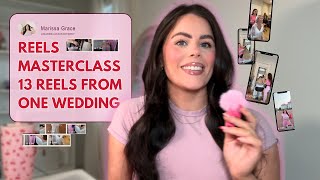
YouTube tutorial by Marissa Brennan explaining an Instagram Reels strategy for bridal hairstylists and makeup artists: how to film one wedding/trial and repurpose footage into 13 reels, build a reels funnel (awareness → signature/consideration → talk-to-camera/decision), set content pillars and schedule, filming shot lists, editing best practices (trim to action steps, 2-second rule, text/visual hooks), and a signature-series approach to scale followers and inquiries. The video also promotes a paid 30-day Reels challenge and Bridal Partner Social program.
Hate to break it to you, but you're over complicating your reels content. That's why you have 24,000 photos of that bride from Saturday's wedding. But you haven't posted this week yet. Hey. Hi. Hello. I'm Marissa grace. I've hit 45 million reels views in 48 months posting consistently. And this is just what's worked for me. Let's break down how you're getting 13 reels from filming at one wedding. In today's video, I'm going to be chatting 13 ways that you can get 13 pieces of content just by filming one wedding. The reels funnel that helps me generate over 1100 inquiries in 12 months. How I was able to hit 45 million reels views going from 30k, 86,000 followers. I asked my community how I can help them create better reels and that same thing kept popping up again and again, which is they were having issues not filming the content but getting content ideas. So if that is you, if you are somebody who maybe you have a camera roll full of footage from weddings but you have no idea what to do with it, it's just sitting there staring at you and then you doom scroll and you still don't come up with content ideas and it's stop you from posting. This video is for you. If you're also somebody who's having issues of how do I edit, what do I edit? I'm going to edit a reel with you later on in this video. They tuned just four years ago. I had 5,000 followers. I had no idea what to post. I was only averaging around 200 bridal inquiries every single year. And then within 12 months, I generated over 900 wedding inquiries just by using Instagram. So this is just what's worked for me that's helped me generate 45 million reels views. This isn't a turn on one setting and your reels are going to go viral. Kind of. I want to hand you a roadmap so you can have a reels strategy. Now the first thing that I had to master before I decided to go all in on content creation and really take my Instagram from that 5,000 followers all the way up to 86,000 followers was to master my mindset. Your mindset is running 90% of the show, specifically when it comes to Instagram. So if your current mindset is like, oh, I film myself, I never have any ideas. So you're scrolling for inspiration to copy what somebody else is doing because it's already working for them and Maybe you want to throw a little spin on it. Or you're like, I've been posting for months and I still have zero views. This only got a thousand views. I'm going to delete it. I need to archive that. I can't have it on my page. We need to break these beliefs because these aren't true. And this is what's keeping you stuck in the current reality of never having content ideas, not showing up how you want to, and not truly stepping into that content creator that I know you can be. So instead, what I want you to think is film in long form, repurpose it into short form, and again, I'm going to show you that in a second. And also when it comes to content, if you're having issues with, like, how to create content, maybe you're filming everything. Content is what you're already doing, right? And I'll show you easy ways that you can repurpose and make it so simple. Because we're not overthinking what to post anymore. Okay, if you're thinking, I've been posting for months and I'm still getting zero views, I'm not getting results. That's a part of the game, which nobody talks about. So I want you thinking in terms of consistency over virality. You want to be the one taking action that's getting the reps in. You don't want to be the one who's waiting for that perfect post, who's waiting for it to pop up, who's only looking at the views. Instead, I want you to look at it as you're getting your reps in. Think about it. When you first started your hair scale or you started your makeup skill, were you a seasoned pro at high buns when you very first started? Probably not. Are you able to nail blending out contour the first time you did makeup put? Probably not. But I know for a fact if you weren't practicing, if you weren't doing clients, if you weren't physically taking the action steps to get better at blending out your contour, to get better at doing glam ways, at doing high buns, you want to be where you are today. So it's about taking that action. Because action breeds confidence, and that's going to build your momentum. And you want to start building your momentum when it comes to posting on Instagram. So seasoned creators and influencers focus on the data over emotions. So if you're only looking at the views, you really want to be focusing on that data and say, okay, let me take my ego out of this and let me really analyze why this piece of content didn't actually take off. And that's something that really helped me go from 30,000 followers to 86,000 followers. Because for about a year, I wasn't growing my Instagram. I was posting every single day. I was posting reels, I was posting carousels, I was posting all my stories. I was seeing stuck for about a year at the same followers and I wasn't growing. So if your goal is to grow, you want to make sure you're looking at your content and you're asking yourself, okay, why this piece of content take off? But why did this one? How can I replicate everything that I'm doing in the reels that are taking off and getting the views which is going to have have you analyze and look at yourself. So for the videos that weren't taking off, I had to say, okay, people want to see me talk in the beginning of my videos. They just want me to get straight into it. Reviewing your analytics is super important so you know what's working and what's not. You, what to start doing and what to stop doing. Now, when it comes to posting on social media, you have to understand that the goal really isn't views. Yes, views are amazing. They're nice, they make you feel cool. But the real meaning of why we want views is because we want brides viewing our content. We want new brides consistently coming in, learning about you. You're so that way they can inquire because news flash views don't pay the bills. Booked brides do. And the one piece of content that's going to constantly bring you in new brides and get you the most amount of awareness is going to be reels. So here's the reels funnel that brought me in. 1100 inquiries in 12 months. Now disclaimer. Within those 12 months, I was also posting on stories and I was also posting carousels. But I was, I was posting specific reels that go with the customer buying journey. What we're doing is we are building know like and trust factor so we can speed up the buying process. So that way you get even more inquiries. So when it comes to reels, the types of reels that I was posting was you're going to have your awareness content. So this is going to be trends B roll content. This is the type of content that's most likely to get you the most amount of views. It gets more brides to know that you exist. Next, we have a signature series content. So this is repeatable. It's more in depth content. It's content that gets her binging more of your content. It's consideration. So this is going to build more of that trust factor for her to get to know you, for her to get to see what it's like behind the scenes to have you on her wedding day. Then we have talk to camera, which is more decision content. So, okay, she knew you are. She knows that you exist. Now she's in the consideration phase, which is like, okay, I need to hire a wedding hairstylist or makeup artist. Now I'm considering all my different options. Now she needs to make a decision. So when she goes to make the decision, I want you being top of mind. So how you're going to do that is directly promoting your services, which is going to help to remove objections from her mind. That's stopping her from hiring you Specifically specific. So this type of content is directly promoting your services. And one of the best ways I found to do that is usually like talk Tamra. Now, my girl, when it comes to content ideas, if you are somebody that's struggling with content ideas and you're just constantly scrolling the feed to think about what other people are doing, that is a code that you don't have content pillars. Because when you have content pillars, that's the structure that's going to tell you what to talk about, what to film, what to talk about in your captions, how to naturally sell your services without selling and attract the brides who are ready to book with you. Those mega influencers that you love, they have content pillars that they stick with. So it makes posting repeatable and easy. And they're constantly talking about the same topics. So for us, in order for you to not only be talking about your services, but giving awareness to the services that are your signature and removing objections, I created these three pillars that you want to stick to. It's going to be your service pillar. So this is going to promote your services. What service do you want to promote the most? For example, bridal makeup for intimate bridal parties of four or less. That's the service that you want to be promoting. So you want to make sure that you're talking about that in your content. Next is going to be awareness. This is going to be removing objections from your bride's mind, getting her aware of all of the things that she needs to know before hiring you. So that way it makes the decision so easy when she lands in your inbox and she's ready to hire you. So, for example, 90% of down hairstyles Require extensions. She probably doesn't know that, but you do. And you're the expert in the space. This is going to help you stand out as the authority, right? Then the next content pillar is going to be your signature. This is going to help you stand out. So when she lands on your page and she's like, okay, what am I getting here? She's going to know exactly what you do, what you offer the transformation that she's going to be getting, which makes it super seamless and easy for her to know, okay, I hire her versus everybody else that I've been looking at because she offers the transformation that I'm looking for. Your bride is landing on your page and she's saying to herself, I want a clean low bun, I want natural makeup, I want to look like myself. I. You need to have it so clear and dialed in that, that what she's offering or you also need it to be so clear dialed in. So then she's like, okay, this isn't what I'm looking for, right? And you're not attracting in the wrong brides, right? So what is the signature look that you want to be known for? Right? And for example, maybe you're a makeup artist, you want to be known for pink blushy looks, right? So all of the photos that you're posting in your portfolio, things that you're talking about is going to relate back to pink blushy looks, right? Maybe for a hairstylist, you want to be known for textured half ups, okay? So your content is going to be coming back these three pillars and then what you're going to do is you can plug it in to the content types. And here's how I teach it inside Bridal Partner Social. So the content types that you're going to plug these in to create repeatable pieces of content that you can talk about again and again and again is going to be talking about common questions, personal stories, client stories, myths of mistakes, and step by step tips. So then you're plugging this in and you never run out of what to talk about. And it's designed to constantly be going back to the services that you offer that makes you stand out in the industry, removing objections, making it easy for her to hire you. Another thing that I see my students really overthink when it comes to posting content, specifically reels, is you're overwhelmed with so many different types of reels that you can post, right? Because you're scrolling on the feed and when you're scrolling on the feed, you're seeing all these different kind of content that other people are posting versus sticking with just two to three types of reels that you're posting. Right. So you think that, okay, I need to make this one different than the last one. No, a way that's actually going to make you stand out that season content creators are doing is they have the same editing format and they post the same style of reels. Right. So when I look at reels, I think of them in like three types. So three different styles of reels you can do is going to be your B roll. This is going to be shareable pieces of content. This is going to get pushed out to non followers. So what this is is just, just literally a 7 to 10 second clip of you doing an action. What those actions can be like you working with your client, you setting up your station, you walking into a venue, you applying lip gloss. Right. It's not that serious. Okay. This is going to be long form. So this is going to be binge bowl. This is again that consideration piece of content. Building that trust with you. You want her spending more time with you on long form pieces of content. So this is going to be like styling your bride, applying makeup, makeup to logs, different things like that. And then a talk to camera. This is, is great for expressifiers. If you know, you know and it's good for your followers. Right. So this can be something like green screen giving tips for your brides and different things like that. And again, in a few minutes I'm going to cover how you can film at one wedding and create 13 different reels. Okay. After you have your content ideas, the next thing that's going to help you start building that momentum, taking actions, getting your reps in so you can start posting your content. Getting it out of your camera roll is having a content schedule. If you don't have a content schedule. What's that saying? If you fail to plan, you plan to fail? I fear that's right. My goal for you is I want you to be showing up consistently. So how you're going to do that is by having a content schedule. So let's make it so easy. Step number one, find your post frequency. So how often do you want to post per week, whatever that is, that's your benchmark, that's what you're doing. That's the bare minimum. Okay, let's say it's four times a week. Okay. So the specific days that you want to post every single week, I want you building the habit of showing up on those four days every single week. No excuses. Okay. And then I want you posting at the same time every day because this is going to make it easier for you to stick to the habit. So let's just say, for example, it's 2:00pm now, what you can do is utilize a content schedule inside of your Google Calendar. So let me show you how easy that can be. Okay? So in your Google Calendar, what you can do is actually create a content schedule so you can stick to it and you can set yourself reminders so it'll send to your phone and remind you, okay, you need post. So this is typically what I do. I'll come in and what I'm going to do is I'm going to batch out my content. And the first thing you want to do is your content ideas. Okay. This is just what you want to talk about. Literally pull up your notes app and just start typing out what you want to talk about based on your content pillar. Then what you're going to do is schedule out about an hour to an hour and a half, however long it takes for you to edit a couple reels together. Then you'll go ahead and add the captions again. This is is going to go back to the content ideas and you're going to schedule it, put it in your drafts, and then you're going to do this. You're going to come in and you're going to create a notification for the exact time of day and for the days that you want to be posting. And what you're going to do is you're going to come in here and add a notification. You could do it five minutes before, you can do it 10 minutes before. This is going to send a notification to your phone. So that way when you get it, you're like, okay, I'm going to open up my drafts. I'm going to go and I'm going to post that video piece of content. And it can be that simple. And something that I do too is I actually do this in my calendar for stories. So I know that I want to be posting stories every single day, and you should be too. So what I do is I will specifically set a time of day in my Google Calendar to post stories and it'll send me a notification, which just makes it easier for me to stick with my habits of showing up. So when you have your content schedule and you have it in your Google Calendar, that's going to make it so much easier for you to batch your content. And this again is what's seasoned pros are doing. They're now pulling up their phone in that same day, thinking about the content idea, putting together and editing the reel, thinking about what the hook should be. So that way it's perfect. Putting the caption together with your hashtags, your SEO, they're not doing that all in one day because that is a recipe for stress. So instead what I want you to do is start batching your content. You can either do this, batch it out for the next two weeks, you can batch it out for the next four weeks. Again with our example, if you're posting four times a week, if you're batching it out for two weeks, you're going to want to be using your content batching day to create eight posts. So that's going to be your goal. So like in the example, if you're doing that on a Sunday where you have a couple hours, what you're going to want to be doing is the goal is to edit eight reels together. You're batching out for four weeks, that's going to be 12 posts. And then you have your post done for the entire month. This is what makes content creation easy, breezy, lemon squeezy. For you to show up, schedule it out in your calendar with a time blocking, with reminders. Because something that I have found, if I just tell myself I'm going to do it versus actually blocking it out in my calendar, I'm like 5 more likely to actually do something when it's time blocked in my calendar. So what you're doing is you're planning, you're editing, then you caption it, schedule it inside your dress and then you hit post content ideas. You're scheduling it now you're maybe like, okay, Marissa, do you have a lot of things in my camera roll? But how can I film better, right? Let me give you a shot list. So how you can create 13 reels from just filming at one wedding, filming weddings or trials is going to get you the most amount of content to post. This is where we're working smarter, not harder. Again, content creators that you love that are posting multiple times a day, that are posting every single day, they're following this format. They're taking a long form content day and then they're breaking it up into multiple pieces of short form and long form content that they can post from one day. So here's how I did this with one bride on the wedding day, I'm filming everything. So that way I'm able to get four pieces of long form content and that way I can get eight pieces of up to short form content. So for the long form content, what I'm filming is the consult with her. Then I break it up into the styling, which I can break it up into two parts. So what I like to do is for part one is typically like the prep, and then I'll end it on a cliffhanger where I'm showing style is going to be and saying follow for part two. So that way they see the second one when that one comes up. And you can also do it as a vlog. So if you're filming everything with this in mind, you're getting so much pieces of content, but not only that, you can then break it up into these eight pieces of B roll content. So the eight pieces of B roll content, maybe her reaction of when you're styling, so showing her from the front, maybe you're handing her the mirror. It can be literally just you setting up your station. So literally just like me opening up my bag, that can be a piece of B roll content. Putting down my bag, setting up my irons, one action B roll content. So that can look like one action step, such as you brushing her hair. Then you can take these clips and you can actually use other clips and you can set it up to be a real where you multiple clips from different weddings and putting that all together in one reel. A B roll can be just her look at the end. Another B roll can be something from their trial, like trial versus wedding day. You putting on her veil, you touching her up with her dress. Again, another one action that you're doing. So what this does is this eliminates the, oh, my God, I have no content. Oh, my God, I need to film content. Because if you're doing this strategically at one wedding and you're filming everything with all of this in mind, it's going to be so, so easy for you to show up and make content repeatable and easy. I'll tell you, when I learned this hack and I started doing this content was so easy, it felt simple because I wasn't thinking like, oh, what do I need to film? What am I posting? I was focused on myself and what I was posting, and I was no longer scrolling for inspiration because I already have my content plan given to me from filming in that one day. So here's some ideas of what you can do. I have faceless moments of the day and you working clips. So these are different clips that you can take. So screenshot this, add it to your notes app so that way you can bring it out when you're filming on a content day and then, you know, shots that I want to get. So you want to make sure you're getting the finishing touch ups that you're doing at the end when the style is complete. When our makeup is complete, you do the inspiration versus the style. So whatever the inspiration photo she's showing you versus the style you did before and after, obviously you want to be showing that transformation. Bridal party looks, trial versus wedding day, moments of the day, you working and then this is how you can break it up again. Make content creators so easy. And if you're somebody who wants 30 days of content done for you with a real prompt, exactly the type of reel, when to film it, how long to film it with your content pillars all done. And you want the planner to make content even more easier for you to show up. Trending audio is picked for you, a shot list, a tracker so you can track your analytics. You're going to want to be inside the Bridal Printer Reels challenge. We start June 1st. We have almost 300 bridal hairstylists and bridal makeup artists signed up. It's 49 you can join for the month. Get access to everything inside of bridal printer socials and VIP access to the Reels challenge guide. So that way you can start batching out your content and you can be prepped and ready for when we start on June 1st. The link is in the description box. I hope to see you in the channel. Now, when it comes to filming, some mistakes that I see is you don't have good enough lighting. So if you're a makeup artist, lighting is key key, key key. Make sure that you're filming with with two panel lights on either side of your client so that way she has no shadowing. If you can actually tell I have one panel light on my face right now, but I don't have it on this side. So if I had a panel light on this side, there would be no shadows around my face. So for makeup in particular, you always want to make sure you're bringing two panel lights and you don't want to be filming the entire day in one take because what this is going to do is be a nightmare for editing. I've done this before. I filmed an entire hour long open appointment with my bride. And what ended up happening was when I put it inside my cap cut to edit the video, I was like, oh, I actually don't want to do that because it was overwhelming. You have to play back all the footage. So instead what you want to do is film an action step. So What I do is I like to film in short clips that are usually around like anywhere from 30 to about four to five minutes. I usually don't like to film anything over that. So what I'm doing is I'm filming inside of that action. So let's just say I'm crimping her hair. So I'm going to film the entire me crimping her hair. But what I'm also going to be doing is making sure that I'm moving around my tripod for different angles, not only for the specific videos, but that way I have different variations that I can use it inside of different short form pieces of content. So for example, where I'm going to move it around is just two different places. So I always have my tripod starting out in the back of my client where I'm standing on the side. So that way it makes filming easier and it's not just filming my back. Then what I do is usually about halfway through, through doing that one action. As you can see, I'm still crimping her hair right here. So what I'll do is halfway through I'll move my tripod to the side of my client and I still stay on the side. So this is going to give a different visual. You can do this for your makeup clients as well. So have it straight on in front of her and then you're just going to move your camera to the side so you get that side profile of her face. Another thing you're going to want to do is be filming in wide angles, close ups, and then zoomed in. So a wide angle is going to be something where the background is in the frame, a zoom zoomed in close up angle is going to be something more like this where it's a little bit more close up and you're getting the details of what's in the shot. So that would mean just physically tripod closer to your client. And you can always do this in post editing by zooming in. Okay, you got the ideas? Now let's talk editing 101. Let's get you a reel that actually gets you views. So first, what I want to talk about is editing mistakes. Your text hook, your visual hook, show, don't tell, keep it short and you want to make sure you're playing it back. Okay. So when we're chaining mistakes, if it is too slow, you want to keep your clips short and sweet. You really don't want your clips to be any longer than two seconds. So every two seconds you want to make sure you're changing the frame, sometimes even shorter than that. You don't want to have photos in your reel. A reel is meant to be videos. If it's an outdated editing style like you're adding different that are just too much and you're like overly editing, you want to keep it simple and you want to make sure you're optimizing for the those first three seconds because this is what's going to keep your viewer watching the entire video. And retention time is super important for reels. So that way you get more views and more engagement. And one thing that's going to help with that is your text hook. You want to make sure that you keep it on the screen long enough for your viewer to read it. I can't tell you how many times I look at my students reels and you have multiple texts throughout the entire video. But what ends up happening is that first block of text is super long and super text heavy and there's not enough time for me to actually read the entire thing. Before you go to the next clip where it has even more text in those first three seconds you want a visual hook. So what you want to be doing is adding movement. Don't start your video standing still. Instead start it with you walking in the frame with you taking an action with your client. Show me what you're talking about. Keep it short again. Going back to that two second rule. Every two seconds you want to switch the frame. And something I know that a lot of people don't do is play back your video more times than you think. When you're playing it back, ask yourself, can I read the text? Did I get distracted? Did your attention step? All of these things are going to help you to speed it up. Cut out even more things to make it more engaging, which is going to lead to more views for you. So if we're looking at this in steps, it's going to be step number one which is cutting out all the fluff. So you're cutting out all of the dead space anywhere that's not real action steps anywhere that doesn't have movement in it. So you're going to trim at those action steps. Steps I'll show you in a second. Step three, edit. For the first three seconds, capture that attention. Step four, add visuals so you can add overlays, text, etc. Step five, add the captions and attack. My favorite video editor is Cap Cut, which is where I'm at right now. I am testing out the Reels Edits app which I do like, but I just can't use it on my desktop. So here we are over in Cap Cut over on the desktop app. So here is a 16 minute long video. I want to show you where to cut at the actual action steps. So when I play this video, you can see the clip is super long before I even do an action. So an action is going to be like when I release the curl. Right. So let's just wait for it right there. I would cut right there. So what you can do is you can either just drag this or you can just do the split feature, which is going to be this tool right here. So you're splitting at the action steps. Okay, so let's go back. There's the action step and then I'm going to cut it again. So then I'm going to split it again and I'm going to wait for the next action step. And the next action step I'm looking for is me brushing out the curls. So you can see this is a really long clip. You don't want to have this in your video because it's not engaging. So probably right here where the brush touches her hair. And this would be the same for a makeup client. Anytime your brush is touching her face, applying the product, that's when you're going to want to be splitting your clips. So again, I'll just do the split and then I'm just going to delete that clip. So when we watch it back, it's way more engaging. This is honestly even too slow for me. Like this clip right here, I'm going to cut it right there. So I'm going to bring that back and make it shorter. And that's what I will be doing throughout the entire video. What I'm looking for is those action steps. So you're cutting out that action step. You're cutting out all the fluff. So your viewer is engaged with all of the movements inside of the video. Now here's a B roll clip so you guys can get an idea. But let me show you some ways that I would spice this up to get even more views and make it more engaging. It's a really good clip on its own. But as you can tell from like here in the beginning, this is a lot fluff. There's no, no real action on here. So this isn't really going to keep your viewers attention here. If I was to post this, I wouldn't assume that it would get views because the first three seconds are kind of boring. This is also an 18 second clip. I would probably trim this down to be about 10 seconds. So what I'm gonna do is right here, I'm gonna cut it again because it's still a little slow. So I want it to be when she sees herself in the mirror, which is gonna be where she gives, maybe even like right here where I hand it to her. I like me walking in the frame, but that's still a little bit too slow. So I'm gonna bring it back to trim it. And then right here. This is a really great video because you could see the reaction in her face, which a lot of brides are going to relate to. So what I want to do is I actually want to zoom in on her reaction. So there's her reaction. So what I'm going to do is once I play it back and I find the entire clip with her reaction, I'm going to select this clip and I'm just going to zoom in on her reaction on the desktop. What I'm doing is I'm just dragging a corner to zoom in on how big I want it. And if you watch it back, it's going to make it a lot more engaging. So when you watch it back, it's constantly moving the frame. And even with those slow little zoom, it's going to make it a lot more engaging. So then to zoom out this clip, you'll just drag it down and you're just going to find these little dots on the edges of your clip. And you want it to be with inside the black. So I'm just going to drag it back up. So we zoomed in and then we zoom back out. And I think that's pretty cute. But what I'm going to do is I'm going to cut it up again because the clip is kind of long. But I do like how she's so animated. So what I'm going to do is get cut it where she does her facial expression, cut out this dead space. So it's going from here to here. You see my reaction, which is kind of funny. So it's going to be relatable, adding humor. This is going to evoke an emotional response inside of my viewer to keep them watching longer. So that's why I want to keep these things inside the video, making it more engaging. At the end of this clip, she says, like, I'm so obsessed, I want to add that in. And what I would probably do with with this one is leave it as original audio, because with the original audio, you can hear her reaction. And it's a really good one. So I want my Other brides to relate to. That I'm gonna do is back right here. I'm gonna cut it again and then I'm gonna cut it again where she says, I'm so obsessed. And then I like how I'm walking out of the frame, so I'm gonna cut it there as well. So I was able to take that 18 second clip and I was able to cut it up to make it more, more engaging. Adding the zooms, cutting out any of that dead space. And now it was just an 8 second clips. And this is what your B roll is, guys. This is how you want to edit it to make it more engaging. You're changing up the frames. And this was a really easy one to film because I just had it in the one position. I didn't even move it over. So this was in my 16 minute clip. I know it was longer against my own rules, but here's how you can do it to make it even easier, you can do this also inside of the edits app on Instagram. I just did this in capcut. Okay? Now if you are somebody who's like, okay, I actually building my following, I want to be adding more brides to my following. I want to start getting more views. Maybe that's a goal of yours, right? Let's talk about signature series. This is how I was able to get 45 million reels views. Going from staying stuck in stagnant at 30,000 followers all the way to 86,000 followers. So during my journey with Instagram, I was posting consistently every single day for about two years straight. And in 2022, I kind of got stuck in stagnant, 30,000 followers. And I was hanging out around there for like a year. And I'm like, what am I doing wrong? I'm posting every single day. I'm posting reels, I'm engaging, but I'm not growing my following. And my views were staying stuck around like 10 to 20,000. I was really going viral anymore. And instead of hating on the Instagram platform, what I decided to do was switch up my content strategy. So I took about a month and looked at all of the kind of content that was performing across all platforms, what the trends were for that year and beyond. And what was trending was vlog series, original audio. And I changed my entire content strategy. And that's when content became so simple and easy. And it was more authentic for me because I was able to to create my own signature series that nobody else was doing. And after months of trial and error, figuring out what to edit what I wanted it to be. I started seeing thousands of followers every single month, getting hundreds of thousands, millions of views on all of my signature series. So some mistakes when it comes to a signature series is I find a lot of people will just go to doing a vlog, right? And you make that your signature series. But what ends up happening is it's not bridal focus, it's industry focused, right? And views don't pay the bills. Booked brides do. So you want to keep it bridal focus. And some best practices for a signature series is you want it to be the long form pieces of content. You want it to be that consideration piece which is going to build more trust with you. So things like tutorials, you styling, you doing makeup, something with a voiceover where you're talking to camera in a vlog, things that are showing the behind the scenes what it's like when you are at her wedding day. Here's some signature series ideas that you can do that I think would be really different to help you stand out from what everybody else is doing. And all of your favorite content creators, specifically in our industry, have it nailed. A signature series idea because it's repeatable. Again, like I was saying, with filming one wedding, this is how I was able to create my signature series and make it repeatable for every single week. So a series idea can be Chair Chat Chronicles with my bride who and make this like constant consultation style. So for a hairstylist, church had chronicles with my bride who has breakage in her bang and wants a face frame. So what this is doing is it's relating to your viewer who is watching it. She might be like, oh my God, I have breakage in my bang, but I want to face frame. How's that going to look on me? You're building trust, showing you're the expert, you're the authority, you know what you're talking about and you're showcasing the transformation, right? For a makeup artist, it can be like Chair Chronicles with my bride who said do whatever you want, make it unique to to you, right? So the repeatable piece is going to be Chair Chat Chronicles with my and then you can change it every single time. You're doing a new consultation with a new bride, right? For a vlog style, you could do something like Diaries of X in X who X. So it can look something like diaries of a bridal hairstylist in Philadelphia who loves waves. Diaries of a makeup artist in New Orleans who loves blush. So what is this doing? This is calling out your ideal bride. Talking about your signature look. And we're adding in some SEO, which is going to be your city that you are serving brides. So what does this do? When you have something like this as the text on the screen and you're actually saying it in the reel and then maybe you have it in a caption. This is making your piece of content so optimized for SEO, making it so search friendly for the brides who are looking for you. So your content is going to show up when she is searching for bridal hairstylists in Philadelphia, makeup artists in New Orleans. Start adding in that SEO. Right. For a reaction style series of like your bride's reaction when you're handing the mirror or like they're seeing their look for the fine. This could be a really sweet thing you could do like X approved. Which could be something like glam wave obsessed bride approved. I think those would be so, so killer. So you can repeat every time you're filming a wedding. Make sure you're getting the reaction when you're handing her the mirror. And then you can change this for. Let's just say it's a clean low bun obsessed bride or lash obsessed bride approved. Okay. Now you might be saying, yeah, Marissa, but what really hangs me is the words that go on the screen. I can get B roll, I can film it, but what do I actually put as the text on the screen to make people stop and scroll? Let's not overthink this. Let's keep it super simple. But again, as somebody who's reviewed all of the data from my reels that I've hit 45 million views, here's the differences that I found from 100 view posts versus a million disclaimer. You using any of these is not a guarantee that you're going to go viral. This is just what's worked for me. You can test it out and try it. So hooks that are going to get you 100 views versus a million views. A hook that's 100 views is going to be something that's super broad. That's like three ways to wear glam waves. Okay, cool. But use is going to be something that looks a right. So it's going to be like my jaw hit the floor when my bride said can we do glam waves instead of the bun going to be like, oh, I want to watch that. What happened? Right. 100 views is going to look like tips for your wedding morning versus a million views is going to be if your hair doesn't hold a curl. This is for you. That is calling her out. That is, as she's viewing it, she's like, oh, that's me. She relates to it, which is what you want to do to stop the scroll to get her watching. Right? 100 views to spend the day with me. That's eye centric, right? That's a little bit of a selfish piece of content. You want to make it about them. What's in it for me? What's in it for me to say something like, the day I curled my bride's hair the wrong way, that's going to keep me watching because I want to see what happened. Right? So when we're looking at 100 views versus a million, 100 views is very broad. No visual hook, zero personality. Right? You're copying and pasting what other people are doing. You're trying to be perfect. You don't want to show up truly authentically as yourself because it can be a little bit scary. Right? Showing up curated as somebody else. And you didn't optimize for those first three seconds. Right? Versus a million is. Is concise and specific. It relates to me, the viewer, not you. Right? And it has a visual hook. With movement, your personality is shining. It sparks that emotion old. You're not afraid to be you. You're not afraid to be spicy. Who are you in real life? Show up as that person. Who are you when your client's sitting in your chair, what conversations are you having? Right. That's how you should be showing up online. Don't be afraid to be that person. Person. For so long, I was afraid to be that person. And until I dropped that need to be perfect, afraid to show up online how I truly was and actually showed up with how I am. When my clients are in person, that's when you really attract those dream brides and you start seeing your using your following grow. And it's not just me who's able to get results using these methods. I need to tell you about my clients because I really want you to know that this stuff works and I don't want you watching another masterclass and not taking any action. So let's talk about my client, Kayla, who was actually able to get followers from reels. She started implementing these strategies for her real specifically and she's gotten several brides following her and inquiring straight from reels. Okay. Using everything that we talked about in this class, my clients was feeling so overwhelmed with reels, but then she was able to get clarity and she was able to start showing up. I simply watch watching the editing tutorials and having the social strategy posting with intention. My client Kate was actually able to use one of the reels hooks that I have inside bridal printer socials and within a couple weeks her reel hit 250,000 views. Today she's at almost a million views with that reel. It was a B roll style content with a simple reels hook over top. And the best part, all of her other pieces of content are getting even more views and she's getting more brides following her. My client Chantelle, who is a brand new Instagram account is always getting comments on our content. She's even getting other pros to ask her how she edits her content. What a compliment. My client Becca was able to get five inquiries in one single day. Can you imagine you post a piece of content and then you have five brides sitting in your inbox waiting to work with you. This one was specifically when she posted one of the stories templates because I designed them to get you booked and it's no guesswork, it's a template where you just plug in some work for your specific ideal bride and you can hit post. My client Danny who had a bride reach out to her from Instagram inquired and she booked that same day. Again you could be hitting posts using these content strategies, drawing in your dream brides, posting a piece of content, having a bride inquirer and book same day brides aren't slow to book. When you are intentional and clear with your content strategy, practicing in the right brides that are ready to work with you. And of course my client Paula who has her first fully booked month. I'm just so proud of her. She niched down. She dialed in her messaging which made it easier for her to show up and post content. That's the power of having a reels and content strategy that is designed to get you more bridal inquiries that are ready to work with you. Because again, views don't pay the bills booked rides do. And when you're ready to take it aside, step further. I'm inviting you to join our 30 days reels challenge. We start June 1st. Three levels, 30 days, zero guesswork like why aren't you inside already? Beginner intermediate, advanced done for you. Content ideas Visuals of exactly what kind of content to post for reels, 60 new reels hooks for bridal hairstylist and for bridal makeup artists training audios picked for you so you don't have to zoom scroll exactly what to film, exactly what to edit caption prompts. So no more not posting because you can't think of a caption done for you. We kick off June 1st, but you can get early access to all of the Reels Challenge content material starting on Monday, May 26th. So join now for $49. Start niching down your services and get ready to get more brides following you so you can start seeing more wedding inquiries simply by showing up and posting. Reels link is down below in the description and I better see you inside the Challenge. Bye.
More from Marissa



7 Lessons I Wish I Knew In My First Wedding Season (I’ve Now Grossed $728,000)