Save 20 Hours Per Week | Productivity Hacks (as a bridal beauty pro)
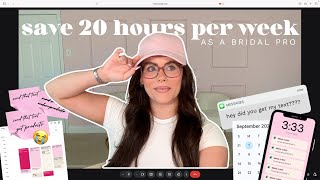
A step-by-step YouTube tutorial by Marissa Brennan aimed at bridal hairstylists and makeup artists, teaching nine practical productivity hacks that together can reclaim up to ~20 hours per week. The speaker explains how to reduce task-switching and mental load through structured inbox days and office hours, a distraction-free workspace, bulk-buying/auto-ship for kit supplies, automating appointment/trial scheduling (Google Workspace or CRM like Dubsado), batching and drafting social content, using saved replies/templates for common client questions, a brief end-of-work car routine for quick tasks, a weekly "CEO hour" to work on the business (analytics, hires, website, content planning), grocery delivery to cut errands, and time-blocking. The video includes concrete tool recommendations, simple workflows, and estimated per-tip time savings (ranges like 1–6 hours/week per tactic).
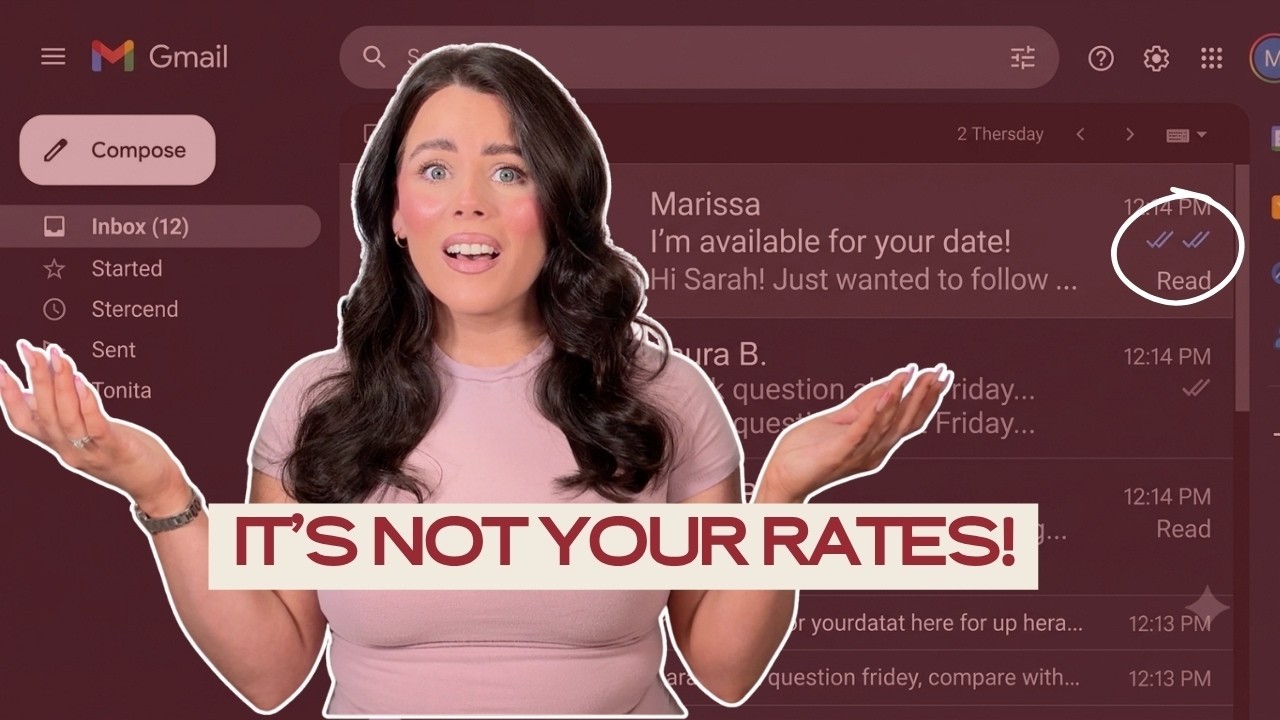
Be honest. You ever feel like you're working all day every day. Emails, text, content posting, trials, working weddings, but nothing ever actually gets done. Here's the thing, it's not that you don't have enough time, it's that task switching is actually stealing it from you and it's literally costing you hours every single week. Don't panic because today I'm going to show you nine productivity hacks that can save you up to 20 hours every single week. That's basically getting half of your work week back. Best imagine what you could do at that time. Finally have a guilt free day. Stick with me because by the end of this video, you're going to have step by step, plan to reclaim, reclaim your time, energy and business. After working for over a decade with hundreds of brides generating hundreds of thousands of dollars every single year, these were the things that actually helped me hit six figures. Systems, habits, saving time. Because your time and your energy is everything. So if you've been struggling with the mental load, I want to help you get more done as a bridal pro. These are all things that I have done myself. So it's nothing that I'm going to share with you that you're going to be like, this girl didn't do that herself. We're going to go through step by step and I have everything here. So first thing you want to do is set inbox days. I'm somebody who came from the corporate world, so I ran from a schedule and structure like the plague. So if that is you, I'm going to tell you right now, you will get more done by setting inbox hours and inbox days. Having some kind of structure keeps you accountable and it just helps you work better, saving your mental energy. So you're not constantly like, did I respond to that? Did I do this? Did I do that? No. No. So first thing you're going to want to do is set your inbox days. Give your brides an idea of when they're going to hear from you and remind them everywhere, let them know our brides want to hear from us a lot. So make sure you're putting it in an automated out of office email. Put it at the bottom of your Gmail, put it so that it's a little bottom template so it says your office hours so they know when they're going to hear from you. When you're out of office and you're working weddings, they forget. Even though we are wedding vendors, they forget. You can even post a story story that says, I'll get back to your I'm back in my inbox on X date. So for you, what do these days look like? We're working weddings. Friday, Saturdays, sometimes Sundays. You want a day off, right? Write out your days that you want off and write out your days that you want to be in your inbox responding to emails. For me it looks like Tuesday, Wednesday, Thursday. If I was to come back now, I would probably add Monday in there as well. And then set up the when you're working weekends, your out of office email and even put an out of office. You could do it as a sticky note on Instagram notes. You can put it on your stories just as a reminder. Hey, I'm going to get back to you girl, but I'm going to get back to you when I'm done marking weddings. Step number two is you want to set your office hours. What I love to do is I love to front load my day with the top three most important tasks. Because when you're doing this you're working with the natural flow of your energy. So if you're a morning person, this is going to work for you. If you're a night person, then do it then. But make it the first thing you do every single day. Whatever that number one priority is, make it your first thing so you're not pushing off. We'll do it later, right? No, save time doing this because if it's the top priority and responding to brides, your inquiries is the number one thing that's going to keep your business going because it's the sales piece, get it out of the way. So what I used to do was I would do two check ins. You could do AM and you can do pm. So better response times, less emails for your AM check in. Meaning if you respond to all your emails in the morning and then you wait until the next day, you're going to have a lot more that you're going to need to respond to, right? Because you're going to have the responses from the day before and you're going to have the new emails that you're getting from new brides inquiring with you. Instead. What you want to do is check in in the a.m. do all of your emails from inquiries, your booked brides respond to all those. Then finish off the rest of your day, work week or work whatever, come back and do an afternoon check in. So if any of those brides respond it, you're getting to you're not leaving it for tomorrow, right? Step number three for this when want to set your Inbox days and hours. You want to set a distraction free zone. So here's what I mean. When I first started, I love to take my laptop or my iPad. This laptop could go anywhere, right? But when you're taking this anywhere and you're making your entire house your office, what ends up happening is you start getting distracted when you're in your living room, when you're in your kitchen, those are already designated areas where you are relaxing, where you're watching TV on the couch. So you're naturally subconsciously going to start doing those activities when you're in those areas of your house, right? Which is why it's really important to set a home office. Because when you walk in there, you put on your CEO hat, you put on your work hat, and you're ready to go to work. Versus when I walk into my bedroom, I put on my relaxing rod on the bed, and I want to watch Netflix, right? And that'll end up happening if you're taking it all over. So if you feel like you're getting distracted in your house, you want to eliminate all the distractions so that way you can focus clearly on those tasks, right? So if you have a lot of distractions in your house, maybe you have kids or dogs. Me, I have dogs. So things you can do, option number one is work before anybody wakes up or when they go to bed. So if you're a morning person, wake up an hour earlier so no one's awake, right? Or if you're a night out, stay up an hour later. So again, everyone is asleep. So what does that do? That eliminates people coming in and talking to you. That eliminates maybe your kids bothering you. That eliminates. Eliminates your dogs coming up and wanting to play and things like that. So that way you can solely focus on your work and you can get it all done. And then you have the rest of your day to hang out and do those things. Option number two is head to a coffee shop. I actually, in the beginning phases of my business, I used to go to Whole Foods. If you have a Whole Foods near you, they're phenomenal because they have these huge cafeteria areas where you can work, plug in, nobody's distracting you, and you can just solely focus. You're out of the house. And when you're out of the house, sometimes you're more likely to get work done. Like you shocked how much work you could get done in an hour when nobody's distracting you, right? You're not your phone off, do not disturb, and you get the work done. Right. Put the headphones in, clock in, you'll get more done in 60 minutes than you ever have before. And when you set your inbox, days and hours, this can save you three to five hours a week because you're not checking Your emails and DMS every 20 minutes right throughout the day. You have a structured set time and you don't have those mental tabs open of did I respond? I need to do this, I need to answer that text. And you're not switching from task to task and you're just doing the two daily check ins. Right. So this is going to help you save so much time. Number two, bulk buy or auto ship your products. Believe me when I tell you if you're a bridal hairstylist or bridal makeup artist, restocking your kit takes so much time. I want you to remove the mental load of constantly restocking your kit every single week. I would be a Thursday, I'm done trials and I just ran out of my got to be and I got to run to CVS or I ran out of my texture powder. So I have to run a Cosmoprof. Literally it would drive me up a wall because you're just constantly like, okay, I got this. And it's like running from this. Again, you're task switching so you're, you're not as much time as you could. So the first thing that I love to do is bulk buying. So what you do is go through your receipts. Yes, go through your receipts and spreadsheet it all out, calculate how often you buy it, total it up. Okay, so let me show you what this looks like for me. This is actually one that I did for my personal household items. So this is all of my personal like foundation, mascara stuff that I buy and also like paper products. Household products. When I tell you this saved me so much time to knowing how long it takes me to run out of products, how much it is, how much I would be getting yearly and then I can either bulk buy it or I can do the auto ship. So personal products as well as your. So if you're going to do the auto ship, you could do it on Amazon, but especially for your personal as well. I highly recommend and you can do it on Sephora, Ulta Salon, Centric. Cosmoprof doesn't allow it. So what you would do is you write out the products, how long it takes you to run out of that product and do this for your kit household products and then figure out, okay, if this every six weeks, how many do I need in a year. How much does that cost? So how you can actually get this is you can go over to your bank and download the statements for the entire year and then you can up, like if, say, your business card, whatever account that's linked to, download all the statements or download all the statements from wherever you're buying your products from. Okay, Amazon, you do that, but you might not be able to. And then upload it in a chatgpt. Tell Jackie gbt, hey, how many times did I buy face wash? How many times did I buy this foundation? The products that you are stocking up and you're repeating it over and over and over. Instead of buying them weekly, monthly, I would bulk buy them for half of the year or set it on the auto ship. Because when you set it on the auto ship, then you don't have to take the time out of your day to go in your phone, order that product, wonder if it's going to get here or not. This helped me out when we were in a bobby pin shortage. So what I did was I figured out, okay, this is how many boxes of bobby pins I go through in a year. And I bought them all at the top of the year. So the entire rest of the season I did not have to buy bobby pins. And I would do this with hairsprays, I would do this with different products and stuff. And it saved me so much time. I also started doing the auto ship for Amazon and I do Sephora for myself. Bulk you can do for like your stuff at Costco. You can get some makeup stuff there, like cleaning, wipes or sanitary things and stuff like that. This is going to remove that weekly shopping. This is gonna. The stress of like, oh my God, I need that product. It's not in stock. It's not going to get here in time for that wedding. The lashes, whatever. Write everything out. Tell Chat GPT to go through your receipts and create a list for you. And Chat GPT can literally create the same thing. Can create a I just want myself, but it can create you a sheet that you can put into Google to do that. So then you can either bulk buy or put it on auto ship and see if the stores that use do that. Bulk buying and auto shipping is going to save you an hour to two each week because you're not constantly running to Target. Ulta runs the midweek. Oh my God, I need hairspray. I don't have it like. And when you're going in these stores, you're unintentionally getting tempted by things in the store that you didn't even need. So let's just say you are doing those weekly Target runs. How many times do you go in and you buy more than you want it to. So if you're in a spot right now where you want to save money and you don't want to be spending extra, auto ship and bulk buying is really going to save you there. Listen, if you are still manually reaching out to your clients to schedule your trials, we're going to that today. Okay. Because need you to automate scheduling your trials. I'm going to tell you a true story. One time I forgot that I had scheduled a trial with a client and I had just worked a wedding. I was so tired. I come home and put the kit down. I take my shoes off, I'm laying down on the couch, I'm flipping through Netflix. My we get a knock at the door. My ex goes and he answers the door. He opens it that visibly. When you open the door, you could see right into the couch in the living room. Opens it and I see my client's face staring at me laying on the couch and she's like, hey, I'm here for my trial. And I was like, she probably saw it all over my face. I was like, I'm sorry, what? Come again? I don't know what you're talking about. I forgot to put it on my calendar. Mm, yourself to remember all of these things takes up so much mental energy that we're not bringing into the rest of the year. Okay, I want you worrying about these things. I want you automating, sending it out. So taking away the brain space of okay, she's getting married at this time. I need to reach out to her at this time. I need to confirm it. I need to send her reminders. The back and forth scheduling, the figuring out what time works for her and not doing it. Okay, you can free up hours per week. Automating, scheduling it. So figuring out what day works for her, sending the confirmations and reminder emails. So I'm going to show you two different ways that you can do this. If you don't have a CRM, maybe you're in the beginning or stages. You can actually automate this with Google Workspace. So what it does is it creates like a almost like a scheduler inside of your Google Calendar, but it is going to be for the reminders and the true automation piece. It's going to be with the business Google Workspace. So maybe you have this so you can start using this so you would be able to share your booking page. So you would set days and times on your Google calendar that are available for appointments, how long the appointment is going to be. And like your accountability, you send this as an email to your client and they're going to get something that looks like this where they can pick the date and time. And then when you truly automate it, it'll, it'll put it on your client's calendar and your calendar and then you can send them confirmation emails and it'll autom sending reminder emails when you have the paid one. But what I love to do, I love my CRM Dubsado. So this is what Dubsados looks like. So you automate all of this. This is what it looks like for your clients. And so they get a calendar that has pre selected dates and times that they can come in and select and choose and then they come in and hit submit and next put in their information. Then they're going to get an automated confirmation email. But I actually like take it up a step and I put in a form for them where I want to know, okay, what do you want? What does your hair look like? So then before the trial I'm actually pre screening to make sure, okay, I'm exactly the style I'm doing. This is her hair type. What do I need to do to prepare? So it adds that next level. And in Dubsado it's so easy. You can like set up exactly what dates you want to show her. You can customize it, you can customize the emails you send to her. You can do the advanced so you can Prevent bookings within 15 minutes of each other. Prevent bookings within less than 72 hours. So somebody can't find your scheduler and schedule a same day appointment. You can allow a max appointments day, so maybe you only want to take one or maybe you want to take three. Then you can send reminders. You can actually set an invoice to it too so they can pay right then and there. I absolutely love using Dubsados. I'll leave a link for you if you want to get Dubsado. So you can get 20% off your first year. But automating scheduling trials, my girl, this, this. If you walk away with anything, please, this is the one. Okay, this is going to save you so much mental space and mental gymnastics. Easily 2 to 3 hours a week back and forth emails takes like 30 to 45 minutes per bride and it'll take you like a half just to get an appointment on the calendar. No, we're not doing that automation is going to fix that for you. Okay? The thing that you can save time during the week is batching your content. I know might be screaming at me like, yeah, I'm not batch content girl. But let me tell you, you might be pulling up your phone or you might be on your phone and you're scrolling. You're like, I shouldn't be posting. I don't have anything to pose. Wow, that girl's content looks so good. Okay, let me spend two hours scrolling. Let me kind of throw something to hope and pray that it works. And then you're caught off guard when it actually does not. Okay? This most important thing other than responding to your guides emails and your new leads is going to be posting content because that gets you visible. Okay? So that's going to get you inquiries. More brides knowing that you exist. This is very important for the lifeblood of your business. Okay? The more you post, more brides know you exist. More cash flow keeps your business alive. So one hour a week, we need to. Okay, I'm gonna pause right there. We're gonna put on the CEO hat and we need to make sure that we're stepping into the energy of. Okay, this is actually what keeps my business alive. And this is a big piece that I know a lot of you are missing for those of you that want to hit your six figure year because you're not showing up as much as you should. And the more times you post, the more visibility you have for more brides to know you exist. So we need to prioritize this like it's lifeload over a business. Okay? So you can take one hour a week, plan it, edit it, draft it. Okay? I'm in your phone. You've got 42,000 photos, videos, or brides that are just, you know, your talent and your camera roll. All right? No more. So you can do it super easy. So, okay, how many times you want to post this week? I would go with five. Okay. That would be my personal recommendation. Open up your camera, roll, edit five reels, save them in your Instagram drafts with the captions, and then they're ready to post. Okay, so let me show you. Okay, so on your Instagram, you're gonna go over to here into your drafts, and then all of your drafts can be here. So in each one of your drafts, you can actually keep the entire caption in there, hashtags, everything, and then you're gonna save it as a draft. So when you save it as a draft, they're all going to be here. So Then you have multiple posts lined up and ready to go. You can also do this with carousels. I don't have any of my carousels. Let me see. No, it's just the trial reels. But when you go into dress, if you have any carousels, so what you do for the carousel, literally create the entire carousel and put it all inside like caption and everything. Then when you actually go out to exit, it's going to give you an option that says save as a draft. And when you save it as the draft is going to save the caption and it's going to save your entire post as a whole. So then when you're ready to post, it's in there. It's almost like pre scheduled. All you have to do is hit post. Okay, this is going to save up so much brain space. Okay, so calendar, you can use plan only. You can use apps like Airtable Notion to create a content calendar of like what you want to post day to day and mapping it out that way plan one or two weeks at a time. Or you can plan a month at a time and post the same time every day. That's what's going to eliminate so much friction in your process by just making it a habit. Okay, this is the time I post. All right, done. Got it in my dress. Done. Versus you're scrambling, you're taking two hours to create it and you're just kind of rushing and throwing something up. You batch one hour a week and this is going to save you three to four hours every single time that you are trying to throw a post together. Okay, if you need post ideas, find me in bridal printer socials. I got you covered in there. Another thing when it comes to Instagram that I know is taking you way more time than it needs to is responding to DMS or responding to the same emails from brides. So having saved replies for common questions from brides will literally save you so much brain space. Okay. Writing out the same emails over and over wastes so much mental space time energy. Okay, so I would love for you to do step number one. Make a list of the most asked questions from brides. What are they asking before booking and what are they asking after booking. So that way you can have two categories. You have categories of what they're asking before they booked and then questions and that you can send to brides who are already booked with you. Right. They're typically going to be the same things. You can create canned emails in Gmail, which I'll show you in a second. And you can add saved replies into Instagram, which I'll also show you. So let's go to Gmail. Gmail. So when you're over in Gmail, what you would want to do is type out your email here like full like exactly. We would send to a bride responding questions. Or you could just leave like the in here. Then you're going to come down here, go to more options, go to templates. Here's all my templates. And let's do save draft as template. Come over here and do it would be saved draft as templates. That's how you do it in Gmail. Now when you're on Instagram, if rides are replying to your stories, they're sending like emoji. They're asking, asking you what's your rates, what's your availability. You want to be responding but let's save you some time there. So over in your Instagram dms, what you can do is hit this little three little dots, go to tools and we're going to go to saved replies. So you can come in here and create saved replies. So let's just say story likes. So this little create a little shortcut. Then you write the message in here, then you can create a label. But what this is actually going to do, see people are responding to my stories and you, you can send a reply for when somebody says, you know the fire emoji, right? So what this does is when you're pulling up the message and you're ready to respond, you type in these words whatever your shortcut is. So I would type in story likes and this message is going to auto populate, hit save and then you can save them all here. So then you're not manually responding every single time. Especially when it comes to brides who are saying what's your availability? What's your rates? And you want to get a response back to them. Let's just say no other things. This is the end of your day. Maybe your energy is lower. You want to have scripts that are ready. If you need DM scripts, grab the booked and profitable playbook. I linked it down below for you so that you have DM responsive scripts ready available that you can send for. When a bride saying what are your rates? Or if a bride ghost at you that you thought was interested in emails, you can follow up with her in the the DMs. I'll show you exactly how to do that. By having saved replies, this saves you an hour to two hours every single week because you're not typing out the same email, the same DM 15 different times that week. Right. So this is really going to save you a lot of time throughout the week, so that way you can get more time off. Okay. Work ends when you start your car. This is a principle that I adopted a few years ago when I started started really working with assistance and when I really wanted to make sure that I was getting visible. Visibility is likely one of the big things that I needed to get down in order to hit my six figure year. So I want to make sure I was showing up on Instagram consistently posting daily. I did a 30 day reels challenge and that's actually what got me to my first 10k followers. But would have to post on Saturdays, on Fridays, on Sundays during this Reels challenge. Right? But I was like, I was working, I would forget to post because I would get home and then I was so tired and I didn't feel like it. Right. So once you get home, you don't want to have to think about posting on your stories, posting on your feed that day, paying your team or assistance. You're ready for the day to be over. You're ready to like decompress. What I started doing was when I got to my car, pull out my phone, I would quickly edit photos to put on my stories and I would, would post the draft I had of a reel, right. And that way everything was all ready and I just hit post. So the second I got into my car, I would do these activities, pay out my assistance, anything like that. Then when I start my car, my day is over. Okay. So when you get to your car, your work day, we're going to continue it a little bit and do the quick tasks that you need to do. When you start the car, you're ready to roll, okay. So your days over and you can shut your brain off. Okay. When ending, when you start your car, this can save you about an hour a week because you're not scrambling. You know, they like, oh my God, I got to post, I got to do this, got to do that. And it just keeps you getting visible so that way you're attracting more brides. Use the transition time to pay assistance so you're not thinking constantly like, oh, to do this, did I do that right? This one has helped me a lot. So maybe that want to help you. You the one. This one. Okay, One one day week. This is my CEO hour. Okay. If you're working in your business and not on it, a year will go by before you realize any problems of what's not Working and it'll take five times longer for you to fix it and get in the right direction. So what do I mean by this? For years, for years, I will be posting consistently on Instagram and I'm like, okay, I'm just about to boxes, I'm posting, I'm consistent, you know, of the things. But I still wasn't getting views and engagement because I wasted 3 years posting without understanding what's working, what's not. Until I started tracking my analytics, right? So those are the things. Tracking my analytics is working on my business, not in it, right? Knowing I would need to hire another assistant or fire one. Wasting years saying she'll get better. Putting off this, those decisions, right? Putting off scheduling content days because I just never have time. Putting off updating your website, getting reviews from brides. All of those things that you put off are open tabs in your brain of things that you need to fix in order to start aligning with, let's just say, your six figure year. In order to align with a bigger goal. There's going to be distractions, going to be decisions that are unmade. And all those unmade decisions, you can bang them out one hour, one day a week, okay? And CEO hour, the CEO hour is making any of those unmade decisions that are hanging up in your brain, getting them done. So it's like a breath of fresh air. And it's working in your business or working on your business, not in it. Okay? So CEO day, one hour, one day a week. And the goals are going to be to check your revenue, right? How much did you make last week? Check your expenses, your budget, that credit card balance, right? Check your analytics for Instagram. What? How's your content performing? How many inquiries and bookings are you getting? Habit stack, add on batching content to this day to free up the rest of your week, right? Do that thing that you've been putting off. I know. You keep repeating something in your to do list every single week. I know it because I've been there and I've done that. Okay? So something, something's repeating every single week. You're setting aside time on that one hour, one day, week, your CEO day, to get it done and get it off the list, whether it's personal or whether it's business. Okay? And then save you two to four hours every single week by tackling the stuff that you've been putting off. It's eliminating that wasted mental space and those spirals that you have midweek when you're like, I still need to respond to that text, I have to have that conversation with her, right? It eliminates that. Okay. Prevent term Time sucks. Okay. Brings me to grocery delivery. When I think of a time suck, nothing sucks my time more and usually my wallet. Because unexpected is so grocery shopping the creating the list, figuring out what you want to eat, loading up the car, driving home, unloading the car. Listen, it's a lot lot. Okay. And I know if you're a female, this is likely your job in the household. Maybe it's your lovely partner or husband that's phenomenal for you. But typically this would waste so much time for me. Okay. Not what it waste time but when I'm shopping in the aisles of the grocery store, I would always get things that I didn't need that weren't on my list. So that meant spending more money, right? Carrying in heavy bags, which I hate it. Making the list of what I need it week after week, week. Then I started grocery delivery. I personally do Amazon Whole Foods. I'll do Doordash with like local grocery deliveries. You can also do Instacart, Amazon also Fresh Prime, Same Day and GrubHub within the app. But this actually saves me saves much time because I don't have to go to the grocery store and mental load. But I didn't do it for so long because I kind of felt like getting away or like like embarrassed that oh I go to the grocery store. But in reality you're saving time so you can spend more time on your business. If this is something that is a time suck for you, it doesn't matter what other people say or think. Okay. And also thought it would cost so much personally it doesn't for me when I look at it I'm like okay, 17 extra. Get two hours back of my time and that mental load is gone. Right? That's more of an ROI for me. So what it also does is Amazon on Whole Foods. It'll save my most purchased item. So it's an easy click. So I really don't even have to make a list anymore. Kind of auto saves everything and I usually usually buy this things week after week. So no driving, loading, unloading, wandering, the iOS click delivered. Okay. Save those two week and don't feel, you know, weird because doesn't do it maybe in your family. This is saving you time and it's building you that savings six figure business because you're gonna have more time to work on your business. Okay. And that brings us to time blocking your calendar and your day. My girl. This one. So okay, let me break down for you, the brain when you are switching between tasks. So multitasking, have you ever multitasked? And you're like wait a minute, I actually didn't get as much done as I thought I would because you're mentally switching from this task task to another task and back and forth. And this is actually the biggest productivity killer for our brains because you're bouncing back, back and forth, different tasks. Meaning you have to use, you know, different parts of brain to get that one task done. Then you're going here, then here, then circus. So this adds distraction and more distraction. You actually get less done. So time block out your calendar, adding it, adding something calendar like when you have on your calendar with a date and with a a time of exactly how long it'll take you to get this specific task done, not only does it eliminate the brain space of like I don't have to do it or like the I'll get tomorrow, it puts it on your calendar, sets a date, sets a time and it makes you accountable to do it. So I love this. Okay, so it reframes it to I don't have time to create the time. Okay, start of the day, want it to be your top three, three priority tasks. So top three priority tasks for running your business. Hitting your six figure goal would be responding to your SO inquiries, comments, dms, different things, all communication as well as getting visible, so posting content so more brides know you exist. Right. So you want to have the start of the day your top three priority because that's going to be your most energy. The lower end of the day is going to be lower energy tasks. So maybe for you that's posting on social media, maybe that's personal tasks. Right? But another thing you can also do is create CEO communication blocks. So instead of answering things in the moment when they come in, dedicate set times per day to handle them. So you're going to be handling emails from booked brides, emails from new brides inquiring with you as well as the social media aspect. Comments, DMS responding to brides there who may be having even inquired with you yet. Right. You want to compartmentalize this. So it's going to eliminate you switching from task to task. It's all going to be in a flow, almost like categories, right. So for one hour you can set aside the first hour to respond to your book brides. Then after you finish all of those emails, go to your new inquiries. So any bride who's not a booked bride yet, whether that's following up or sending out the email, right? Then after that, maybe those are your priorities. And DMs text comments to engage new brides and kind of nurture them to inquire with you. Do that on the lower end of your day because maybe that's a lower energy task for you. So now you're working with your brain in a way that's going to feel better and less overwhelming. So you can be in your inbox and you can categorize things for booked brides and new brides and you can use like the little flags, categorize the ones that you're responding to and respond to them all in a flow. Time blocking and doing this is literally gonna save you so much time, like four to six a week, because you're not task switching anymore, right? So you're gonna have more mental energy to get through your day. So that way you can actually finish things faster. Okay? So I hope this stuff is going to help you get more done as a bridal pro. And if you love this video, you're going to want to check out this video next because this video I'm going to break down everything I do inside of my CEO day. So that way you can break it up and get more done as a rattle pro. And I'll see you in the next one. Bye.
More from Marissa





7 Lessons I Wish I Knew In My First Wedding Season (I’ve Now Grossed $728,000)