Basic Tutorial on how to use Instagram for your Hospitality business
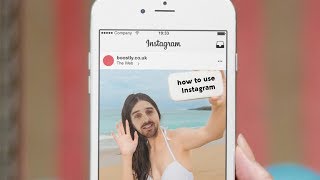
Mark Simpson shows hospitality businesses how to set up Instagram, write a bio with a clickable website link, post photos with hashtags, and use Stories with location tags. He explains why tagged guest photos are free content and warns against spreading yourself too thin across platforms.
Questions this video answers
90 characters
13 profile visits in the last seven days
Chapters
One of the most important things to learn about Instagram is that it doesn't have to detract you from spending your time on other social medias because you can have it all linked together. Alright? So the first thing you will notice, this is the homepage, this is the profile page that you're able to edit. So this is called a bio. Now you don't get many characters and to amend it, if you click on the little hamburgery buttons there, click on the settings, you've got a section edit profile. When you've got the profile in front of you, you set up your name, you've got your username and you've got your website and the bio, which is just here, you've got a maximum of 90 characters that you can put in. Keep it short, sharp and sweet. Make sure that you've got your most important bit of information on show when you are doing this section is that you get your website in clearly. Because there's only one part of Instagram that they make it clickable to your website and that's in the bio. So if anybody's ever done any sort of post on Instagram in the past, you will notice that when you try and do a link in a post or in a comment, it doesn't flash up because they don't make that clickable. Now, very quickly what you'll notice is in the top here it says 13 profile visits in the last seven days. So that is Instagram business page, just their insights telling you that information which you can get from there. So the insights on Instagram tells you how many people are being on your page, how many people have reached and discovered it. Next thing is if you scroll down, it's got your first feed and your wallet. Now Instagram is very much photo based app, so there's loads of different ways to set out what is called your feed. You've got people out there, content creators out there that will really spend a lot of time in making sure that this grid, as they call it, is as perfect and as laid out as possible. This is the settings page to where it says business settings. Now when you first create your Instagram account, what you will notice is it will either be set up as a personal or it will be set up as a business. Now there are pros and cons to both having a personal or having a business. Obviously with a business Instagram account you get more added benefits when it comes to advertising, when it comes to getting insights and stats, but the cons of that, and I've got This for my, my Bruce Lee is a personal account. For example, when I post on stories. So when I post on my Instagram stories, what I do is it links straight through to my first book Facebook story, personal story that is in there. That's my personal story right there. That's my personal Instagram account. And that feeds straight through onto my personal page. Now when you link up as a business, what it does is that if you use Instagram for business, it doesn't update your personal, it updates your business page. So again, pros and cons to it, the pro is that you can update your business account. So I could post now on Instagram and it will automatically feed through to our Facebook business page. There's an option here that says Linked accounts. So in here is where you can connect your Instagram account to Facebook or to Twitter. Along the bottom here, you've got the home button, you've got the search button, you've got the love heart button, which is notifications, and you've got the plus button. So when you click the plus button, what you have the ability to do is you've got the ability to add pictures. So when you come through to actually posting, all you would do is you would flick the switch over from off to on to go onto Facebook and it would automatically do it when you post on Instagram. Like I say, it's very much a photo sharing app and you can add lovely filters. You can do all of the things when you're ready. You will then write in your caption when you are ready to do your post. What you'll want to do is you'll want to be adding some hashtags. And again, the hashtags that you want to use need to be focused around your unique selling point, your business brand, and around what the image is talking about. The reason why it's so good to go into direct messages on Instagram compared to Facebook or Twitter or everywhere else, is that Instagram is still relatively new when it comes to all of this and you're more likely to get an interaction or a reply back on Instagram than you are on any of the social channels, just because it is still relatively new to all of this and people are still trying to experiment and engage and see what works best. So what I recommend to you use Instagram for is set up your profile when it comes to your pictures. If you've got a professional photo shoot done, use them. If you've got pictures that you use of your, of your views or just unique selling pictures, use them. You don't have to post every day, you don't have to post every hour. Just post once a week, you know, once a month. It doesn't have to be a lot. Love is where you get notifications, and this magnifying glass is where you search. So this is where you can search for hashtags and search for things in and around your niche. When you look at Instagram stories, when you look at Facebook stories, what these are, these are new. And anything that is new, Facebook and Instagram will prioritize you and your page and your business if you take action. Now, what they are is when I press the little plus button. So let me move over here. So that's outside. If I was to flip this round, it'll be my face. So this is going to be mad. You're going to see my face there and there. So you can take a picture of you, you can take a picture of the view, you can type. So if I wanted to, I could do a hi. And what happens is, is that this will be in the Facebook and Instagram ecosystem for just 24 hours. After 24 hours, it vanishes. So it's more live, it's more raw, but it is a fantastic way of growing your personal business or your brand or your message of what you're trying to say when you've done your post on Instagram. Look at this. This is really cool. So you click on the image, you've got three options. You've got the love heart, you've got. You've got the comment, or you can click on the little envelope that's shooting off. That way, if you click on that, what you can do is you can add the post to your story. So really simple, you don't even have to come up with any fresh content. The basics of Instagram stories, when you're going to be doing this, make sure that every time that you do, you've got three options. At the top, you've got the aa, which is words, which is letters and words and typing. You've got the. The thing where you can draw and you've got the sticker. All right, with the sticker, because we are all location based, click on location and type in. There. So what that does is that hits a location tag over your Instagram. So what does that mean? Is that if anybody else is using the location tag in and around where you put it. So, for example, London, Luton, Torquay, wherever your business is based, wherever it is in the world, if someone tags themselves up there, then it can get visible in when someone's searching in for the town or the city or the area. I've had my Instagram stories shown on the UK Instagram feed, which is crazy. Which means that anybody who was looking at it could have seen it. And I had loads of people visiting it. When you add that to Instagram stories, and if you've got it linked up to your Facebook page, it will automatically update your Facebook business page stories. You do it in one and it updates it all. So that's really, really powerful that because you do it in one and it updates all of them. What you can see is the grid of what people. So what I posted and you can do this on a computer, so you don't need to be on your phone to do this, which is key because what you can do is you can come over to tagged and anybody that has tagged your name or tagged your location on a Facebook post, you will see it here. Now, if anybody is ever stuck on content for their social media accounts and social media pages, come into the Instagram, come into your profile, click on tagged and you can see, you'll be amazed and you'll be surprised at what your guests are posting. And this is one of the most key things. If you really don't have a clue about Instagram, the most basic thing that you can do right now is, is just create your account, make sure you have a presence, and then once every month or once every three months, come on and just see what people are talking about and talking about you. Because as you can see, you can have a lot of amazing pictures, a lot of amazing content that have been posted up for your guests. So to get that you come into your profile, click on Tag. If you have not got photo that's tagged of your property, then guess what? Ask your guest to upload your pictures to social media. You can do that in your checkout email, you can do that in your welcome letter that you leave in your properties, in your rooms or your buildings. Facebook is and will always be the number one social media while people are using it. And you've got more benefit right now to be getting more bookings from it. But never forget about platforms like Instagram, like LinkedIn. If you've got business users on there, just get the basic profile on there and just make sure that you're aware that what people are posting, even if you just do one a week or one a month. Have a great day. I hope this has helped. It's something that I've wanted to do for a while. I've seen so many people talking about social media. I will leave you with this do not always fall for the shiny object. Don't try and spread yourself too thin and think that you have to be at all the places.
More from Mark







I Tested AI Search SEO for Rental Hosts... Here Is What Happened [Live Training]



