Do this 1 thing to level up your business in 2026
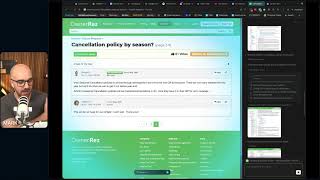
Mark Simpson shows how to automate your business with AI in 2026. He demos agentic browsers like Perplexity Comet and ChatGPT Atlas, custom ChatGPT instructions, and NotebookLM for turning transcripts into content. The core move: identify weekly tasks and build AI workflows to handle them.
Questions this video answers
January 15, 2026
30–40 minutes
Crowdcast
Comet by Perplexity
ChatGPT Atlas (noted as available only on macOS)
Chapters
Welcome, everybody. Number one, if you can see this, let me know in the chat. Number two, if you can hear this, let me know in the chat. Just give me a simple. Hi. Hi, Mark, how you doing? This is going to be 30 to 40 minutes max. Hello, Laura, thank you very much for saying yes. The reason why I'm doing this for 30 to 40 minutes max is that very soon I got to go and get our kids from school over here in the UK. It's 2pm, 3pm is our pickup time and I've got my little Rosie, my little three year old, she is at school, she is hating life. That's good. It's only her third session, she didn't want to go this morning. So if I am not there on the nose at 3 o', clock, she is going to be fuming with me. So this is going to last for about 30, 40 minutes. I had an idea for a workshop that I wanted to do and I want to test and I want to run with all of you and it's, it's very simple. One thing that you can do to level up Your Business in 2026, that is the title. So before we get going, we are going to get going in one minute. We've got a ton of people joining me. I'm using Crowdcast and for the first time ever on Crowdcast, I'm seeing if I can link this out live to else places. So it could be on social media, it could be on YouTube, I don't know until afterwards. But if you see this and if you hear this from further afield, David, hope you are doing well. Thank you very much for tuning in. Let me know what you're tuning in from. I know Laura's over in good old Yorkshire, I think, I think this could be actually online right now as we speak. So let me know where you're tuning in from. Good to see you all. Now this is may sound simplistic, what I'm going to say to you of how you're going to level up your business in 2026, but it is essential because I can see so many of you not, not utilizing this tool to the full event, to full potential. Laura's on the nec. How was Poland? Amazing. Snowy, but amazing. Thank you very much. Okay, so let's crack on. As you can see, this is the first time you've joined me in 2026. The office has had a little bit of a, an upgrade. We've got shells, we've got blackboards and all that good stuff. I've even got the 2026 calendar, which you can't see, is full fully to the left of me here. This is one of many, many sessions we're going to be doing this year to helping you level up this, this business and getting you more ready for what, for what is coming. So very simple, I'm going to share my screen and I'm going to walk you through 1, 2, 3, 4, 5 things that you can be doing. And it is all shock around AI. Now the reason why I've chosen to do this is that out of everything that I have seen, this is quite simply the way that you can level up your business. 110. I'm going to show you a few things that you can be doing. Some of them you may have heard me say before, but please do it again. It's always a good reminder. I'm going to show you with you some new things as, as well. Now I'm going to show you Chat GPT. But where I say Chat GPT, you can have Gemini for Google, you can do Claude, you can do Perplexity, whatever you want to use. So quick question. In the chat, which is the AI tool that you are using more than most, which is one that you use all of the time, Mine has changed, I'm not gonna lie, mine has changed. But I'm going to show you a few cool things. So let me know in the chat. The reason why I want to show you how to level up your business is that I'm very in a lucky position because I see so many questions come in in our teamwork chat from from host just like you on a daily basis around everything from websites, from PMS is from pricing, from marketing, you name it, I see it in our inbox. And I know that 99% of these things can be solved by tapping into AI and using it better and leveling you, you all up. But again, a lot of you know this, but a lot of you don't know this or a lot of you do this, know this and haven't implemented it. So this is why we're gonna, we're gonna focus on this today. Again, I've got nothing to sell you. I'm just here to help. There's no pitch coming at the end of this. All I ask is that when I ask a question, you drop an answer in. That's all I ask. Please don't lurk, please don't sit on your hands, please don't hide. No answer is the wrong answer. I just want to make sure that as many of you as possible are getting the attention that you all deserve. All right, so first things first, what are we looking at? We're looking at Chat GPT. Everybody's chat GPT unless you do this thing that I'm going to show you is the same. All right, now how do you make Chat GPT Chat GPT better? Well, you go into the settings here and doesn't matter whether you're paying them or it doesn't matter whether you're free. You can all do this. Now here's a quick question, very quick question with Chat GPT, are you on the pro plan? Are you on the free plan or the plus plan? Which one are you on? Are you not paying? Are you paying? Let me know in the chat. So first things first, we have to personalize everybody's chat GPT because your version of Chat GPT needs to be different to my chat GPT and they do so with these personalizations. Okay? So first things first, you will see on your screen you can do bass style and tone. So you can have it being candid, quirky, default, professional, friendly, efficient, nerdy, cynical. I've gone for candid, which is direct and encouraging. You can go for cynical and sarcastic if you wish. But the main place I want to pay attention to is the custom instructions. This is where you level up your chat GPT experience from from everybody else's. And I'm going to give you the link to this doc who are with me live. So I've put it on here so we can read it out together. So let me go ahead and put this in the chat. You can go ahead and access it now or you can access it later. But basically with the custom instruction, what you are doing here is you are telling it exactly how you want it to interact with you. So this is the exact prompt that you're going to copy and paste and put in. So I'm going to blow it up so everybody can read it on the screen. You are the best business coach, consultant, advisor, copywriter, social media strategist and YouTube expert in the world. Every answer must be strategic, practical and grounded in real business reality. Help a founder grow a business, fix operations, improve marketing, build systems, increase revenue and create world class content. Think like a consultant and break answers into clear sections. Focus, clarity, logic, practical next steps. Treat every question like a real business problem. Use examples to keep it grounded. Write like you're chatting to a smart mate over coffee. Natural, direct, simple, no jargon, no fluff, give steps or checklists people can use straight away, etc. Etc. Now if you think, well, Mark, that doesn't sound a little bit, a lot, a bit like me. I want for it to personalize for me. Then very simple, come into Chat GPT, paste this in and just put right here in the chat, read this, do nothing. So it's going to read it and then you are going to say, based on our interactions, because Chat GPT now has memory, how would you improve this custom instruction for me? Okay, if you do that, it will take the base that I have just given you and it will turn it into a, a prompt or a natural custom instruction that you can put into your own Chat GPT that will level you up. Now, if you leave this bit blank, what that means is that it will just treat you like everybody else. So if you're fed up with emojis in your answers, if you're fed up with those EM dashes that make no sense why they're there, if you're fed up with typical AI talk where it says no fluff, or in the copy, it puts, you're not this, you're that. And that is very frustrating. You do not want to sound like a robot in the way that you talk online. So how do you prevent that? By personalizing your online experience. And you do it in here. Now, I've, I've shared with you this before. I think some of you may have used it before, but I haven't explained before on how you can take this and improve it for, for you. So once you've got the instructions that you are happy with, copy it, paste it, put it into here. It will instantly level up your experience with Chat GPT. Now just give me a very simple number one or number two. Yes. Have you done this? Two. No, I haven't done this. If you are with me live now, or even if you're on the replay, just put one in the chat if you have done this, two in the chat if you've not done this. Great. So, Andy, fantastic. David? Not yet. Julianne, not yet. Please do this. Now, here's the next question. On average, how many days of a week are you using AI to help you with your business? You can say seven if you want. You can say six, five, four. How, how often are you interacting with AI? You doing it every day? You doing it once a week, twice a week, five times a week? Okay. I want everybody to start leveling up to seven days a week. Quite simply, if you want to level up, start using it every day. You've got the desktop, you've also got your phone. I'VE got it on my app, the Chat GPT app. Use it on a daily basis. Okay? So here's the next thing. The questions that you put into Chat GPT will determine your experience with AI. Okay? Now, I'm not talking about just chatgpt here. I'm talking about Gemini, I'm talking about Perplexity, I'm talking about Claude, I'm talking about all of the different tools that are out there. Now, a question is otherwise known as a prompt, all right? A prompt is a question that you are given or a command that you are given to AI. The better the prompt, the better your experience and the marvel it will level you up. Okay? Now, if you try and do this yourself, you will fail. I fail all the time. So this is why I want for everybody to save. This GPT is one of your favorite tabs on Chat GPT. I use this all of the time because when you want to ask it a command, it comes in here and it turns it into the best command that a robot will understand. So let's just use the example of what I gave before when I came into here and I said, this is my custom instruction. Read this, do nothing. Okay? So I'm going to come in and pop it into a GPT. Here it is. It's trying to escape on me. So I'm going to ask it exactly the same thing. Read this again, do nothing. But then what I'm going to ask for it to do. Is this. I want for you to turn this into the best possible prompt ever to help me with my custom instruction. Don't worry if you can't spell or grammar, it understands. Turn this into the best prompt that I can ask to help me come up with what my custom instruction is. Now, because I've done it this way and I've done it under this specific GPT. And bearing in mind, if you don't know what a GPT is when you chat to Chat GPT, this is generic. Everything on the Internet is on here. But when you speak to a specific GPT, these are custom versions of Chat GPT that are trained around a core topic. So if I go into the Expedia GPT, it's going to be trained on Expedia. It won't be trained on Airbnb booking.com when I go into the Canva GPT, it won't be trained on Photoshop, it's trained on Canva. Same thing with all of these, right? Whatever you see in here is specifically trained on that topic. And this is trained on how to write the best prompt possible. Okay? So as you can see here, it's giving me a 10 out of 10 version. Improve my custom instruction for chat GPT, yada, yada, yada. Okay? So now what I can do is I can take this, I can come into a new chat and I can put, here's my current custom instruction, and all I would do personalization, Remember personalization. Copy that. Give it this. Now, the answer that it's going to give me this time is much more better because of how the question is structured, all right? Because I've given it more context, because I've used prompt engineer, it's given me a better question to ask. So the result that I get on the back end is much, much better. As you can see, it's properly thinking now. So number two, go and save this as your favorite. You can actually save it as a favorite on your chat GPT. Now, give me a simple one for yes, two for no in the chat. Have you saved this as your favorite? Give me a one, I'll give me a two. I want everybody to be one because it's nice and easy. All right, Graham, I want you to turn that to a one. Okay, so here's a quick question. Everything that I have shown you so far, rate it out of 10. What one being. Mark, this is awful. I can't believe that you're showing me this. This is child's play. I know how to do this to 10. Wow, you've just blown my mind. Where are we at so far? Give me a 1 or give me a 10 from this is basic child's play is a 1. You've blown my mind. And I don't mind if it's a 1 or a 10 because personally, I rate this 5 out of 10. I'm showing you stuff that I've talked about before. I want to move on to two things that I've not talked about before. David, if you're a 10, then it's going to get crazy, my friend. We're only 15 minutes in all. Killer, no filler. And for those of you that are watching on social Streams, Facebook, hello, YouTube, hello, LinkedIn. I think I'm on LinkedIn at the moment. So we've got some nines, we've got some tens. Laura's dropping a one. Laura's seen this before, though, so that's fair. Victoria's A2. Yeah, we are. We are on. We are on LinkedIn. Hello, hello, hello, hello, hello. If you're on the LinkedIn. All right, cool. I know this is working. This is good because I can do this in the future. All right, now let's level this up even further. So as you can see, I am using a browser that not many people use. So there's two types of browsers. There's Google Chrome, okay? So hands up or put a Chrome in the chat. Do you use Chrome? Or there's Safari, Firefox, whatever Microsoft are doing, let me know what browser you currently use. So you can do Chrome, you can say Safari, you can say Firefox, you can give me another one. Okay, so now what I'm going to do is I'm going to introduce you to a new browser. This is called Comet by Perplexity. Now, some of you are using it, which is fantastic because I know some of you have heard me talk about this before. Some of you are not using this. This is going to become your number one browser of choice by the end of this month, which is two weeks. This is the one that's going to help. Now the Agentic browser is, is going to be what takes over browsing experiences in 2026. Perplexity have got Comet. If you look within chat GPT, they have got Atlas, which is here. Now Atlas works very similar to Comet. The only problem is Atlas is only available for Mac os, so it's not available on Windows. So if you're a Mac user, go ahead and use Chat GPT. It's, it's built within your, your platform, your, your plan. So if you're paying 20amonth, you don't have to play any extra, which is great. It's got everything starred and saved. You're good to go. If you have got a Windows, an Android, a Mac, or if for whatever reason you don't want to do the, you don't like the user experience on Atlas, use comma, Perplex. Comment by Perplexity. Now, I do have Atlas, but I prefer Perplexity. I prefer to use this platform because it is in my opinion, better. Now, what these agentic browsers do, as you can see from the top of my screen, it looks like a Chrome browser, right? Because it is imported in all of my domains that I use. The browsers that I use, it's got all my extensions in. It literally looks and feels like Chrome, but it is Perplexing. Now what is cool about this is that when I'm on a page, if I click this button here, so look at my screen now, top right hand button, it summarizes, so it opens up a little box on the right and it will summarize what I'm looking at. So if you're on a blog page or if you're on a YouTube video, or if you're on a Facebook post or a Facebook group post, or insert whatever, you hit summarize and it will quickly summarize what you were looking at. Now there's also voice mode as well. So you can actually chat to this agentic browser about what you are looking at. So again, you could be looking at a number of things. It could be planning permissions, it could be, you could be on Zoopla, right, Move, whatever, looking for a new place to, to purchase. You could be looking at air DNA, you could be looking at wherever you price labs, you could be looking at whatever and it will give you context of what you're looking at. Now that's, that's pretty cool. All right. Now what's even better is when you can get it to do tasks for you, right? So just to give you an example, this is something that I was messing around with. If I come into my Instagram, if I come into messages, and if I come into general, right, I can do this. So number one, I would like for my agentic browser to go through all of my general tab on here and I would like for it to respond to the last 10 people who messaged me right now again, quick quiz, let's see who's paying attention. Am I just going to come into my gentic browser and say respond to 10 people or am I going to put it into Prompt Engineer? Sorry, where's Prompt Engineer gone? Here to give me the best prompt possible for an agentic browser. So am I going to just wing it? Am I going to ask an AI to help me? AI, what do you think my answer is going to be? Nobody wants to put their hand up, so I'm going to tell you. I'm going to use AI to get me to AI. All right, so let's go ahead and do this. I've come into, I've come into Prompt Engineer. So I'm going to go. I would like for you to craft, to create for me the best prompt ever. I want for you to get the agentic browser. Now just, I want to check is chat working? Just somebody leave me a number three in the chat. I want to make sure it hasn't frozen. Two, I want for you to get the Ubuntu browser to check my Instagram DM on the general tab. Thank you. Just, I'm glad that it's not broken. And I want for you to respond to the last 10 people who have sent me messages, I want for you to craft a generic message back based on their message to me. All right? So, again, very, very simple instructions that I've put in. Prompt Engineer is going to take that and it's going to put it into the best prompt possible. So, as you can see here, it says you, an autonomous browser agent acting as my personal Instagram DM assistant. Your goal is to check my Instagram direct messages and reply directly and safely to the most recent conversations. You're going to open this URL, ensure that you're logged in, go to my general tab only, yada, yada, yada. I don't need to read it, right? Boom, boom, boom, boom, boom. It's still going. It's making this prompt as epic as possible. Right? I'm going to go into here and I'm going to copy it. Now, what I do is I come into Instagram, come into here, and I'm going to hit paste. Now, very, very, very important, you're going to take the message and go take over my screen. Now, when you say that, what it's going to do is it's going to know to take over my screen. Now, if you are one of these people that has messaged me, apologies in advance because it's going to send a message back. So when it goes blue, it means that it's taken over my screen and all it's going to do is it's going to go in and it's going to send those messages. So as you can see here, it's. It's thinking, it's setting up the task, and it's creating a to do list. Before I proceed, I need to ask for your confirmation. This task involves sending messages on your behalf through Instagram DMs. While you've given me detailed instructions, sending messages is an action that requires explicit permission. Am I happy? Yes. So now what it's going to do is it's taken over the screen and it's going to go and do that work for me. Now, the cool thing about this is that I can come away from this browser, I can click on here and open up another browser, I can go and do something else. And if I come back here, it's still doing the work for me. So while we're doing that, I want to introduce you to another tool, another free tool that is very epic. Now, this free tool is called Whisper Flow AI. Now, as you can gather from my rambling, I can talk better than I can type. It is my argument that you all can talk better than you can type. We can type a lot slower than what we can talk. So why are we using our fingers to type on these little laptopy screens when we can just talk into it? So, for example, ever since that, I have got this tool and I've got this tool on my phone and I've got this tool on my computer as well. All I need to do is press a button. And I can't do this now, unfortunately, because I'm literally on a live video with you all. But I press a button and I speak in the prompt, I speak in the command to this tool and it takes it and transcribes it perfectly. And it even understands my gruff Yorkshire accent. And if it can understand me, Laura, it'll understand your mad accent as well. So, Whisper Flow AI. I now speak to my AI. I put in the commands and I put in the text more than I ever have done before. And this tool has leveled me up even further. So now I can chat to it, speak to it, and again, it takes my voice command into text, it turns it into prompts. That was Whisper flow. All right, so I'm going to leave you with one more, one more tool. This tool is called Notebook lm. Now, I've mentioned to you that I am starting to use Chat GPT less and less and less. The reason being is I feel that Chat GPT, as crazy as this sounds, is leveling off. And I feel like it's opened up space for Google to take over more and more and more of my interactions with AI now is done on Google Gemini. So Google Gemini. Ish, Wrong one, wrong screen. Google Gemini. So I'm using Perplexity as my browser, comma as my browser. And I'm using Chat GPT and sorry, Gemini more and more and more. Now Notebook LM is part of Google Gemini. And the cool thing about this is that everybody can use this. It's totally free. So let's just say, for example, this. I'm on YouTube right now. I really enjoy at the moment, James Smith. I really enjoy James Smith's content at the moment. He's very Marmite. I guess that's the sort of word you either love him or you hate him sort of guy. I feel it like his. His content is fantastic. I really get on with it. And there's a video I really like. Yeah, and this video was get off. Get off. Two hours long. I'm like, wow, two hours is a long time to watch through a video. I mean, we're barely getting through 20 minutes. So what I want to do is I want to go and turn this into a piece of content, right? Let's just say I love this. I want to turn into a piece of content. So I go onto the page, I click show transcript and as you can see here, I've just pressed Control and A and Control and C. So this now has taken all of James's content, all of his transcript, all of his video and all of the comments as well. And I'm going to come over to NotebookLM now what I'm going to do is hit Create New Notebook. I'm going to hit copied paste and I'm going to paste in all of the text. Now it is reading that and it'll take maybe a couple of seconds to read it. It's now grabbed it. Now all I'm going to do now, bearing in mind what I'm about to show you is I'm going to hit a button. A button, a button, a button. That's all I've done. I have literally done nothing more than hit a button. Okay, so that was a two hour video by James Smith and you can substitute James Smith for anything. You can do it for this. You could do it for a Fathom link. Save it. You have a one on one with a potential prospect. Say that you have a one on one with a staff member. Save you of a one on one with an investor. Say that you have a one on one, whatever and you've got a transcript, right? Save it. Anything, anything that is on text you can use. Right? Bear that in mind now while we're looking at that, let's come back to comments. As you can see here, it's still busy doing its work. Number one is replied to Wildflower House. Done that. Next is going to go reply to the next people and the next people. The next people. So it's literally working for me in the background. I've come back into here. This is still working its work, still doing its thing. All right, while it's doing its thing. Have we got any questions? Anybody got any questions at all about anything while I'm waiting for this here? Is it only on Mac? I assume that question is about perplexity. Yes. No perplexity. Perplexity is Windows Mac and Android Atlas is Mac only for now. I assume they're going to change it. The other one that I've been messing around with, which I haven't, haven't got much to share, but is Claude. So Claude has stepped up massively. Claude. But I'll, I'll Report back more when I have more. Can you use Comet to reply to guests on booking.com and Airbnb? Yes. I mean, if I can do it to act on a dm, I can't see why you can't do it on there. Still going. Come on, speed through this. Whisper Flow. Oh, Whisper Flow. Thank you, Angie. So Whisper Flow is only available available on Mac Windows and iPhone is coming on Android soon. So yeah, it's available for all. Now you may be thinking, but Mark, when I open up my phone and if I'm in messages, there is a button here where you can do speech to text. So I, I do use speech to text on here, but I find that the experience, especially on Apple is shocking now, especially when it comes to MacBook, I haven't really got speech to text that's any good in any way, shape or form. And if you use the speech of text in chat GPT, it's awful. So that's why I just absolutely love Whisper Flow. All right, final thing that I want to show you then. Another cool use case. We had a question come in in our Boostly community. Let me see if I can share this. I'm sure I can share this. Let me just have a little. Have a little. So there was a question that came in. This is a little peek behind the scenes of what we do at Boost Lee okay, so Karen asked a question about cancellation policies in Owner res the channel manager and there was a question in here. Now the answer is instead of waiting for humans, go and ask Perplexity to help. So if I go to Owner res support docs, which is here, Owner as support docs is right here. Anybody can access this at any time. I've got the question from Karen and what I'm going to do is I'm going to come into here and I'm going to use prompt engineer. I'm going to say turn this question or Owner res support into the best question and prompt possible. It's going to take Karen's question and this is just an idea of how you can speed up your own time. Right? So instead of having to wait for somebody on Team Boostly to reply, or instead of having to wait for somebody from ownerz to supply. So I don't like this. I want for you to create a prompt where the browser agentic will go into Owner res support and find the answer for me. So again, the cool thing about AI as well is if you don't like the answer the first time, I'm going and ask it again. But as Long as you're keeping the same Fred, and this is a thread here, then it will remember what we're talking about and give it the context. All right, I'm going to go into this. Boom, boom, boom. So I'm going to go into here. I'm in Comet by perplexity. I tap this, but no, I don't tap that. I tap this. This button comes up because I'm on the page. As you can see here, the assistant knows that I'm talking about owner as. Right. It's got the prompt here. Remember what I got to do. I come up to the top and somebody put in the chat. What I gotta type, take over my screen. As you can see, it's gone blue. It's now going to go and search that for me. Let's come back here. It's still going. It's going to speak to Tammy and Matthew next. Let's come back to Notebook. It's done this. So it's created for me an infographic. So I could use this as a social media post, the unapologetic blueprint to building a personal brand. And I could create content around this. And you know what I have done. If you've seen some of my LinkedIn posts recently or LinkedIn articles and you're thinking, wow, Mark's got clever recently. It's because I'm using NotebookLM. Where's one of my articles? I think I can get one here, there, this one. You're thinking, what? This post's got a ton of engagement, yada, yada, yada. This is a master class. Wasn't me. This was AI. Obviously, I give it some context and whatnot. But that's a image from Notebook. This is an image from Notebook. I mean, the actual content, pretty. It is good. But I've definitely used AI to create these images for me. It would have cost me so much money to do that in the past. And yes, I'm giving my secrets away. But it. So again, it's got a really good infographic here that I could use on social media. I'm waiting for these to turn into slides because this is even. This is even better. All right, let's go back to the question. It look, it's reading everything. Common issues and questions, Cancellation Policies is literally looking and going through all of his checklists for me. And I've not just got one of these little agents running. I've got one here, I've got one there, I've got one over here. And believe it or not, while I'm talking to all of you lovely people. I've got some other screens loading up as well and I'm doing more work behind the scenes there. Well, I'm not. The agentic browser is doing it for me. So it comes back to the one thing for you all to level up your business is to use AI, but use it properly. Use these agentic browsers, use everything that I've showed you today and more with Whisper Flow, with Prompt Engineer, with Chat GPT, Customer Instructions with Comet, by Perplexity with Notebook and just level up. I honestly I don't want to become a dick, but I'm getting to a point now where a question comes in on our support desk and I want to say to the team if they could have AI'd that answer, don't reply. At one point I may get to that stage but I don't know again, I just feel like there's so many things that we can get instant answers. I learned to code the other day. I haven't got a clue how to code. AI showed me exactly how to do it and pretty much did it for me, which is insane. And there's so many examples of this. I learned to cook the other day. I can't cook Laura in my house. Best chef ever. Don't tell about because she'll get too big but big headed. But she's amazing, chef. I learned how to cook. I pointed my phone with video mode on Chat GPT into the fridge and said help me make this into summer. It was amazing. So again, goes to show you Mark. Why can I just use Perplexity Assist? That's not a question. My alarm's going off. It's 2:37. Let me just show you some final, final things. This is okay. This is cool. So that's like an audio overview. So this will give me an audio overview. I won't be able to play it because you won't be able to hear it of this whole two hour live stream. This is turning into a video overview. And this is turning into a. What a fantastic timing that is. So again you should be able to see this. Hopefully you can see my screen. The lazy way to build a personal brand. This has taken that to our documentary and turned it into a Google Slide. Now if I wanted to, I could run a presentation and a workshop on this. I could do a speech on this. I could stand up on stage and have this as my slides all done for free. Again, insane. Which is pretty cool. Owner Res has found the answer for me, which is great. I can take that. I can Give that to Karen and pass that on. And it's gone through. And it sent, it sent messages and it made it personalized to the person that we're speaking to, which is pretty, pretty cool. All right, people of the Internet, thank you so much for watching. I can hear my alarm going downstairs. I gotta get in the car and go and get the kids. But before we go from a ranking of 1 to 10, one being this is Child's playmark, why are you showing me this to 10? You've just blown my mind. For the people that are watching with me live and on the replay, for those of you that are watching on LinkedIn and wherever else, give me a 10. 10 bean. Wow, you've blown my mind. One being this is child's play, where are we at? Give me a number. We've got 10 from Laura. Thank you. 10 from David, 10 from Graham, 10 again from David, which is cool. I think the rest of you that are quiet, I think you're just shocked. So with that I'm going to leave you there. If you've enjoyed this, please, please, please let me know. Give me feedback. I'm going to be doing more. We're going to be back next month. No, not next Monday, Monday the 2nd of February. We're going to be doing three days of training just like this book. Direct Day is coming up on Wednesday 4th February. I'm going to be doing a big two hour live stream around there and obviously we've got stuff on the YouTube channel, got stuff on the LinkedIn and all those good, good places. I really now encourage you to have a play. Figure out how you can best make this work for you. If anything, go and download the Comet browser by Perplexity. Use the prompt engineer and start figuring out how it can help you. If you're thinking, well, how can it help me in my day to day tasks? Just write down for the next week. So today's Wednesday, today's Wednesday. Write down everything that you've done online today. Just go hour, hour, hour. This is what I did. Put it on a Google Doc, put it on a Google sheet, okay? Then do the same for Thursday, Friday, Saturday, Sunday, Monday, Tuesday, Wednesday. Then over a week you'll go, this is everything that I've done. Then we can ask AI how can it help? Go get AI to help you. I really do hope you've enjoyed this. I'll be back very soon. Take care. Thank you so much and hopefully see you all.
More from Mark







I Tested AI Search SEO for Rental Hosts... Here Is What Happened [Live Training]



