dell ultrasharp 4k webcam vs logitech brio
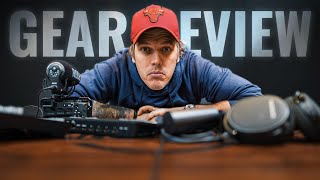
This is a YouTube video titled "dell ultrasharp 4k webcam vs logitech brio" created on September 16, 2021. The content is a detailed gear review and tutorial focused on various audio and video equipment options for salespeople, business owners, and content creators using Zoom or video calls. The presenter discusses budget, mid-tier, and high-end setups including webcams, microphones, lighting, and soundproofing, sharing personal recommendations and practical advice for improving video call and content creation quality.
Hey guys, what's up? So today's video is a gear review. If you're a sales guy or if you're a business owner or if you're someone who's doing a lot of stuff on Zoom. Right. There are expensive options, there are budget options. There are a lot of different options out there for audio, video, soundproofing, everything. In today's video I'm going to break down what I think is a good budget option, a good mid tier option and all singing or dancing option. So if you like this kind of content, make sure you like subscribe. Hit the notification bell. I thank you for being here and I'll see you on the inside. So let's go ahead and have a look at all the gear individually in a little bundles. I'll just kind of get that stuff over there. Okay, let's have a look at the most basic setup first. Okay. So this is the Logitech 1080p camera. It's really good. Also has its own built in microphone. Really, really good budget option for the guys who don't want to break the bank. For people who might be relatively new to selling or relatively new to doing stuff on Zoom, it's just a good upgrade USB webcam from your standard inbuilt webcam which are pretty garbage. The sensors much bigger, much more crisp and clear. Right. You can kind of see it's not quite as nice. It's a lot harsh. Is also the microphone that comes with it. This would be the equivalent of using like a MacBook Pro or like a, a high end laptop. Okay. Because this is a much better camera sensor than what comes in most laptops. But I have an imac at home and this is very, very similar to what it comes with. These are these steel series are gaming headphones. If you ever want deals and you want good value for money, anything gaming is usually going to be a better option. Right. Because gamers want the best quality. They're very discerning, but they don't want to pay a lot of money. So these, they have their own inbuilt microphone. It is trash. I will let you know that at the moment. Super comfy though, right. I can wear these for hours and hours and hours on end. Okay. They're over the ear, very, very soft. They're gaming. So anything gaming is going to be really, really comfortable. They also wirelessly connect, not Bluetooth. Wireless is much lower latency, much faster, much more reliable. These aren't too expensive like 300 Aussie. So that would be one setup in itself. Then from there, if you wanted to step up your microphone game. This is a Marantz professional microphone. It is a USB microphone. It's like 100 bucks Aussie off Amazon again. I'll link all this stuff description below. The funny thing about this is this is directional. Okay? So that's the microphone. That's not the microphone. So what you usually have, it is under a boom arm, okay. And it's just right there. It just sits there like that. It doesn't sit there like that. Not like that. Okay. It sits there on the side like this in front of you. And it usually sounds pretty good. So there's that bad boy. Nice and cheap and cheerful microphone. Good quality. Can't really go too wrong. Again, you do have to talk pretty much directly into it. This is a really cheap little USB ring light. Okay? Now ring lights are great. This is like 20 bucks on Amazon. It just goes into your desk. It has a. Its own little. There you go. Plug it into a usb, turn it on, turn it up, turn it down and you're pretty much set and forget. What I have here is a big old giant softbox. Okay. What that does is it gives you much softer, more diffused lighting, which is good for videos like this might be overkill if you're just selling on Zoom. This is the softbox that I'm using. What I'm going to do is the cool thing about that is I can just turn that on and off. Okay, there we go. Now we have the normal ring light. All right, so this is the difference in lighting. Okay. That's probably, you know, 250 option. That's probably a 50 option. We're going to another Ashlon. This is the brand new dell ultra sharp 4k webcam. This is a fantastic webcam. It's got active track, it's got autofocus as low light highlight. Simon's got auto framing so you can actually walk around and it will just frame you in. The shot has really good dynamic range. Okay. Which means that it'll be good in low light situations, highlight situations. It'll kind of figure it out. It's quite, it's quite smart. Now this just USB's directly in. This is like $389 Australian. Okay. You buy it direct from Dell. You can't buy it on Amazon. As far as I know. When I'm selling over Zoom, this is what I use. Now you can pair that with a couple of different things. You compare that with a really good quality rode pod mic. These are fantastic microphones. True podcasting Mic probably one of the most popular podcasting mics you can buy. It's sort of the rival to the Shore SMB7, which you probably recognize from Joe Rogan or any massive podcasters, right. This is nowhere near the price. These are really, really, really, really well priced. They have their own pop filters. These are fantastic microphones. The only downside is you have to speak literally directly into it the moment you kind of move it from side to side. If you're someone that's a little bit animated when you talk, this will not be a good option if you're selling on Zoom and you're someone like that. But if you kind of sit there and you're really conscious and you can be really comfortable talking directly into it, then it shouldn't be too much of a problem because the this combined with like a road caster is phenomenal sound. Like world class Joe Rogan quality sound. Okay. Now if you are going to use that, that uses an XLR jack, okay. So you can't plug these directly into your computer. You need an interface which is going to allow the computer to speak to this, of which there are many. The one that I have is the road caster Pro. Okay. It's a fantastic bit of kit. This just USB's direct into your computer and then you have your XLR jacks at the back. You can also take calls through it. So if you're like how do I record my calls? You can bluetooth your phone or you can plug your phone directly into this and then you can record locally on this device. Okay. Which is fantastic. You can also have four people. So if you are doing like a multi selling environment, maybe you have multiple people on the call at any one time, right? Then you can have all those people on there. You can control their channels, etc. This is about $900 Australian. They're about 5 to $600 US. Probably a little bit overkill for what I do, but I think they are phenomenal bit of kit. They talk seamlessly with anything road. The you know it's set and forget software, it's very, very easy. So this is what I use for the podcast. This is what I use for my computer. Here we are. Okay with the setup with a softbox overhead light. Okay. I've got the 4K Ultra Sharp Dell webcam which is a camera sensory webcam. And then I'm using the Rode Podmic through the Rodecaster. So I can kind of like turn my volumes up and down. I have a lot of flexibility. This I can also do cool sound Effects. This is that setup, which I think is a good setup for selling the next mic, again, which uses an XLR jack, is the Audio Technica boundary mic. Okay. Really, really great, slick little microphone. Boundary mics are like boardroom mics. Okay. So you can literally have this anywhere. And if you have like two of these in a room, they'll pretty much pick up anything. Now you're probably gonna hear a little bit more background noise and a little bit more bouncy. Okay. Because it's not straight into the microphone. All right. But one of the cool thing is I can, I can kind of do whatever I want if I'm selling. If I'm someone who uses my hands a lot, if I move around like what I do. Okay, then this is a pretty good setup. So for the boardroom here at Sales Sniper, I have two of them. We just got a new desk being made, right. And I've got two boundary mics, one on each corner on the far side, right? And that's going to pick up everything in the room. This is a sound treated room. So it sounds really good. And again, like the microphone that you use or the thing that you use will be depending on how good your sound treating. If you're in a concrete box and you have a really echoey room, this would be a good, really, really bad option. You'd be far better off going with something like this, which goes straight into your computer. You can talk into it. Really limits the amount of bounce. Right? Something like this will do that even better. Because again, the moment you twist this, you're not going to hear a damn thing outside it. So if you got screaming kids at home, this would be your absolute best option. Because during the pandemic, all that kind of stuff, I've been forced into lockdown a few times. I got two kids under the age of five, five. And this microphone has been fantastic because I've been able to sell. Kids have been screaming in the background. Prospect has no idea what's going on at home. The setup that I have is I have this bad boy plugged in to the computer, have an imac at home, and then I use this microphone on a microphone stand plugged directly into my Rodecaster Pro. The camera that I'm talking to on now is a Sony FX3. That's one of the first cameras that can directly talk to a computer. So I could run this as my webcam. That's a very, very expensive cinema style camera. So probably not appropriate for most people watching this. But I love gear and I'm on YouTube. So there you go. Now this is an interface that allows you to have four cameras and a whole bunch of other shit that I honestly don't understand. But I understand enough about it to be able to plug a camera such as this. This is a Sony A6400. This is a phenomenal video camera for you to be able to use as a webcam. People will notice the difference right when you're using, using a DSLR as your webcam and you have a good lens with a low F stop, you know, that blur behind you in the background. And this is a really, really well priced camera. They're about $2,000 Australian. They are phenomenal, phenomenal cameras. They come with a really good lens. This is not the lens it comes with. It comes with a 35 to 55. This is a, an extra microphone called a Rode Videomic Pro. This is what I used to use for my YouTube videos. If you've noticed the distinct increase in quality lately, it's because I change from this over to that. That set up there is about a $10,000 setup. This all up is probably around three. That plugs directly into this, this plugs directly into the computer. And then I can then choose any of the four cameras. I can have four cameras up just through an HDMI cable. HDMI on this bad boy, straight into HDMI here. Then from there this goes by USB into the computer. And then all of a sudden I have access to the webcam. It's native to the computer. I have access to my DSLR with my good quality lens. And you'll see me nice bright focus and you'll see a nice blurred background. That's all the options that I have in front of me today. There are some other options available, but at the end of the day you choose what's best for your budget. If you're a new sales guy, if you're someone who's coming in, just wants to present well on zoom, you know, the keys are have a good background, have some decent lighting, make sure that you put a rug down and make sure that you use a microphone, okay? That's going to take away all the reverb, all the bounciness, okay? Make sure you use some headphones because then the microphone will not pick up the speakers. It's not that this is going to make you sell any better, it's just how well you want to present. Are you in a B2B environment, B2C environment? What level of things are you selling? How well do you want to present? Yourself. So as you can see, this is what like the kind of the bokeh in the background. See that background is nice and blurred. That's the bar, guitar room. That's actually Marco's little mini office right there. And actually wanted to talk about a piece of kit that I actually forgot, which is this. So this is the road podcaster. Fantastic, fantastic option. You pretty much get all the benefits of that pod mic that I was talking about. This is actually the microphone that Marco uses when he's here in the Sydney office as opposed to when he's at home. So fantastic USB mic right here. Looks the business is really, really good. And then you can have whatever boom arm you want. You can go crazy. I have the blue ones, but you can just get the knockoff ones from Amazon. They're going to do the exact same trick with soundproofing. This is what I use, right? So in that office in particular, the one that I was just in, that's a proper podcasting studio. So I've got a little bit more intense set up in there. But for my office, this is what I use. This is from Amazon. Again, I'll link it in the description below. It's super cheap, right? It's good quality, but it's white. It's not like that gamer foam stuff. This is just a little bit more low key. So you can have this behind you. And it sort of just looks like wool, but it does a phenomenal job. And just a little bit of double sided tape there. And that's what I use to kind of soundproof my office. Soundproof Ben's office and everyone's offices in here. So we have that like I have it on the ceilings, I have it on the walls. Not everyone's finished it yet, but it's more important for me to have it done cause I do so many videos in my office. That's a kind of, I guess my gear review slash tutorial of all the different options that you have available to you as a either like a new content creator or as a salesperson, someone who's doing a lot of stuff on zoom or doing a lot of stuff on video. So there are expensive options, there are cheap options. There are ways that you can use your iPhone as well. You can literally just have your iPhone there and do the zooms like that. Okay. Not something I'd message recommend just because it's. It's going to create dramas in the future and you want to have a nice, good, consistent work set up to get yourself in the prime position to be able to make the most amount of sales possible, create the best content, whatever it is you're doing. Make sure if you do like this type of video you like, subscribe, hit notification, bell, comment down below, other more in depth, maybe outside of the box things that you'd like me to do. These videos take a lot of work and a lot of effort to put together. So if you guys do like them, I will do more of them. Make sure again, okay, if you're not in the Facebook group, the closing code, make sure that you go in there, click one of the links below to be marked closing code. That will send you to there. We'll ask you a couple questions that will allow us to best understand how we can help you the absolute best. So, all right, guys, have a fantastic day and I'll see you later. Bye.