Learn how to connect Shift CRM to Google Sheets, Slack, Typeform, and other apps using Zapier. The tutorial walks through building a Zap that creates opportunities in Shift CRM when new rows appear in Google Sheets, plus using webhooks for onboarding automations.
Chapters
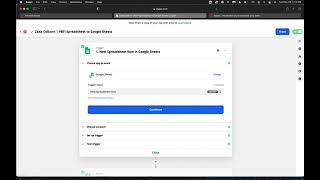
Alright, so now I'm going to show you a tool. Let me, let me actually bounce over to the main page of this and log out. Alright, so now I'm going to show you a tool. This tool is going to help you automate your workflows and connect everything if the app. Let me start over. Alright, cool. So now we're going to talk about a tool that you can use to connect Shift CRM with other apps that you use. So whether it's a Typeform integration or Slack Google Sheets Gmail, this is. It works very similar to how Shift CRM triggers work. It just connects other apps and instead of connecting internal processes like Shift CRM does, so trigger. When I get a new email, then the action is we're going to copy the attachment from Gmail and drop it right into Dropbox and then we're going to alert me in Slack about the new Dropbox file. Okay, so you can start workflows from any app, finish routine tasks automatically and simple fill in the blank setup. Alright, right, so I'm gonna show you guys these are all the apps that you can use and connect. I mean you can just, you can just type them in here. I do want to let you know though, as you start to go and stitch something together, you know, if you're using Typeform and you're gonna stitch that together with Shift CRM, you may want to consider just looking into our features because you can have all of this internal. So instead of Typeform you can build your own surveys. With our survey, you know, instead of like Calendar software, if you're using Calendly instead of Calendly, you can use our appointment feature and use the Calendar link here. So just those are things to keep in mind. We do have a lot of the features that other apps have internally in Shift CRM. So if you have any questions about what you can do internally, then just ask us and we'll let you know if you. It's going to be easier to do through there. However, some people like the way that Typeform looks or they like some of the different features of other platforms. So then that's when it's good to connect them. So let me show you how to do an advanced automation. All right, so this is an example of an advanced automation that we have set up for one of our clients. Let me just get logged in here quickly. Sorry about that. Alright, sweet. So this is how it works. So you're going to create a new zap and cool thing is you can actually share a copy of your zap with anybody just like this. So some of these zaps are going to come preset. But yeah, so we're going to go in here, new spreadsheet row in Google Sheets. So when you set this up, all you're going to do is you're just going to go in here and fill out the blank. So you connect your Google Sheets, you log into there and the event is going to be a new spreadsheet row. Every time a new spreadsheet row happens in this Google Sheets that you log into in this spreadsheet, that you click in this worksheet, that this is literally how simple it is, then it is going. And then you can pull some sample data and make sure that it's pulling up the right way. And then from there, if all that's right, then you click continue, then you go to the next step. And so we want to go every time there's a new spreadsheet row in Google Sheets, then we want to use our lead connector. That's the Shift CRM app name in Zapier. Then we're going to go add update opportunity. We're going to find the account. It's going to be your account right here. So only account that you're going to have. And then we're going to just map the data. Okay, so it's going to. We're going to use that same sample data from above and we're just going to put the name, okay, full name, phone number, email, any other data that we have in here. And if we don't have anything in there, then we can click and we can look if they inputted their postal code. Okay, they didn't. Notes. Okay, so there's no data in the notes, but we have these different custom values. Okay, so with the different custom values, you can go in there and you can sync up the. I don't know why it keeps logging me down. Oh, I see. So this is from. This is from something a little different. Okay, so how willing are you able to invest in your business? So you should be able to. If that. If in the Google sheets that was a column that they were answering, then you would just match that up here. But it's not the only one is the goal 80k. And so let's see if the goal. Okay, call date scheduled. That's where we put goal. So I'd rather put that up here in the notes section. And then it's going to come through in the notes in Shift CRM. Okay, so you just sync everything up and then you continue and Then you can test your zap, make sure it works. Turn the zap on. And from right there we have the zap, the exact zap for Google Sheets to shift CRM. Just like that. Okay. There's all sorts of different apps that you can connect. So another one is Slack. You know, if you use Slack for your internal communications, it's nice to be able to catch a web hook. Okay, so a web hook is going to be something that is. Essentially. Okay, so essentially a web hook is going to be kind of like a data, like a, like a data trying to think of a way to break it down. It's kind of like a data cloud I guess, that is floating in the sky and you're going to catch that data cloud and you're going to like decipher the data and then direct it somewhere else. So this is going to be like an email that's a web hook that's got their survey information or their submission questions. It's going to catch the hook, it's going to send the channel message in Slack. You just sync it up just like you would anything else. Okay. So I know that there's a lot of different things you can do with, with this. Basically the easiest thing to do is just get in here and start to create a zap and just start to look at what you can connect. Okay. And some, some things like web hooks, you do need a premium zapier account but it's not super expensive to have and it is worth it. So yeah, but you have the trigger, you have the action and that's, that's everything that you need to do. You can have multiple steps apps, you can have multiple actions that happen. And really this is what we use for like our onboarding, our automations and a lot of other things as well. So just let us know if you guys need any help with any of this stuff and then we will be happy to assist you. But I hope this helps you understand the tool that is Zapier and how you can use this to automate a lot of your between app automations. Alright, I hope this helps and I'll see you in the next one. Let us know if you have any questions.