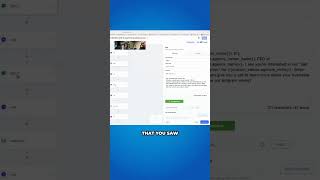
Nate Tilley shows how to set up automation workflows that trigger when someone fills out a form: an immediate text, a follow-up text, and a pre-recorded voicemail within five minutes. You'll learn to configure custom values so campaigns send the right messages.
Questions this video answers
May 6, 2025.
Within five minutes.
Chapters
Go through the custom values specifically and update every, every one of these values. Just go to the three dots, edit custom value and enter the value. And that's going to update all your automated campaigns. So, like this one, all of these are published and live, ready to use. Literally, if somebody submits the form that's any of these forms, and you can program it too. As you change the page, change the form, then it's going to start this flow right here, and this sends the automatic text boom. That you saw. You can custom tailor this and then we send a double text. Or if it's more convenient for you, book a slot on my calendar here, sends the calendar L link. So you'll see as you go through the custom values, like, oh, we don't have a calendar link yet. Okay, so let's get that, you know, and, and that's where you just gotta let us know when you get stuck and what you need help with. And I'll have my guy come in and he can help you guys out with some of this stuff too. We do have one thing that I want to show you in here just to make this process really nice for you guys. We send a double text, because that's like how people actually text. Hey, Chris, what's going on? By the way, if you want to book with me, boom, that's two text. Then within five minutes, we send this voicemail out.
Courtesy call to remind you that you filled out a form online request requesting more information about gaining more clients in your area. Give us a call to set up your strategy meeting today, and we'll give you more information on how this works.