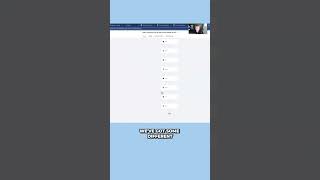
This clip is a demo walkthrough by James (Total Reach Marketing) showing a "lead-in" workflow for incoming leads. He lists possible lead sources (TikTok, website survey/form, Facebook leads, LinkedIn), demonstrates creating an opportunity and placing it in a “new lead in” stage with tags, and describes a timed SMS nurture sequence (initial text, double-text / calendar link). He also explains a Settings toggle named "stop on response" that halts the campaign when a contact replies and an automation that moves replied contacts into a "hot lead replied" opportunity pipeline.
Questions this video answers
TikTok; a survey from your website; a form from your website; Facebook lead; LinkedIn lead.
"stop on response" (Settings toggle).
Chapters
Like this is our lead in workflow. So you can get a lead from any of these sources, TikTok, a survey from your website, a form from your website, Facebook lead, or a LinkedIn lead. And what we're going to do is we're going to create an opportunity, put them in the new lead in stage, add the tag to them. We're going to wait a minute and then we're going to send them our first text. Hey, this is James with Total Reach Marketing. Thanks for reaching out to us for information. When is a good time to connect with you? Okay, then a double text or if it's more convenient for you, book a slot on my calendar here for us to game plan together. You can adjust any of this stuff just by coming in here. Editing, click clicking, save action. We've got some different text messages that go out to nurture these leads, but since you guys are doing stuff that's a little more referral based, we'll probably want to cool this system down a little bit like we talked about last time and we'll, we'll show Zach what we've got and see what we want to do. But I just want to show you like how this mechanism, how all this works and, and yeah, it just works on a timeline. So you've got your text, wait X amount of time. Here's your second text, wait X amount of time. And then what you do is you turn on this feature back here in Settings called stop on response. So, so that way when somebody responds to the text, that campaign will stop trying to get in touch with them. And then what we have is when somebody does respond, we have an automation where customer replied, we're going to add them into the opportunity pipeline for hot lead replied.