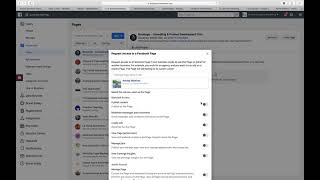
Nate Tilley shows how to request admin access to a Facebook Page through Business Manager. Go to Business Settings, select Pages, choose Request Access to Page, type the page name, and submit. The page's current admins get an email to approve or deny your request.
Chapters
Okay, so you're just gonna go into the business manager that you are gonna be running ads for, and then you're gonna go over here to Business Settings, and then you're going to go to Pages right here and click Request Access to Page or Add Page. If the business account already owns the page, you can just add it if you're an admin. And then you just type in the page that you want to add. And I'm actually adding one right now. Yeah, this is the one. So I'm requesting admin access to this page. Boom. I don't need access to those things. Request access. And then they will get an email at whatever admin email is owned by this page. So I hope that helps. And let me know if that is not the case and maybe I can.