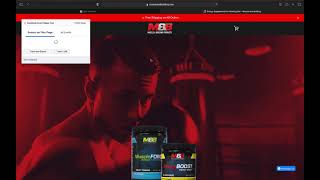
A walkthrough of mapping Meta Pixel funnel events on an e-commerce site using the track new button workflow. The speaker maps ViewContent, AddToCart, InitiateCheckout, AddPaymentInfo, and Purchase, explains when to include value data, and discovers a mis-mapped AddToCart event that will skew the data and needs fixing later.
Chapters
Okay, so this is going to be how to map funnel events. So I'm just going to disconnect the event, open the website. For whatever reason, some of this client's pixel events have gone off. So we just want to make sure that we can get all of those tracked. I usually do view product buttons as view content and then I won't include the value. Value would be like the price that the product would be worth. So an easy way to see if there's a button to press is just clicking track new button. And usually some e commerce sites will have like a lot of little buttons like these. These could all be view contents but when you just click on one then that's going to. Sometimes it'll, it'll suggest events and it'll recognize that all of these are very similar. So then it'll find all the other ones and it'll map them out as well, which is a nice little way if you don't want to do it all manually. Yep, there we go. See? Okay, same with those. And then we're good right here. These buttons, View content. This is going to up our data that we're able to get by so much, our retargeting and everything because now we have every button pressed or I mean every button is accounted for. Essentially the product page I think is really dropping the ball on sales and conversions. So that's something we're going to talk to our client about. Okay, so this should be an add to cart and initiate checkout. Okay, so this one should be a view content. Okay, hold on. So this event here should be a view content. So it looks like it doesn't want me to delete that one right now. Won't let me do anything to it. Ah, shoot. Let's see. Hopefully it saved the other ones. Okay, it did. Well, we'll have to keep this one as add to cart, but it's not an add to cart. So our add to cart data is going to be a little bit off. I'll have to try this later. I'll save these events and then come back in here and see what I can do. But anyways, so we've got. I don't know what all these little buttons are supposed to be. Seems like kind of a mistake, so I'm just going to ignore those on this page. Now initiate checkout. Okay, so now this should be mapped out the way it needs to be. Cart is empty. Let me add to my cart. And now checkout. Whoops. We want to get that button as well. I'll see if I can go back and get that button. That's a big initiate checkout. Map it with the value cart total. So now I'm going to click that go to the next page. Okay, let's see what it'll let us track. Right off the bat, this is going to be add payment info. It. Okay. And there is our purchase. Alright, so that is going to give us everything we need. Skip that right now. And so that's going to give us some more data to pick from because right now we can't do a purchase and that we really want to be able to use that purchase conversion. Okay, so that is all for the pixel mapping.