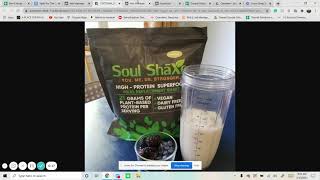
Walkthrough for building a middle-funnel Facebook/Meta retargeting campaign for the e-commerce client Soul Shakes. The presenter creates a Conversions campaign (goal: purchases) with Campaign Budget Optimization (starting CBO $5), selects the Soul Shakes pixel, builds a custom website-visitor audience (past 30 days), enables Dynamic Creative, restricts placements to feeds, selects best-performing images/text from the prior landing-page campaign, adds social proof/testimonials and an offer (10% off first purchase), publishes the ad set, and recommends running at ~$15/day then scaling if performance warrants.
Chapters
Okay. This morning I'm starting off with building a campaign shell retargeting campaign shell for an E commerce store slightly can be kind of the same thing as building a campaign shell for a lead generation campaign. But this is for Soul Shakes E Commerce. So we already did a landing page campaign for them. And so if we go to edit it's just pretty much dynamic. We did a carousel, they're selling vitamin protein stuff and so we got all of that together and you can see that we already have 197views and now we want to turn all those views into actually paying customers. And so I always do performance and click. So you can see that anything above 1% is pretty good. So three and a half is amazing right now clicking that go into ad sets ads. And I want to break this down because when I create this new retargeting campaign I want to use the best of everything that we've done. And so I'm going to start creating. We're going to do conversions now and then we're going to name that the company conversions. What are we going for? We are going for purchases and if they have an offer. I don't know about offer right now so I'll keep that. Always do campaign budget optimization. We always start off with $5 for here and that makes it easier just to ramp it up if we feel that it's doing pretty well. Next we now going to create make sure that you have the pixels. We're going Sol Shakespixel. We want to go for purchases. Dynamic creative turn on. And now we want to target all those people who are on the landing page. And so we want to create a new audience custom website and make sure their pixel again is chosen. So we want Soul Shakespeare make sure it has a green dot. All website visitors pretty much we'll go 45 days. They haven't done much before. It always helps to see their events manager as well. Just so much easier. So I'm going to go to events manager to see their pixel and their data. So Shakespeare and then here we go. And so you can see Lifetime. It was started on the 4th and so there's no need for 45 days. I'll actually do. I'll just do 30 plus 30 days. You could tell that right now we haven't had any purchases for last eight days. So that's why it's giving us kind of a error. But it is alright to do that. 530 views. Cool. Do that name audience show soul shakes video wv for website visitors. Past 30 days. Good. Create audience. So for retargeting, we're just going to do that. Stick with it. People living in this location. And then we always keep it open because Facebook Pixel is now going to retarget those people. And so we don't want to limit that by a certain age group. Manual placements again, always turn off everything besides feeds. And then we're going to name it website us website visitors past 30 days. See, we've used this quite a bit before. Next. Now this is where this part comes in. I want to see break all this down. So we'll do this breakdown by dynamic creative element. Now we want to see which one does the best image. So which of the images have done the best or at least which ones have not done the best. So you can see that one's not done the best. And so make sure that is there Instagram account. Good. So we're going to select the best images. Forgot. It helps to put this as middle funnel. We go select images we got. So this one did the best. Which that one. Soul shakes. Okay, so we want to find that one. Okay. Right here. So it looks like that was this one good. And which notice is about 32. Okay. The one with the berries. That one. We just have pictures, right? Always helps. If you could do at least ideally two videos and one picture when it comes to this part. But we don't have any videos, so we just do three pictures. That one. That one pretty much they're the same, so I'll choose one. Oh, they're the exact same picture anyways. So do that. Good. And now text doing the same thing. Dynamic creative. Which text did the best? That one did this more than 50 45. So I'll go and I'll just literally copy it. And then we'll do another text. Which other one did the best? Not amazing, but add some extra brain power. Okay, There we go. Copy this. And then I'll do the same thing for headlines. We got you, me, us, stronger headline. You just copy straight from there. So that's nice. Make sure you get rid of the patience though. You know, we're just gonna do one and then description. Okay, that one should copy there. Good. Now make sure we have the website in there. Shop now, because this is e commerce. And then make sure their pixel is selected down here. Now we got that all taken care of. And now the best thing to do here is we just want to update the copy with testimonials. So this is reaching people that have already seen it. So they're just seeing the same thing. It's not as much versus now. If we put testimonials in there, then it's going to ramp everything up. So let's put in there. As I know it had testimonials, It also helps. So this is important. Go in here. They are not that one right here. Okay. 10% off first purchase. I don't even think we had that in there. Whoops. Okay, we did. Cool. And then they did not have testimonial or proof. So that's where I would ask them if they have testimonials at all. Any proof, social proof at all. And then pretty much put that in the copy. Sometimes we put in the beginning, sometimes we put in the middle. I think in this case, we'll put it in the middle. Wow. Move, move. Okay, so I'll have to look for that, but then that's pretty much it. Then I will publish it and then look over everything later. There we go. Publish. Make sure you turn off the campaign so it's not going. To bam, bam, bam. They want that. Great. So that's everything. And then we'll keep this going at $15 a day for a little while. Have that five. And then at some point when we see this start doing good, we turn off this one and just keep this running and then ramp it up in price. If we need.