How to Automate Your Sales Pipeline with a Customizable Agency Snapshot
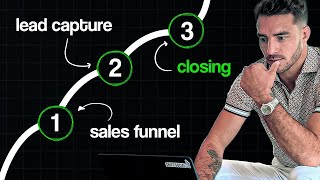
This YouTube training (Nate Tilley) explains how to use a pre-built "agency snapshot" to automate an agency sales pipeline. Key points: the snapshot contains published funnels and coordinating workflows that move leads between pipeline stages (lead → appointment → proposal → account management). Central to the system are Custom Values (set in Settings) which populate SMS, email, proposal links and other templates across campaigns to make the snapshot plug-and-play. The walkthrough covers booking flows (calendar links, appointment confirmation + reminders), double-text + voicemail outreach, stop-on-response behavior, no-show workflows, automated proposal sending (with an embedded payment/contract link), Stripe checkout integration option, and stale-lead re-entry triggers that re-add leads to automations.
Chapters
You know, you can customize all these different steps, but it does take as you get in here and you're messing with things, it's going to make more sense. But the general overview, and I know you guys understand this is like you've got your sales stages, that's your sales funnel, that's your pipeline. Each one of these coordinates with a status of a lead. And then once you've closed somebody, you'll have an automation that puts them in the account management pipeline. So then they can fill out the onboarding form, schedule their kickoff call, you can move them over to pre launch, send them their ad draft. So like, this is how I do my process. And yeah, like you got the opportunities tab. And to get data into that, you're either getting leads on the prospecting side. So maybe you're using a simple landing page like this one that I showed you guys. You're getting booked appointments here. And then we also have an onboarding form for you guys in here too. So like, you can send a client, you can customize this and send this to your client. And then when they fill out this information, you'll have an automation that's like form submitted is onboarding form trigger action. Send me an email, let me know, and then add them to the onboarding pipeline and so on and so forth. So this snapshot really gets you pretty far ahead.
Yeah.
Stuff is done for you. Right?
Right. Okay.
So one thing that you'll see in here is the way that we've got this set up is like, this is the text message that goes out and it's all set up with custom values. So it's like, hey, Nate, it's. It's Rudy, CEO of All right Digital consultant. I see you're interested in our get more clients program for car dealerships. When can I, my team give you a call to learn more about your business and show you how our program works? So these little things right here where, where these get filled out is in this custom value section here in the back under Settings. So I got to go all the way down. My zoom thing is blocking it. So let me just. So custom values is super, super sick. It's like, it's an insane advantage when done right. But it's kind of. It's tricky to get set up. That's why we already have it set up. But you're going to go in here. So I just went to Settings. It's down in the bottom left Settings. And then I went to custom values right here. And so these, as I type this in like what was one we had, we had agency niche, for example at a custom. So I'm going to edit the custom value and I'm going to enter the value as car dealerships. And you could do franchise car dealership, you could do used or you could just keep it general. And now anywhere that that custom value is used in those automations, in those text messages and email sequences that are already set up and programmed, it's just going to boom, update that part. So that way this is like more plug and play where you can put your agency email, you put your agency name like right here. So now for every campaign like these, these sequences we're going to go back to in a second consulting. Okay. So and then the idea is that you set up everything like you set up your proposal link for the link that you're going to send somebody a proposal and we've got that funnel for you. So every funnel has a coordinating workflow and a coordinating custom field basically so that once you get this set up, this is your proposal. You can make this any way you want to. We've just got, you know, we've got some basic. See how right here it already, this is a website preview and somehow it already has RA Digital Consulting aims to. Hey, how is this the RA Digital Consulting lead generation? Because I updated that custom value and that updated across funnels and workflows. So that's, that's how the snapshot set up. It's super, super awesome when you can just go through and fill out the custom values and then you want to comb through everything. Obviously like you know you're going to probably delete. We gave a lot of surplus stuff here so you can just chop stuff out and delete, delete, delete, save. So yeah, this, this just has our, our kind of package in here, different touch points. But you can do this a number of different ways. You can just create an order form even and just put the information right there and have people check out right through your stripe. So you just connect your stripe account.
You can make a specific order form stripe.
It's like 2.2.6. Yeah, it's 2.9. It's pretty expensive. But that's why you can also build a different version of this, a different proposal link or you can do a different payment, you know, checkout page, but you can link it the same way in that custom values and then that's going to update it because I have a campaign like see this pipeline automation send proposal whenever, you know, Mike Smith says hey, hey Chris. Just Send me a proposal. Send me the information on that. You just drag and drop him over to the proposal. See, pipeline change. You drag them over to proposal agreement sent, and then it automatically sends an email that says, great speaking to you today. Here's the pricing info. And then there's a custom values again. Send the proposal link, okay? And then that proposal link is going to automatically send them to your. Your updated proposal link, whatever, wherever that live link is. And then they're going to be able to go and pay there. And then it waits three minutes and it sends them a text, too. Hey, Nate, here's all the pricing info. Look, look it over and you send them the proposal link. So I like using a standardized proposal where it's. It's your contract information, they sign right there, and it's got the payment portal all just right there because it really helps the sales process with these dealers. So everything feeds into everything. But you got to talk about what you do. You got to showcase how different you are. And then you got to send them somewhere. So simple landing page, simple concept, you know, and then running, making some simple posts, doing some direct outreach to people that you know are warm and getting them through there, and then running the ads onto it too. This is a, this is a whole and complete system. So really the first thing that you should do, though, is like, you know, get down with this. Go through the settings, go through the custom values specifically, and update every, every one of these values. Just go to the three dots, edit custom value, and enter the value. And that's going to update all your automated campaigns. So, like this one, all of these are published in live, ready to use. Literally, if somebody submits the form that's any of these forms, and you can program it too. As you change the page, change the form, then it's going to start this flow right here, and this sends the automatic text boom that you saw. You can custom tailor this and then we send double text, or if it's more convenient for you, book a slot on my calendar here. Sends the calendar link. So you'll see as you go through the custom values, like, oh, we don't have a calendar link yet. Okay, so let's get that, you know, and. And that's where you just got to let us know when you get stuck and what you need help with. And I'll have my guy come in and he can help you guys out with some of this stuff too. We do have one thing that I want to show you in here. The next. So just to make this process really Nice for you guys. We send a double text because that's like how people actually text. Hey, Chris, what's going on? By the way, if you want to book with me, boom. That's two texts. Then within five minutes we send this voicemail out. Good day.
This is courtesy call to remind you that you filled out a form online requesting more information about gaining more clients in your area. Give us a call to set up your strategy meeting today and we'll give you more information on how this works.
So that's automatically going to just ring be in their phone and a lot of people are going to just call back. They're gonna be like, hey, sorry I missed your call. And then we go one day later and we have, we have a follow up automatic call.
Hello. This is just a curiousy call to remind you to set up your time for your strategy meeting on how you can gain more clients in your area exclusively. Give us a call and we'll set that up for you and give you that information. Have a blessed day.
Now obviously once they like call back or do something, it, it stops firing off, right?
Yeah, Yep. So it's set up so. And that's in the settings. That's an important setting. Just so you know. It's called stop on response. And so this, once they respond, then it stops. And that's when you jump in there and manually take over the conversation and work to book them into an appointment. And, and once they're booked, there's an automatic campaign that goes out for bookings. Hey, congratulations, you're booked on this time. Like that's this whole folder right here, appointment booking. So it's like whenever somebody's booked, we're going to automatically remove them from all the other workflows and then there's a sequence that will trigger on that. So it looks like the template didn't make it in here. But I'll, I'll add that in. Oh wait, no, it's right here. Appointment confirmation plus reminder. Yeah, so this, it's the same kind of thing. Rudy, thank you so much for setting up a call with RA Digital Consulting. We'll be sending you any a few email and text reminders as we get closer to our date and time your appointment is scheduled for. Appointment start date, appointment time zone. Thank you. Your name? Chris at RA Digital Consulting. Whoever the user is that's assigned to the lead. Nice.
So yeah, so I assume that just helps with the show rate and stuff like that when they do set the appointment.
Exactly. Exactly. So we'll send this one too. That's the text and then the email. We send them all the links add to their Google Calendar. And check this out. This is custom valued up too. So like all of this stuff is just like you update it in the back side, you look it all over and then you basically it's like plug and play. Like you start, you have to customize the funnels, you have to link your domain and you have to fill out the custom value fields and, and then you want to go through everything, you want to understand how this works. But essentially what this is is a really good mouse trap and then a whole back tail end for every stage of the process. So if it's just that they came in and just booked an appointment, then it's going to send all this information, you know, day of, 24 hours before, one hour before, and it's even going to send you an internal notification. Hey guys, just a quick reminder that you have an appointment coming up in one hour. Here are the details. So, yeah, man, it's. We worked a long time on trying to get all this together and it's not perfect. I will say there's probably some things that you'll want to go in and adjust yourself. No show campaigns are set up though, automatically too. This is pipeline stage automation. Automation. So like as you take a lead from lead in to book deployment to let's say that guy doesn't show up, you're just going to drag and drop them in the pipeline and drag him into no show and then that's going to add him into this stage and that's going to tag the lead. Tag is like a label. It's going to tag him as a no show and then it's going to mark him as a no show and then it's going to send him an automatic email that says, nate, we're sorry that you couldn't make our appointment. Here's the link to schedule and it's going to send back the custom values calendar link. So this whole thing is like pretty much plug and play. And we have the same thing for dealerships too.
And, and then obviously like, let's just say I, I do a, an appointment with some dude, give him a sales pitch and he's like, all right, let's talk about it again. Like, you know, in a week or a date I could just send him a calendar link and then it like there's a way to keep them in that flow, right? Like just so it's not like starting all over or whatever.
Yeah, yeah, yeah, exactly. So that would be A lot of times there's a couple, there's. So in this System there's like 500 ways you can everything and it doesn't mean that in any one of them is right or wrong. So there's a couple different ways you could get there. One way that you could do is you could have the intro call be the, the first call that you do that's like a discovery and then the strategy meeting could be like the closing call. Yeah. Another way is you could do just the strategy meeting and frame it like a one call close and you could do phone calls to discover and then lock down the strategy meeting where you send them a zoom link and then you can have another calendar for follow up meeting. But a lot of times what I like to do is I'll move them from strategy. So it's kind of hard to see in this one because it doesn't have the data. Let me just pop mine open. But I'll move them from strategy to proposal sent or information requested. Right. The guy's like well just send me an email about it and I'll review it this week and then we'll touch base next week. Right. So for those guys like I would just move them over here to this pitched agreement sent and then what that does is like let me see one ocados. We, we got them close but let's see, there's some follow up messages. Okay. Right here. So once I dragged him over to that pipeline stage that, that sent him that automatic text with my link to my proposal so that he could go and buy and then he didn't, he didn't sign up yet. So then it just. Can we continue to follow up with him? And then he just, he, he got bumped back into the automations. And that happens for me I have, this isn't set up in yours but I have it set up in mine. You can set it up where a stale lead, that's the trigger lead, sits stale for 7 days or 2 hours or 14 days the lead hasn't had any activity and then you trigger and I'll just add it back into a workflow and then I'll start the automations back up. But yeah, that would just be in the proposal automation workflow.
That makes sense.
Yeah man. So there's, there's kind of a lot to it. Not gonna, you know, act like there's not. The faster way to get leads is to do the lead forms of course but then the quality of leads is questionable a lot of times. So it's really nice for your pixel data and your overall longevity to have a nice landing page. So that is a full and complete how to set up the agency snapshot. Okay. That's a deep dive into not only the philosophy, the setup, the technical aspects, but how it all works together. Hope that was helpful. We'll talk to you guys next time.










