How to Edit Viral Video Ads with CapCut: Step-by-Step Tutorial
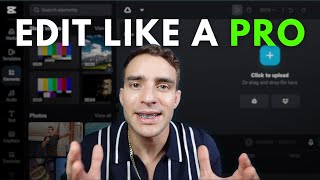
A screen-recorded YouTube tutorial (speaker Sam) demonstrating step-by-step how to edit short-form/video ad content using the CapCut mobile app. Covers importing RAW footage, trimming/splitting clips, using auto-captions and editing captions, adding overlays/animations and transitions, applying audio/music and audio effects, and exporting (4K, raised frame rate) for posting and ads.
Chapters
All right, now, in this video, I'm going to show you guys exactly how to edit your viral videos. So let me just share my screen over here, and we will dive into this. So first, you're going to want to use a tool called Cap Cut, okay? So you should be able to see my screen now. And you're going to download an app called Cap Cut, okay? And in this Cap Cut app, you're going to upload. What you're going to do is you want to have the pro plan. It's a lot better. You're just going to click new project. You're going to upload your. Your RAW footage here. So I'll just upload this RAW video that I made.
What up?
Yo, we just had a client, and.
This guy, what was it, like four.
Days into his ads going live?
He's like, so I'm going to click add right here. And then what you're going to do is I'm just going to turn this down and what you're going to do is what up? Let's see. Mute clip. I'm going to mute it for right now just so we can work on this. But what we're going to do is we can go through here, and you're going to want to find any areas where you might have made a mistake and click on that area and then just click split, and then find where you're, you know, find where you're back on track and then split that, and then you'll just delete that clip. Okay, so you would just delete this and you just go all the way through, like that, deleting anything that wasn't good and then making it so it's really clean. You can delete the ums and stuff out, but you really don't have to. If something's not perfect, it's okay. Okay. Normal stuff is okay. But if you like, like, you're like.
Start laughing or you, like, break your.
You. You have a brain fart, and then you're like, wait, hold on, I need to restart. Clip that part out and then just go into where you restarted. And that way it makes it way easier when you're filming. You can just film, and then you can. If you forget what you're saying, you can just go like, wait, hold on. Oh, yeah, I remember what I'm saying. So here, editor ready. And boom. And then you're back into whatever you were saying, and then you would just clip out that part. Okay, so hopefully that makes sense. Go through here first. Split all the videos up. Boom, boom, boom. Find where everything looks good, then. Looks good there. You're going to click the text button and then you're going to go to auto captions. Okay? So I'm going to have to turn on the volume for this. So I got the volume on. Shoot. Sorry, guys. Just got a call. Okay, so you're going to turn on auto captions and you can choose from a style. I'm going to do this style today and generate now in a second, it's going to generate all the captions for me, and I'm going to be able to just go through and clean those up. It's very easy to use this app. Okay, so now we got the captions generated, so let's check them out.
What up, yo?
We just had a client.
Okay. I want him to be a little higher. So I'm just going to click on them and bring them up here and it should adjust all of them at once.
Got a client?
Yeah, it does.
What up, yo?
We just had a client and this guy.
What was it like?
Four days into his ads going live, he's like, guys, I spent a hundred dollars and I.
So I don't love the captions here. So I'm just gonna. I'm gonna click undo and I'm gonna go back and I'm just going to do a different. A different template. I like this one a little bit better. Okay. Very easy. You see the undo and the redo button? Okay. If you make a mistake, you just click undo.
What up?
Whoops.
We just had a client and this guy.
Oh, we just had a.
So I'll cut out the yo part because we're professional here.
We just had a client and this guy.
What was it like?
Four days into his ads going live, he's like, guys. He's like, guys, I spent $100 and I only got 10 leads.
Something's wrong.
So if it's too big here, then just make it smaller.
What can I do?
Two days later, he sells a car and he makes $3,000. We only spent $100 and he made 3,000. You just gotta let that stuff run and don't worry about it. People are. Every single day, people are scrolling on social media. You can reach them with ads. That's the entire point of what we do. So if you want to scale your ads, reach out to us. We've got a great program and we'll help you to get new customers from social media. We out.
Okay? And then what you can do is at the end, you know, I click split. I Click delete. I trim that out. And then at the end, what I can do for this, for this end piece here is I can create a transition. So I just click on this little slash right here. It's going to pull up my transitions, and I can pick one here. And then what I. What I like to do is I like to take an overlay then. And I'll take a photo that is like a marketing photo. Let me just find one. I know I've got some on here. Let's see. So we're talking about ads. Yeah, let's use this one. Okay. And then I'll make this overlay, come in here, and I'll put an animation on the overlay. And I like to use this. Circle one or no, I like to use this. Sir, act one. Okay, so now at the end, it's going to look like this. All right, now what I like to do is I like to take this and. And come in here to the end, and I like to add some music. So I'll just go here to audio sounds trending. And now I'll choose one. I want something with some bass.
Sam.
This one will work. And then I'm just going to go fade in, fade out, and then clip the audio right here. Split delete. Now we have it.
Social media.
We out.
Boom.
All right. And if you want to as well, you can put other sounds on it. But I like to actually do this in Instagram. So I'll show you what that looks like. And you'll notice here, for some reason.
Just had a client and this guy.
Our first captions didn't go through for some reason. So then I just go to text, Take this one duplicate, pull it back, and then this is how you edit the captions. Whoops. So I just drag and drop it right here. I'm doing all this on my phone, guys. And this guy, okay, so needs to.
Say, just had a client and this.
Guy, okay, so it needs to say, we just had a client and this guy. Dot, dot, dot.
This guy, client, and this guy.
Know why it looks like that? I don't like it.
Just had a client and this guy, This guy and this guy.
So if this was the case, then I would make it shorter, and I duplicate it again, and I would do them separate like this. We just had a client and this guy. Let's see.
Client and this guy.
What the. What is going on with this thing.
And this guy?
What is going on with that?
Oh, maybe it needs to be longer.
Let's see.
Got.
What was it?
What in the world.
Just had a client and this client and this guy.
And this and this guy. It should have no problem doing this.
Just had a client and this guy.
All right, there we got it.
We just had a client and this guy.
What was it, like, four days?
So I could delete that, this guy split, Boom. And then when you split this pro tip, also split the caption. Delete, delete, undo. Move that over so you can save it. Watch to boom.
Now it'll save boom.
Had a client and this guy.
What was it like?
Four days into his ads going live, He's like, guys.
Live.
He's like, guys, I spent a hundred dollars, and I only got 10 leads.
Something's wrong.
Audio effects. This is what I do. Whenever you want to say something that is like, to make, like, a joke out of it, like, here.
Something's wrong.
What can I do? What can I do?
Two days later, he's what can I.
What can I do? Two days later, what can I do?
What can I do? Two days later, he sells a car and it makes $3,000. We only spent $100, and I made 3,000.
What can I do? What can I do? Two days later, what can I do? What can I do? What can I do?
Something's wrong.
Something's wrong.
Something's wrong.
What can I.
What can I do?
Got 10 leads.
Something's wrong.
What can I do?
Two days later, he sells a car and he makes $3,000. Only got 10. I spent a hundred dollars. We got 10 leads.
All right, there we go.
I spent $100, and I only got 10 leads. I spent a hundred.
I.
I spent a. I spent a hundred dollars, and I only got 10 leads.
Something's wrong, what can I do?
I spent $100, and I only got 10 leads. Something's wrong.
What can I do?
Just had a client and this guy.
What was it like?
Four days into, his ads going live, he's like, guys.
What can I do?
Two days later, he sells a. Two days later, he sells a car, and he makes $3,000. We only spent a hundred dollars, and he made 3,000. You just gotta let that stuff run and don't worry about it. People are on social media every single day. People are scrolling on social media. You can reach them with ads. That's the entire point of what we do to get new customers from social media. We out.
Hey, just grab my overlay.
We out. We out.
Okay, now you're going to export your video. So I like to turn it to 4K and turn up the frame. Rate and then click export. And you're going to just let this export over here, then it's going to be ready to post and put into ads and everything like that.










