Onboarding Jiujitsu Client - Shift Social Ad Service
Nate Tilley onboards Alexis into Shift Social's jiu-jitsu ad service. They set up the Lead Connector CRM, review the pipeline for managing prospects, and plan to launch ads targeting early next week. Alexis needs to provide photos and create a Meta ad account.
Questions this video answers
November 17, 2022
Approximately $2,400 (assumes ~1 year retention)
About 35%
653 leads
50 classes booked this month
Chapters
Okay, this is an onboarding call. This is how we are going to structure our onboarding calls. Answering questions, basically just going over everything with the client. So first I open up their CRM account on one tab and then I also go in and open up their Slack channel. Okay. So that everything is dialed in on that end. And then I'm just going to get the account manager in here. Boom. All right, perfect. I'm going to let him in now. Do a little small talk, a little chit chat, build some rapport, and then go over any of his questions. Alexis, the man himself.
What's up, Nate?
How are you, Professor? I'm doing well. Well, man. I'm doing very well. I've been. I'm going to Houston, so I've been training hard and I can feel it, you know.
Nice.
Yeah, I know that feeling all too well, I'm sure.
Yeah. All right, so I did get. It did let me in. It says I have a profile. Like my first and last name and where do I go from here?
Yeah, you're in Slack Channel now.
Yeah, Shift Social.
Yep.
Yep.
And did you download the. The mobile app? You got that on your phone?
I have the app too, yeah.
Sick, man. Okay, so there's nothing really else from there. Just the Slack Channel is where we're going to communicate between my team, you, and anything else we need. It's just the best way to keep everything together. It's. It's very well structured and stuff like that. So we'll keep everything in the Slack for you. And then, yeah, if you have any questions, you can mention it there, you can drop pictures there, you can drop. You know, my team will drop the. The ads, the ad drafts that we get ready for you, we'll drop them there. So we just want to make sure that you're logged into everything. I know you had a little bit of trouble getting into the Slack. It looks like you already maybe had one for.
No, I. I like, created it because I didn't really know kind of what. I just could just press some buttons, you know?
Yeah.
And then just entered my information and then somehow it brought that. Will that interfere with what we're doing?
No, it shouldn't. It shouldn't at all. You know, and we'll. We'll go through our process and make sure that's more clear just to join our Slack channel. And somewhere in there it must have just said to create your own. And so that's no worries. It shouldn't interfere with anything.
But.
But yeah, man. So today I kind of just Want to go through, spend a couple of minutes with you, answer any questions you have, show you a little bit about the process, and then just make sure that you got into everything. Okay. So did you get into the CRM account?
CRM?
No.
What's that?
Okay, cool. So that's where you're going to manage all the leads. I'm going to send you a message in the Slack channel here with the link and you can get logged in. So it's just. I'm sending you the link right now. It's in the Slack channel just so we can get used to using that.
Okay.
And I'll share my screen so you can see what we're working with, too.
Okay.
Man. Can you see my screen okay?
Yes.
Okay, perfect. So that link that I sent you.
Whoops.
And how's your day been so far, man?
It's been good. My mom's in town. Yeah. My birthday is tomorrow, too, so we're gonna do something fun.
Oh, no way, man.
Yeah.
Happy, happy. Early birthday. How many years?
I'm gonna be 39, dude.
39 you old man.
I know, dude.
How do you feel at 39 compared to 25? Be honest.
I like 30s way better than the 20s.
Really?
Oh, dude, way better.
Just because you've got more establishment, you're smarter.
Yeah, I just feel like more like my life's a little more together, like a little more of a grip on life when I did. When my 20s.
Nice, man. I can definitely see that. Yeah, 20s are weird.
I know. How old are you?
25.
25. Okay. I hear. But young buck.
Yeah. Yeah. Started Jiu Jitsu when I was 19, and it's the best thing that's ever happened to me. I can do it.
Right. I started at 25. So you're really good.
Nice.
Yeah.
That's so crazy to think about how you can start it, like, so late in life and it becomes such a huge, integral part of your life.
Yeah, I know, man. It's. Wow.
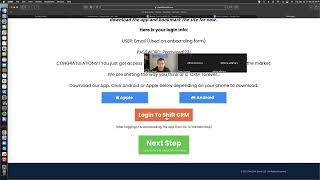
Well, that's cool, man. Well, I know that your mom's in town today, so I don't want to take up too much of your time. So we'll keep this as brief as we can. Okay. I just need you to open up this link right here, and this is gonna have. This is gonna have the information to log into the Shift CRM app. Okay. So are you an Apple guy or an Android guy?
Apple.
Nice. I trust you a lot more than. Yeah, but you'll just go over and you'll click if. If you're on your Phone, you'll just go in and you'll click the Apple right there and it'll bring you into the, the App Store and then you can download the Lead Connector app. Just share my full screen here because I'm having some. See, because you'll, you'll want to have the app on your phone and also on your desktop. Have it, have it booked, marked, and we'll kind of go into.
So should I sign in right here?
Yep, yep.
Hold on. I don't think I have anything set up.
Yeah, we made an account for you. So you, you'll have a login. The login will be your username or your email that you signed up with on the onboarding form.
T, O, R, E, B, J, J. Yep. Okay.
And then the password is right here on the screen. It's password, capital puz.
I'm on a phone right now, so.
Yeah, no worries.
So email password, 1, 2, 3, exclamation.
And you're talking about the mobile app right now, right? The Lead Connector?
No, I'm on the website.
Yeah. So on the mobile phone, you just want to go to the Lead Connector app. So go ahead and click that little Apple on the link I sent you and then go and download that app on your phone, on your computer. You're going to sign into the actual website. The mobile version on the website doesn't. It's not quite as clean. So that's why you want to use the app when you're on your phone and then when you're on your computer or, you know, whoever is going to be helping you with leads and stuff like that, they'll log in on the computer in the actual website version. Does that make sense?
Okay, so. So here, let me make sure. So it's called Lead Connector.
Yep. Yeah, this, this app can do a whole lot, whole lot of stuff. So we're going to build the initial platform for you, but I mean, as far as it goes with your marketing, your business, there's a lot of things you can do through there. So, you know, we'll get you, you know, just started in there and then we'll, we'll continue to build on top of that, too.
What does the. Does it have like, almost like green, blue and white, like.
Yep. L look.
Okay. That's it. Yeah.
And for, for the offer for you. I'm just talking with my graphic designer right now. Is it okay if we do like a free trial and then if they sign up for your, like, your yearly contract or your longest one, they get the first month free or or what do you want to do? Or two weeks free. We could do logos.
I think two weeks is good because we don't have, like, year contracts. We don't do that just because. I don't know, it's just. It's like. It was a lot of work when we did it at aoj, and even AOJ cut it out just because it was just like, people want to sign up and they want to stick around. They'll stick around. And if they don't, you know, they get hurt or whatever, you know, just kind of creates a bad taste. So we just. When we started the business, and it's worked out ever since, we rarely get people that cancel their accounts, but if they do, then we just make it really easy, so if they ever want to come back, they can easily come out.
I like that, man. I mean. Yeah, because it's. It sucks if, like, you don't wanna. Like, if you. A life thing happens and you don't want to cancel because you don't want bad blood, but then, like, you're still paying. So I like that you guys do no contracts. And we'll. We'll. We can even specify some of that in there. Like month to month, you know, Cancel Anytime, which 90 of the time, people are.
For some reason. Hold on one second.
It's pass, Word, capital P. You got the capital P. There it is.
It's got me.
Perfect, man. Perfect. Okay, sweet. So we got you logged into the mobile version. I'll send you a training that shows you how to use the mobile version right now. And you can check that out. It's just a video. It'll make a lot of sense when leads start coming into there. But for right now, all we're doing is just getting you logged in. Are you on a laptop? Also?
I have an iPad with a keyboard that I use. I could use the web browser from there, or I could just use the app from. I can use the app as well.
Yeah, you'll probably be mostly using the app. Then you can. You can go ahead and log in on your iPad to the web browser too, just so you can see that. But it might be a little bit limited, so just go ahead and log in, and while you do that, I'll open up and show you how everything flows.
Okay. Give me one second. Yeah, yeah. So what's the difference between. What's the difference between lead connector and then slack is lead connector, where, like, the people come in, and then slack is just. Where I just communicate with you.
Yeah. So think of it like this Lead connector is to talk to your leads, your business like your, your growth that we're bringing you. And Slack is to talk to my team and communicate internally with your back end business and stuff like that.
How often should I be checking them?
You'll get notifications from both. If we, if we send you a message in Slack, you'll get a notification there and so just be active there. If you think of something you need to tell my team, you need to communicate with us, then you can just go into Slack, you can mention it to us and then you know from there. Anything that has to do with your marketing campaign, your thoughts, updates, we'll send in there. That's all in Slack Lead connector. Every time you get a lead, it's going to send you a notification and say you have a new lead and the automation is going to work to get them booked. And then you're just going to want to go in and respond to the people that respond in there. So you'll get a notification. David Vexler has responded to our automated campaign. Go ahead and respond to him there. And you'll jump in with David and just be like, hey man, come try us out. But we're going to be sending them messages to get them to be booked in.
Okay, I see. But when like, like a real person needs to step in, that's when I step in there.
Exactly, exactly. Okay. And I'll show you how the flow works. We'll just use logos as the example because it's, it's got all this data so it's really easy to, to deal with there or to see. Okay, so let me know whenever you're ready to kind of look over this.
Okay, yeah, I'm looking at it through my phone. I see it.
Okay, cool, man. So this is the dashboard version and your opportunities. Opportunities. Every opportunity is one lead. Okay, so this shows that you. The Logos jujitsu, they have 653 leads and how many they've closed, how many that are open, how many that are lost. And then it the pipeline value, each lead is going to have an average lifetime value that's attributed to them. So you know, if Your membership's about 200amonth, let's say people stay with you on average for about a year. That means that each person's lifetime value is roughly $2400. You know, and it's an average just so you can see the stats. And so we put that into the pipeline so you can just see that and then it'll show like your conversion rate. It gives You a live picture of where every lead is at in the pipeline stage. So this shows like you've got your, your new leads, your hot leads, the ones that have responded. And, and it just gives you an, you know, a big look at where everybody's at in the process just to stay organized. We also have reporting, so we'll connect your accounts in here so you can have your, you'll see all the results from your Facebook ads. If you do any Google Ads, you'll see the reports there. And we'll also have your Google my business hooked up through here. Okay, so I'll show you how we're going to connect all those accounts. Okay, so over on the left hand side, this is where everything's going to be for you to navigate. So this is where all your different menu items are. Everything that you'll toggle through, it's all going to be on this left hand bar right here. So when you go over into the left bar, this launch pad, this will have some key things that you want to do to start out. And if you, if you open it up in the desktop version, you want to go in here and connect your, your Google my business.
We'Ll connect your.
Facebook since we've got access to that. And then you don't have to worry about anything else here for right now. But if you need to add more team members into here, you can either just message in the slack, You can just message in the slack, or you can just add your teammates right here just by putting their email in. Okay, this is where we're going to be working all the leads through. All right, so the most relevant thing to use going to be the Conversations tab. This is where you can see all the leads that haven't that have responded that you got to pick up from there. So, you know, we've got this guy, this guy's got a tummy ache so he can't come to class. You know, so like somebody would just jump in here and be like, okay, cool man, we can get you booked in next week, you know, like, and so let's say that Brandon, you know, he said, you know, I, I got a tummy ache, book me for next week. So what we would do is we would just click on Brandon's name card right here and that's going to pull him up and then you're going to be able to see all the information that's attributed to this lead. So you'll notice that you can see the Activity tab and that's going to show you that he Came in from our ad down here, August 30th and we created a contact for him in here and then he visited the page to book a class. So we're. We're have. We're building an online calendar for you. Looks like the link's been updated since then. So this one's not showing anymore because we, we changed the link actually for them, but. So that's not a really good example. But I'll show you the actual calendar link because we changed all their stuff. But basically we sent him to the calendar so he can book. And this is kind of what the flow looks like. So you can see everything attributed to that lead here. You can see the contact info, you can see the general info, if there's any. And you can add stuff too. You shouldn't usually need to, but if you're using this to manage any members or anything like this, then you can see everything. So additional info will ask them if they have Jiu Jitsu experience already. And in the additional info tab right here you'll be able to see do you have any Jiu Jitsu experience? No or yes. And you know, we might have other things in here as well. So that's just, you know, just giving you a look around that. Let's say that you need to remind yourself to follow back up. With this guy, you can set tasks. So a task would be like a to do. You just write, follow up with ask about his tummy ache, write it in there, assign it to yourself, and then that'll. That'll send you a notification to remember to handle that task. You take notes on these leads really easily right here. It'll log it all to the lead. But for the most part all you're really going to be doing is responding to them. And then sometimes you're going to have to manually book them into appointments. Like if they say yeah, I want to come in Sunday, or I guess not Sunday, Monday or whatever. So then you would just go to this appointment tab right here to appointments. And then you'd go to add new and then you'll be able to bring him into your intro class calendar, find the time slot. Let's say he says he wants to come in for Monday. You just adjust it so it's on Monday. You pick the slot he wants to come in and you book the appointment. When you book that appointment, it's going to automatically send him this appointment reminders campaign that's going to tell him basically what time it's at. It's going to lock it in for him, it's going to give him a link to add it to his Google calendar, to his Apple calendar. And we'll also give him the location and tell him like what to wear and just so he's got all the information that you would tell somebody as they're coming in. So then we'll send him a text as well with the details. And then it looks like. And then right before. So we'll send him some reminders like literally the day of, we'll check in with him the day before, we'll check in with them. And if he needs to reschedule at any point in that, then, then he can, he'll notify you. So, you know, this guy says 5:30 tomorrow, boom. And this is mostly automated. But then this guy didn't come in. So what the team did is they marked him as a no show. And so that makes an automated campaign go out that says, hey, we missed you on your free class on Tuesdays. We know how life can be. Here's the link to reschedule. Was it a scheduling conflict or what happened? He didn't respond on September 7th. So then a week or actually about a month later, we texted him again and we were like, hey, we missed your class. This is automated. You still interested in trying us out? Yes, I am. I did not, I did not get a reminder, but I've been meaning to look you guys back up, okay? We, you know, and this is, this is automatic. This is manual. So now the team's taking it from there. He says 9am next Tuesday, and then they got him scheduled for 9am he couldn't make it. He's got to schedule it, you know, so this guy's obviously not like. Most leads don't take this many reschedules, but this is just an example of how the automation flows and, and the manual work.
So, so I do, I do the.
Manual work, you do the manual responses. And then you just would get them booked in. And then all you got to do is if he shows you mark him as a showed appointment. If he no shows, you mark him as a no show. And I'll show you how we do that. So right here in our Opportunities tab, this is what I just opened up. Opportunities. This gives you a picture of all your leads and where everyone is, all the deal cards that come in. And there's a lot of leads here. So don't, don't worry. Yours will look a lot, you know, it'll be a lot slower than this at first. But all the new leads that come in are here in this new lead pipeline stage. These are all the ones that just clicked on the ad and they haven't responded and they haven't booked yet. So you'll see if I click on one of them, it's going to show that we're sending this guy the automated messages to get him booked in. Can I help you get your, your training started? He didn't respond. Two days later, hey, it's Logos again. You know, hey, notice you haven't booked. And we're sending him the booking link. The reason we do this is because you're paying for these leads to come in and if somebody's just gonna ghost after they come in, we either want a yes or a no from them. And I personally would rather get them to say, hey, stop texting me every day than for them to just never, never respond to us. So our follow up process is pretty aggressive, especially in the first week because that's where we get the most amount of people booking. Yeah, for the most part though, we have about a, I think a 35% response rate on, on this campaign. And so anybody that responds, they go into these hot leads section. And so this is all the people that they respond to the campaign. So this guy said, this guy said stop. And so when he says stop, he's going to be taken off all the campaign. He's going to be, you know, not contacted again. And then we're going to actually take him out of the pipeline. But let's find one where they actually responded something that's okay. So right here. Hey Nick, are you able to tell me your monthly rate for students as well? Okay, and, and we don't like to really talk price over text. So hey, we have several different options and then the team would need to go back and follow up with them. All the hot leads are people that have responded. If they book an appointment, they're going to automatically be put in this class booked pipeline right here. So for logos, we got 50, 50 classes booked this month and out of those you can see the point where they're going to them automatically. We set that up. Now what's going to happen for you and where you come into this is let's say you've got five or six appointments booked for one day and let's say Alva doesn't show, then you would just click on her and it's going to allow you to, to move her. It's a drag and drop system and you would just move her to no show. When you move her to no show, that's going to indicate that she didn't show up. And that's going to start the campaigns that are going to try to get her rebooked in. Let's say Alva messages you and says, hey, sorry, Alexis, I can't make it in tonight, I'd like to reschedule. Then you just move her to reschedule and sends her a message that says, no problem, just, you know, you can reschedule with this link. Very similar to the no show campaign, but it's just a little different since they let us know. Let's say Alba comes in, shows up, and she's in the trial, then you just move her to class showed. And when you move them to class showed, it sends them a campaign that just tells them, hey, Matthew, thanks for trying us out. Coming as much as you like for the week. Here's the schedule. And we just sent them a picture of the schedule so they can keep coming in. And then after a week, we send them an automated message that says, what do you think of your time with us so far at the academy, Matthew? And that way we can see, you know, if they're in or not. But let's say that they sign up on that first night with you, then you would just move them from last booked and you would just move them into signed membership right here. And then everything's tracked. Okay, so it's pretty much just like knowing who the lead is and just moving them in the pipeline according to where they are. That's going to keep you organized and that's going to keep us tracking things correctly. You have any questions with that flow? I mean, obviously it's a lot right now, but.
I think I should be able to get a hang of it. But to be honest, man, I'm so busy, I'm probably gonna have to get someone else to do it for me.
Yeah, yeah, that's no worries, man. And a lot of it, too. We're gonna try to keep it as hands off as possible for you where we're booking appointments and we're making sure they show up. And so, you know, if, at the very least, if all you can do is just even message us in the slack and say, hey, these five people showed. These people didn't just communicate with us and we'll be able to cater it to your needs because I know you're busy and stuff like that. So, you know, if you've got a front desk person that's working that can just organize and say, okay, these people showed. These people didn't show that's really going to help us for our tracking and so we can see, you know, how many people you're closing and we can show you. Hey, man, you're making some, you know, you know, we're making some good progress here. Or if we've got to adjust things because just because we get a lead in, that's not going to, you know, instantly turn into a booked appointment or a conversion. So we're going to want to make sure that we're monitoring that.
Correct?
Yes. Okay, so in, in the calendars pipeline stage right here, you can look on the calendars and filter the free week trial and you'll be able to see all this, all the people scheduled for this week. And so you can get a feel for. Okay, tonight we've got three people scheduled to come in. If they show or if they no show, you can just click on the appointment and you can, you can update them right through. Right through. Should be able to.
Yeah, I should be able. Give me one second.
Yeah, no worries.
I'm supposed to hop on a. Hold on one second.
Yeah, no worries, no worries.
Okay, go ahead.
Okay, no worries, man. So we got you the bare bones. I mean, you're logged into there. That's. That's going to be the essential part.
You.
Now we're, we're gonna, you know, we're still putting together your campaign, so we'll send that over to you in the slack. But let's just have a look at some of these graphics so far and kind of tell me your thoughts on this. So this, this format right here, even though it looks a little choppy, this is a high, high converting ad. We tested a bunch of stuff and we found out that this works incredible. So we'll be doing this for women and men. Do you want women? You want to.
Yes. Yeah, I do. Because it definitely, like, we already have like a decent amount of women in the classes and it definitely creates more of like a, like not so much of a fight club kind of style, so.
That's right. These look good to you, though.
They do. They're a little bold. They're a little bit like kind of. I mean, I'm down to try it out, but one of, one of the things it has is kind of has like a little bit of like that generic kind of marketing, but like, I understand that's kind of what gets people in and stuff.
Yeah, for sure, for sure. So it would help too, if you want to send us some other images that we could use.
Like, I think, I think the images you're using are good. Like, I think. I think the images use. I'm just like.
Yeah. Or. Or if you wanted to send us, like, something you saw that you thought was a little more chill, maybe we can play with the fonts and stuff. But I mean, at the end of the day, it's. It's what works and not what.
Yeah, that's what I'm saying. That's why I'm kind of willing to try, like, what works, you know, what is it? Sorry, give me one second.
Yeah, no problem.
Keep doing this. Sorry. Do you hear that? Yeah, it keeps, like, it keeps me making some weird sound when I'm trying to look through my phone, but yeah, I just. I just don't want it to, like, I mean, I guess we can just try the ads like that and just kind of see how they work. And obviously, like, our first go around, like, it's gonna be like a trial and error. So, like, I'm willing to kind of try what your. What you think works because, you know, like, the image itself, like, as obviously the images from our Instagram and all that kind of stuff. But I. But one thing I was. Can we go back? Can you. Can you bring up the images that you designed already?
Yep.
I'm just wondering if we can, like, soften it up a little bit or do you think the boldness has like, a very. Kind of. To the point kind of.
Yeah, we could, we could look at. We could look at it for sure. But yeah, I mean, the boldness is kind of like. It's to catch their attention. They're scrolling on social media, so we want it to catch them, but we could, we could play with some different font styles and see if it's. If it can be, you know, a little softer. But, yeah, we found this to work pretty well. But we do also have. We. We're going to be doing the adults, but also the kids. So if you could send.
You need images for the kids, right?
Yeah, I think.
Yeah, like, I think these are cool. But can. Can we do it without, like, what do you call it? The blocks or, like, the circles?
Let me see. Let me jump back in there. Sorry.
But if you like to be honest, like, if. If that's what you think works, like, we can try it out too. Like, I'm. I'm down to, like, kind of try it out.
Yeah, you just don't like the circles.
I think just because, like, our brand itself has a very, like, kind of almost like a. Like a. Like a simple kind of subtle. It's not really, like, in your face. You know, at least that's how we try to be.
So.
Yeah, I'm wondering, like, how we could soften up the campaigns.
Okay.
Campaign ads. You get what I'm saying?
Yeah, I do. I do. I just want to, you know, keep the perspective, too. These. These aren't going to go out to people that really know you guys. This is. This is going out to. To complete strangers. So we kind of have to get in there in their. In their face in a way where we're like, hey, this is something for you, but I do understand what you mean. So we'll try to find a happy medium there. I'll talk to my designer and see if she has any ideas. I mean, specifically, these are cool.
Like, they're. They're not, like. They're not, like, bad, because obviously, like, they're our images, you know? Like, it's not. It's not bad at all. But what is it? I'm just saying.
I know what you're saying. You have a very sharp, crisp branding style. And. And so, yeah, I see what you mean of kind of, like, trying to crispen it up. Soften it up a little bit.
Yeah. Like, I don't want to be, like, too much like, either Gracie or like, Pyramid bjj. You know what I mean? Like, I kind of wanna. But I mean, like I said, I'm willing to try it just to kind of see who comes in, because it's just an ad, you know, and then, like, obviously, like, when they get directed to our page, they have more of a, you know, an idea of what we're really about or kind of how we're gonna.
Exactly, exactly. But I do know what you mean, man. So I'll. I'll look over your. Your IG account. If you think of it, if you see anything that you. You're like, oh, this is more what I envision. If you could send that over, that would really help us to kind of gauge how we can, you know, cater that a little bit closer to your vision. But of course, yeah, we'll try this out. Because, like, I said this. I know this to work, but I'm always looking for new things, man. So, you know, if there's a way that we can make this a little bit more aligned, you know, we definitely will, but you'll just have to send us over, like, you know, something that you see that's more like the font style, more like the. The branding that you're kind of have in mind so that we can really put, you know, Some specifics to it so I can show my designer, you know, how we can do that because we don't want to make it too soft where.
No, correct. That's. Yeah, that's what I'm saying. Like, yeah, like, it has to be somewhat like in your. Not like in your face, but, like, definitely has to catch people's attention.
Exactly.
Yeah.
But no, that's. I, I see what you're saying, man. And, and, and so if you can. Some examples.
You think, you think these looking for 15 men in Los Angeles to try bazillion jiu jitsu, do you think, like, those are like, the ones that work the best?
Yeah, they actually do. Like, for some reason, the ones of professional pictures with text overlay, they don't even. Like, people usually kind of scroll past those a lot of times unless they. It really speaks to them. But the. These ones they really like call out to people and people stop with these. They click on these. These go viral a lot for us. It's weird. I wish it didn't work so well because I think they. They're not my favorite to look at, but they. They very, very effectively.
All right. Yeah, I'm willing to try it for sure. I will send. So, so my homework is to send what images of how many? Like, like specific images of anything.
Just, just kids, classes, just pictures that show kids, you know, and then some women as well. If we could get some women in the, in the classes and some kids. You can keep with this professional pictures if you got them, but if not, just snap them with your iPhone.
Okay.
Okay. And if you see anything in here afterwards, you can respond to the graphic designer right here and you can tell her, hey, this one needs adjusted or this one, that one. And you can also tell Delena or Diana she's. She's in here and she will. She'll help you with anything that you need to tell us. So now just get us over some images for kids classes and images of women and. Okay. And then we'll put the copy together. I'll give you a quick look at logos copy. So we're just saying, attention Los Angeles. Come try BJJ for free and learn what the sport, martial art and hobby has for you only. Bring yourself water bottle. Athletic wear and positive attitude. Click below to book your intro class. Take the first steps. P.S. it's never easy to start something new, but we've got you every step of the way. Pretty simple. And we have. We'll run different, like five different variations of text. Ready to get out of your Comfort zone. Try something new. Brazilian Jiu Jitsu does not rely on strength, size, or athletic disposition, making it perfect art for anyone to practice. So this lingo is really looking to appeal to white belts. So if. If you find that you want to bring in, like you said, a gym just closed down, so if you want to bring in more people that already do Jiu Jitsu, then we'll have a separate kind of verbiage for them. Okay. So we should have everything we need on that. And let me just make sure that we've got access to your ad account, And then we'll.
We'll.
We'll put the campaigns together, and we'll send them over in the Slack Channel. And if you have any questions, you can just communicate with us through there. You know, try to be active with my team and communicating, but you will get busy once we start sending you in appointments and stuff. And so just when. When you get, you know, a chance, just let us know, hey, hey, this is going well. Or, you know, And. And it's normal just to let you know ahead of time, too. It's normal to get, like, no shows and. And rebooking people, so our system makes that really easy for you. It looks like you don't have an ad account set up yet. You've got your page. You're just on your. You're just on your phone and your iPad right now. Yeah. Okay, so I'll send you instructions on how to create an ad account and then share it with us. So that way you can just do that later on today. You're just gonna make an ad account on Facebook, add your card, and then share the access with us, and I'll send you over a document that shows you how to do that.
Okay. Okay, Perfect.
All right, man. Awesome. Awesome. So I'll send you over a document that'll look like this, and it'll show you how to make your. Your ad account. I just got to find the right one.
Okay.
All right, cool, man. So that's pretty much it for right now as far as what we need. We got you logged in to the Slack Channel. We got the graphics pretty much approved. Kind of what we need from you and I. As far as everything else goes. We'll just need you to create an ad account, add your card information, share that with us, and then we should have everything ready to launch by early next week.
Do I have an ad account created for Instagram already?
It'll be the same, though. They're connected.
Okay.
I think I.
Because I've ran Facebook Ads. I mean, I'm sorry, Instagram ads before.
Yeah. So the only issue is you'll run the. The ads at first through your personal ad account. And you can't share a personal ad account with an agency, so we'll have to make a business ad account. Yeah, yeah. So I'll send you the information on how to create a new ad account. Okay, Here we go. All right, cool, man. I'll send this over to you. It's pretty easy. It doesn't take long. It'll take 10, 15 minutes at the most.
Okay.
All right, man. Awesome. Well, did you have any other questions with things or the process?
I think that's it. What would be a good way to look up, like, different ads for Jiu Jitsu? Or, like, do you think I should, like, Google search it or.
Yeah, yeah, that's a great question. So what you can do is you can go into the ads library. Okay. This is a feature of Facebook. You just literally type in ads library and go to select category all ads. And then you can just type in Brazilian Jiu Jitsu and it'll show you all the ads that are running in the entire world. Well, I think this is just the US show you all the ads running in the US Right now for Jiu Jitsu.
So I do that. I can do that on Facebook?
Yeah, you can do it. You go to. I'll send you the link in. In the slack right now to this exact page that I'm on.
Sick. Thank you, man. You're super helpful, dude.
Absolutely, man. I'm glad that it, you know, I can. Can help you with this kind of stuff, man. For sure. But you'll see, like, look at how, like, these are cheesy. Like, really cheesy. Like, we. This is what I want to stay away from. You know, I. I like to have an intermediate balance. Like, I like these ones right here. Learn Brazilian Jiu Jitsu. So just look through, man, and screenshot some ones that you like. If you see any styles, a lot of people do, they'll take Joe Rogan's clips, run them like this. I've never done that because I just think it's a little bit. I'd rather run your brand, you know.
But.
So you can. You can search in there. See? See any you like. And you can. You can type in different keywords too. Like, you can try just bjj, see what that comes up with.
Okay.
Mostly BJJ fanatics. All right.
Perfect, man. Thank you.
Absolutely, absolutely. So I send you this link to the SOP and Then aside from that, we will. We'll just keep on plugging away on getting your campaign already. And when everything's set up and ready to go, we'll send it over to you in the Slack channel for approval. And then once we have the approval from you, then we will. We'll get ready to launch everything. Once we launch, man, it usually takes a couple days, if that. Sometimes you get leads in right away. You start getting leads in, you start getting appointments in, and then, you know, we'll get them to the door and you just relay with us. Work with my team in the Slack channel. Let us know how things are going. So if we need to make any adjustments, we can. But really, man, yeah, we're gonna blow your awareness up, your exposure up. We're gonna start putting you guys out there for your kids class and for your adults class. So a couple things we need from you, just pictures from your kids class, some pictures of women, and to create a Facebook ad account and then share that with my team, which will help you walk you through that once you've got it built.
That sounds good, man. Thank you.
All right, Alexis, great jumping off to you today, man. Thank you so much. Let me know if you have any questions. I'll see you in the Slack channel. And yeah, we'll just. We'll just get it done.
And how should I send the pictures or do I send them through?
Send them in this black channel.
Okay. And then they'll upload prop. Actually probably doesn't matter, right?
Yeah, they'll upload properly in there.
Okay, perfect.
Awesome, boss man. Well, looking forward to it. Happy early birthday again. Have a good day.
Thank you, man. I appreciate it, brother.
Yeah, it's. It's. It's good working with you, man. I'll talk to you soon.
Okay, Sounds good. Bye.
All right, later. Hey, Diana.
Hi. Hello.
Hello. That was good.
Yeah, you were great.
Thank you. Yeah, that's. That's kind of how the process goes. You just. You kind of just basically just tell them the same stuff. Like you just make sure they're in the Slack channel. You explain the difference between the Slack and the CRM app. You make sure they're logged into it. Then we give them a little crash course on the CRM, which in the CRM it's actually kind of easy. Like I. I like to show them on the call some things. But actually we have a training and support pillar like in the CRM, we have this on the left hand side, we have training and support and you can go through this yourself too. As you're learning more about this platform, I know you've already trained on it, but if you ever have any questions, you can just go to this training and support and you can see how everything works. And so for a lot of clients, I forgot to even go over this with them. That's one thing I should have mentioned. You know, you just go over and show them, hey, you know, just do some training on the CRM tonight. You can go to this quick start and this will actually show him pretty much everything that I explained to him just in a little bit more details and things like that.
Oh, all right.
It's really useful. Thank you.
Absolutely. So for him, we're just going to need to follow up with him on this on getting his Facebook access. So I'm not sure if you saw. I pulled up a link. Let me see where it was. Okay, so right Here, this is clickminded.com. let me send you our access. I'll log out and log back in. So I have my password. Okay. So it's click minded. It won't show me my password. I think it's just shift social. 1, 2, 3. Explanation. We keep it pretty original. Let me send you this in the Slack channel.
All right, thank you.
But what this is, is this has all these different SOPs, like hundreds of them that we can send to clients. We won't use all of them, but like I just went in here and typed in create a Facebook ads account using Business Manager. So then I can pull this up and they've already got the exact SOPs and how everything should work. So they show them exactly how to do everything.
Okay. Are they to set up an account? All right.
Yep. Create a new ad account. So for him, he would just start at the create a new ad account part and it shows them exactly how to do it. So what we have to do with these is we have to export them and then we just have to change the branding. So like, so it's. They'll come standard with this click minded SOP library and you just have to go in and edit the header. I don't even know how to do it. There's a way you can edit the header and then I think you have.
To double click on the, on the top when it says clean minded, like clicking yeah times and I think it. You can modify it.
Yeah. For some reason it's not working for doing that. But they actually made it sop. Check this out. They actually made an SOP already for how to do that.
Okay.
It's white label. White label click minded SOPs. So they show us exactly how to do it right here. Export as Google Drive, make a copy, Double click on the right header. Yeah, that's what I was doing.
Yeah, that's what I usually do when I want edit the head.
I'm not sure. That's weird. I'll send this to you and you can check it out if that works for you. Yeah, but how's everything going so far? I know it's kind of, we're still getting things dialed in and organized. Gonna be, you know, training. A lot of training. But how's everything been so far for you?
Yeah, I think it's, it's really chill. So yeah, I was, I was introducing myself to the, all the channels, seeing their quests, sending through Slack to Nagan and, and Salomon and and so on. And I just added a couple on the document for they to. Well to do and as soon as they told me it's done, I'll put a check mark. So then later you can, I will take a look into the document just to make sure everything is okay.
Perfect. Awesome.
Yeah. If you have more documents that you need to translate, you can just let me know. It's. I can definitely help you with that if you need a hand.
Yeah, we will just.
Yeah, that's right.
Kind of sporadically through what we're doing. That's, that's a really big help because we're running campaigns in Spanish and obviously I don't speak Spanish, so that's really helpful and we'll, we'll send you over more stuff like that. I'm glad that you can help us with that. That's a big help. So I sent you over this SOP and I made you an editor. So you should be able to just go in there and edit that according, you know, change the header out and just take out the click minded stuff and then send that over to Alexis, please.
All right, so do you want me to remove when it says clean minded?
Yep.
Do you want me to save like another or just erase it?
You could just erase it for right now. In the future maybe if we're using. Because we'll have those documents saved. So any of those SOPs that we have, we should have them all in like a folder on the Google Drive. And so I'll create that to where everything's in the same place and that way you can just, you know, if, if a client comes up and they need, you know, your help with something or you need to know how to do something, you can Know that all those SOPs are already there, ready to send to clients.
All right, yeah, that's a great idea.
Yeah. In a little folder. So that way, you know, onboarding, you know, makes it easy. Okay, let me just refresh this and I'll send you this one too. That shows how to edit. This one.
Yes.
I don't think you'll need it. I think you'll be able to do it without.
Boom.
Cool. And then this. Click minded. I'll give you the login and password to this. You can look around in this. You know, like, this has a lot of different things. So a lot of it's not that relevant to us, but some of it definitely is. So if you just go like, there's different courses. There's many courses. And so, you know, as far as most of it's like, how to do things, you know, but yeah, as if there's stuff that comes up that we need your help with that's in here. We can look through and see if they have a. A good SOP for it. But most of this stuff is, like, pretty intense, like, deep, like, marketing stuff, so.
Okay. Or. Yeah, if you could please send me the user and password, that would be great. And the link.
Absolutely.
I can have access to that. Thank you.
Yeah, because it's got stuff like this too, where it shows, like, Facebook ad, client brief. You know, this is. This is acquired through the onboarding call. And you know, just different. Different things like this that maybe we're not doing that we should have in here. But yeah, for right now, just. I just want to get you access so you can check it out on your own time.
All right, I'll do it. No problem. Yeah, just send me the user and browser and I'll take a look.
Let me know if this password doesn't work and we'll get you logged in. But. Okie dokie. So today's been kind of crazy for me. I'm gonna go get a burrito and what kind of. What kind of bison? Like buffalo.
Oh, okay.
Yeah. And then I'm gonna jump on with the team and just get some ad fulfillment stuff done. But I'll save this video that we just did in the Slack channel so we can kind of have a.
A guideline.
Yeah, a good guideline for. For onboarding calls. Some are a lot easier than others. Sometimes you just get them on and they're like, okay, you logged in CRM. You know how to use Slack. We got all the access. Do these graphics work for you? Okay, cool. We'll have the team send you over the address for approval, and then we'll launch and you'll start getting leads and ads in from there. So a lot of times it's like pretty much just going over the onboarding process. But sometimes, like, that guy's got some questions and stuff where you would just basically say, like, yeah, let me talk to the team about that. But one thing about, like, you notice, like, I told him, like, hey, yeah, we can. We can look and see if we can do that, but obviously this works, so we'll go with this. Like, we don't take orders from our clients. Like, we sometimes have to just kind of put our foot down. You don't have to put your foot down, but like, the client asks for something before telling them that we can do it, just come and talk to me. Because some things, like the clients think they know best and. And they hired us for a reason. So a lot of times I've got to kind of check them and be like, now, that's not the way we do things. We want to do it like this because it's going to get you results, and that's what you hired us for. So just so you know, you know, as you're working with clients, it's. You're. You'll be really good at just being in the middle of just. Yeah, let me. Let me check with Nate. Let me check with the team and we'll talk about that, you know.
Okay. Yeah. If they have any kind of a specific, kind of weird request, I can definitely talk to you and the team about it and we can have a resolution about that. Yeah, that's great.
Awesome. Awesome. Well, thank you so much for hopping on here today. How was school yesterday?
Oh, yeah, thank you. Yeah, it was really good. I mean, I was just, as I mentioned, working on my final projects, planning activities for the children. Yeah, it's. It's where I already know how to do it, so it's pretty easy.
Good.
I have to do like, a lot. Like, I think it was 13 activities, so. Yeah.
Whoa, that is. That is a lot. And you got your finals all going and everything's good there?
Yeah, everything good. I mean, we still have like a.
Month.
Month and a half, I think, to deliver them, so. Yeah, we have enough time, I think.
Perfect. Awesome. Well, let me know anything you need from me. Like I said today, I'm going to go through the onboarding process so that when we get a new client, it'll give you all the information, and then I'll make the step by step list. Of, like, you know, Adam and the Slack Channel, send them this message, introduce us. Like, that kind of stuff for you. But for right now, yeah, just. It'll be pretty chill. Like, you know, really, like, the way that this works is, like, you'll. You'll. It's not. Every day is going to be a little bit different, and it's going to be dynamic, and some days it's going.
To be, like, a lot more work.
For you, and some days it's going to be a little bit less work. So just let me know if you find yourself, like, not having much to do, but you're doing a great job of just telling me what you're going to be working on. And, you know, I'll keep bringing stuff to you as well, so. Yeah.
Yeah, sure. And if you need anything, if you need me to translate or a document or something, just let me know. Or anything specifically, if you want me to send a specific message to a client, just let me know and I'll do it. I take care of it.
Awesome. Perfecto, Diana. Muchos gracias. See?
All good. I'm really excited for this job, and I think it's. It's. The team is really communicative. I really. I really like that. And, yeah, I think it's really good, in my. My opinion.
Good. Well, I just, you know, I. I just felt like you'd be a good addition to the team, speaking with our clients and working with things. So I'm really glad that we got you on. I'm really glad that you enjoy it. You know, I know you've got a busy, crazy schedule outside of this, so, you know, just. Yeah, keep it. Keep it. Just communicate with me, and anything you need, I got you. We'll work on everything together, dialing it in, building the process. But, yeah, my goal is to really get away from the day to day as much as possible so that I can focus on building the business and so getting all you guys in place to just handle client inquiries, work together, that kind of stuff, and I think we're right on track with that, so I appreciate all your help.
All right, no problem. Thank you. A question before I. Before I let you go. Should I send you my. My people account or. Yeah, send me your Saturday or. I don't want to.
Yeah, yeah, send me your PayPal account. Oh, yeah, the. The 15th will be on Saturday. So, yeah, send me your PayPal account and I'll just do it either at the end of the day tomorrow or for. Or. Or. Yeah, or Saturday morning. Either way.
Yeah. Yeah, but just to remind you that. Only for the three days. Yes.
Yeah, it's only for three days.
Yeah, yeah, yeah. I don't want you to put like a whole week, and I didn't for the whole weeks. I just. So. Just so you don't get confused or something with someone else.
No, just three days.
All right. Thank you. Okay, I think that's it. From. From a part. I'm gonna continue checking the. This like a. Listen, a couple notifications. I'll take a look into that.
Awesome. Diana, Gracias. We'll see you later.
All right, thank you. Name? That's right.
Mignana would be tomorrow.
See you later. Yes.
Now there's Asta Manana, too, so you have a good day. Later.
Thank you.










