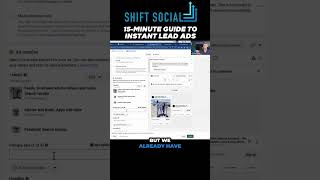
Nate Tilley walks through setting up a lead-generation ad in 15 minutes. Pick your audience by country or address, use a static Instagram image, paste your copy into the headline and description fields, build a simple lead form, and publish to your CRM.
Chapters
To set up an ad, guys, it should take like 15 minutes. Like once you're all set up like this and you can see this view right here, literally you go to create leads. I'm going to show you how. This takes no time. I go to manual leads campaign. You can name it, but you don't even have to. If you want to be a chad marketer, just click next to set the audience. Let's say I want to go all United States or I told you guys, like actually do the location. So do the address. Boom. You know how far out your area can be and you can adjust these things anytime. New ads. Okay, I'm going to go add media, add image. And what I told you guys, the easiest ad that any of you guys can run right now is a static image from your Instagram. So this is one that I just took a static image that I just grabbed off Ian Evans Instagram. It's just a picture that they posted already. Okay, I'm going to add that. I'm going to add my copy. If we had the time, I'd write it all the way out. But we already have done the copy at this point. So you just copy and paste that in. The top copy is up here. The top copy goes up here. That's the primary. And the headline is here. The this is where the headline goes. And then the description goes on the bottom and it doesn't always show, but it goes down here. And I like to put a testimonial here or like something like sales related. And that's it, guys. That's literally. We got an ad set up. Then I would just build out the form, which you can do this, very simple. And then I publish and set this up with my backend CRM.