Shift CRM Building a funnel & membership product
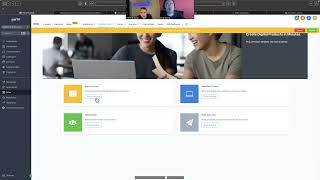
A hands-on walkthrough (two-person conversation) of building a funnel and membership product inside Shift CRM: choosing a funnel template, editing pages (with attention to mobile-first edits), adding media (images, YouTube), creating membership products and offers, configuring order forms for payment, and delivering digital files via Google Drive links. The instructor also points to support/training videos and Stripe integration hints.
Chapters
All right, guys, so today we're going to be talking about the funnel builder and how you can set up your own sick landing page or funnel for any one of your pages. These are really great to run ads too and stuff like that. So Oscar, I'm just going to record this so we got. Okay for later. Okay, so you're gonna go.
Oh, nice.
Okay, sites. Yes, sir. We go into funnels, into the template library library. Now we've got all these different templates that you can actually browse by category. You can filter them out and look at all of them. But actually for you, we, we just found the perfect course one, right? Yeah, it's a, it's a course ordering right here.
And that's the one I'm going to use.
Absolutely. So we just select this right here, you can preview it right inside there. And then you know to use it, you go up here to continue, you check right here and you get this simpler boom.
Like Canva. Have you ever used Canva?
It's a lot like Canva. Yeah. Yeah. Right?
It's nice. It's. It's user friendly.
So let's see which system is.
You already started it. That's the part that.
You were starting one from scratch. Okay.
Yeah, I didn't, I didn't. I was just, I was just clicking on stuff.
The websites are sick too. We have our own website templates. So this, this could be something where these are even different than funnels. This could be somewhere where you come and you build like a whole website around everything you do, you know?
Okay.
You'd have to really customize the template. But the funnels are just for like one pagers that are good for selling offers and stuff. Yeah, when loaded in right here, we refreshed. Here's this bad baby girl right here. And it's got 1, 2, 3, 4, 5 pages loaded up. So it's got. If you do like a limited time offer any upsells. If not, you can just delete these out of here. This is all the placeholder information and stuff for you.
And how do I edit? Like each individual part?
Yeah, so you can, you can either just do one page and just keep it simple or you can do each page and it'll like go from one step to the next. But you just go over here to edit.
Ah, okay.
Edit page. Just go to text. And then right here it's just like, just like canvas. So logo right here, double click. And then over on the left, you.
You drag and drop.
Yeah, not quite a drag and drop. More of like if you click on something, the options for it pop up over here. So to switch, I would make a picture just like this for your course for sure. Yeah. Everything that it includes. And then just click right over here. This pulls up your gallery and this is where you'll upload all your pictures and stuff.
Relocate item. That's what it was called, right?
This is a folder. So this is all the stuff that came in that. So none of this stuff's really going to be what you're going to use. You're going to upload your own file. My own?
Yep. Okay, that. What was that? That one that you clicked on. Okay. In the image.
Click on the image. Yeah. So to add stuff, orange boxes are going to help you add. So you just go to the plus sign on the orange box that pops up. Everything you do here on the right. So look, if you want to add a headline, you want to add some text.
That is sick.
Yeah, you want to add like image. And then there's other stuff you can do too. If you've got reviews, you can sync them up. You can do like a countdown timer. So this is where you can say, you know, how long.
That is? Completely sick.
And you want to see the advance, the regular settings you can update over here and then you know, you can have it. So like the first, you edit the regular options, then always look at the Advanced.
Huh.
And when you build these things, little pro tip up here in the left hand side, it shows the desktop and, and the phone.
Yep, I saw that.
Yeah.
Start it and how it's going to look. Right?
Yeah. You want to, you want to edit it in mobile and then make sure if, when, when you go to Advanced, if one of these boxes is off, it's not going to do that version on that part of it on mobile.
Okay.
So you want to make sure that when you're editing it, you edit it. So it edits for both of them. So you just always start with the mobile version and edit that first.
Yeah. Okay. That's sick, man. That say, I'm gonna. Hey, it looks pretty easy. I think I'm gonna be ready. And how about how do I upload the actual project? Like for them to like you when, you know, whenever they pay, right. They get, I guess they get the instant access and they get like a link, right. Sent to like what I was thinking is to upload.
You got the course. How are you. Where's the. Is it some videos?
Yeah, they, it's some videos and mostly it's like audio packs.
Is there Like.
Like samples, right? Like samples.
Because you can go. What you can do for that is you go back to your sites and then you can go up into memberships right here. This going to blow your mind, bro. You go to memberships and then it's got. Right here, it's got. Wait, sorry. You go to products. This is where you make your product. So you're going to create the product however you want it to look. These are all different formats, so shorter course. If it's a marathon or if it's like a membership, like, you got a lot of different types of stuff. You're just going to pick which one is going to be the best.
I think it's going to be a sprint because, I mean, it's the same volume. It's not like a course, per se. Right. It's like Library of sounds. Right. It's like over 800 sounds. And then I'm adding additional. Additional, like, tutorials. Right. But it's not. Well, I guess it's a course. Right? But I don't know. Like, every volume has a video in which. I was going to add, like a YouTube link. I was gonna add the actual file, but I was like, man, that's. It's gonna help my page, you know, my YouTube page getting more, you know, more views. So, yeah, I'm gonna do that. I don't know how I'll be able to just attach the link or just send it to the email.
You can add video in the funnels. Remember we were making the funnels? You can add a video and then you can link it to your YouTube. Will you just put the YouTube link in there and then it'll be on that funnel.
Sick. Yep. Okay.
For the actual product itself, you could do it like that, where. Instead of making like an actual course, because this is like a thing where you put the video, you put the text, and then this is going to show up and be like an actual. Like, when we preview this, it's going to look like, you know, you're going to have the video right here. This is what it's going to look like to them. Each one has a video, so that's like more of a course. Okay. If you just.
Yeah, that's good.
Yeah. So that's kind of the setup with that. Like, it'll be like this. You'll put all the information, you know, you upload the picture. The course builder, I haven't spent a lot of time with, so you'll have to, like, kind of get into it a little bit. But, yeah, you Just do products and then you make your product. And I check out the other types of templates too, just so you can have a good feel. Then you make an offer out of your product. So it's like your offer if, if.
4,000 and it's gonna pay 4.99, right?
Yeah, yeah. Well, you just put what the offer is, like what it's gonna cost, how much it's gonna be, and then on the web, on the funnel you'll put like all the, all the details of like how much you're discounting it. But here you just make the offer. So then back in your funnels you'll be able to link in the funnel. If you go to the, you go to sales right here, you'll be able to. Oh wait, let's see how to do that.
I'm so glad we're recording this.
Yeah, actually, yeah, yeah. You go into steps and then you create a two step order order form.
Okay.
That's what's going to allow them to pay. Yeah. So like right here. So when they click this, this is actually just a picture. Oh wait, let me see what this is. Oh yeah, this is a one step order form. So it gets all this information and gets their card right here. So you don't even need any other.
Pages, just straight to the point. Can you scroll up a little just to see what was it? Okay, Yeah, I think it's, it's simple, right? But I can add no video to that, huh?
Yeah, you can. You just go right here. Plus. Okay, plus you just go video and then look all you need. If you just have the YouTube link, paste it right here and just make sure to save it up here, you know, every time. Yeah, that's it. And then you can name the page like your course. You know, this is what's going to show up like in the link. You pretty much just have to fill everything out and you'll like, you'll learn it as you go. It's. Yeah, yeah, yeah, it's pretty simple. When you just click and go through the two step order form can be a little bit tricky, honestly. Sometimes I have a pain with it. But like you just gotta go through and pretty much all the information set. But what I was going to show you with that like offer is the way to get your product in here. And for some reason I can't, I don't, you know, I send payments a little differently. So I'm just trying to see sale action, like how to set the products that it's tagged to in the sale. Oh, right here, brother. Right here in the right hand corner it says products. That's where after you make. Okay, you'll be able to add that right here. And you might have to like, I think you have to do something in your Stripe account too. But there is this training and support right here and we have videos that talk about memberships. So the membership sites, how to set up and everything, so.
Oh yeah, I, I'm good with that one. Yup. I can just watch it and. Right.
Exactly.
Over this stuff.
All.
All. But I was, what I was main concerned was with like how do I upload, you know, the, the. The whole product here and how to add the payment. I guess I got the payment, you know, like.
Yeah, so yeah, the product, it's, it's in the membership that'd be making your own membership site. But there's some other ways you can do it too. Like if you said you just wanted to throw all the samples on your YouTube channel, you could just make a funnel that after they pay it, it's a new page and then it just has the videos and so they can just go through and watch a video. Each different product would be. Or each different sample would be either its own page or you do a couple of them on a page. You know what I mean?
In my YouTube will be only the tutorials. Right. But the actual file of like all the volumes that I'm offering, I'm thinking to give it in a zip file. Right. Maybe. Well, I had it before, like a.
Couple ways, have a couple options for them and make it automated, you know, so you can put it all in Google Drive and just say, hey, Google Document. You can use document with copy and paste stuff, you know, and you can do a zip file download.
Okay. And directly like, should I create a new Gmail account with masters production that like at Gmail, that way they can download it from that drive. Do you think that would be best instead of like mine? I mean, because I don't want to give them access to what I have in my, like in my personal Gmail.
Yeah, I wouldn't, no, I wouldn't give them the Gmail. I would just do like a Google Drive link, you know, like, like for example, for the case studies that we use, like I got Drive.
Right, right.
You know, we've got all these.
That's what I was talking about. Just create like a different account where I can just click on it and everything will be there.
Yeah, you just make a folder for the product and put all the stuff in here and then you can just go to get link and this link that pops up, this is share access and you can make it. So the link is restricted. Anyone think you can make it so they have to request access and you have to accept it, you know that's.
Yeah, because I don't want like everybody be passing the link around, you know.
Exactly, exactly.
Okay.
So you can make them request access. Exactly. That's what I would do for sure. And you just add everything to the Google Drive. That's easy. I would do that.
Yeah, yeah, yeah. I think I'm going to do that. I'm going to get hands on. Would you be available? Maybe if I have some like really stuck issues. Just in case.
Just let me know, man. Yeah, I'm going to be.
Or maybe just like to check it out at the end. I don't think I'm going to have problems since we have like.
Yes, send it to me man. Right.
Just like I just send you the link and then you can just help me pipping it out. See if, if it's cool. I'm gonna be until like midnight doing this, you know, because I gotta release it tomorrow, bro.
It's a lot of steps. Yeah man. Yeah, it'd be sick. Yeah. So I would just do the one pager and then when it redirects to this page right here after they make payment because it goes to the next step, you're gonna want to. On this page you're gonna put. This is how you're going to give them the product. You can either delete this page because it's like offer. I might even do this one until you're doing an upsell. I don't know. You got any upsells with it or you just.
I do, but it's not done yet. You know, like it's just a lot of work. But I have it like planned out and thought out and written down. You know, all I got to do is like execute it and get it recorded.
Yeah, I would, I would maybe delete these two pages then and just have it read straight to the thank you.
Just home. Thank you and check out.
Yeah, exactly. And on the okay on the thank you page, this is where you're going to give them instructions on how they can get the product. Huh. So you're going to edit this page and you're going to say, you know, thanks. Click, click this link and go to the Google Drive folder and request access to this form. You must use the same email as whatever else. Step one, step two. And then you can have a button that links them to your. Your YouTube or, or it links them to whatever. You just adjust all this stuff.
Cool, cool. Yeah, let me. Let me get hands on on this, man. This is lovely. Yeah, I know I'm gonna be stuck, but I'm just gonna, you know, I mean, it's. It's pretty friendly, right? User friendly. So I just got to go ahead and click here, click there, check any tutorial. What I was worried about just, was just to get into it, how are you going to pass me the video like this one that you just recorded?
I'll upload it to the Google Drive.
Ah, cool.
Yeah, you need it though, right? You think?
Probably, I mean, I would like to have it just in case, you know.
I'm going to upload it. I'm going to upload it.
Okay, Cool, cool, cool.
Got you, man.
Yeah, yeah, let me. I want to take much of your time, man.
No, it's okay, man. I. I wanted to get with you on this. It's been so crazy the past few weeks, but that's no excuse, so I appreciate it, man.
For real. This is. This is just crazy. I've been waiting for this moment for months. I've been planning this and wanted to get to do this for months, you know, and this is. This is like, go. Thank you very much, man. Really appreciate it.
Absolutely, man. I'm glad you can have this tool, you know, and it's going to leverage. It's going to help everything because you're learning more about this platform, you know, it'll take. There's a lot of parts of it, and you're learning it from the back end making products, but we need that on the shift. So it works. It works out, man.
Go to this support training already.
Anything you need. You know, this is going to have answers to a lot of your questions. Websites, you know, everything is. So editing stuff, maybe just have these videos playing on the side. You can even pull up this support library. Yeah, yeah. So that's what I'd recommend. So you're learning it.
Nice. Yeah, man, I'll let you know. I'll let you know. I'll send you, you know, I'll send you a message. Hopefully by the end you can go ahead and check it out.
Perfect, man. Sounds great.
Give me, give me green light.
You got it. All right, send it over to me.
Yeah. Thank you. Appreciate it, man. Talk to you later. All right, bye.
Later, Oscar. Okay.










