This content was created by Nate Tilley. This content was uploaded by Nate Tilley. This is a YouTube video titled "Shift CRM Conversations Tab Training" created on November 23, 2021. It provides a training session on using the conversations tab in Shift CRM, explaining how to manage and communicate with leads through various channels like text, email, and Facebook messages.
Chapters
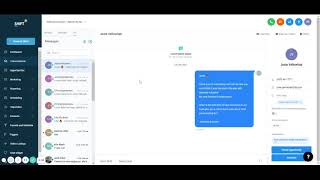
Okay, after the dashboard, we got our conversations tab over here. And if you click over here, I always go to the all make sure we're seeing every message. And this is where you could have conversations with everybody. All of your leads, it shows their name right there. You could directly send text messages or emails straight to them. You could see this is an automatic message that we already saw that we already sent. And if they replied, we could see them on this side. So if I go to unread, it'll show that right here of we sent this automatic message and they replied. And look, they're already ready to buy looking for a car right there. And so you could text them, email them if they. If you set up your Facebook and integrate it with this, you could also send people Facebook messages if they message you through Facebook. And so you could do all your Facebook messages here, text messages, emails. Straight from here, it shows more information on the right. And if they do not want to be disturbed, you just simply press that button. You could schedule appointments straight from over here. And if you click on these leads, you can learn more information. If you have anything general info, maybe they filled out other stuff that they have their business name, city or additional info anytime we have extra questions and so we might have extra questions or like, do you have specific details for this as cars, do you have a down payment? And if they fill out any of this information, then we have that too. So right here we got. They want an suv. Do you have a trade in? They possibly have a trade in. And then it shows an update of all the activity that they have through here. Have an appointment or anything with them. And you could assign it straight from here to your team. And you could also call them straight from here too.