Shift CRM Fitness Kickboxing Training
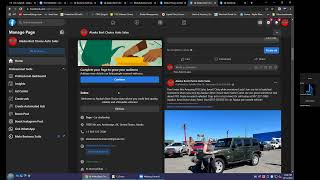
This is a recorded training/support meeting (Nate Tilley with Salman, Mark, Abe, Jenny) about onboarding a fitness kickboxing client into Shift CRM and resolving Facebook ad/page access problems. Major threads: troubleshooting Facebook Business Manager and missing ad-account/page access (deciding to create a new ad account or request page access), configuring Shift CRM (Lead Connector) automations and pipelines (new leads, hot leads, no-show/reengagement flows), and building/embedding an appointment calendar for TFK Boulder (detailed class schedule, iframe to add to the Boulder landing page). Also covers integrations (Google My Business, Slack, landing page, GoDaddy) and next steps for launching campaigns.
Chapters
And it will also be recorded.
Okay, so first we just need to go into business.facebook.com settings.
Oh, aren't you the admin to your Facebook ad account? God, how did that happen? Someone removed you probably. Oh, God.
There we go. It's okay.
It's okay.
We got it, brother.
All right. That's not a problem, Jenny. We'll definitely make it work for you. That's what we're here for.
Okay, so Jenny is not added in here. So first off.
First off, you're gonna add EU and, you know, then all of us back in here.
Do you have Bell's email handy?
Nate? Wait. Let me just request her email real quick.
And what's yours, Sally?
My is salman mahy17other@gmail.com.
And then ask Jenny what hers is.
Jenny, can we have your email so that we could invite you there in the ad manager, A.K. all right, let me just type that in. Just one second. It's the same one I sent you the email to. Yeah, it could be literally any email, but an email that is connected with your Facebook would be better, I would say, to avoid any further problems.
Yeah, it's best to have the email that she uses to log into Facebook.
Sorry, can you just do me a little favor and just type that in real quick in the zoom chat.
Perfect. Perfect. No pages in this. Okay.
Can you hear me, Jenny? All right, perfect. So did you send the email in the chat?
Yeah, yeah, she put it in. It's all good. We got it.
All right. We have got it. We have got it.
Here's the problem, though. They have two business managers. So tell her that's the problem. That. So one of them doesn't have anything in it. Or wait. Oh, yeah, this is all jacked up. Okay, I see. Yeah. So these don't have any pages in them. So we need to add.
We could literally add the page.
Boom. I'm not on page. You only have access via an agency. Oh, man. Yeah, this is.
I guess Jenny would have to do with that.
Yeah, we'll have to go to Facebook and go to the page.
Yeah, yeah, yeah, yeah. That. That's a big thing. I don't know who did that to you. That was really bad. But we are definitely solving it right now. Yeah, so now you know that how important it is to be the admin, because anyone who created the page, you know, still has all the controls, but just needed to be added back by someone else, you know, it's not a problem anymore. Figure it out.
Don't worry. It. Okay. And now we just gotta go to the settings, brother. Where do you get to the Page rules these days?
Nate, I don't think you'll be able to see people in the Page rules from here. Just type in Page Roles somewhere in the.
No, we'll go to the old way. Okay, well, we don't want to do that. That's too complicated. Yeah, this is all jacked up. Oh, boy. Okay, we should be able to go through here, right? All tools. And just let her know Facebook just makes things way more difficult than it needs to be. So we appreciate her patience.
Yeah, Jenny. So it's just like that. Facebook really makes things a lot more difficult because, you know, it's ins and out or want to have another agency managing things for you and someone other. But you know, we are just figuring out. So thank you for the patience. Really appreciate it.
Yeah. And we used to have access to her page, but we stopped having access once they weren't a client anymore and then they came back on with us. Yeah, this is. This is not really right.
Do you want to go to Page Roles?
See, I went to Page Settings and it says manage Page Roles here. But then it didn't pull up into the right thing.
Let me see on my end, do I have access to her account Page?
So you go to Page Role, Page Settings, and this is all it gives us. General Page Settings. So it's like we don't have enough access.
What's the name of the page?
Alaska. Best choice.
Auto. No, I wasn't saying to you. I was saying no problems.
It should be. It would just go to your email. But it doesn't even. The business manager doesn't even have access to the Page. Let's see what we can do here. Might have to be in late.
What you could do is that you could request access to that page from the business manager and then someone who has the access to the Page can give you, can assign that to you. But the problem is that Jenny is not even someone on the page. She doesn't have even the access.
Yeah. Yeah, that's what I'm seeing too, Salmon, you're absolutely right about that. Because, see, it doesn't even. It doesn't even. This main guy doesn't even have any access. Let's see. Let's try. We might have to switch into. Yeah, it's not looking too. Too good over here. I'm not sure how we even did this last time. Does Jenny have.
Jenny, do you have access to the page? I mean, are you someone like an admin or any editor? In the page. Alright, that's perfect. So if you are an admin to the page. Yeah. So you have. So you have an admin access to Alaska's page. Facebook page. Okay.
See here we should be able to add people and we're not. That's. That's what I'm seeing. That's a big problem. Yeah. Facebook changed a lot of stuff around and there's no. It doesn't give us anywhere to go to manage. Yep. Okay. Okay. This might be it.
Yeah, you'll see them. Page rules here. Definitely.
Page access.
Yep. Who has the page access will be seen here. Bella has the Page access.
Okay, so people with Facebook Page access add new next. Actually, that's the wrong one. This. There we go. And then she just needs to put in this password for Jenny.
You need to put in the password. Can you see in the Zoom chat that which of the passwords that is being shown under the suggestions would be the correct one to use? So that we could just select it from there. The first one. The second one. Yeah. All right. All right. Please double check. It. Sh. Finally, you could just update the password right there.
Yeah. Change the name. She could change the username if she wants.
The update password. Change the username?
Yeah, yeah, if she wants to. Because it's like Annie's not in there.
If you want to change the username, you could because Annie is not in there. So. All right.
It's fine. Okay.
Not a problem. Not a problem.
Now let me just add you salmon.
Yeah, I'm getting added into this. Just bear with me a little.
Is this spelled right, brother? Here you are.
Yep. Boom.
Okay, so we've got you, you guys and. Or me and you in there. Okay. And for some reason, like, isn't that weird that, oh, Jenny has full control, but in Hamza has full control. So then why doesn't it let us in this business manager, add the Page, you know.
Nate, is it Safari or Google Chrome?
Not sure.
All right, try first requesting the Page access and then if it's not working, go to Google Chrome. No, bro, you need to request request access. Add. Click on Add. Click on add.
Okay, they've got two. Which one should we work in, do you think? Oh, this is the one that we sent the notices to. So. Can I. Pages request access to Page. Page. Yeah. So what? They had another agency that screwed this all up for them, huh? Yeah. Page required. So we're sending it. Look, request access to Page and Page. Who's the other agency? Because we might need to try to get with them.
Jenny who's the other agency that managed all this? Because they literally screwed a lot of things up.
Check this out, Simon. This is a really good way to do this too. By the way.
Did they create the Facebook page for you? So. So you didn't create the page. So someone else created on your behalf. Yeah.
So it doesn't want to share any of this.
Oh, so the other person that Hammer created the page. Oh, he created Hamza. Tells you. All right, that's perfect.
So let's try to log in through Jenny's. Tell Jenny we're going to try to log in through her account instead of Hamza's because it seems like Hamza doesn't even.
Dennis, we are going to try to log through your account.
So just have her log into her Facebook account because Hamza doesn't have the. The.
Update password. Oh, still you entered an old password.
Try logging in again. Try logging in.
Try logging in again. Try logging in again with the new.
Yeah, with her correct password.
With the correct password. No. Yeah. Yeah, you entered an old password or maybe go to forgot password and then figure it out.
Bro.
That's bro.
Yeah. So the. The agency screwed everything up. So it makes sense why we've had some issues. Perfect.
Perfect.
Now I'll take back over. So now we're going to go into Alaskan's. Best choice. And we need to go now to the business. Why is it doing this? It should give us an account already. Yeah, it's like acting like it's acting as if she doesn't have a business. Any business manager access. So let me go to the ad manager and see what it pulls up for us. Okay, here we go. One ad account, one catalog.
That's a personal data account.
Yeah. So that doesn't do us anything.
You could use that for run ads too.
No, because you can't share a personal ad account.
Oh, yeah.
Dang. There's no. There's not much hope here. I have no idea how we.
Yeah, we need to create a new ad account or else we need to wire ads for ship digital.
Yeah, you're right.
So what we're doing in the meantime, until we figure out a way to find a ad account.
Yeah. So what we need to do is. We need to.
Wait. What. What you could do is. What you could do is go to our page and then find the page. You could probably see your ad account. Facebook page.
I don't think so. We can try.
Bro. Go to create ad.
It's all jacked up, my boy. Is all. I bet it's Going to be. Let's see. Yeah, this is just her personal.
Just look, if we could create a new ad account.
We'll have to create a new ad account in that. In Hamzas, the one for. We'll have to just set that one up from scratch, basically.
That's not a problem. Creating an ad account isn't a problem.
Yeah, you're right. That's easy.
It's one simple click and it's creative.
It's weird though, because we used to have. There's an ad account that they have that we used to have access to that we don't anymore.
What's that account name? Do you remember that?
It had like. It was like numbers. It was like. It was just like a bunch of numbers.
No problem. We can create the new ad account. Not a problem.
Yeah, I think that's what we'll have to do.
We could still use all the information. I mean, any custom audience we can make. It's according not to the ad account but to the audiences and all that stuff. So that's not.
Yeah, Yeah, that's just wanna.
Or do you just want to have an ad account? All right, just create that. Created finally. Right?
Yeah, we'll just have to create one.
Create a new ad account.
Or let me see real quickly on my end, if I have. I don't think I still have access to their old one, but let me just check.
What you could either do is that we could literally be added into Jenny's personal ad account and we won't pay many access, so that won't be a problem either. We could also run through that.
Personal ad accounts don't sync up with our leads. Oh, the shift CRM. Yeah. Good idea though.
If not, Let's just request. I mean, create a new ad account. Then. The problem would be initially with the spending limits. No problem. Part and parcel of the game. Let's be easy. Let's relax. No problems.
You should just need to add the payment details.
Jenny. So do you see the screen? Hey, I'm sorry. Jenny, do you see the screen? Yeah, you'll have to. Because we somehow, you know, we're not able to get your ad account back previously. I don't know. It's all screwed up. So it's not, you know, feasible to waste more time on that. So it's better to create a new ad account instead. So you just need to add your payment method here. So just. We could start rolling instantly. You can control the screen and add that.
Yeah, she. Yeah, she can take back over.
Important and more important. Okay, perfect. Click on done and then we're good to go. Yeah, we're all good. Seems like we'll just look into it and add a few people and so if you want to be on the call, that's okay. If you don't, we'll just let you know once we are done. Just a second, Nate.
Yeah.
Do we still need to use our computer?
Yeah, we just need to. Yeah, we do.
Yeah, we do. We got a small little task to complete on that. We'll just notify you once we are done and we'll just then, you know, take you off the call then. Thank you very much, Jenny, for your help. I hope we'll just start rolling in and getting you some amazing reels. Really looking forward to having a great success ahead. Thank you very much. Have a great day.
Okay, so let's try to give the shift partner access in here.
These are really. These things really fuck up so much. Facebook is so much problematic with these things. If any other agency has worked before, then you are all screwed up with the onboarding and all that stuff. Well, and that's.
That's why agencies do that. They create the ad account for the client and that's why we do everything for the client in their own ad account so that they have it long term, you know, because it really does create a ton of problems. Like you can see.
That's it, bro. I've been. I've been through this, all this shit. People run ads also on their own and then they don't know what's the ad account is. And whatever it is, Facebook is a little bit problematic in this kind of terms.
Oh yeah, it is. There's no help either. They don't do anything to help. So this, this details. We have to have them fill out all of these details all the time. This, this makes the business manager so won't get shut down.
Well, I've heard that it doesn't really matters.
Oh, it does.
I heard from Robin Short.
Yeah, he's wrong. This. This matters a lot. This. I've never had an account get shut down that we did this in.
Oh, that's really cool.
Yeah. If I would have known that they were going to join back up with us, I would have just kept the access in the first place because we. Dude, somehow we got access before and it wasn't this hard.
So now it's all. It's all good now. Right.
Hopefully the page added into this. Yeah.
But we can literally just request access to the page and then see what happens from there. And if it's not possible. Then go to Chrome and try doing it from there. Why did they even go back to some other agency or stuff?
They were getting a lot of leads and they. The leads didn't have. A lot of them had bad credit. Because Alaska is kind of a weird market.
Oh, it's Alaska, the very cold market.
Yeah.
One of the most coldest places on earth. It.
Is. It. I don't know how to spell her name. Let me go look in the people. Yeah. This is really important to have every client.
Probably for clients like this. Maybe we should build a new page for them. A new ad account, a new businessman. They're everything new, literally. It's such a big mess.
Yeah. Dude, I gotta jump on another call right now, so. This. This really sucks, dude. I gotta jump on. No. With the client that I'm getting him into the CRM. Unexpected. Erica. Are you kidding me? Yeah, man. This stuff is ridiculous. This other agency, whoever they are, just like, made it so. Everything's so screwed up. Dude.
Let'S just skip this part for now. Go to Pages.
We can't really do anything with it. I gotta go. I gotta go right now, dude.
All right, then. See you.
Let's see if we can add it real quick. But I don't think we can.
Go to add and request.
Yeah, it doesn't work.
Request a page.
It gives us the same error that it gave us before. It's ridiculous, bro.
You don't have sufficient.
Yeah. Permissions.
This means that. Are you using Annie's Facebook too?
No, this is. All that stuff is Jenny's Facebook.
Yeah, Jenny's. So that's the problem. I mean, she does see. Is it the admin? I don't think she even created the page. Hamza created the page.
Or we're in Hamzas. Yeah. So, yeah, that's pretty much all we can do for now. We'll have to see what we can do outside of that, but that's about it, man. It's kind of a bummer.
Yeah, I don't think we can really help on this because we cannot get her editing back into this. She needs to add the page back. Or probably then she needs to create a new page.
Yeah, we'll just accept the. The thing that we've got. But I gotta go right now. I gotta get into this other meeting, so. Yes, but we will.
No problem. Take it easy. Take it easy. No problems.
Yeah, it's not a problem. It's just. It's just annoying, bro, because we were. We were on here, you know, and I really wanted to get. I've got like three accounts in the CRM that need dialed in right now. Taylor's messaging us, and I got to get on with another client, you know, right now. And it's just. It's just not sustainable to run the shift this way. You know, we got to figure out a better way. So I'm not doing, you know, at the end of the day when I'm doing this work, it's. It's very problematic. It's very problematic. So we'll figure.
Yeah, we'll figure it out. Don't worry. Have a great day.
You too, brother. I'll talk to you soon. Okay. Hey, Siri, send a message to Mark Miller. Just sent via email.
It.
What's going on, guys?
What's up, dude?
How's your day going?
It's going, man. How about you?
It's been going well, man. Just been having some issues with Facebook today, like normal, so nothing new. What's up? Sup? Sup, guys? Okay, cool. So we'll dive right in today. Just getting a couple things set up, squared away, and then any questions that you might have from there. So first things first, I was telling Mark, so we've got all of the leads that we've generated in here, and so we want to take these out of your pipeline so that we're only seeing the new ones, and then the old ones we can, you know, do some reactivation. So it's not.
So.
So there's not just a bunch of leads in here. Because the way it'll work is, you know, you'll have your fresh new leads in here. The ones that respond here. If you get no response, you can drag them here. And we keep it all organized in that way, you know, classes booked will be over here, so everything will just kind of move through. But we got to get these old ones out of here. So what I need from you, Mark, is a list of all of your leads that have signed up with the shift tag. That way I can go through and anybody that signed up, we can move over to the signed up, and all the old ones, we can move away. And then it'll only be the fresh leads coming in.
Okay. Yeah, I'll get the tea after this call.
Perfect. Okay, so that. That's. That's easy. Now we're just going to go through and we'll set up the calendar. So, Abe, do you use Google Calendar by chance?
No.
No. Okay.
But I can if need be.
Yeah, it's. If you get the app on your phone, it's it syncs up with this and it works real nice to where it'll show you all of your leads that book deployments. So we'll get that set up in a sec. All right, so as far as the, the classes go, it's an hour duration, right? They're an hour long or 45 minutes. 45 minutes, got it. And we can take as many appointments as we can book in one slot. Minimum scheduling notice. They can book same day is fine.
Yeah.
Okay, we'll set them out for five days like we were talking about Mark making a little bit shorter. So they can only book out five days in advance.
Right.
And where's this count?
Where.
Where is this calendar going to be?
We're going to put it on the, on the landing page. We'll put it on the Boulder website for now. And then this will be what we send them with the text link. Okay.
What do you need to put on the Boulder website? Because I don't know, all that stuff.
Does Albert have the login there? Yeah, he does.
Let me. I'll shoot him a text while we're doing this.
Okay. Yeah, we just need to log in and then I'll put the code in there and we'll just switch the calendars out and be fully integrated. That part will be easy. Okay, so now I just need to know what times we have class. And we just got to set those up. So is it every day of the week?
Not Sundays.
Okay.
But Monday through Thursday we have a 10:00am class.
Okay, so 10:00am to 10:45, right? Yeah, and 45. And is that every day or just Mondays?
No, that's Monday through Friday we have that 10am class. We have nine and 10 on Saturday.
All right, and then so we got 10am class Monday through Friday. And then. Yeah, Monday through Saturday.
And then Saturday there's 9am as well.
9 to 9:45. So this will make it so they can just choose the exact class and everything.
Sweet.
45. And make that a.m. and oh, I actually said all a.m. rPM. That'd be a long class. A 12 hour kickboxing class for sure.
Nobody coming to that.
Okay, so and then what other days we got? Or what other class?
Monday through Thursday there's 4pm 4:15 or 5:15 and 6:34.
4Pm 5:15. 5:15. And this goes from 4 to 5 or 4 to 4, 45.
Yes.
Yeah, all 45 minutes like you said earlier. 4 to 4, 45. 5:15 to 6. And you said that 6:30 to 7.
Yeah, then there's 6:30 to 7:15 Monday through Thursday as well.
6:32. Yeah. This is going to make it so easy for them to pick. 7:15. Perfect. And I'm just going to go ahead and apply all and then we'll take it off the days that you don't have to go to class.
The only thing different on Friday is there's no 6:30 class. The 4 and 5:15 is still there.
Perfect. And Saturday there's no evening classes or.
Correct.
Okay.
Just nine and ten Saturday.
Perfect. Okay, so take a look at this and let me know if these are all the classes or if we're missing any. I'm gonna give my dog some food.
Real.
Sorry about that. Those all look right.
Everything but the Saturday. Because it's just showing the 4pm and 10am on Saturday.
Okay.
And what do we have? What is it supposed to be?
9Am to 9:45 and then 10am to 10:45.
That's right. That's right. I deleted the wrong one. There we go. 9:00am to 9:45. Perfect. And you're gonna be able to integrate.
This into our website. So for the Boulder page, meaning that nobody can manually schedule themselves without it going through the shift CRM.
That's right. Exactly. Yep. So then they'll be able to choose classes. So these are all of our class times. We got our 10 to 1045 Monday through third through Friday. And then we've got our four five and 630 Monday through Thursday. Friday we don't have our 630 Saturday we've just got the two. That's all right.
That's correct.
Perfect.
And Slot duration? They're 45 minutes. Slot interval.
Hey, what's up bro? How are you? No, I'm pretty good, man. Hey, listen, I'm on the. I'm on a call.
Cool.
Use sticky contact. Okay. New appointment alert emails. Abe, you want me to just send those over to your email?
You can send those to the. The Boulder Gem email. That's going to be TFK Boulder Gmail.
Perfect. And we're going to allow Google Calendar to send an invite to the people when they book. So if they use Google Calendar, it'll just pop right into their calendar. It's very slick. And they'll be able to reschedule and cancel through here. Additional notes. Reschedule, cancellation, don't need any custom code. And then we'll send them a little thank you message. Awesome. We've got you booked for your free intro class with TFK Boulder. Can't wait to have you. Just make sure to add. Cool.
Give Me one sec. Hey, Nate, is that HTML code that you need that you're going to be putting into the page?
It's an iframe.
It's an iframe.
Does that sound familiar? They might be the same thing.
Even income.
10 to. Would you say 10 to 15 minutes early?
Okay. Yeah.
Yeah, that'd be good.
Nate, he said if you. If he can. If you can send him the code, he'll get it put in for us.
Awesome.
Can you. Okay. Okay. How are we gonna do the email, text?
What.
What's the best way.
I'll shoot it to him in the slack channel, if that works.
Okay. You got a slack channel with. With Nate, right? He'll shoot it to you. The slack channel.
Two minutes. I'll set it in two minutes.
Yeah, do it in two minutes. Thanks, bro.
All right, bye. Bye. Show you around the facility and get you started. Our address is. And this is just a little welcome message they get at the end. What's the address again?
607 South Broadway.
Broadway.
I believe it's Street. That's a unit G. If you want that in there as well, then it's Boulder, Colorado, 80305.
80305.
Yes.
And then I'll put. It's right next to elevations credit.
Yeah.
See you.
Hey, let's take the unit G off. Just because, I mean, I've never. It is unit G, but I've never even seen it, and I don't. I don't think that's gonna. That could confuse some people more than. It'll help, I think.
Yeah, maybe.
Right.
Well, if you have questions and we will see you then. We'll see you then.
Boom.
Awesome. And then we'll go on to awesome. Okay. Everything looks good here. And have them go and complete that. Okay. And the iframe calendar code. So this is what the calendar is going to actually look like. So they'll just choose the day.
Five days. I think we're going to go to seven days, Weren't we? You want to try seven? Do you think. What do you think we do five or they're going to do Abe? So on Spark. I've got it set where they can schedule 10 days out. Well, we were talking last night, Nate, nine. He's like, man, you know, some of the. Some of the greats only do two days, you know, because then it makes people go, oh, I need to do it now while they're hot. I don't know. What do you think, Nate? Should we try five? You want to try five?
Yeah, I think I think five is a little bit better.
Yeah, let's try five. Yeah. Hopefully with that a, we can get people scheduling soon and making a decision.
Right.
You know what I'm saying?
I agree with that.
Whether they're not like oh, three weeks from now, it's like, give me a break, dude. How busy are you really?
Yeah.
Are they scheduling in December right now?
Get in here.
Just get in here. Yeah, I think I saw you had somebody in December or something.
Yeah.
What are you doing?
Guys, forgive me, but so this, this calendar, this look of this calendar is kind of the old version and so there's actually a better one we can do. So I've got all the information here. I'm just going to create the new calendar because it's going to look way better and then I'll go in and I'll add the class the information we just did. I'll have to just do that again. I forgot that this is a way better calendar set up. I'll show, I'll show you what I mean here in a second. So I'll just have to reset that up. But I'll make this so I can send Albert over the code. But this one.
Can we, once Albert confirms he's does it, can we just test it just to be 100.
Oh yeah. 100% free intro class with total fitness kickboxing. Yeah, I just, I, I completely space that. This other calendar is just so much better. It's. I always forget because it's got like a single use calendar and then it's got like a team style calendar and the team one, it just, it looks way slicker. So I just want to do everything right from the beginning. So. Sorry about that. I should have remembered that detail.
We. We hardly even know what you're talking about.
I know.
Yeah, that's, that's a good point.
You'll see. You'll see what I mean here in a second you'll be like, oh yeah, but yeah, I'll copy all the classes in there. Make sure so we don't have to do that again now that I got them all dialed in. Boom and boom. And this Free class. Appointment slash tfk. Free class.
Boom.
Okay, New calendar. Okay. You'll see. You'll definitely see what I mean. Now add user Abe.
It.
Make purple. Okay, I'll go back through and add all those classes in there separately so we don't have to do that again. But you'll see what I meant here in a second. Tired mark? Huh?
I'm very tired.
This is that time of day, man, where I usually start crashing hard.
Man. I'm just four or five days deprived at this point. I need to get on my game. My sleep, man, just catches up with me.
Especially at your age.
I'm just kidding.
Okay, see? See the difference here, guys? This is what I talked about. This was the first one. Now look at the new one. Way better. Way better. It shows everything over here, you know, so this, it's just a lot more inviting. So I'll get the classes updated and make those same adjustments so it only shows those class time. But this just has a way better user interface. So I just want to get that changed up so now I can send the calendar code over to Albert. Cool. Calendar code. Okay. And boom. Copy. Wait, make sure. I want to dedicate county. Copy. Right back.
I'm gonna get a coffee right back.
No worries, man. No worries. It'll be pretty light work today, honestly. It's not too intense what we gotta do.
No worries, man.
I'm down. Yes, sir. You have the, the lead connector app downloaded on my phone?
Yeah, yeah, I have the shift. Yeah, yeah, I do. I forgot that's what it was labeled, but yes.
Yep. Cool.
Cool.
And you're logged in over there? Mm, perfect. Perfect. Okay, so we're just going to. Let me just send this to Albert. Messages. That is older, my friend, for the calendar. Thank you so much. Okay, cool. So you got that app downloaded. I'm gonna have you download one more thing. I'll shoot it over to you in the Zoom chat. It's just www.the shift social.com Slack channel. I'll have you join our Slack channel too so that if you have any questions and stuff, you can reach us. Mark can see it and everything like that. Okay. Put it in the Zoom Chat. It'll pull up and it'll show you exactly what to do. And let me just update these classes again real quickly. 10:00am 4:00am, 5:00am, 6:30.
Is this something I should download on my phone or the desktop?
Yeah, I would do it on your phone. It's. It's the fastest way and you can have it. You can have it maybe bookmarked on your desktop too, but the phone makes it really the easiest in my opinion. All right. How's everything been going over there? A little bit slower.
Been a little bit slower this week, but things are going pretty well though. We get decent responses from the newer leads that have come in several online schedulers.
Did you notice a change with those, those follow up scripts and everything when we change that?
Yeah, a little Bit like this. The response does seem to be a little bit better so far as far as from those.
That's great. And it'll, you'll see it in here where it's, I mean it's so, so autopilot and you can see everything that's working and it'll, it'll be pretty, pretty hands off for you. I'll show you what you're going to mainly be focused on doing, but basically it's just responding to hot leads just like you already do. And then if somebody show like looking at your appointments and if they show you just mark them as a showed. If they no show you mark them as a no show. And then that triggers everything in the system so we can keep track real well. You don't got to go chasing down those no shows. It's going to automatically start chasing them down for you. That's what's up. It's gonna.
Yeah.
And it'll, it'll help with our tracking too. We'll be able to see, you know, everything that's going on on a high level view. 6:30 to 7:15. Okay, so this, this is the one. 10:12, 45 4. Okay. So that's going to be on all. Oops. Saturdays are just nine and I know Fridays we don't have the 6:30 class, is that right?
That's correct.
Okay. And then Saturday we've got a 9 to 9:15.
945.
Oh yeah, yeah, yeah. 9:45. Thanks. Good catch. And 10 to 10:45. Right, that's it. Perfect. Okay, cool.
I still pm on Saturday at 10.
Yep.
Nice catch. Thank you. And just check if these are right again.
It all looks good there.
Perfect. We'll put it out five days minimum scheduling notice. They can schedule day of five appointments per slot. 50. If you start getting more than 50 people booking at one class at a time, let me know so we can increase that.
But for sure.
Be a little wild.
That be pretty wild. Yeah.
Okay. And complete. All right, cool. So we've got everything set up correctly here. Let me just double triple check. Boom. Okay, good. And so now you can send people this, this link right here that I'll send to you. You'll be able to send them right to the Boulder link as well like the website because it'll have the calendar on there. But basically this link right, right up here will be, you know, TFK free class slash trial will, will send them right to this page and they can just come in here. Click on the date that works for them. Click next, click Continue. They just put in their information. If they've already came in as a lead in our system it'll automatically have their info already in here. Cool. Is there anything else that you guys would like to add to this form that you know ahead of time? Just basic info.
Nope, nothing. Think of.
Okay, cool.
So we'll test that. I'm going to actually get rid of this other calendar so it's not confusing for you at all. Boom. All right, now we're going to just go. That all looks good. All right, cool. So we got the basics there now. Hey, now let's just go into some of our automations. I'll set these all up. We've got all the automations from the past that I've sent you over Mark, that we've already, you know, we've already kind of went over the lead opt ins and stuff like that. So all these messages will go out and if they don't respond, if they do respond then it's set to stop on response. So I'll come through the exact messaging. We don't need to do that today. I'll change them all to one week and then I'll send it all over to you Mark, so we can, look, we can make sure everything's on point there but essentially you're going to have a campaign for your lead ins that come in that's getting them to respond. Once they respond they get automatically put into the hot leads and they'll also be here in your conversations tab as an unread message. Okay so all these are people that called back from the ringless voicemail that we sent.
Okay so Avery, you get any of the voice, any of the callbacks Now.
I get a handful of callbacks to the gym phone.
Okay so it is coming recently I.
Think last week I got two or three.
Okay yeah.
Now that we got all that fixed and set up correctly, Mark, you can actually see it in this, in this reporting tab on the desktop. It'll show, it'll show the person and it'll show if they. And if the call was answered and everything show how long the call was and everything.
Is that call if they call back?
Yep. This is if they call that forwarding.
Number and that is, that's the one that goes to a. Yep. So those 10 second ones, is that where somebody just hangs up and they find out who it is?
I wonder. Could be, could be. Right now we don't have call recording on.
It's all good, it's all, there's no, no need.
But yeah, I Wonder with that too. You know, sometimes maybe it's just them calling back and then, you know, it goes. It ends right as you answer or something. But yeah, and you can see right now we've got South Havens and obs in here too. But now that we're doing this separate, we're gonna have their own accounts so that you don't have any of that stuff in here. So, yes, you. You don't have to worry about any of that. Really. The biggest thing was setting up that calendar and now just kind of structuring your. Your setup over here. So let me. Let's talk about a little bit about the process with the lead flow and what you guys want to see as far as your funnel. So, you know, we've got new leads, all the ones that are just coming in hot leads, the one that just responded, stale leads can be ones you haven't heard from ghost leads. And, and really, this is just a drag and drop, okay. So you can just drag them and drop them where they go. And the system's automatically going to put them according to where they go, depending on, you know, like, if a new lead responds. You don't have to move them over here. They're just going to be automatically in here for you. Okay? If. If somebody books, they're just going to show up in class booked, okay. And then you can move them from, you know, let's say Becky is a class booked and she no shows. You move her backwards to no show. That triggers our no show campaign to go out. It marks her at the no show lead, and you'll see all your no shows right in here.
Okay.
Let's say, though, Becky, you know, 10 minutes before class, says, hey, Abe, I'm not gonna make it. We don't want to put her in a no show because she's not a ghost lead. So instead we put her in the reschedule, which sends her a message that says, no worries. Just schedule another time whenever it's available for you. Here's the link. And then it'll follow up with her a couple more times just to make sure she gets rescheduled. And if you notice that a lot of your no shows and your reschedulers aren't. Aren't scheduling back into a class. If they're not getting back over here, then I'll show you down the line how we can manually follow up with those people and. And just get them back scheduled. Okay? So what you're going to end up doing is you're. You're going to Want to get comfortable with the, with the mobile app, the lead connector. And really the nice thing about the lead connector, so I'm going to open.
Up, he'll be able to do all this drag and moving from this phone.
So it, it's got a little bit less features as far as that goes. But what you can do that's real nice is. So let me see, let me. I'm gonna stop my share, so this is going to be easier to see. Okay, so this is. You let it focus. So this is a lead connector app here. And what I like about this one is you've got your conversations right here. So you can just respond to leads here. You can call leads out of here. You can text.
A lot more user friendly than the, than trying to do it on the phone. With Spark in the day, normal text message feature on the phone just about.
Yeah. So like with your unread messages, like logos, Jiu Jitsu is doing a really good job of this where you know, they don't have a lot of unreads. So like this one for example, this guy said a bunch of stuff. Once they respond, it'll automatically mark it as red, but if not, there's a little button up there where you can mark them as red. So every day you just go to all your unreads, just go through those. Those are the freshest leads, those are the hottest ones, all the ones that might have questions and stuff. And then the second part I really love about this sort of focus here, okay, is this calendar feature here? All right, so you can see that Nick, the guy over at this gym, the green ones are ones that show, the red ones are no show. So all of your appointments that come in, they're going to come in as blue. So these are all the appointments that come in and you can literally just click on them right here. And, and once you're working in here, it'll be a lot easier. But you can, you can open up that appointment and you can click the edit and you can scroll down to where it says down here it says appointment confirmed. And so this, it'll pop up a thing. And I know it's backwards right now, but what it says here is it says invalid, canceled, showed or no show. So then if they show, you just mark them as a showed lead and then that's how we can keep track of our appointments. Super, super straightforward on that. You'll, as you do it, it'll, you'll see everything. It'll make a lot of sense. But that's one of the biggest indicators of how things are going is if we're marking these appointments as showed, no showed, and then when you indicate that somebody was a no show, it's going to automatically move them in that pipeline stage so that it, you know, sends out the appointment reminder so that it follows up with them and gets them rebooked so you're not chasing all those people. And it'll make a lot more sense once you start seeing things populate. You know, once you click on it. It's all pretty straightforward. So that's. That's kind of how, you know, that process goes on that end. Hold on one sec. I got to get these dogs a bone. Abe, you got.
Can you make some time to go at. @&t, see about upgrading your phone? For sure, because you're.
You're.
I got you on there as a. As a decision maker on that account. So, you know, especially as we're gonna be doing a lot more work from your phone. And obviously, just for picture quality, let's go ahead. And what do you got, like the X or something like that still from.
We opened or the gem phone?
Yeah, yeah, yeah. Let's. Let's see about, you know, maybe like a 13 or something like that.
Okay.
You know, I think It'd be like 30 bucks a month. No big deal.
Okay. I think that's what I pay for my 13 right now.
Yeah, just whatever, you know, whenever you can make it work in your schedule, just run by there and, you know, get. Get everything uploaded to that phone. So it's just easy swap. Just get a new phone, move it all over so you got something a lot better to work with with all this new stuff we'll be doing.
Okay.
That way I can get all that stuff added onto this.
Yeah, I don't want you working with an old phone with this app or. It'll work really well. Really excited about this, man, because I really want to get South Haven and the olive branch moved over to asap, you know.
Oh, yeah, that's gonna be huge.
All right, boys. Sorry about that. So just.
Just.
That was just a little crash course on the app. It'll make it, like I've said, a lot more sense as you're, you know, working in there. And you'll start to see, oh, I can do this. I can do that on here, the desktop version. You know, you might find that you like that better. And it's the same thing. You can just go into your calendars. I'm going to switch over to an account that's actually. That We've got stuff in. I'm going to switch over to logos so you can actually see like how theirs looks and you can just see what it's going to look like for you and in a couple weeks time.
Yeah. What's their show rate like at logos?
It's about 40%. Yeah. Sometimes less, sometimes more. The boys, I got to get on the boys about tracking them in here because they don't always track them and that's huge. Huge part of it.
So track them. Isn't like Markham show or no show?
Yeah, exactly.
Oh, yeah, we already, we're on that already. So we do that.
So you can see all, all the, all the appointments that come in here. Yeah, they haven't been marking them, showed or no show very much lately, but yeah, so. So you can see all your appointments in here in the class, you know, in the places that they'll be. And this is like the calendar version and then you can go over to the appointment version and it's going to just show you one by one, every one. And so you can also mark them from here. You can say if you got a bunch of appointments and you don't want to go like step by step through the app, like I just showed you, you can just come in here and you could say, Erin, she was a showed, you know, she was. This one was a no show. This one was invalid, you know, so you can, you can just mark them through here as well.
What do we mark an invalid for? If it's just the wrong number or something. Was.
If it was a spam or something like that. We don't really ever, ever use that. But it would be if there was something that it was just like, you know, it wasn't legit for, for whatever reason. And people put notes in there, you know, they can, they can put additional info, you know, and you'll get all those notes in the appointment.
So.
But yeah, that's, that's. I mean, that's the appointment flow system. Pretty simple. I'll show you a little bit like how theirs looks. So, you know, they've got all their, their new leads, boom, that haven't responded. These ones are already getting worked. They got all their hot leads here. These are all the ones that the team has to respond to and they've already responded, you know, so from there they don't, they don't have like a, their stale leads is like back here and I got to get with them on. If these ones don't respond or book, they need to move them back there. But you know, it's a work in progress. Then, then you've got all your classes booked, all the people that have booked. So you can see that, you know this Aaron, she just signed up for a class you'll be able to look over and you can literally see when you pull up the deal card where they came from. So if they came from an ad or if they came from the website, what form they submitted and then everything, you know, aligns with that. So we send her the appointment reminders that tell her appointment and date, you know, and Mark and I have kind of gone over exactly what we appointment reminders are going to say. And so I'll send that over later, Mark, once I get it all programmed and make sure it's all buttoned up. But you know, it'll let them add it to their Google Calendar, add it to their Apple calendar right through here, which increases show rates tremendously. And then we send them the reminders and since this one's a fresh lead, it only shows two of the reminders. But if we go down to one that's a little bit older and you'll see some of these guys like, you know, this guy came in off an ad on August 27, August 29, he visited the link to schedule an appointment. Didn't make it. Oh yeah he did. Then he made the appointment at 1am Appointment booked and then he didn't show. So they marked him as a no show. He rebooked September 26th and then it looks like he didn't show to that one either. So he rebooked again. This is the fourth time this guy's rebooked.
Sounds like some of the hours a for sure. What are you doing with those? You just moving to a long term nurture?
No, no, you just keep marketing them as a no show. It keeps sending the message, no worries, just get rebooked here. Whenever it works for you, boom. And then you know, like, and then eventually he'll come in. So it looks like they're in confirmation with them. This guy's a little more advanced with his wrestling background. So he's not sure.
But.
But yeah. So if, if they go ghost and they don't respond to the no Scope. No the no show campaign, then then they go into a long term nurturing campaign where we send them like some email marketing, we send them some, some reactivation stuff and everything like that. So this guy has been in this conversation and this, this is a manual reply. This is a manual reply. And then he missed the appointment so they marked him As a no show this is all automated. All automated sends him to the no show and then he responds right here and then it puts him back in the cycle. Person that's actually at the gym takes it over from here. Boom, boom. Make sure he has it. And Norm needs to follow up with this guy. But that just goes to show that the automation helps to pull them back in when they're a hot lead. You just take it from there.
Yeah.
Okay, so if you're talking to, to a guy and you've got his deal card pulled up like this, you can, you can see all of his on the left hand side you can see all of his contact info and you can look at. So it's, it's not super important but I just want to show you this so you know, don't get overwhelmed by any features and I know you wouldn't anyways but just so you know you don't have to know all this stuff but just so you can understand what these are active campaigns you can see right here, he doesn't have any. If he was say in the no show nurture when you click here it would say no show nurture campaign. If for some reason this lead, like maybe you talked to him separately and you wanted the automations to quit on him, you would just X out of that campaign right there and it would stop that and you'd know that he'd be booked. Generally you don't have to do that but occasionally somebody will say hey, follow up with me in a couple weeks, you know, not interested right now. And then you can, you know, you can mark them down like that, you can take them off the automations and what you can do in that case is you can come over here to the right side and you can set yourself a task. So a task is like a quick to do follow up with manually manual follow up. You can write hey, he wants to get followed up with on this time and you can assign it to yourself or you know, if you got anybody else on team or if it's something that maybe Mark needs to do, update a subscription, you know, and then you set the date to when to follow up with them and you save and that's going to send you a to do reminder for that. So there's anything with that lead you can just set a task to remember the past campaigns, you can see the campaigns they've already been through. So this guy went through the lead in opt in campaign, he went through the appointment reminders, he didn't respond. So then he went to the no show nurture. And he didn't respond to that. He went to the long term nurture and now he's responded again through there. And the opportunities. Opportunities. This is your pipeline. This is where all the leads live. This is your funnel that we've been looking at. It's got all those stages so you can move them. You know how it's a drag and drop. Right. But if you're working in the lead, you might want to move them over to a spot while you're in here. How to do that is you just go right over here to Opportunities. You can click on him and you can do this on the mobile too. You just go to Opportunities, it pops this up, it shows you his opportunity and you can say, okay, he actually, you know, he signed a membership, Boom. You can click sign a membership and that'll put him in the, in the membership category. And then, you know, or, or he's planning on signing up, keep following up.
Boom.
You mark them there and it's just to keep track. So when you look, you know where every lead is in the pipeline, in the process.
Okay.
All right. You can also take notes with them right here. If you got any notes to take on him, has experience, blah, blah, blah. It's probably not going to be super needed for you, but you can tag notes to them. And then if, if you need, like if he's not manually booking the appointment himself by clicking and going and booking the appointment, you can actually click the appointment tab right here. Say you're on the phone with him, he called in. Yeah, I can get you booked in right now. You just go to add new and then it's going to pull up your calendar and you're just going to, you know, you've only got one calendar in here, so it'll already be on the right calendar for you. And then you just go to the date, time and slot that he said appointment title will automatically come in as his name. So you don't need to change anything there. And then if there's.
That's.
That's it. That's all you gotta do. You just find the slot, you book appointment, and then that's gonna start sending him the appointment reminders and get him into that campaign.
Sweet.
Okay, so that's, that's basically it, man. Like, it's gonna start to just make a lot of sense when the leads come in there. They're responding. We're gonna make sure that you get a notification via the Boulder email when there's a new lead in a response or an appointment. And we're also going to make sure that the phone app gives you a notification with that Is. Is that work Mark?
Yeah, yeah, that sounds good.
And we're going to stop the texts that are coming in. So you're getting, right now you're getting a text whenever a new lead comes in. It's not going to be necessary to do that if you're getting an email and a push notification to your phone for sure. Is that that work? Yeah. Okay. Perfect, perfect, perfect. So yeah, it's just the drag and drop. If they showed boom. Drag them here if they're. If Aaron said hey I'm planning on signing up. Okay cool. Planning on signing up and then if they sign a membership this is pretty important. So you, you'll see that you have your open your one. You're lost and abandoned. So when I grab somebody it'll show them at, on the bottom here it says lost, abandoned or won. So anywhere in the pipeline stage somebody can say hey leave me alone, I'm not interested. And then you would just move them over and say they're lost. Boom. They didn't, they weren't interested, we lost them. They weren't a good deal. They signed up somewhere else. Whatever, they're lost. Okay. If somebody just for a bunch of follow up they just don't respond and you're sick of seeing them in here then you just move them to abandoned.
Boom.
They're. They're not coming through, they're abandoned. You want to move your sign ups over into the sign membership tab but it's not going to automatically mark them as one then. So you want to move them into the sign up and then mark them as a one right here by just dragging them in that green column. And that's going to tell the system that that person's a member now that they signed up and then that'll quit all the automations that'll you know, send them any kind of follow up we need on that end and then it also works for our reporting. And Mark, this is more for you on the reporting end where you can go to your reportings tab and you'll be able to actually see which ad the lead came from and then you know how much that ad is, is producing for you guys. So right now this, it's taking a minute to populate. I just have to show you another time on that because I don't want to take any extra time here. But let me see if I can get it to pull up because I think it's a really cool feature. And Abe, Mark, I'm sure talk to you about our, the new offer kind of thing we're doing. Mm. So you're all ready for that?
Oh, yeah.
Gonna be sweet. I think it's really gonna get a, get a boost in there, so.
Yeah, I'm excited for it too, man.
Okay, so it's not loading the report right now, Mark, but you'll be able to see in there once we get things dialed in to exactly what ad is converting what member and you know how much revenue you're actually making back off each ad. And it's a really nice feature, but right now it's not working out for us.
So.
Yeah, like right here, it'll start to show sales, cost per sales, leads. And, you know, it already shows you a lot of these metrics, so it'll really help for us to track our ads and which ones are effective because what we found is sometimes the highest costing lead ad. My team looks at it and we're like, oh, this, this ad's not doing well, but that one could be the one getting the most sales. So this, this will help us to track that. And then, you know, since we're marking all the appointments, you'll have all your appointment reporting in here, but all that's going to kind of populate as we go. So we don't really need to go over any of that right now. Pretty much now. I mean, now that we got your calendar set up, there's one thing in here, Mark. We want to connect your Google My business page. So I'm going to have you log in from your computer and share your screen, and we're going to log you into the Google My business. It's just your, your business Gmail. So you should be able to go ahead and share your screen and then go into the app. The ShiftCRM.com.
You want me to go to Shift. You don't want me to go to the Google page? Is that what you're saying?
Yeah, go to app.the shiftcrm.com and then we'll connect it through there. That's right. Okay, cool. So now Mark, just go over and go ahead and go to the launch pad.
So I just, I just entered this in and. And it went right. I just entered in the wet.
The.
The address and went right to it. Can anybody access this?
No, we got you logged in before.
Okay.
Yeah, yeah, yeah, yeah, we got you logged in. It would go to like a login page, if not. Okay, yeah. And so you're just going to Generate more leads from Google My Business Connect and then just sign in with the Boulder Google My Business page. Whatever's connected to that.
It'S Boulder number one. It's managed from.
Yeah, yep. Google My Business. It might be your personal one that's connected to it.
I think it is.
You'll be able to see whenever we get in there, just allow. And select page. Yeah, perfect and done. Perfect. Yeah. And you'll see too like at that, at that bottom of it, if you ever need to add any team members, you can just click that add button and it'll add them. It's getting a little spinning wheel here. Try going over to Settings. It sometimes it does this even when it's already hooked up. If you go down to the left hand side, go to Settings. Yeah, it's hooked up now. Nice.
Go to Settings.
Yep. And then go over to Integrations.
Yep.
Okay cool. And then you can go ahead and put in your. If you where it says the select analytics account and go ahead and select account there. Yeah. Okay. You don't have an account yet. Okay. So that's no worries Iris. Stay out of there. Okay. Okay, so that's actually all good. So I'll actually stop your share. That's all I needed from you, Mark. All right. Okay guys, so now the only next step literally is for us to just my team to finish the, the campaigns and get it all synced up and then what we're going to do is we're just going to route the new leads into, right into here that are just going to go into your new leads pipeline. I just need that list from you Mark, so my team can go through and clean this up. Because I don't want Abe starting with 711 new leads. You know, we want to start it fresh. Want to take all the ones that have signed up, put them all as sign ups so that way they're all out of our follow up and then these people, we can easily reactivate them.
Now the people that are here, they're going to be getting prospect follow up from Spark. So I'm trying to think of how.
I can, you can, we can make a database reactivation for them if, if, if they haven't, if they haven't signed up yet. I mean things have been a little slower now. So you know we'll, we'll basically we'll do a big database reactivation and I.
Can take all the shift leads out of Spark or at least.
Or I.
Can, I can just tag them all with stop. I can stop all the automations to them.
Yeah, that's hard. That's what we'll want to do because we'll reach back out to them here. Once we know who's who, it's really easy to reach out to people. So just so you can see this, how this operates, you know, so you know, you see, we're going to get all the South Haven zaps out of here. We're running them through one account because you guys weren't using this. But we'll change that. But I can go to. These are smart contact lists. So whether these are leads that are in a certain pipeline stage in the opportunities tab, like let's say all your no shows, or whether they're leads that have a certain tag on them, like let's say South Haven Zap, you can go to filters and you can filter them out a bunch of ways. So you can filter them out, you know, just tons of different ways, what campaign they're in, how old they are, where they're in the pipeline. You can send a message to them all at once. So what we're going to do is we're just going to go to tag is Boulder Zap apply and then we're going to get all the 738 Boulder leads. Okay. And you can save anything as a smart list. Okay. I don't need to save this one because it's. You're only going to have Boulder leads in here after today. I'm going to adjust that. But what you can do is we'll have other tags. Tags are essentially the labels that we put on them. So if they have a tag that's like their label and so there'll be different tags whether they're an appointment booked, a no show assigned member. But what you can do is you can check all of the leads you want at once and you could send them all a one off text, you could send them all a one off email. If you need to adjust their tags. You can add tags to them, send review requests and you can change them in the pipeline. So once I know who's, you know, and you're not going to really need to do much of this, we're going to build this out for you and. But you're going to have the power to, you know, do things on top of what we're already doing. So let's say if you got 50 no shows from the last 90 days, you could just go right over to your filters and you can filter all by pipeline stage no shows and you could have your 50 no shows and you know at a 9am in the morning, you could send a more personalized text and just go, hey. And we can send personalized text by clicking this little tag right here. And then you can choose contact first name and you can have their, their first name. Hey, contact first name. Still interested in trying? You can say whatever you want. You can attach an image there if you want to. You know, we're still looking for women in Boulder who want to sign up.
Boom.
So you can, it's, it's really easy to send out bulk messages and as we get more members in here and stuff like that, you may want to communicate with your members or you know, your different people in the pipeline and that's, that's how you, you do that. And you can actually save them as their own little tab here. So you could just have like no shows. Boom. And it's going to open all your no shows. You can have members, boom. It's got all your members and it's really easy to just make a communication with them.
Cool, cool.
Just wanted to go over that a little bit. Mainly for you though. It's just going to be as simple as following up with the leads that come in, marking if they schedule they're not scheduled, marking if they signed or didn't, keeping track of them. If you need us to adjust these pipeline stages to say anything else, we can completely customize this. So if you find yourself like, hey, I need a bucket for people that showed up to class and are planning on signing up so I can check back in with them. You know, so if you need anything like that, you, you can let us know. Everything is customizable in this and, and we can just customize it right through here. So yeah, essentially that's, that's the bulk of it though, guys really. I mean, you know, once, once we get the automation campaigns all, all polished up and finished, then that's going to be going in the background automatically. Mark, I'll make sure that I clear, you know, once I touch these up 100%, I'll make sure I clear everything with you and we just look them back over and make sure that they're still aligned with, you know, what we talked about before. Only the other two features. I'll briefly go over if you guys have any questions on any of that overall or is it pretty.
No, I think, you know, most stuff you talked about we're both fairly familiar with just from the other CRM, you know. So as far as like, you know, tasks and blah, blah, blah. Yeah, I would just say you Know, before we launch the new campaign in this, let's just make sure, you know, we talk and we go over everything because you know, if we're going to be doing all everything through SHIFT with exception of new signups, then I'm going to have to go that at that moment I'll have to go eliminate the new member automation in Spark because I'm sure there's some new member automation and SHIFT like we put them. If we move a lead to signed up and Shift, will that start a new member automation?
No, no, we won't do any.
Is there any new.
Go ahead. We won't have any new members for all the previous members that we've had. Is that what you mean? All the ones that already signed or the new.
I mean like when we, we launch this and we start getting leads and we get sign ups, of course we put that, we're, we're putting the signups in the SPARK because our billings do Spark but when we move them from the let's say showed up phase to, to signed up one phase in, in SHIFT because they're listed as a new member in shift. Will a new member automation start through shift? Do I need to keep the new member automations in stock Spark?
Yeah, we can do new member automations for you. We'll just go over and, and see exactly what you want them to say and everything.
But yeah, because it just doesn't make sense for you know what I'm saying? Like once we go through Shift, if we're gonna operate in Shift and Spark's only going to be doing the billing, we might as well just have everything through shift, you know, even the new member automation. That way it's not phone number and then now it's a different phone number saying thanks for signing up and it's confusing as girl.
Exactly. No, you're 100, right? Yeah. We're gonna have the new member automations through here. When Abe marks them as a new sign up then that's going to trigger the automations.
Yeah, so that's what I mean. So once we, once we like, hey, okay, it's time to launch. At that point I'll make sure our new member automations are cut off in Spark so.
Exactly, exactly. Yeah, because we've, we've got those already set up on the document and we'll just go over those together and make sure that they're on point. And, and with that that leads well into what I wanted to show you here, which is our review management tool reputation. So it'll automatically on A new member, you know, we'll have it to where it'll send out a review request and then Abe can, Abe can actually go in here and go to the reviews or, or you can too, Mark. And you can see all the reviews that have came in and you can manage them straight through. You can respond straight to him, straight to them right here. It looks like you guys are already responding to them really, really well on top of that. So you can keep that up through here as well and just go. Yeah, it gives a response on Google straight through here. So you don't have to do it through Google. This is something else you can look at at your own time, Mark. This is a YEXT listing. It's just a SEO thing that helps with your, your on site SEO and pushes you out. So like all the listing platforms every month keeps them updated. It just helps with people searching for you and stuff like that.
Cool.
Cool. So that was pretty much it. Yeah.
People coming in.
Hey, just about.
I thought I had somebody walk it in, but she's going to yoga.
We're wrapping up here anyways. So there is a social planner tool. I haven't used this much to be honest. We launched it a few months back and I haven't even got a chance to use it. But you can literally come in here and connect all your different social media accounts and you can schedule a post to go out to all those platforms at the same time. So you can schedule like all your posts at once for, you know, for different times and make sure it goes out to all those platforms right through here as well.
Cool.
Super cool. So if I get you this list today with the shit with the shift signups and I'll send you one that's former members as well, because we got some that are former members. I'm assuming you probably have a former member automation of some sort or what are your thoughts on that?
We'll create one. Yeah, we'll create one and just make sure it says the right things. Okay. Yeah.
And then what else? The landing page, has that been done yet? We still got to do the landing page.
Yeah, we'll. We'll still have to do the page and I will need your access to your GoDaddy for to set up a domain and I can get with Albert on that too.
Okay, cool.
But yeah, we'll, we'll create a funnel for you and, and Abe if you need to go. We, I think we got everything that we need on your end. So Mark and I can just go over a couple other things. You I mean, you're welcome to stay as well, but I, I'll show you a couple templates, Mark, and let you pick from one right now that we, that I'll have my team turn in for you guys.
Yeah, yeah, it's 20 tail. I need to go and get some music on in here.
Yep, sounds good, bro. Talk to you later.
Thank you so much, Nate.
Yep, we'll talk to you soon, man. Thanks.
See you, buddy.
Later. Okay, so we've got some different templates, Mark. You know, I can, I can choose one based on what I've seen work, but.
Yeah, that's fine. That's fine.
Okay.
Whatever you, Whatever you seen work is cool with me. It's gonna be better than our website, that's for sure.
Yeah, I'll pick a good one. I. I was kind of thinking one of these.
Yeah, that looks cool.
I'll. I'll look through them and I'll figure out exactly which one we got to do.
Okay, so I'll get you, I'll get you the list of members in Spark that are already with shifts. You can clear that up. I'll also do former members and then past that, I guess you'll do your thing and then we'll follow up and we'll. We'll agree on it's time to launch. That sound about right?
Exactly, man. Yeah. So I'll get the rest of the automations built out in there so you can test the calendar, you can test the ads, you can feel the automations, what they say, what they feel like, and then yeah, we'll, we'll. I think we could shoot to launch by the end of the week and have everything switch over and maybe tell.
Albert, hey, we're not ready to launch yet, so don't change the calendar just yet, you know what I'm saying? Because I don't know that it would be a good idea for scheduled appointments because we're not going to know on Spark right now. They're not integrated with Spark. So we would have no clue if we integrated the shift counter now that we had any appointments. Seems like everything needs to be changed overnight when we launch.
Yeah, I mean, I can have it ready tonight. Like, honestly, it might just be because I bet he already. Oh, no, he didn't yet.
Okay, you understand what I'm saying though? Because I could have the campaign rate.
Of launch by tomorrow.
Unless you're. Unless I'm wrong. But I mean, I just, I don't want it to be calendar. We haven't launched our campaigns yet, so Abe's not even looking at shift yet.
You're right. Let me just send Albert a message right here.
Oh.
Weird. The iframe that I sent him didn't even send. But it did right here. Okay. Yeah, I'll. I'll let Albert know. Hey, just wait. We'll give you the go ahead whenever everything's ready to switch over. With you there. Yeah, man. And then it'll be really easy from here to start doing other types of ads, too. Once we have the landing page, you'll notice in here this. This landing page that I just pulled.
Up.
Where to go. It's really simple, but this might be more. The other ones have a better design, but this one's a little more simple. I'm going to try to find a blend of the two. Something that's got a nice design, but they're not going to get lost. Oh, it's. Oh, we're marketing to women. Remarkable women. I think we should do. This one. Speaks way more to women now.
Is. Are all online schedulers going to be going to this landing page?
Yeah, the.
Because I don't want. Dude, I don't. Because we do have dues schedule and come in too, you know.
Yeah, that's true. That is true. Yeah. So we'll make it. We'll make. We should make it more gender neutral. Yeah. I just saw this and I. Yeah, yeah, it should be a little more gender neutral. This.
Dudes are going to think that's. Yeah, we have a reasonable amount of dudes at Boulder. I wouldn't say it's, you know, more than 15%. We got a reasonable amount of dudes.
Yeah, but Boulder's got those feminine dudes, so. No, I'm just kidding. No, you're right. You're right. We'll make it more. More generic. More. More baseline for. For everybody. But I'll dig through it. I'll look at all these and I'll. I'll make a decision on which ones I like. If I can't get it narrowed down, I'll send you a couple different ones because, you know, it's. It's all about just how it converts. But I mean, the style also can come down to preference and what we kind of like, too, because all these will convert.
Yeah, sounds good.
It's a little more complicated.
Cool. Well, I'll get this to you, man, and then I'll wait for you to tell me things are ready to review. Review. Make sure everything's in line on your side, but also on my side with the spark and changing, you know, eliminating the automations and then we will go from there.
Perfect man. Check this out. In the last 30 days you've had over 10,000 Google My Business interactions.
What is it? What counts as an interaction?
Somebody types in fitness kickboxing and they click on your listing in any way that's an interaction but it doesn't mean that it's each and then, and then when that same person clicks on the reviews that's another interaction. So it doesn't mean 10,000 different people but there's been 10,000 different actions on there. There's been 1607. I think different people is what that means. Different different views and 4 500, about 4600 maps Views looking you guys up on the maps. Direct searches. Thousand indirect which is people that are just like gyms in Boulder. Yeah, direct search and action. So what we want to do if there's all these indirect searches. So if you're getting here's a really good indicator to know if you're taking up a lot of traffic. There's 3200 indirect searches but only 1600 views. So half of those people are clicking on a competitor.
Yeah.
So if we take out a Google Ad for let's just say gyms in Boulder co choose Fitness Boulder. Yeah. You're, you're. You're not ranking the map packs. Yelp is outranking but look huge. This is huge. There's no ads here.
Nobody.
Nobody's ranking this. Gyms in Boulder, Colorado. None of your competitions even trying to rank that. So we should take out that keyword and then you would literally come or no choose fitnesses. There's they're the ad right here.
Yeah.
And they're the only ones. But if you go, you know BJJ near me. New eras taking out ads. This is our logos ad bodies by perseverance and look it goes above the map views.
Yeah.
So I think we should definitely get you a Google Ad going whenever we get the landing page sorted and I think next week we could launch that.
Okay. Yeah, let's do that.
A little trifecta going. Well cool man. That was, that was all I had to show you and. And this does report on the Google Ads too. So you'll be able to see like everything and attribution reporting which is like mapping your. Your website and everything. So.
Yeah. Cool.
So yeah man, I'll let you know.
Looks great man. Well I'll send this report to you then I'll wait for your call to review everything to launch.
So.
Sounds good bro.
Awesome man. That sounds awesome. Thanks for jumping on today. We'll get everything set up for you and we'll talk soon.
My pleasure, bro. See you.
All right.
See it.










