Learn how to import a Go High Level snapshot into a specific account. Paste the snapshot link in agency settings, open your target account, choose what to import, resolve any conflicts, and verify the campaigns and triggers loaded correctly.
Questions this video answers
Nate Tilley
November 23, 2021
Chapters
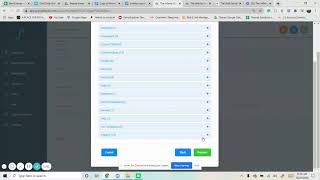
All right, I just want to go over on how to import a snapshot and put it specifically for an account. And so we already got the link to a snapshot. So all we have to do is go over, put that in there and make sure that you are logged into the right go high level account. Say yes, import. Now once you do that, it's going to go, I already did this earlier, so it's going to have two of them. But we got DAH Solar is what it is and now it's going to be in your agency settings. So now we want to actually put it into the affinity group for this example. So go to accounts, go to the right account, view details, actions, load in that snapshot. And then so we want to do the imported DAH one proceed. And this is where you're able to put in everything. You could select all or if there are certain things that you want to skip, you can. So if you want a certain campaign, you could just skip that one. And so it doesn't load that in. But we want to load everything in there. So we proceed. Infinity Group. Sometimes there's going to be conflicts. This one says none, so it doesn't matter. But if there are, you could just go through them, overwrite some if you want to, or you could just skip proceed. Ok. And that's pretty simple. So you go into it and now we're going to see everything that we have. So like if we go into campaigns, it's going to have every single one campaign that was in that snapshot. Same thing for triggers and all of that. Every single one that they have. And so it just makes it really easy. So that's how you import a snapshot.