Learn how to map Facebook lead form fields into your CRM, including email, name, phone, and custom fields like job title and monthly revenue. Set up triggers to automatically add incoming leads to campaigns and pipelines, then send client notifications.
Chapters
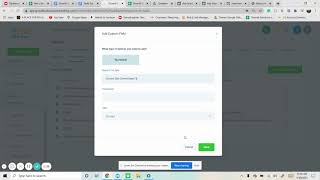
I just wanted to go over quickly of the CRM and after integrating Facebook of how to map the fields. Especially if you do our. You're doing lead form. So we're going to Facebook forum fields mapping and we have a lead form that's going on right now. So we just want to map it now. Usually if you do email, full name, phone number, those usually just do that and you just save. But then there's other ones like job title. If it's not in here, this will be custom. What you do for custom fields, go to custom fields and you're just adding. So if it's like text, I just do text save it. Don't worry about placeholders. Save. And I just go back and now I'm updating it again and now I've select the right field job title right there. And I pretty much do this. So this is a store URL. So I'm updating it, I'm doing URL. Maybe we could just do text with that one phone. Okay, we do text store URL, save. Go back. I'm just copying and pasting to make it easier than typing out online store URL. There you are. Current site, percentage update. Next one if it makes sense. If it's monetary value, those are usually the ones I do. Or numerical, which is a percentage. So yeah, let's do that. Save. Okay. Current site. There you go. And then monthly revenue. There was a monetary value one in there, so we'll do that.
And then set that up. Monetary, monthly, monthly store revenue. And now all those are mapped up. And then I'll go to the triggers and make sure the lead form is set up. Pretty much we just do Facebook form inform and then make sure you have the right one, the newest one that you just mapped out. And then from there it can do any actions that we want to perform, but mainly we always add it to a campaign. We add it to the pipeline, looking at that, and then we notify the client that they got a new lead. I also send a notification just in.
Case we have that.
And always save it, activate it, and then you're good.