Shift CRM Onboarding Pt 2 Customizing Your CRM
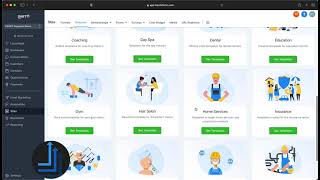
Nate Tilley walks through setting up Shift CRM, showing how to enable campaigns, triggers, and workflows. Learn to integrate marketing and automation features into your system.
Chapters
Okay, so now that we got our CRM account all set up, integrated and everything is synced, we're just gonna go over and I'm gonna go into the settings again and I'm gonna click Enable Campaigns and Enable Triggers and I'll show you what that means. So campaigns are our marketing sequences. This is a blend of email marketing, text marketing and ringless voicemails that we can put all into a chain sequence and then from there, from that chain we can add multiple contacts to it, we can have multiple campaigns running at the same time. Things of that nature, Triggers, those are our automations. So a trigger would be when somebody submits a form on your website that's going to trigger somebody to be added into your pipeline and also going to trigger them to be added to a campaign which, which is a series of the text and emails. So I like to keep this on. The alternative is now we have in our Automations tab we have workflows. Okay. And this is a newer feature that we just launched this year and basically what a workflow is is when you go here we have different templates for you to start with. But the basic point is that. Let me find an easy one. Appointment booking okay so the basic point is that this is how you can create automations without having to map it out in different places. So instead of having your campaigns in one side and your triggers in one side, you have it all in one. So what's going to start this trigger? This is going to be when there's an appointment and so this is how you set up your appointment automation in calendar, whatever your calendar is. And the appointment status is confirmed. Okay so this name would be Appointment confirmed. Okay we're going to save trigger Send appointment prompt. Hey contact. Thanks for taking next step. So this, so this template set up to book an appointment, not an appointment confirmed but so let me just take you through, let me just take you through like what this is set up to be. So it'd be more like this could anything could trigger this. It could be a new lead, Facebook lead. They came in off your website. So right when they come in we send them the appointment prop. Thanks for taking advantage of our offer. Next step is to book quick consultation call. Is now a good time to get you booked then you can set these different events. So wait for response one day. Did they reply? Yes. Was the intent positive? Yes. Yes. Then we send them the calendar link. Great. Grab any opening that works for you here. Okay. If not no. And we send us a notification that says the message body. What did they say that wasn't positive? Okay, if they don't, if they don't reply, then day two, we remind them again. Okay. And the point is that you can keep these going across many days. You can really integrate things. You can get super deep with it and you can see everything, okay? You set your settings right here. You can see the history of them and you can see the status of all the ones that are currently running. So this is the preferred method to use. It takes a little getting used to, but you can really map out these flow charts, these workflows, and you can figure out exactly how this is needing to work for your business. And you can see everything happening live now. Campaigns are already set in here, and these have everything kind of blended in. So instead of sending the one text and waiting and sending the two, this is programmed to send one text 11 minutes later, another text 30 minutes later, a voicemail. And if they respond at all, it's going to stop. Okay, so this, to set this up, you can go to a trigger, and this is where in your triggers. And you guys will have all of these triggers in here by default. Okay. These are all included with our snapshot. These are the basic ones you need. So then you have your trigger and then you add them to campaign update the opportunity, add a contact tag, and it's the same exact thing, except this is just applying it all at once versus the workflow where you're seeing it stretched out and, and seeing both things work together. Okay, so you're going to want to set up your triggers and your campaigns for your appointment reminders, your campaigns as far as your marketing campaigns, your offers, appointment, no shows, things like that. And we're going to have all of those things in here for you. Okay. Once you get your everything set up on that end, email marketing, text marketing, then we have our sites page. And here is where you can launch funnels. It's a super, super easy drag and drop builder. And you literally just come in here and edit things one at a time. Click. You can change the picture, you change the text, and really you just have to go through here and start clicking on it and getting comfortable with it. There's the desktop version and the mobile version, which you can quickly edit and then you can save it and you can actually create the link and have what it says right there, as well as a picture and everything. So when people search it, that's what they'll see. And you can make a website go live or a funnel go live in a really short amount of time. You just go to the settings, you hook up the domain, which you should have already hooked up in the settings. You add the Facebook pixel right here, and then you can change what the link actually says and. And then you're ready to go. So this is really how simple it can be, guys. You know, you've obviously got to design it to your liking. We do have a lot of funnel templates for you right here in the template library. So you don't have to start from scratch. You can look up any of these industries and you can find one that works for you and then customize it. And all of a sudden you have your own little offer funnel. And, and plus we have the same thing with websites, website templates that you can use for your business or for yourself. Right there. We have some other things here too. Like I said, you have forms that you can add to a website even if it's not built in. Shift CRM, we have surveys. So instead of using like Survey Gizmo or some of the other ones, jotform, that you can build everything right here. Chat widget. This is on your website. This is what I was talking about. The little bubble that pops up down here and people can engage with you. You might as well add this to your website because it is free leads, essentially. So all you do to add this, if you're a WordPress site, you click right there. If not, you copy this code to the body or footer side of your website. You have this code right here and you copy it onto your website body. So I'll show you where that's at right here. Boom. You just copy that in enabled boom. And then you have that little chat box and when somebody starts some. A conversation with your business, it comes into your conversations tab. Okay, Media. This is going to be your media library. We already talked about that and that is really all for that. So it's. There's a lot of things that you can do with this and you guys will see as we go more specifically other things that we can do. But we just kind of want to show you the basics. So play around in here, start using it, start calling out of it, start texting out of it, working your leads, working your deals, making your offer funnels, everything in here and just start to play with it and see what comes up. Okay. If there's other platforms that need to be connected or things that need to be integrated together, just let us know in the Slack channel and we will help you and assist you in getting this to flow. How you need. If this training didn't help you to kind of get a better baseline understanding of how to make this work for you then why don't you just drop something in the slack channel and and ask for a booking link and we'll get on a call with one of our specialists and we'll identify exactly what you need for your CRM and then we'll show you how we can build all the automations and funnels and everything out for you. Okay so this is a self serve platform so you can get to building right away but if you still have questions or you want more guidance assistance or you just want us to do it for you then go ahead and mention in the slack, just send a message in the slack that says set up my CRM. Set up my CRM. Just like this, you can do caps locks, set up my CRM and that's how we'll know, we'll send you the link and then we will show you how we can set that all up for you and get all of your campaigns and everything flowing. Alright, well I hope that this helped you out a lot. Again I'm so excited to have you using the platform and as we launch new features we have you on the email list and we will be in touch. Okay. We hope to really help you out throughout this and I also want to let you know that we do have a free ebook that you are able to download and if you just look under this video you will actually see the link to that. And with that being said that is all I have for you today. I'm going to switch to the myself you. Hello? Yeah this is why I've been on the logo because as you can see it's a little blurry here so having some WI fi WI fi issues. But you guys thank you so much. I'm really excited for you and I will talk to you soon again. Let us know if you need anything. We are here to support you. See you.










