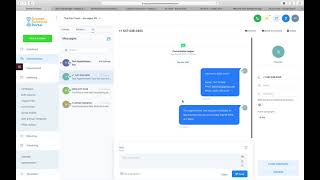
Nate Tilley walks through Shift, a CRM built for real estate agents. The platform handles your pipeline, automated messaging via SMS and email, appointment scheduling, and follow-up campaigns. It integrates with your team and social media, with customization options throughout.
Chapters
Okay, this is a quick video showing around the CRM, the custom CRM platform. So we're going to start with the dashboard. This is where you're going to see all your opportunities. An opportunity is just any lead that comes into your pipeline. Okay, Pipeline value. You can set how much each client might be worth to you and that'll show in here. This is a visual of your pipeline and it will start to break up with these different colors as you get more leads into the deal. And then just some, some other basic dashboard info here that's not super relevant to the lead generation package. So we're going to move right along into opportunities and show you what your pipeline looks like. So this is for a real estate agent right here and you know they're running seller leads, so anytime a lead comes in, they're going to come right into here. The salesperson can just drag and drop them to wherever they go. If they happen to respond to our automated message, it's going to drop them over into Conversations tab. If they are to book an appointment, it's going to drop them into appointment sets. And then after you have your appointment, whether it's a phone call, a zoom meeting or an actual in person appointment, you just move them right over here. We've got it all the way down for buyers or sellers, whatever you need. This is all customizable in the back end. You just have to let us know what, what flow you need. But again, this is for a real estate agent. Okay. So to access the, you know, when you click on the deal, the information, you've got all their info here and you can add appointments to them, you can add tasks to them, notes, everything, everything you need to do to work the deal here. You know, take notes while you're on the phone with them, add a task and assign it to a salesperson if you got your salesperson in there. So yeah, it's very, very robust and it has everything you need. You can call text right in the platform. So when we click on this call, it's going to bring us over to our Conversations tab. Now we're able to see the activity that this person took starting down here. Saw our Facebook lead form. Da da da. Add tasks, notes. Okay. And this is all in our Conversations tab right here. Conversations all. And then you can see what the automated messaging is. You can send them emails, you can send them sms. Everything, everything you need to do, you can do through right here. This will be linked up with your Facebook profile. So you will want to get that integrated and boom. Okay, Perfect. So this is what it looks like. This is what your client will see. You have a new lead test, you know, their email and then if they schedule an appointment, if the client were to respond or if the prospect were to respond back, then it'll show up right here. So I just sent a text, Boom. Yes. Okay. And we've also got it to where if they're in this campaign and they respond, your client will get a notification that says this person has just responded. But since I'm in the appointment campaign, it's not going to do that. Campaigns right here. These are all set up by us and we really recommend not going in and editing them yourselves unless you talk to us about it. Just so we can make sure to coordinate and be on the same page. But yeah, so we have our text follow ups. This is going to stop on response, but this is going to follow up with the prospect and just get them to respond. When is a good time to talk and just really focus on the response. Rate the email follow up right here. This is our email marketing campaign. This client has added to his order where we did 30 days of email marketing for seller leads. So if any of that needs to be adjusted, you can see it, you can look at it, but just let us know before you mess with anything because it will mess up our flow and we don't want to do that. Okay. Scheduling, this is the next most important thing. So your calendar will be right here. It'll show all your appointments. If you need to rebook, if you need to reschedule the appointment, you can just simply just drag and drop it to where it goes. Okay. And it'll send the client, you know, a new thing that said, hey, you know, your appointments been confirmed for this time right here, this is where you can view all your appointments. Then if somebody was a no show, you mark them as a no show and that's going to trigger a new campaign that is going to remind them of their appointment or get them to reschedule. No show, nurture campaign, email, missed you reschedule. Basically, if anything needs to be adjusted, it will be adjusted here in the settings. You know your team, you can add in more team members here, you can adjust your pipeline here with the different stages and you can integrate your other social media accounts here. It's very robust. You can do a lot with it. You can update stuff with your calendar here. But yeah, I mean the basic flow is going to be going in the opportunity, seeing your seller lead, working the deal, give them a call or seeing the appointment and just following up through here in your Conversations tab, you can do all your following up. You know, you can add them to different campaigns through here. So I'm just going to add to campaign seller lead. Start it right now. Boom. Okey dokey. Okay. And so that is a good view of exactly what the CRM can do. And it's kind of just an overview of how to use it in this case. But yeah, if you have any questions with that, just let your rep know. And if any of these features you're more interested in learning about, we can go more in depth on those. Just let us know. We'll talk to you soon. Thanks. Bye.