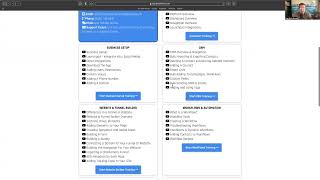
Nate Tilley walks through the SHIFT CRM Support Portal, showing where to find training resources, how to submit tickets with Loom videos or screenshots, and which clients get Slack support versus portal access. The platform includes calendars, reviews, conversations, email marketing, and a social planner.
Chapters
Hey guys, welcome to today's training. I'm going to be showing you today around the support portal. Let me just share my screen. Okay, perfect guys. So this is going to be where you're going to go anytime you have any questions about the CRM. There's a lot here to unpack, there's a lot for you to go through. So for the Quick Start guide, you're just going to go over to the Start training section and that's going to put you into our Quick Start platform overview, navigation overview and your launch pad. Okay, if you need anything, we have our support email and our support phone number listed here. And throughout all of this there is your link to send in a submit ticket. Okay, a support ticket. You just want to go in here, type your information and then describe the info you're facing. If you have loom downloaded on your computer, it's a really easy way to do screen recording, but if not, then you can send us a screenshot whenever we respond via text. So that's how you can support send in a support ticket about the system. But really guys, this, we created this because this is going to have everything you need to know in the CRM so that you can use it effectively in a self so self serve format. So this is going to allow you to be able to now have the power to fully understand the calendars, the reviews, the conversations and take it steps further than where we took it. Okay, so, so if you're a lead generation client, you're going to have your support for the lead generation in the Slack channel. But anything you need that's related to the SHIFT CRM and the SHIFT Social is going to be in here. So thank you so much for joining. I'm super excited to see how this platform can change your life, change your business, automate your processes and build smart systems that are going to help you grow. So thank you so much. Again, here's the support email. If you have something specific you want to reach out about, if you want to call in or text in, here's the number right here for my team. And then of course you can submit a ticket right there if you need additional support. All right guys, thank you so much. Start going through this training and you'll be able to find everything from email marketing to social planner to really get the most out of this platform. So thank you so much guys, we'll talk to you soon, bye.