Nate Tilley walks through setting up a CRM trigger that fires when someone submits a solar quote survey. The trigger adds the lead to your pipeline, enrolls them in a campaign, and sends them an email and in-app notification with their details. He stresses activating it and following up within five minutes.
Chapters
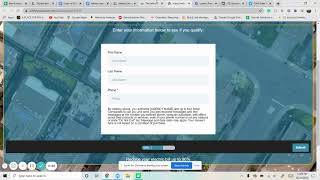
So I want to show how to set up a trigger coming from a survey funnel. From a funnel. And so to show you guys, what I mean is that we created this funnel here for Solar company. And so when people come in, they're going to fill out the survey, street address, city. Next they're going to fill out their first name, last name, phone number. And so we want that as soon as it's filled out to go into the opportunity page here. And so right now we don't have anything but so that the client can follow everything. And so we're going to come to the left and go down to triggers. There's a lot of folders here, but if you want to, to make it a little more organized, you could always add a new folder and then of course add your trigger. If you already added a trigger and you want to put in a folder, you could always move it to a folder here and put to the right one. So what I did is I did several survey funnel opted. It's going to add to a campaign and it's going to notify the client. And so I go right here, go to survey submitted. If you did a form, it's kind of the same process instead of a survey, but going down survey submitted right here, you always want to define it by what survey you did. So survey is. And then we have many different surveys, but we did the free solar quote and how will action to perform add and update an opportunity. And so we chose which pipeline we did and what stage of the pipeline that is. And so the pipeline is where the opportunities are going to go to and which stage of it. So of course when they're going through this and filling up the survey, they're going to have a new lead. And then I always like to put it open to show that they're not lost or abandoned yet. And I also would like to say where it's from. And so we could say solar funnel. Form always save everything. And then I do another action add to campaign. And so all these campaigns which we'll go into later are going to be in your marketing campaigns that you set up. And so you want to get those into there. And then we always want to notify the client. And so you could send an email. So go down, send email from who to who you could do yourself to them and just use their email. And then I always say a new lead has been generated and then type out a new lead has filled out a free solar survey. And then now these are custom values. And so you could actually go up to here. Contact. Make sure you use contact. User is going to be whoever owns this account of the CRM. So you don't want to use do that, you want to see contact. So first name, last name. I put them together. So now it's going to notify the client. When the person fills out this first name and last name, it's actually going to fill it out here. So client can get an email saying you know, John Doe, their phone number, their email in which this, in this case their city to help them out. And then so especially within the first five minutes really helps to call these, these leads immediately. So they have them right away. Same thing for phone, all that. And so that's where all these are going to be. Phone, first name, last name, phone number, city. If you ever do a custom field you could go here and any other questions? Are you a first time home buyer? You could have that as well. And so we could also do it if they do have the app to send a notification. And so it's kind of set up the same way. Get out here. I always just copy paste it and pretty much do the same thing. So now they are formed two different ways and then contact all users and so just two for the user. Usually there's only one user anyways per one. So now when someone fills this out, it's automatically going to put them in the opportunities in the right stage, add to a campaign. So it's sending them emails, text messages, whatever you set up through here and then sends and notifies the client through both an email and a notification that a new lead has just been generated. And then save and always make sure to activate it when you're done.