Shift CRM Trigger Tab Training
23 Nov 2021 · 2 min
2:26
Nate Tilley walks through setting up triggers in Shift CRM to automate actions when specific events happen, like when someone books an appointment or fills out a form.
Nate Tilley walks through setting up triggers in Shift CRM to automate actions when specific events happen, like when someone books an appointment or fills out a form.
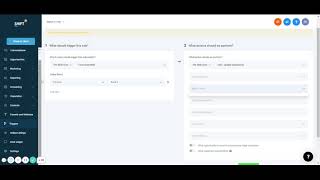
Next up, triggers. So triggers are a little more complicated, but they're extremely powerful and they're pretty much telling the software what you want it to do. Create folders. But we're going to create a new trigger here. Give me a trigger. Save. And now you could do so much things. So it's pretty much doing a rule of when this happens, we want the software to do this. Something happens, software do this, choose a trigger. So let's say there's so many different options. Let's say they booked an appointment with us. I'm going to add a filter and say in the calendar. What calendar? So you chose. If you had your specific calendar, we could do that. Or maybe we want that form that we created. So when somebody fills out the form, then we want. Let's say we want to add an opportunity. I don't have a pipeline set up, but we could choose a pipeline and we could add an opportunity to that tabs page. Or we could say, let's send me a notification. I want to send an email to myself saying that a new lead has came in, has been generated. And then you can say what you want. Even test now to make sure it works. You could add multiple things. Maybe now we want to add them to a campaign. And then that campaign was back here with the marketing campaign. And so now it's gonna start sending them text messages, emails, whatever you set up there. And let's say that new campaign that we created, and so there's many different ones. Some of them are extremely complicated. Other ones are easier. And so could go through that. Save it. Always save. Won't let me save because I don't fill that out. But always save it. And then it will not be active until you activate it. It will not do anything. And then that's pretty much it for there. Let's see. Yeah, if I go back, always make sure you save it.










