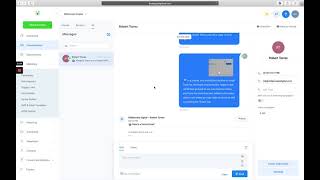
A walkthrough of setting up a white-labeled Go High Level CRM for lead generation. The speaker covers custom branding, the Opportunities tab showing pipeline value and conversion rates, SMS and email management, automated campaigns from Facebook ads, appointment scheduling, and bulk contact uploads to reactivate a database.
Chapters
Hey, Robert. So I just wanted to give you an overview of the CRM and kind of how it's going to blend with your clients, lead interactions, management and all that and how we're going to set it up and also just give you a little overview of Go high level because I had thought you were already set up on there. So just assuming by you just getting signed up, you probably don't know a ton about it. So I'll just give you a quick overview. So here is what it's going to look like for your client. This is when I'm signed into the account. So what we're going to do right here is we're going to change this to your client's name right here and then we're going to put the client's logo right here. So it just looks like there. Or we could put your logo, your preference, maybe your logo would make better sense here. So we could put your agency's logo here, client's name here, and then we're going to customize this to fit this lead generation program that we're doing for them. So I'll start with the client facing and then I'll go into the background of some other go High level stuff here in a sec for you. So the, the dashboard is going to give you a look at all the opportunities. Opportunities just means leads. So each opportunity that comes in is going to go into the opportunities tab and it's going to populate here. It'll keep track of how many are closed, open, lost, as you know, somebody manages the leads and then based on the lead value, it'll figure out the pipeline value and then the conversion rate based off the closes, you can add tasks. It'll give you a visual of this pipeline once we build it out. And this is just some other great features for like local review management and such. Okay, so the opportunities tab, this is where the leads will come into. They'll come into the new leads section here and that's where it will begin our automation sequence where we prompt them to reply, prompt them to book and get that going. If they reply to a message, if the prospect replies to a message, they're going to pop over into the hot leads tab and that's going to send your client a notification. So we can build this pipeline out to fit your client's personal sales cycle because everybody has a little bit different sales cycle site. I'm sure this will be similar except instead of a, you know, it might be estimate requested so we can, we can adjust this where he's going to manage the client communications right here. When there's an opportunity, it'll pop up here and I'll show you that. And then he'll go over to Conversations and he can manage them all here. Text, email. It looks like you've been added to this already, so this must be a thing that High Level is doing now. I've never seen this before, but yeah, so you can send sms, email, set up templates, add them to campaigns, all that. So let me show you what we're going to be doing. We're going to set up a campaign that is a welcome campaign from our Facebook ad. So we're going to have our ad funnel that feeds into that we generate their information and then it feeds over to here and then it's going to be an automated reply coming from your client that says, you know, thanks for requesting a free estimate and whatever the offer is, you know, the next step is to when. When or you know, we might even just keep it. When is a good time to book with you. We're going to build it out based on what we've done before and probably build it out really similar to a painting campaign. So I could show you that as well. But yeah, so that's going to be automated emails and text going out to, to the prospect and we don't have to do the call. Your client can call them on their own and then they're also going to get a notification via text and we have appointment reminders because there's full scheduling capabilities and, and all that. So definitely a crash course here. As you can see, there's so much more to this. You know, they can upload their contacts in order to do bulk requests like database reactivation with their current leads. Obviously I could show you, you know, you can build funnels in here which, you know, it's not quite clickfunnels, but it's definitely Competitor triggers is where we're going to set up all the back end stuff and tell it what to do. And yeah, here's where we configure everything, the settings, you know, they can get their calendar link through here. So yeah, we're going to build this out according to your client and then we'll keep you updated and we'll show you what the flow looks like. You can look over it with your client and then you guys can decide where to go from there. So just wanted to give you a quick overview on the CRM side of things. Hope you're having a great day. Talk to you soon.