Nate Tilley explains how to access and export lead records from your web tool, set date ranges, and enable columns like addresses and IPs. Bad lead data can invalidate approvals, but better ad creative like testimonial videos can improve results.
In shift, remember, the lead date says if their information is not accurate, their approval won't be valid. So if you go through the landing page, you'll see that they have to put their name, address, and phone number in. Okay.
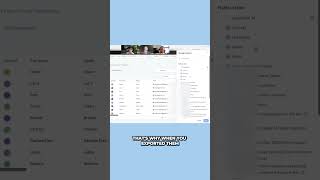
The best way to access that information is to go down on the left to Sites. This is just for you guys. It's not really for the sales guys, but to go to sites and then go up to surveys and submissions, and then you set the date. So we could just do all of last year, and then you can set the columns. That's why when you exported them, you didn't get columns, because you have to actually, actually turn all those on. So you would just come in here and click all the columns on. And then now you can see everything right in front of you. And this includes all the leads. So all the different columns we have. And then you got the addresses, even their IP address. I really just. When I look at these ads, I know that there's a lot of improvement that can be done on what we're actually running. Even just the same concepts, the same landing page, everything. But just taking this picture alone and running it will help different videos and to help guys get a better name and get better results with the ad.
Like customer.
Video testimonials would be incredible. And just salesman videos in general are going to help too.