How We Plan, Produce and Publish Our Podcast Seed To Harvest | Seed To Harvest Ep42
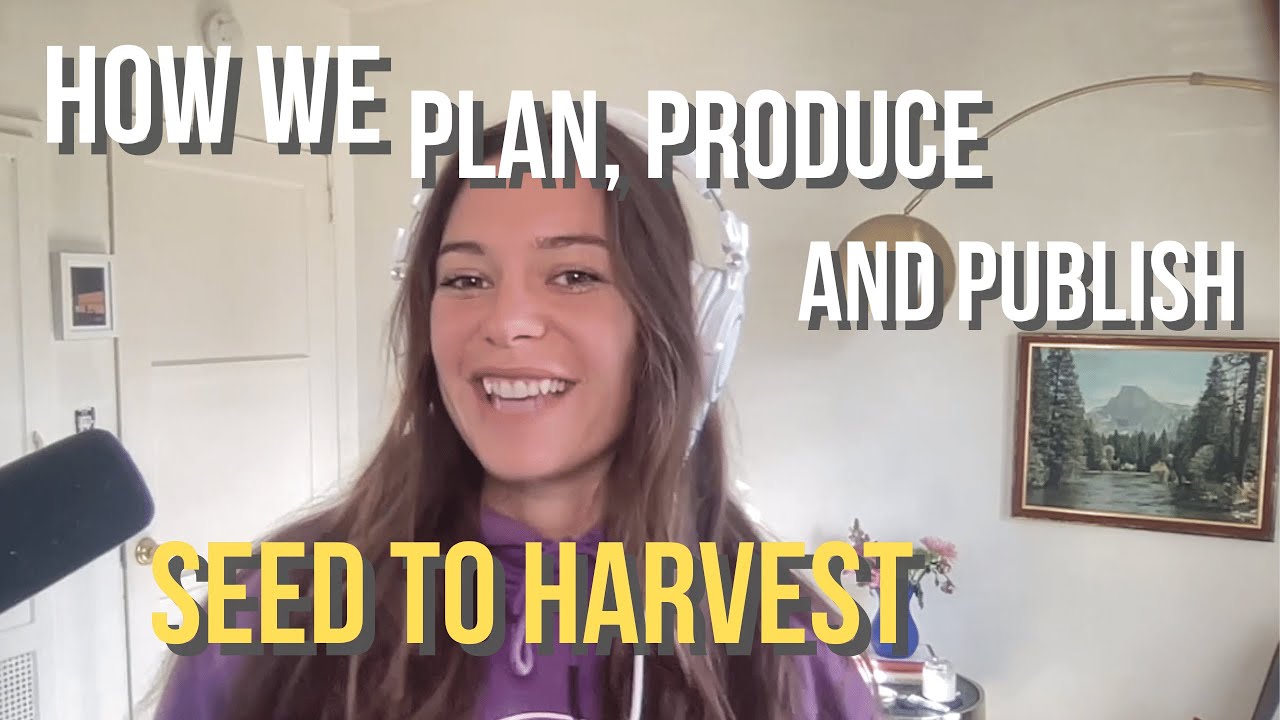
In this solo episode of Seed to Harvest, host Paige Finn Doherty walks listeners through the complete end‑to‑end workflow of building the Seed to Harvest podcast, from the personal origin story that sparked the idea to the detailed production pipeline used today. Paige shares her background in venture capital, the motivations for creating a podcast that demystifies venture and generates leads, and the evolution from a one‑person operation to a small team of three. The episode outlines the tech stack (Riverside for remote recording, Descript for audio/video editing, Buzzsprout for hosting, Canva for graphics, Shure SM7B microphone, Cloudlifter, Scarlett 2i2 audio interface, and a MacBook M1), the batch‑recording schedule (6‑8 episodes recorded in a single day each month), guest research and compliance review process, the editing workflow that produces both full‑length episodes and 60‑second short‑form clips (including use of Pexels stock video, vertical formatting, captions, music, fades, and SEO‑focused titles), and the publishing and promotion strategy across Apple Podcasts, Spotify, YouTube, Shorts, Twitter, LinkedIn, and TikTok. Paige also discusses the weekly release cadence (Mondays at 5 PM PT), the role of each team member (Riley Jennings – producer & scheduling, Tate Doherty – editor & short‑clip creator, Josh Wizen – intro music), sponsorship from Stripe, and metrics such as 40+ episodes, 1,092 minutes of content, listeners in 36 countries, and top‑10% ranking among business podcasts. The episode ends with a call‑to‑action to subscribe, follow on social, and purchase the Seed to Harvest illustrated venture‑capital primer.
Chapters
Hello everyone and welcome back to Seed to Harvest. I'm gonna be doing something a little different today. So for those of you not familiar with my story, I'm going to share a bit of that, and then I'm also going to go through what the process looks like to create a podcast, why we started Seed to Harvest in the first place, and what we've learned. So if you're interested in this from a more tactical perspective in terms of the different tools that we use and how to use them, I'd highly recommend watching this on YouTube, if you're listening on Apple Music or Spotify. But let's dive in. So if you're an aspiring podcaster who wants to create a podcast to share stories, generate leads for your business, or just have a little bit of fun in your day, this is the episode for you. Just a heads up, I'm not being paid by any of the products or services that I mention in this episode. In fact, I pay them. So these are my genuine thoughts And hopefully this will provide an unbiased view into our process. And if you're thinking through some of these decisions, hopefully this will help you go through those faster and make less mistakes. So a bit of background before we get into things. I'm Paige Finn Doherty. I became obsessed with venture after binge-watching Silicon Valley in college at SDSU. I originally thought I was going to manage rappers, but turns out there's a lot in common in supporting creative founders as there is to supporting creative artists. So after graduating in 2020, graduated on Facebook Live and COVID, I had a lot of free times on my hands. So I turned to Twitter as an outlet for my interest in venture. My parents are kind of like, okay, you can't talk about this any more than you already are at the dinner table. 3 years later, I became one of the youngest female fund managers in the world as a founding partner at Behind Genius Ventures. And one of my big motivations is to make venture more transparent. I'm a student of the venture game. I think it's just really interesting from a tactical perspective, how it works from a financial architecture, and of course supporting founders at the earliest stages. So I wrote pieces on term sheets, capital call lines, venture dynamics that have garnered millions of impressions, which turned into me writing and self-publishing an illustrated children's book on venture capital, Seed to Harvest. 'Cause I realized there was no succinct primer on venture. There's some really great books like Venture Deals, which I'll link below, but I didn't really wanna read 400 pages. And I didn't think that like, you know, for example, my mom or my friends or different folks who I worked with that wanted to understand venture a bit deeper would necessarily wanna commit to reading a 400-page book. But a 40-page illustrated primer is pretty great. So if that's interesting to you, feel free to check it out on Amazon by searching Seed to Harvest Paige, and it's the little one with a cute— oh, let's see if you're watching this on YouTube. Here is the book. So it's the 2 cute farmers on the COVID So my edge is my focus on authentic storytelling and community and my unique blend of first-person Gen Z consumer perspective matched with an engaged network of Silicon Valley and New York investors. So I I'm, like I said before, I'm really a student of the game and I'm honored and grateful to be practicing venture capital. Met incredible folks along my journey, and I actually started Seed to Harvest, the podcast, to share the stories and tactics that inspired me that I was having behind closed doors, and also to humanize the people behind the capital. To date, we've published over 40 episodes, which is 1,092 minutes of content. We're listened to in 36 countries and are in the top 10% of podcasts shared worldwide for business, which is really cool. We've interviewed impactful investors such as Beezer Clarkson from Sapphire Partners, Jacqueline Hester from Foundry Group, and Charles Hudson from Precursor VC, amongst many more. Also rising stars in the venture world such as Megan Loist from Gen Z VCs and Em Herrera from Knight Ventures. On our Seed to Harvest YouTube, we have a great archive of episodes I'd really recommend that you check out. So that's the background. If you have any questions, feel free to tweet at me. I'm Paige Finn with 3 Ns, Or comment on this YouTube video. But in— why are we making this episode? Why are you guys here? Why are you guys watching this or listening?
In—
well, we published 40 episodes, which is more than 92% of all business podcasts. So we're starting to get increasing questions on our process. And I thought instead of taking the time, like I think a lot about scaling time. So instead of taking, you know, 20 to 25 minutes to write out what our process looks like, I thought I'd go more in depth.
Mm-hmm.
And share more tactical details in a podcast episode that we can share with you. So if you're listening to this, hello, hope this helps. A little bit of an overview. I'll first share the inspiration behind the podcast, our process, the reason behind our podcast creation decisions, including our tech stack. I'm going to start with our idea generation and move through pre-production, editing, review, and publishing. We're getting tactical today. But first, I'd like to introduce my team.
Hello everyone, my name is Riley Jennings and I'm the producer for Seed to Harvest. I focus on scheduling, doing research, drafting up questions, along with managing the editing, compliance, and publishing process alongside our amazing content manager, Tate Doherty. I work as chief of staff at Behind Genius Ventures in my day-to-day role. I focus on compliance, content management, limited partner and founder relations, amongst other little things depending on the day. But overall, I have my own podcast as well called Baddies Mean Business, where we focus on telling the stories of other founders and those who have found a way to pursue their passions. New episodes launch every Wednesday.
Hello, my name is Tate Doherty, and I'm the podcast editor for Behind Genius Ventures. I'm attending SDSU and will graduate in 2023 with a Bachelor of Science in MIS. I've edited more than 20 podcasts and I've made over 80 short clips for social media applications such as Twitter and YouTube Shorts as of November 1st, 2022. I plan to edit more than 50 podcasts and make over 200 short clips for social media applications as a podcast editor for Behind Genius Ventures. In my free time, I enjoy going to the beach, working out, and playing soccer.
I used to do this podcast by myself, but I found it took up a lot of my time to do other things that other people are actually way better at, like research, editing, scheduling. So I started this podcast in November of 2021. I talked about it with about 6 people. This is like a lot of how I ideate ideas. I'm constantly on calls with co-investors, creators, founders. And our investors. So I was talking through the idea of what a podcast might look like and why I wanted to start it. I decided on a path forward, which was to build an MVP of a 12-episode season. I got my brother Owen to draw an initial logo for Seed to Harvest. I ended up receiving a little bit of funding from Stripe, Stripe the payments company, to sponsor my first 12 episodes. With that funding, I ordered the equipment, which was recommended by a friend who works in sound production, and I was off to the races. Well, not really. There was kind of a lot after that. So I set up podcast hosting on Buzzsprout to share a podcast across Apple Music, Spotify, et cetera. I still don't have a website for Seed to Harvest, which the jury's out on that one. I don't know if I wanna make one and maintain one. I have a personal site that I haven't updated in ages, but I think we're gonna incorporate Seed to Harvest into our Behind Genius Ventures website. So I I think that's, that's one of those things where you don't necessarily need to have everything upfront. Speaking of, please make sure you're subscribed to Seed to Harvest on whatever platform you're listening to this on. Um, and my first guests ended up becoming investors in our fund, which is really cool. I think that's been an incredible outcome of the podcast so far is those folks that I get to build deeper relationships with, like Jenny Lefcourt or Heather Honnett. Really early on, and I so appreciate their support. And it was just great to have like an open conversation where I could ask them about all the lessons that they had learned. And yeah, so the bare bones version, the original podcast— so if you go back and listen to it, the sound quality is not great, but that's okay. It was because I was not good at editing. So I would record on Riverside, and then I'd edit on Udacity, which is a free audio editing tool. It is a pain to chop and split 2 tracks as well as find out where in the recording I was supposed to be editing, take out verbal fillers. So I went searching for a better solution and I ended up finding Descript, which like, Descript, I, I heart you. I hope you're listening. We use like kind of a mix of things, but I think one of the things that Descript's really great at is It's all oriented around the transcription of files. And so if you're running a podcast where you're trying to like editorialize either the content of it, it's really great because they have like design-oriented features now as well. So like fancy captions that automatically insert those transcriptions, which I find is really resonates well on different social medias, easier to use audio input and comprehensive project management. So That's pretty cool. And then why Riverside for recording? I evaluated Zoom recording directly on platforms like Buzzsprout and Anchor, but it just like didn't give that level of pizzazz. Also, I'm on Zoom all day, so I was like, I want to switch it up. So Riverside kind of feels like I go to my podcasting studio, even, even though I'm in the same room. In the same room. And it's really easy to invite guests. And yeah, big fan. Let's see what's next. Oh yeah, we use Canva for design elements and super affordable way, easy to collaborate, easy to use for beginners, and fantastic templates to pull inspiration from. So this is for things like if there's any graphics in the YouTube videos that we're using, if there's titles that are getting used, and then in addition, if there's like more editing that we wanna do for YouTube Shorts or TikTok videos, we'll pull it into there. And then why Buzzsprout? Easy to use and affordable. I think I evaluated Anchor, which is Spotify's podcasting hosting platform, but from what I remembered, it seemed more oriented towards Spotify. And actually, the majority of our listeners are on Apple Music, which I feel like that ended up being a good bet on that side. And then why YouTube? So I've been like a creator on Twitter for the past 3 years. I have over 32,000 followers on that platform, which equals out to like when I'm posting a lot around a million monthly impressions. And I really wanted to try creating on a different platform. And I love watching YouTube. Like I watch a lot of YouTube. So I was like, let's, let's do YouTube. I think it's a really great discovery platform as well, especially because they're pushing Shorts so heavily. And now about 90% of our overall video content viewer engagement is actually due to YouTube Shorts. Which is crazy. So then we cross-promote the podcast on Twitter and LinkedIn, and then we use Slack for communicating and a weekly meeting for team communication on different episodes. So that's kind of more insight into the pre-production process, the different softwares that we use. I'm going to move more into, okay, now we have all the infrastructure set up. How do we actually get a guest on, get something out the door?
And ship.
So inviting guests at Seed to Harvest, once we identify a guest that we feel inspired by or that their best practices will resonate with our audience, we ask them to join me for a 45-minute recording session using Riverside. Riley is in charge of scheduling that. And we— I've gotten asked about this a lot, but I think like one key for us was batch processing. So I run Behind Genius Ventures and I'm a solo GP. So I Need to spend the majority of my time on investing and running Behind Genius Ventures. So we actually batch process all the episodes, which means that I will record 6 to 8 episodes on one day a month. And that's why we're able to produce content so consistently. Every Monday at 5:00 PM, we post a new episode, and that helps us plan ahead on how much backlog we have scheduled. And also, if there are gaps in the schedule, then we fill them in with solo episodes like I'm doing right now. Definitely not a coincidence. But I hope you guys like this, and definitely let me know if this is helpful. I'm happy to record more solo episodes like this. But yeah, so research— we then conduct further research on the guests to help stimulate a thoughtful and enjoyable podcast episode. I used to run a interview show for musicians. So a lot of the research that I do involved listening to other podcast episodes or interviews that they had done. I would see like what the journalists had asked them and then what their response was, and I take a bit of their response and use it as the anchor for the question. So it's like, oh, where's your like favorite place to grab— this is okay, this is— this might not be the best example for like venture, but it's like Oh, I heard you like gardening. Can you tell me some parallels between gardening and your venture investing practice? And I feel like it allows us to ask really creative questions of our guests. And also these won't be like the typical podcast that you listen to that just like asks the same questions every time. And I want it to be approachable for people that also don't work in venture, just because I think the people I meet are really fascinating. And my friends and my parents outside of venture really enjoy the content. So yeah, so script, we usually send a shortlist of about 8 to 10 questions to the guest for their review. Depends on the level of compliance. A lot of times, like if you think about, for example, the episode that I did with Anne Duane, Village Global is an RIA, which means that they're beholden to different SEC regulations. And so they need to run an episode through compliance, so they'll run both the questions and the episode itself through compliance. And I think that's one of the things that makes Seed to Harvest really unique is because I'm a fund manager myself, I'm really used to dealing with these compliance nuances since we are a 506 entity. That means that there are specific regulations and things that we can't talk about. And so I'm really cautious with my guests to be really thoughtful about that. And I think it allows for an even better conversation because some folks just won't even do any public things because they're like, oh, I don't want to like step over any lines. So spent a lot of time with our legal team figuring out where the best lines are and how I can still share stories while being compliant. So that's kind of a fun peek into that. To record, I use this beautiful microphone. Honestly, when I got it, I just like put my headphones on and listened to like Whee! It's really fun to make sound effects on. Like, sometimes my friends will come over and put the headphones on and just like make sound effects. So it's the Shure SM7B microphone. It's a bit overkill. I think you could probably get away with something like a Blue Yeti. I think that's the one with the best reviews. I don't have a travel setup, which is something I've debated going back and forth on, but It's honestly just kind of challenging to find quiet places to record. In a pinch, honestly, like the iPhone voice memos are pretty good, but then you don't get video recording. You can also do Riverside on your phone, but I just get really stressed out, you know, and if I'm not in like a controlled environment. So I have a Shure SM7B microphone. I have a Framework Skater arm that clamps onto my desk, and then I have XLR cables hooked into a— what's it called? I think it's called a Cloudlifter. I don't really know what it does, but my friend told me it was important, so I was like, okay, I just got— yeah, I just got it. But I think it sounds pretty good. And then that's plugged into a Scarlett. Scarlett 2i2. 2i2, which is basically like the inputs and outputs, and then that gets plugged into my MacBook. I have a— I shouldn't know what model my MacBook is. Anyways, I have a MacBook Air with the M1 chip, so that's awesome and I like it. I have this ring light that I'm using for the first time. I haven't really used it much on other interviews, but I might start using it. It looks pretty good. Anyways, what else? I think that's mostly it. I will say that my setup is probably more on the expensive side, and the reason I chose to invest was because I had that funding from Stripe and I wanted to start off with a really solid foundation. But honestly, I think you could start off with Blue Yeti and your computer. Like, I still use my FaceTime camera, but Or my— yeah, the regular camera on my computer. Going back and forth like similarly with different cameras, but I feel like it hasn't— it wouldn't add like that much. Like, how much more do you really want to see? It's just me in my office. Anyways, okay, so that's kind of like my setup. I'll make sure to tag that as well so you can go back to it. So Editing. Editing is the real secret sauce, and I would love to bring Tate, who is also my brother, in to talk about it. He's edited over, I think, 30 of my episodes so far.
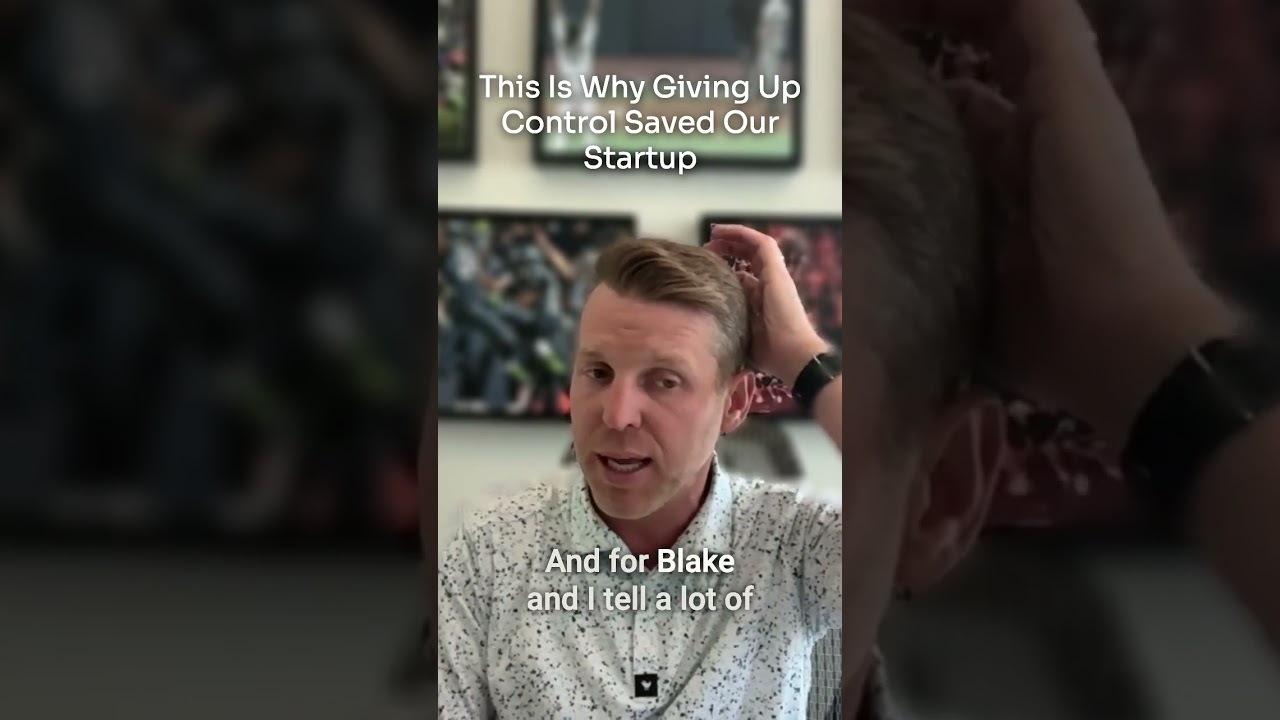
Hello, I am Tate Doherty, the podcast editor for Behind Genius Ventures, and today I'll be quickly going over how I edit short clips. I have made over like 80 main podcasts for Behind Genius Ventures. The short clips, and then I've made 20 main podcasts. And I'm just going to quickly go over the process right here. So we start off, this is the main podcast. After you drop all the files in, you're going to just scroll through. I just scroll through and then look for a question like this. I'll stop here. And we see that this is a question. And then I just highlighted the portions that I'm mainly looking at for short clips. And I'll go like this, and then I will right-click And do a click to composition and make a new composition. And from that, you go over here and you can do short, quick shortcuts with Q. This is like capitalizing stuff like that. And I'll just go over and I'll look. And so at Behind You Ventures, we use this, a website called Pexels, and it has free videos for you to use and download. So I noticed that right here it's talking about how she's living in her parents' attic. And then this is when you're out of school. So keywords I'm looking for are like school, attic. So you can just search those words in Pexels and download the videos by clicking this button right here called download. And so I did this for you guys, but basically, um, I'll go get those. So you click this, this This is where the files are located in this library. It's very useful. You click Digital— oh, oops. You're going to want to go into Project Files. And so it's talking about interviewing people directly. So I'm going to add 693 right here. Oh, it's not— I just forgot to highlight it. So Descript, you can just highlight it with a classic project. It's very useful. You just drag and drop like that. And it's in the vertical format, which I will change later in the video. But so for now, I'm just going to drag and drop the rest of the videos right here. So this is Living in My Parents' Attic, which is video 65. I'm going to drag and drop right there. And right here, When You're Out of School. So I searched on Pexels for a video about, um, a uni— like a university. That was like the keyword I was looking for. And that is called Pexels Videos 2 right here. Uh, yep. So that's a video of a university. And, um, so, and then you have to change. So I'm going to change into a vertical format. So you have to go to 9 by 16. And then I change this to this. And now it's going to— and then I have to do Widen this out. And then if you use the Shift key— oops— I'm going to get all of this, um, video clips and make it into 220, so it turns into the vertical format. And so you can change like the, the left and right with X and Y. Um, Y would be like the height. Um, so Megan's camera was best at 43, so I'm gonna make it 43%. And Paige's camera— so when I'm selecting the clips, I'm just holding Shift right here, and then I click on this. And then I'm gonna make Paige's, uh, 65. And I can just add a title using Command+K. Um, so I'll just add a title right here. Uh, Command+K, title. Oh well, yeah, so you use text. So yeah, text, and then it says as title box, and then you can just do insert title here, and then you just make— okay, so I just got the title from the other short clip, and we're just going to adjust the size and make it 80 so it looks a bit better, and Now we are going to add music. So you can just do Command+A to select all the text, and you're going to want to go to Project Files, and you just select your music file. You just drag and drop it, and then you can adjust the volume right here. And oftentimes it's pretty loud, so we are going to turn that down all the way down here. And we are going to add our outro at the bottom. Right here. They normally last about 4 seconds, so we'll just go right here, and that will be in our digital assets folder. So here's the vertical outro for Megan Loist, and we normally add— I normally add a fade, so I'm going to make that 0.8 seconds. And then I have a fade for the audio and voice at the end as well. I'll add that. And I normally make it about 1.8 seconds. And now we want, um, we want text. So we are going to add with Command+K, we're going to do fancy captions, which will make captions throughout the whole entire vertical video. And so there's a very, uh, Descript also has this tool where you can right-click it and you can move the text to the top. So when you're doing captions, you always want to move to top, make sure that those are above the video so you can see the text. And as you can see, the videos, we have to adjust them to the vertical format. So this one's already in vertical format, so that one's fine. But this one— so what I do is I just drag it up to this left corner, and then I'm gonna drag it all the way down to the bottom right corner so it fits the screen. And I'll just adjust it to make it look good and in frame. I'm gonna do that for the university as well. So that should look pretty good. And we added the music, and then I'll add fades to the music as well, um, around 2 seconds. And am I missing anything? Um, so I'm gonna go ahead and play the short clip, but this should look pretty good.
So I would love for you to, to kind of go into the origin story of what Gen Z VC started. I believe it was— was it a Business Insider article that it kind of started as, or was it you interviewing people It was me interviewing people directly.
So it actually started from like a— it was an idea at 2 AM that I had, and then a tweet, and then an article that I wrote. It really stemmed from honestly just being lonely. I started investing height of the pandemic in VC. I was living with my parents at the time, and your job as a young person is to like be out in the world meeting people and finding deals, and I was living in my parents' attic, you know? Like, it was a very different and weird time to be investing. And also, I was only 1 year out of school. Like, I didn't have a huge network of Founders that I should be reaching out to or operators. Like, I really had to be super creative. The one thing that I did have going for me was I was the youngest person on the team by like a factor of a decade. And all the Gen Z-esque type of companies that we'd look at, I would be the—
So that's a brief overview of how I make short clips behind Genius Ventures. And then so once you are finished with your video, you can go and export it. So you click this share button, then export video, and then you just hit this export button right here, which will download the file. As an MP4 file right here. And then you can go ahead and publish that on YouTube for your YouTube channel. And yep, thank you for listening.
He's been working with me since May on the podcast, so he adds like special touches to enhance the way the story is told in each episode. So we use Descript. Tate uses Descript to edit both audio and video podcasts. Riley creates the graphics used in the video podcast using Canva. So it's like titles, intros, outros, occasional special graphics. And then Tate leads that charge by placing the digital assets and intro music as the MP4 files as detailed in our podcast editing guide. My friend Josh Wizen wrote our intro song, which I'm obsessed with. It's based off of Plantasia, which is one of my favorite albums. I love plants. And I just thought I'd stick with a plant vibe. So it's like Moog synth vibes. And then Tate hands like 6 to 7 short 60-second videos to use as short-form videos on YouTube. We're gonna start on TikTok. I think that'll be interesting to see how that works. And then he selects B-roll using online platforms such as Pexels, Pixabay, and more. And then Tate creates the title drafts for the short videos and collaborates with Riley and myself for The long-form video copy and title, and so with the shorts, it's like oriented around SEO as well. So we'll look and see like what people are searching for, what our guest before has been like known for, and I would say this process takes about like five to seven hours per episode. So I talked a little bit about compliance before, but the goal is mainly to approve the conversation within the episode. to avoid conflicting with SEC regulations. So we'll upload an MP4 file of the unedited version of the podcast to YouTube. Once the recording is complete, we'll send an unlisted link to our guests, review from there— ideally takes between 3 and 7 days, um, and then we'll send an edited version. But usually it's pretty minimal. I don't think we've had to make that many changes. It's more just that. So publishing and marketing. We use Buzzsprout to upload podcasts to Spotify, Apple Podcasts, and other platforms. And then we use YouTube for our distribution. It's super interesting. YouTube's actually really heavily pushing video podcasts. So if you're listening to this from the explore page, hey, yeah, YouTube's like definitely pushing podcasts. We receive higher engagement rates with our YouTube Shorts compared to long-form video because of how much they push YouTube Shorts on their Discover feed versus an actual video. Most of our like video views are direct, either through sharing links on text or LinkedIn is actually really high. They have high engagement. And then Twitter is like medium, I would say, because if you're scrolling through Twitter, you might not be like, you know what I want to do, watch a 20-minute Episode on YouTube. But if you're on YouTube, you're like in the mood already. So yeah. Publishing time. We publish on both platforms weekly, Mondays at 5 PM Pacific.
Why?
I know I had a— I thought about this and I didn't write it down, but usually it's like we think about it like we publish on Mondays to get a great start of the week. I would say we get most listens on Tuesday. It also just like aligns us as a team internally to have that clean schedule with short-form video content. Following like 7 short-form videos after that. And then we'll select one short-form clip from the editing process to post on my personal Twitter and LinkedIn account. And we think about this based on like, how well will our viewers identify with the context of a clip? What can they learn from it? Why is this a cool piece of the conversation? And will this be shared with other individuals or groups? And then the last step is to notify our guests that the episode is Published with the proper social media and episode links attached to the email. This is really helpful so that they can easily share the post that we've sent to help share their story to their audience. And then we often ask if there's anyone else in their network that they think would enjoy recording an episode with us to help educate the next generation of investors. Okay. Well, I hope that was an informative 20 minutes of content. I know I kind of flew through that, but if you have additional questions about our podcast process. Feel free to drop them in the comments on YouTube or tag me on Twitter. Thank you so much for coming. I would say my call to action is please subscribe to our YouTube and then buy Seed to Harvest on Amazon to support the production of this podcast. I hope you all have an awesome day. Oh yeah, also let me know if you like this format of just me chatting with you. I hope you did. Okay, bye!
Bye!
Thanks so much for tuning in today to Seed to Harvest. If you enjoyed this episode, be sure to subscribe wherever your favorite podcast listening platform is. I'll be releasing new episodes weekly, and if you have any questions or comments, feel free to let me know on Twitter. That's Paige Finn, Paige and then Finn with 3 N's. Thanks, and see you again next week.
More from Paige


Paige of Behind Genius driving an AI electric train in St. Louis (Intramotev Visit)